Notion AI: included from Business at USD 20 per member per month billed yearly, with Custom Agents on extra credits
Updated September 26, 2026 · By Elias Brandt · Documentation review, not tested hands-on
Pros
- Works on your own documents
- Published credit estimates
- No training by default
- Refund window on annual plans
Cons
- AI needs the Business plan
- Agents cost extra
- Usage can pause mid-session
- Credits do not roll over
Bottom line
Limited trial of Notion AI; 7-day page history; 5 MB file uploads; up to 10 guests; Notion credits not available.
Your team's wikis, projects and meeting notes already live in Notion, because the agent works on those pages and databases inside existing permissions.
Your documents mostly sit outside Notion, as the AI is a layer on the workspace and is not sold on its own.
Best forTeams already running on NotionOperations leads automating routine updatesManagers who record many meetingsRegulated or security-focused organizations
Strengths, limits and who it suits, in full
Strengths
- Works on your own documents The agent reads and edits the pages and databases you already keep in Notion, within your existing permissions.
- Published credit estimates Notion's help center gives per-run cost ranges for typical Custom Agents, which helps size a budget before buying.
- No training by default Notion does not train on workspace data unless you opt in, and its AI subprocessors are contractually barred from it.
- Refund window on annual plans Annual subscriptions can be refunded in full within 30 days of signing up.
Limits
- AI needs the Business plan Free and Plus workspaces get only a limited number of trial responses, so regular use means paying Business rates for every member.
- Agents cost extra Custom Agents, Workers and premium models run on Notion credits bought on top of the plan.
- Usage can pause mid-session The personal agent stops for a while when the rolling or monthly allowance is used up.
- Credits do not roll over Monthly credits reset each month and annual credits expire at renewal, whatever is left.
Who it suits
- Teams already running on Notion Business pays off when wikis, projects and meeting notes already live in Notion and the agent can work on them directly.
- Operations leads automating routine updates consider Custom Agents with monthly credits for status reports, request routing or Slack answers that repeat every week.
- Managers who record many meetings AI Meeting Notes suits people whose meetings stay under the 10-hour daily cap and whose notes belong next to project pages.
- Regulated or security-focused organizations consider Enterprise when zero data retention at AI providers, HIPAA support or audit logs are requirements.
How much does Notion AI cost?
Prices confirmed · checked
Regional prices: Notion AI is not sold on its own; it comes with the Business and Enterprise plans, and credits are an add-on on top.
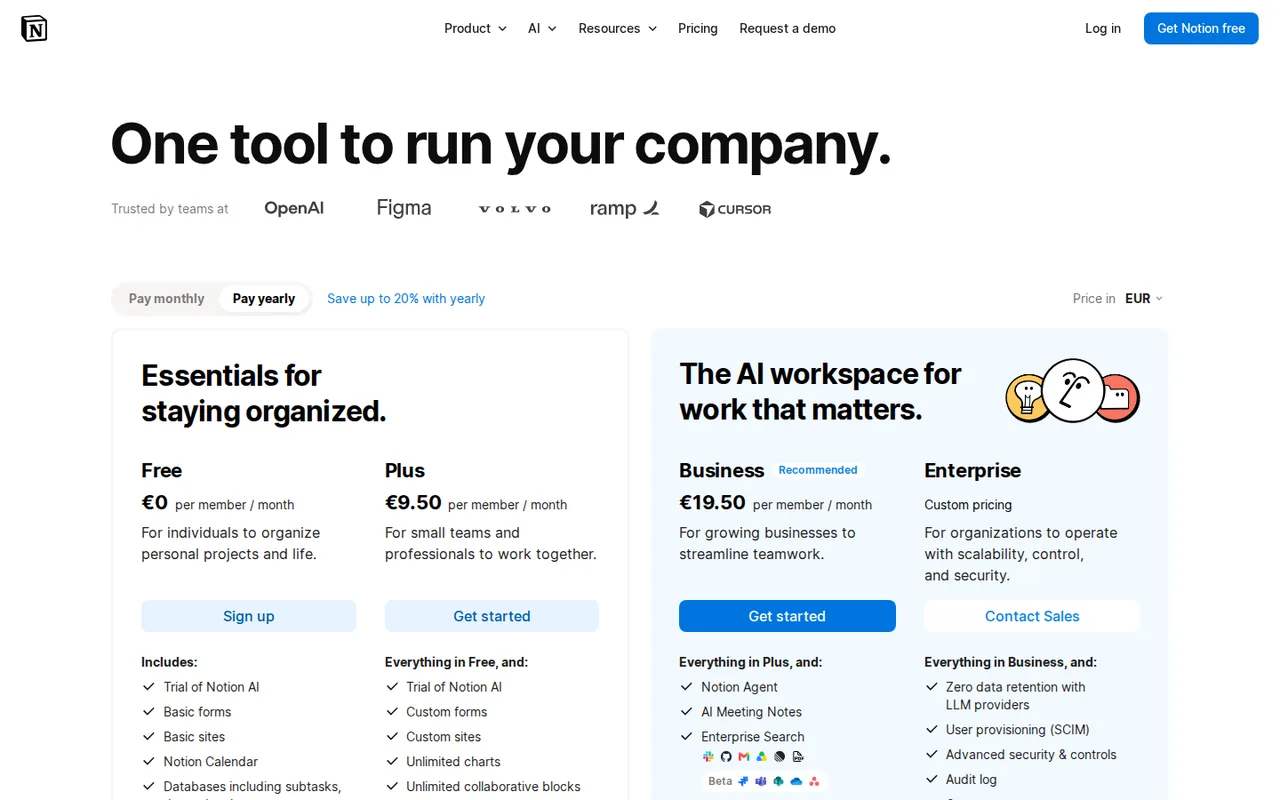
From a server in Germany the pricing page showed EUR by default, with Plus at EUR 9.50 and Business at EUR 19.50 per member per month billed yearly, or EUR 11.50 and EUR 23.50 billed monthly. Switching the currency selector to USD showed the amounts on the plan cards, and the page says yearly billing saves up to 20%. Every member of a paid workspace is billed; guests are free.
| Plan | Price | What you get |
|---|---|---|
| Free | USD 0EUR 0 shown sourceFrom notion.com/pricing, checked Sep 26, 2026 (opens in a new tab) | Limited trial of Notion AI; 7-day page history; 5 MB file uploads; up to 10 guests; Notion credits not available. |
| Plus | USD 10 per member per monthbilled yearly · USD 12 billed monthly sourceFrom notion.com/pricing, checked Sep 26, 2026 (opens in a new tab) | Limited trial of Notion AI only; unlimited uploads; 30-day page history; custom forms and sites. |
| Business | USD 20 per member per monthbilled yearly · USD 24 billed monthly sourceFrom notion.com/pricing, checked Sep 26, 2026 (opens in a new tab) | Notion AI included: Notion Agent, AI Meeting Notes, Enterprise Search and Research Mode; SAML SSO; 90-day page history; Notion credits can be added. |
| Enterprise | Contact provider | Notion AI included with zero data retention at AI providers; SCIM, audit log and customer success manager. |
| Notion credits (add-on) | USD 10 per thousand creditsbilled monthly · USD 13 per thousand as annual credits sourceFrom notion.com/pricing, checked Sep 26, 2026 (opens in a new tab) | Business and Enterprise only; pays for Custom Agents, Workers, premium models and AI use beyond the allowance; unused credits do not carry over. |
How far does it go?
- Business yearly against monthlyBilled yearly, Business costs USD 240 per member (12 x 20) against USD 288 on monthly billing (12 x 24), so a 10-person team pays USD 480 more a year on monthly billing.
- A status-update agent run 60 times a monthNotion estimates a status update agent at about USD 0.08 to 0.18 per run, so 60 runs a month cost about USD 4.80 to 10.80, roughly 480 to 1,080 monthly credits at USD 10 per 1,000.
- Credits for a daily briefA daily brief agent at about USD 0.10 to 0.30 per run costs about USD 3 to 9 over 30 days (30 x 0.10 and 30 x 0.30), so even the high end fits inside one USD 10 pack of 1,000 monthly credits.
Arithmetic from the published allowances above, not a usage test.
Taxes, currency and promotions can change the price you see at checkout.
Try Notion AI free (opens in a new tab)
Key features
| Feature | What it does | Watch out |
|---|---|---|
| Notion Agent | Chat with an agent that creates and edits pages, builds databases and completes multi-step tasks using workspace context. | — |
| Custom Agents | Set up agents that run on a schedule or trigger for the whole team, such as answering Slack questions or drafting status updates.Run recurring work on schedules or triggers, reading pages and databases and posting results for the whole team. | Every run spends Notion credits, which only Business and Enterprise can buy, and agents pause when the balance is empty. |
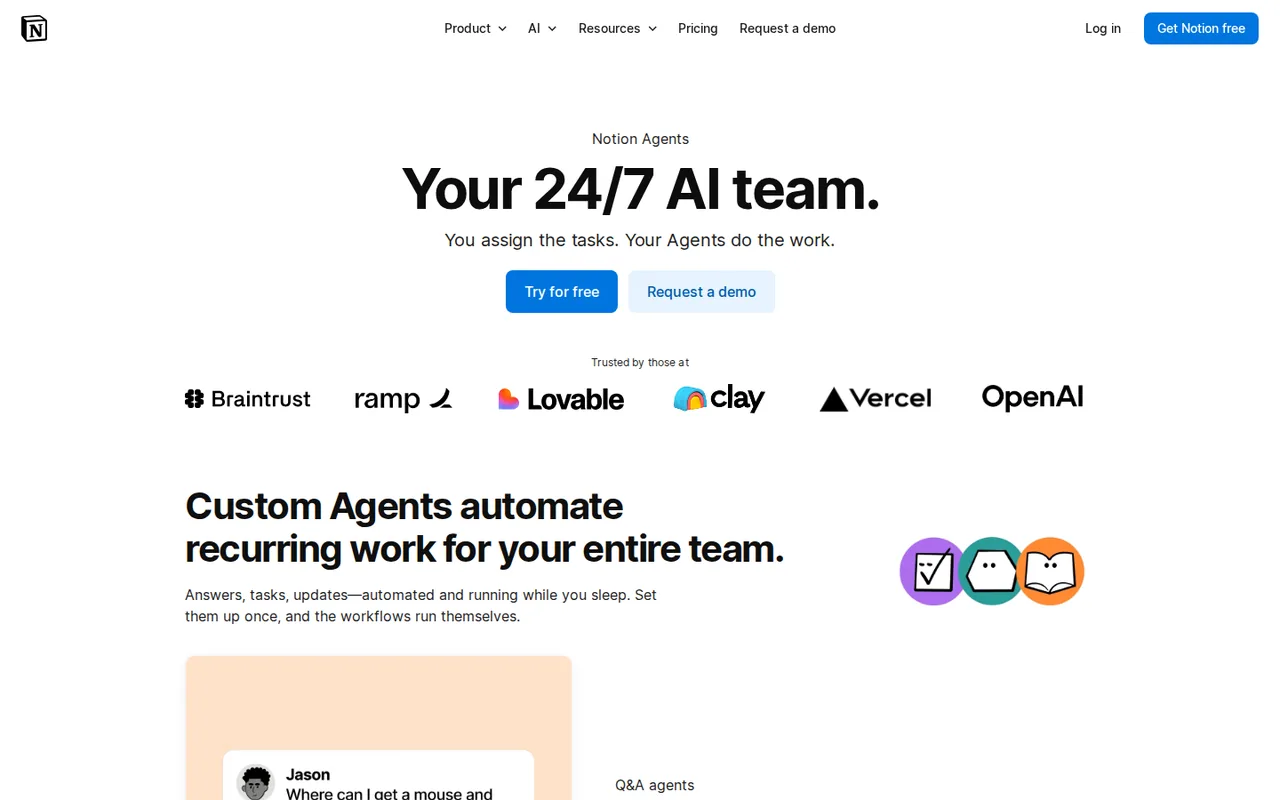
| AI Meeting Notes | Transcribe meetings from any call app and turn them into searchable summaries and action items.Transcribes calls and writes summaries that stay searchable in the workspace. | Limited to 10 hours a day per user and needs about a minute of speech before it can summarize. |
| Enterprise Search | Search the workspace and connected apps such as Slack, Google Drive and GitHub from one place. | — |
| Research Mode | Build longer reports from workspace pages and the web for open-ended questions. | — |
| Autofill and AI blocks | Fill database properties, write formulas and generate summaries or custom outputs inside pages. | — |
| Usage allowance | Business and Enterprise include AI usage for the personal agent, image generation and page translation, tracked in a usage dashboard. | Heavy sessions pause on a rolling six-hour window or for the rest of the billing cycle unless an admin allows credit spending. |
| Image generation | Creates and edits images such as diagrams and flowcharts from prompts on Business and Enterprise. | Still in beta and capped at 10 generations or edits per 24 hours and 30 per 30 days. |
Which Notion plan do you need to use Notion AI?
Editorial assessment
Notion AI is not a separate subscription, so the choice is really a Notion plan choice. Free and Plus workspaces only get a limited number of complimentary AI responses, while Business and Enterprise include Notion Agent, AI Meeting Notes, Enterprise Search and Research Mode for every member.
- Free or Plus fits people who want Notion for notes, docs and databases and only need to try a handful of AI responses.
- Business fits as soon as someone relies on Notion Agent, meeting transcription or search across Slack and Google Drive every week; every member is billed at the Business rate.
- Business plus Notion credits fits teams that run Custom Agents on schedules or triggers, want premium models, or keep hitting the AI usage allowance.
- Enterprise fits organizations that need zero data retention at AI providers, HIPAA support, SCIM or audit logs.
For a standalone assistant outside a workspace, the ChatGPT and Claude profiles cover general chatbots, and the AI writing tools category collects other drafting tools.
What do Notion credits pay for?
Credits are a workspace-wide add-on for Business and Enterprise. They pay for Custom Agents, Workers, premium AI models and Notion AI use beyond the plan allowance, and every agent draws from the same balance no matter who built it. A run costs more when the agent reads more content, takes more steps, runs more often or uses an advanced model.
- Monthly credits cost USD 10 per 1,000, reset each month and can be bought only on monthly plans.
- Annual credits cost USD 13 per 1,000, can be used at any point in the subscription year and expire at renewal.
- Unused credits never carry over, and mid-cycle purchases are not prorated.
When the balance runs out, Custom Agents and premium models pause until credits reset or an admin buys more. Admins get in-app and email alerts at 80% and 100% of usage. Notion’s own rate table puts a Q&A agent at about USD 0.03 to 0.11 per run and a daily brief agent at about USD 0.10 to 0.30.
What happens when you reach the AI usage allowance?
Business and Enterprise include a usage allowance for your personal Notion Agent, image generation and page translation. It is measured over a rolling six-hour window and over the monthly billing cycle; the short window resets on its own, while a used-up monthly allowance returns at the next billing cycle. Admins can let members continue by spending Notion credits, a setting that is off by default.
Some features sit outside that allowance with their own limits. AI Meeting Notes has a 10-hour daily cap per user and needs about one minute of speech to write a summary. Image generation, still in beta, allows 10 generations or edits per 24 hours and 30 per 30 days.
What can Notion Agent do inside your workspace?
Notion Agent works on pages and databases you can already access. It can create and edit pages, build databases with views and relations, fill in properties with Autofill, write formulas and translate a page. With AI Connectors and web search switched on, it also draws on apps such as Slack and Google Drive and on the web.
Files work in both directions: you can upload a file in chat for the agent to read, and it can return a download such as a spreadsheet, PDF or slide deck. Research Mode, available on Business and Enterprise, produces longer reports from workspace and web sources. Admins can turn off web search or require confirmation before the agent opens external sites.
How does Notion AI handle your workspace data?
Notion says it does not train its models on your data unless you opt in, and its contracts bar AI subprocessors from training on customer data. Data sent to AI providers is kept for 30 days on non-Enterprise plans and not kept at all on Enterprise, which also supports HIPAA use.
Meeting audio goes straight to transcription subprocessors that do not store it. If real-time processing fails, Notion keeps the uploaded audio for up to 3 days to retry, and the local copy is deleted within 24 hours or after processing. Enterprise owners can schedule automatic deletion of transcripts.
A task to evaluate before choosing
Proposed evaluation · not performed yet
Start the 30-day Business trial on a professional-domain workspace, connect one Slack channel and one shared Google Drive folder, and ask Notion Agent to turn a week of meeting notes into a task database with owners and due dates. Record whether the rolling allowance pauses you, which answers cite the right source pages, and what a scheduled status-update Custom Agent uses in the credits dashboard. Pass if the database needs only light edits; fail if answers draw on pages the requester should not see.
Is Notion AI worth it?
Documentation review plus dated public user reports. Documentation review, not tested hands-on. Not scored.
Worth it if
- Your team's wikis, projects and meeting notes already live in Notion, because the agent works on those pages and databases inside existing permissions.
- You can budget for Business rates for every member, since Free and Plus only offer a limited trial of Notion AI.
- You want to size agent spend up front, since Notion publishes per-run credit estimates for typical Custom Agents.
Probably not if
- Your documents mostly sit outside Notion, as the AI is a layer on the workspace and is not sold on its own.
- Only a few people need AI in a larger workspace, because every member of a paid workspace is billed.
- You need a fixed monthly cost for agents, because Custom Agents run on credits that reset or expire and are bought on top of the plan.
Notion AI alternatives
Other writing & content tools checked with the same method. Pick by the job, not by a score.

Self-publishing authors, ghostwriters and non-fiction writers who want one place to outline, draft in their own style, edit and prepare a book for Amazon KDP

General drafting, files and everyday research

Drafting, document work and coding

Brand-consistent sales and marketing content for teams

Teams that live in Gmail or Outlook and will pay per seat to triage email faster, or individuals who want a free AI assistant across apps

Drafting YouTube scripts, titles, descriptions and tags in one paid tool

Writing, scheduling and analyzing posts for X accounts

Rewriting and adjusting the tone of your own drafts in the browser
Used Notion AI? Write the first review. Visitor opinions are moderated and kept separate from our source checks.
Frequently asked questions
Can I use Notion AI on the Free or Plus plan?
Only as a trial. Free and Plus workspaces get a limited number of complimentary AI responses, and Notion credits can be bought only on Business and Enterprise. If a workspace later drops from Business to Free or Plus, its Custom Agents are switched off but not deleted, and they resume after upgrading again.
Is there a free trial of Notion AI?
Yes, through a 30-day Business plan trial with full Notion AI access. It is open only to teams using a professional email domain that are not already on Business or Enterprise, and it must be started from the web or desktop app. If you enter payment details, the workspace renews on Business automatically unless you cancel first.
How do Notion refunds work?
Notion refunds the full amount if you downgrade within three days of starting monthly billing or within 30 days of starting annual billing. Customers in the European Union and other regions with mandatory refund rules can get more time; in the EU a monthly subscription can be refunded within 14 days of purchase.
Which AI models does Notion AI use?
Notion AI lets you pick among several providers' models, and Auto matches a model to the task. Premium models spend Notion credits at each provider's published token rates with no markup, stay off until a workspace owner or admin enables them, and admins can cap how many credits each member spends. Business trials may not show the model picker.
Where can I use Notion AI outside the browser?
Notion AI runs in the desktop apps for macOS and Windows and in the mobile apps. On desktop, the default shortcut shift plus cmd or ctrl plus J opens Notion AI even when you are not working in Notion. On iOS, the Shortcuts app and the iPhone 15 Pro action button can open it directly.
Sources and method11 official sources · 34 details checked · Sep 26, 2026
How we checked this profile
34 details on this page were checked against Notion AI's own pages and help documentation (Sep 26, 2026).
See the checks by section31 documented3 editorial assessment
| Section | Checks | Last checked | Sources |
|---|---|---|---|
| Article text | 12 documented 1 editorial | notion.com/notion-ai-faqsnotion.com/what-are-notion-creditsnotion.com/buy-and-track-notion-credi…notion.com/manage-your-usage-allowanc…notion.com/ai-meeting-notesnotion.com/pricingnotion.com/ai | |
| Plans and prices | 11 documented 1 editorial | notion.com/ainotion.com/notion-ai-faqsnotion.com/pricingnotion.com/what-are-notion-creditsnotion.com/buy-and-track-notion-credi… | |
| Other details | 1 documented | notion.com/ai | |
| Questions | 5 documented | notion.com/buy-and-track-notion-credi…notion.com/manage-ai-models-and-membe…notion.com/paid-plan-trialsnotion.com/pricingnotion.com/notion-ai-faqs | |
| Platforms and integrations | 2 documented | notion.com/downloadnotion.com/ai | |
| Who it suits | 1 editorial | — |
Sources for this profile
- Notion pricingnotion.com
- Notion AI product pagenotion.com
- What is Notion AI? FAQsnotion.com
- What are Notion credits?notion.com
All 11 sources
Notion's pricing, Notion AI, Custom Agents and download pages and help center articles on Notion AI, Notion credits, the usage allowance, paid plan trials and AI Meeting Notes were read; no hands-on product test was performed. The pricing page showed EUR by default from a German server, and USD amounts appeared after switching its currency selector. The Notion AI page's credit FAQ still describes a free period that ended on May 3, 2026.
Sources checked Sep 26, 2026. Found something out of date? See how we correct profiles.