

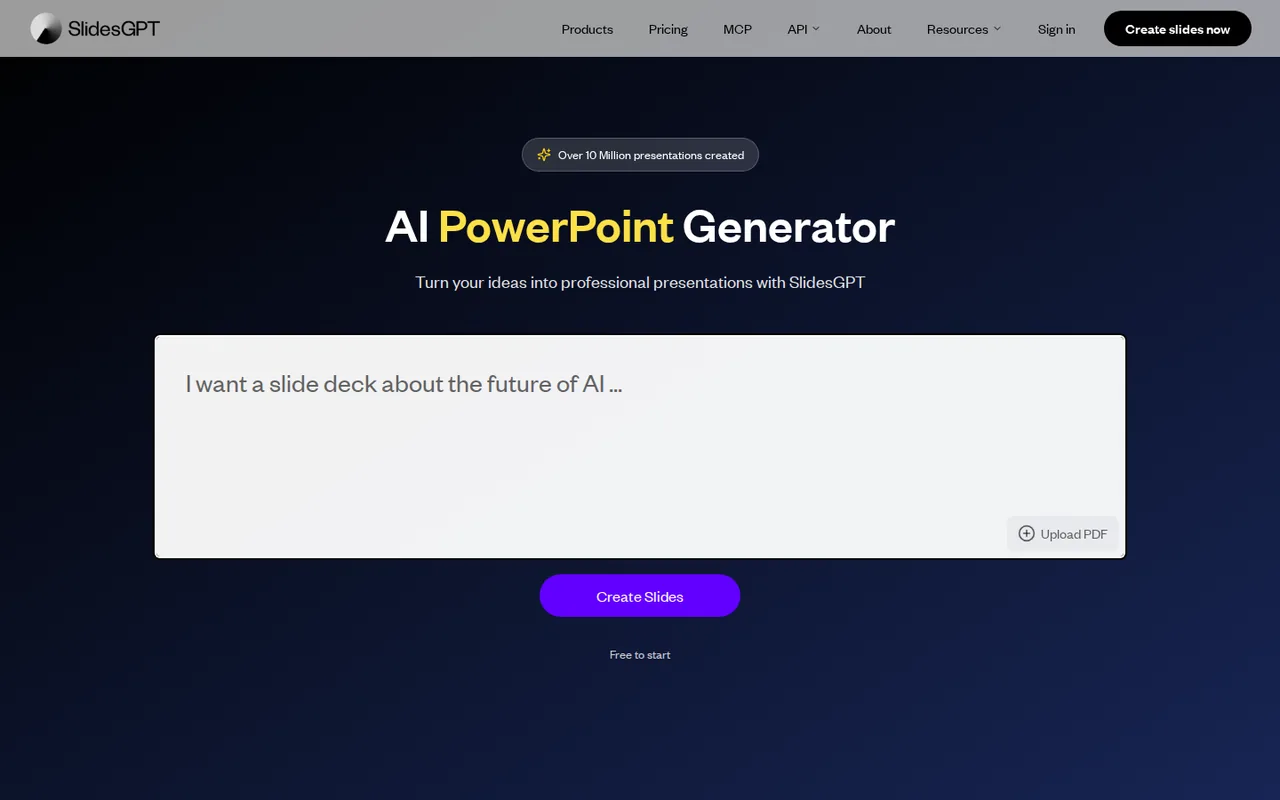
What is SlidesGPT, in short?
Updated October 31, 2026 · By Elias Brandt · Documentation review, not tested hands-on
Pros
- Free preview of the result
- Several input types
- Agent and API access
- Plain plan ladder
Cons
- Free cannot export
- Low download quotas
- Monthly prices are not on the plan cards
- No refunds
- Results are not unique
Best forStudents and teachers who want a quick first draftProfessionals turning a PDF or video into slidesDevelopers building presentation featuresNot for free PowerPoint filesNot for heavy exporters on one seat
Strengths, limits and who it suits, in full
Strengths
- Free preview of the result You can generate a deck and present it from the browser before paying, so output quality can be judged first.
- Several input types Prompt, PDF, YouTube URL, markdown and chat all start a deck, and output works in any language.
- Agent and API access A keyless MCP server and a REST API with a free tier of up to 100 presentations a month are published.
- Plain plan ladder Free, Pro and Pro XL differ mainly in download count, so the choice depends on how many decks you export.
Limits
- Free cannot export PowerPoint, PDF and Google Slides files need Pro or Pro XL; Free stops at browser viewing and sharing.
- Low download quotas Pro allows 10 downloads a month and Pro XL 50, and the unit of a download is not defined on the pricing page.
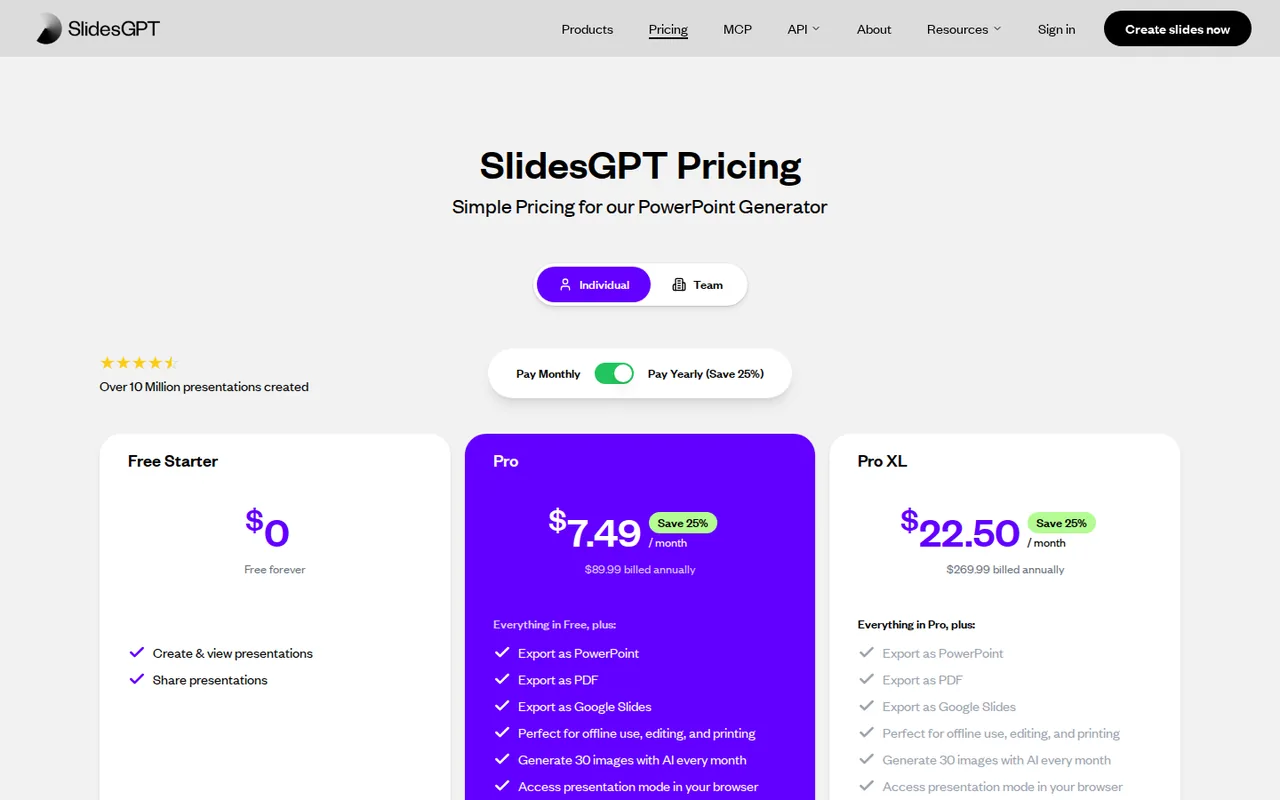
- Monthly prices are not on the plan cards The cards show the annual-equivalent $7.49 and $22.50; the monthly $9.99 and $29.99 appear in the FAQ.
- No refunds The terms state all payments are non-refundable and cancellation takes effect at the end of the billing period.
- Results are not unique The terms say other users may receive the same or similar results and that outputs are provided as is.
Who it suits
- Students and teachers who want a quick first draft Free lets you generate a deck and present it from the browser without paying.
- Professionals turning a PDF or video into slides PDF upload and YouTube URL input start a deck; plan for edits, since the PDF route is not a one-to-one conversion.
- Developers building presentation features An MCP server and a REST API with up to 100 free presentations a month are published.
- Not for free PowerPoint files anyone who needs a .pptx without paying should look elsewhere, since Free has no export.
- Not for heavy exporters on one seat Pro caps at 10 downloads a month, and 50 on Pro XL, which suits occasional rather than daily use.
How much does SlidesGPT cost?
Prices confirmed · checked
- $9.99Pro
- $29.99Pro XL
Regional prices: Annual billing is listed as a 25% saving: Pro $89.99 a year and Pro XL $269.99 a year, shown on the cards as $7.49 and $22.50 a month.
The monthly-billing prices of $9.99 and $29.99 are stated in the FAQ rather than on the cards. Team is priced in euros and is not converted. The FAQ says enterprise plans start at $500 a month, but the pricing page shows Enterprise as Custom, so that figure is not used. Terms state all payments are non-refundable and that prices may change.
| Plan | Price | What you get |
|---|---|---|
| Free Starter | $0 sourceFrom slidesgpt.com/pricing, checked Oct 31, 2026 (opens in a new tab) | Create and view presentations; share them; present from the browser; no PowerPoint, PDF or Google Slides export; free forever. |
| Pro | $9.99 per month billed monthlyor $89.99 per year · $7.49 per month equivalent sourceFrom slidesgpt.com/pricing, checked Oct 31, 2026 (opens in a new tab) | Export as PowerPoint, PDF and Google Slides; 30 AI images a month; browser presentation mode; 10 downloads a month. |
| Pro XL | $29.99 per month billed monthlyor $269.99 per year · $22.50 per month equivalent sourceFrom slidesgpt.com/pricing, checked Oct 31, 2026 (opens in a new tab) | Everything in Pro with 50 downloads a month. |
| Team | €10 per seat per monthbilled monthly sourceFrom slidesgpt.com/pricing, checked Oct 31, 2026 (opens in a new tab) | All Pro XL features for every seat; invite teammates by email; central billing through Stripe. |
| Custom ChatGPT App | $19.99 per user per monthbilled monthly sourceFrom slidesgpt.com/pricing, checked Oct 31, 2026 (opens in a new tab) | Branded templates, fonts and colors; text, PDF or CSV to branded slides; AI charts and images; works inside ChatGPT Enterprise. |
| API | $0 to startthen usage-based sourceFrom slidesgpt.com/pricing, checked Oct 31, 2026 (opens in a new tab) | REST API; up to 100 presentations a month free; pay per presentation above that. |
| Enterprise | Custom quote | Everything in the Custom ChatGPT App plus on-premise option, premium layouts, custom data sources and an account manager. |
How far does it go?
- Cost per download on listed quotasPro monthly: $9.99 for 10 downloads is about $1.00 each; Pro annual: $89.99 for 120 a year is about $0.75 each. Pro XL monthly: $29.99 for 50 is about $0.60 each; Pro XL annual: $269.99 for 600 a year is about $0.45 each. Free has no downloads, and the pricing page does not define a download, so a deck exported twice may use two. Arithmetic on published prices, not a statement by SlidesGPT.
Arithmetic from the published allowances above, not a usage test.
Taxes, currency and promotions can change the price you see at checkout.
Try SlidesGPT free (opens in a new tab)
Key features
| Feature | What it does | Watch out |
|---|---|---|
| Builds a deck from a typed prompt, an uploaded PDF, a YouTube video URL, markdown or a chat conversation; the PDF route is not a one-to-one conversion (features page) | — | |
| Writes a structure and outline first, then slides with layouts, images and speaker notes chosen for the content (features page) | — | |
| Generates custom images with OpenAI and Google models and searches an image library; Pro includes 30 AI images a month (features and pricing pages) | — | |
| Edits an existing deck through an outline editor and chat-based changes, and works in any language (features page) | — | |
| Exports PowerPoint, PDF and Google Slides on Pro and Pro XL, with 10 or 50 downloads a month (pricing page) | — | |
| Remote MCP server with five tools for agents, no key required, plus a REST API with custom template support (MCP page, API docs) | — | |
| Download allowance | Pro lists 10 downloads a month and Pro XL 50; the plans otherwise carry the same export formats, AI image allowance and browser presentation mode. | The pricing page does not define whether one download is one deck or one file, so a quota for revised decks is not stated. |
| Agent access | The MCP server exposes create_slides, apply_theme, generate_image, show_theme_picker and upload_files at one URL, and the page says it needs no account or key. | The page does not say whether decks made through MCP count toward the paid download quotas. |
What does a Free account give you?
Free is enough to see the output, not to take a file away. The FAQ says creating and viewing presentations in the browser is free and that downloading as PowerPoint, Google Slides or PDF needs a paid plan. You can still share a deck and present it from the browser window, which makes one free draft a reasonable first step before choosing Pro.
What can you start a deck from?
The features page lists a typed prompt, a PDF upload, a YouTube URL, markdown and a chat conversation. It adds a note that PDF input is not a one-to-one conversion, so expect SlidesGPT to summarize a document rather than copy its pages. The tool writes an outline first, then slides, speaker notes and images, and the outline can be edited before and after generation.
Which paid plan matches your exports?
On the pricing page Pro and Pro XL share the same export formats and AI image allowance; they differ in downloads, 10 a month against 50. The plan cards show the annual equivalent ($7.49 and $22.50 a month), while the FAQ gives the monthly-billing prices of $9.99 and $29.99. The page does not define a download, so a revised deck may use more than one. Team is €10 per seat with Pro XL features, listed in euros.
What about the API and MCP server?
For builders, the MCP page describes a keyless remote server with five tools, and the API documentation covers authentication and generating, embedding, downloading and deleting presentations. The pricing page lists up to 100 free API presentations a month. The FAQ also says enterprise plans start at $500 a month, which the pricing page does not repeat, so treat that figure as unconfirmed.
Who runs it and what do the terms say?
How could you check SlidesGPT before paying?
Proposed evaluation · not performed yet
Check whether one free deck keeps the facts of a source document and what Free really lets you take away, using a document you are allowed to upload.
- Create a free account and upload a three-page PDF with five specific figures.
- Ask for about 10 slides and compare every figure on the slides with the PDF.
- Open the share link in a private window without signing in.
- Click Download and record whether an upgrade prompt appears.
Accept if all five figures match and the shared deck opens for a signed-out viewer. Reject if slides add numbers the PDF does not contain. No result is recorded here.
SlidesGPT alternatives
Other presentations tools checked with the same method. Pick by the job, not by a score.

Recurring decks and fast drafts

Generating an on-brand deck from a prompt and rehearsing it before you present

Turning notes and reports into diagrams inside one document

Turning existing documents into editable PowerPoint decks

Sending personalized sales decks as tracked web links instead of PowerPoint files

AI first drafts of decks, documents and simple websites

Turning written text into editable business diagrams

Turning a topic or document into an interactive AI-taught lesson
Used SlidesGPT? Write the first review. Visitor opinions are moderated and kept separate from our source checks.
Frequently asked questions
Can I download a SlidesGPT deck for free?
No. Free lets you create, view and share a deck and present it from the browser. Export as PowerPoint, PDF or Google Slides is a Pro or Pro XL feature, with 10 or 50 downloads a month listed.
Is Pro cheaper billed yearly?
Yes, by the provider's figures. Pro is $9.99 a month or $89.99 a year, and Pro XL is $29.99 a month or $269.99 a year, a 25% saving. The plan cards show only the annual equivalents, $7.49 and $22.50 a month.
Does SlidesGPT convert a PDF into the same slides?
No. The features page says PDF input is not a one-to-one conversion. SlidesGPT builds a new deck from the content, so check figures and wording against the source before presenting.
Can I get a refund from SlidesGPT?
The terms say all payments are non-refundable, with no credit for unused time. You can cancel at any time under account settings, and cancellation takes effect at the end of the current billing period.
Does SlidesGPT have an API?
Yes. The pricing page lists a REST API with up to 100 presentations a month free and per-presentation pricing above that, and a keyless MCP server is published for agents. Enterprise terms are quoted individually.
Sources and method12 official sources · 19 details checked · Oct 31, 2026
How we checked this profile
19 details on this page were checked against SlidesGPT's own pages and help documentation (Oct 31, 2026). 1 is still open and listed below.
See the checks by section17 documented1 editorial assessment1 open
| Section | Checks | Last checked | Sources |
|---|---|---|---|
| Plans and prices | 8 documented 1 editorial 1 open | slidesgpt.com/pricingslidesgpt.com/faq | |
| Features | 2 documented | slidesgpt.com/features | |
| Platforms and integrations | 2 documented | slidesgpt.com/mcpslidesgpt.com/docs | |
| Other details | 1 documented | slidesgpt.com/imprint | |
| Article text | 2 documented | slidesgpt.com/tos | |
| Questions | 1 documented | slidesgpt.com/faq | |
| Official channels and media | 1 documented | slidesgpt.com/about |
Still open
- The FAQ says enterprise plans start at $500 a month, while the pricing page shows Enterprise as Custom without a figure.Not confirmed · checked · Source (opens in a new tab)
Sources for this profile
- Pricing page with plan cardsslidesgpt.com
- Homepage, FAQ and plan summaryslidesgpt.com
- FAQ page with monthly and annual pricesslidesgpt.com
- Features pageslidesgpt.com
All 12 sources
Official pages read on 31 Oct 2026 with plain HTTP requests: homepage, pricing, FAQ, features, MCP and Enterprise API pages, API docs, help center, Terms of Service, Privacy Policy, imprint and about page. We did not create an account or generate a deck. User counts, the ChatGPT store ranking, star ratings and customer quotes on the provider pages were not used, and neither were third-party directory prices. The privacy policy was not evaluated for data handling.
Sources checked Oct 31, 2026. Found something out of date? See how we correct profiles.