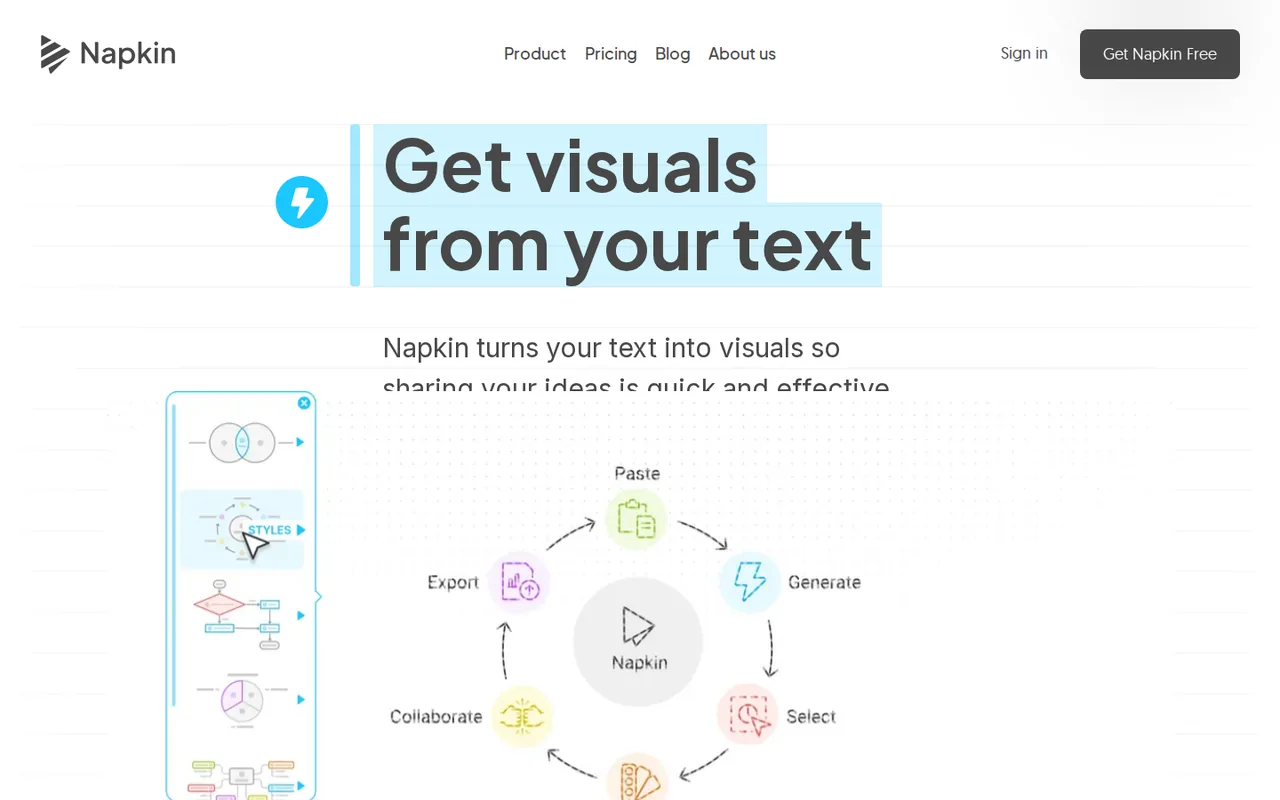
Napkin AI: 500 free credits a week at about one credit per word, but Free exports keep the Napkin logo
Updated September 29, 2026 · By Elias Brandt · Documentation review, not tested hands-on
Pros
- Credit-free editing
- One plan covers Visuals and Slides
- Useful free exports
Cons
- Watermark on Free
- No credit rollover
- Content used by default
Bottom line
500 AI credits per week; unlimited editing, file import (PPT, DOC, PDF, HTML, MD) and PNG and PDF export; built-in styles and standard icons; Napkin branding on visuals.
You write short passages and want editable diagrams, because Free gives 500 credits a week and editing a finished visual costs nothing.
You need clean exports on a free account, because the Napkin logo stays locked on every Free export.
Best forWriters illustrating articlesTeachers and trainersConsultants delivering client decksBrand and marketing teams
Strengths, limits and who it suits, in full
Strengths
- Credit-free editing Changing colors, icons, sizes and shapes after generation does not consume credits.
- One plan covers Visuals and Slides Free, Plus and Pro all include both products at no extra cost.
- Useful free exports Free includes unlimited PNG and PDF export and unlimited file imports.
Limits
- Watermark on Free The Napkin logo toggle is locked on for every Free export.
- No credit rollover Unused monthly credits are lost at each reset on paid plans.
- Content used by default Content may be used in anonymized form to improve models unless you opt out in settings.
Who it suits
- Writers illustrating articles Free covers occasional blog or newsletter diagrams where a small logo is acceptable.
- Teachers and trainers short lesson points fit the weekly credits; import slides or documents instead of retyping them.
- Consultants delivering client decks Plus is the minimum for watermark-free PPT files that clients can edit.
- Brand and marketing teams Pro adds unlimited custom branding and font upload for consistent company visuals.
How much does Napkin AI cost?
Prices confirmed · checked
Regional prices: Prices are in USD per person per month, as shown to an en-US browser from a Germany-based server; an earlier check from the same region showed euro amounts, so the currency may follow location.
The yearly view is the default and is labelled 25% off; the annual invoice total is not printed. The terms say partially used credits are not refunded and refunds cover only the latest billing cycle.
| Plan | Price | What you get |
|---|---|---|
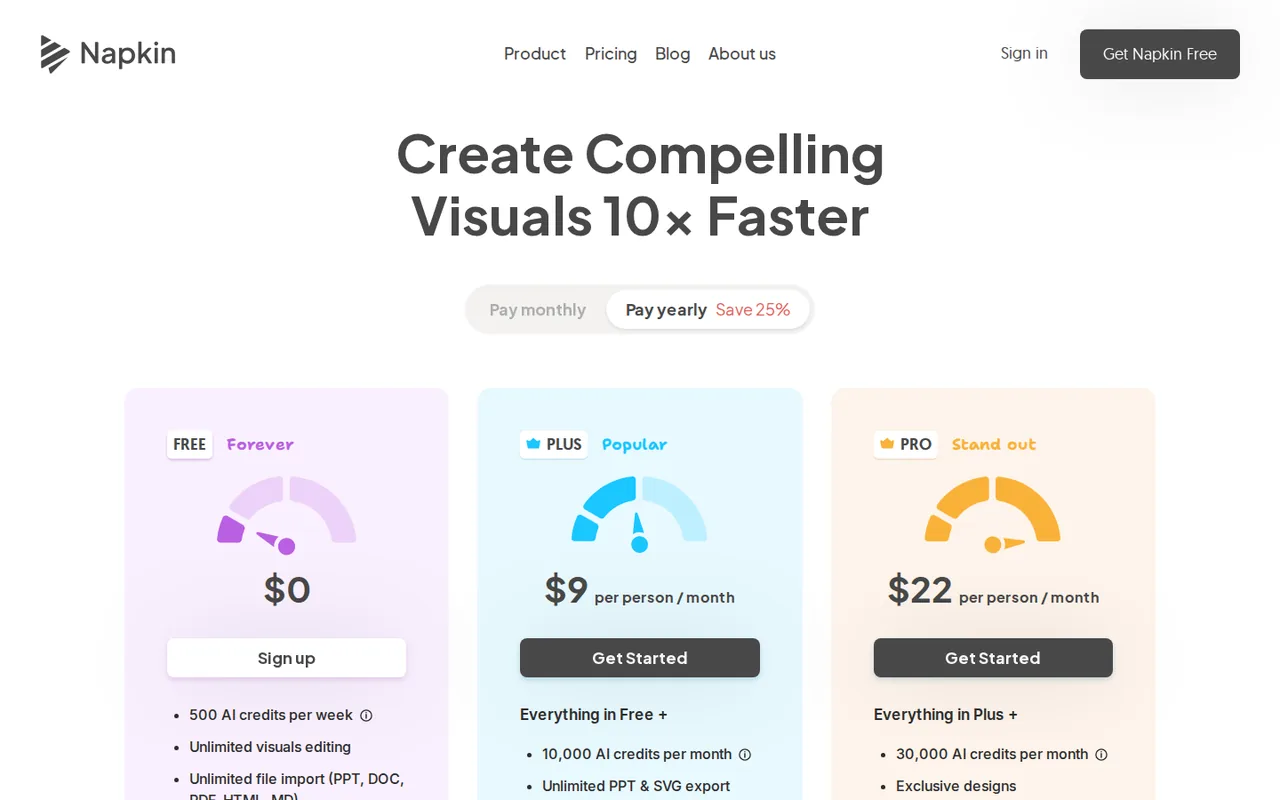
| Free | $0 sourceFrom napkin.ai/pricing, checked Sep 29, 2026 (opens in a new tab) | 500 AI credits per week; unlimited editing, file import (PPT, DOC, PDF, HTML, MD) and PNG and PDF export; built-in styles and standard icons; Napkin branding on visuals. |
| Plus | $9 per person per monthbilled yearly · or $12 billed monthly sourceFrom napkin.ai/pricing, checked Sep 29, 2026 (opens in a new tab) | 10,000 AI credits a month; unlimited PPT and SVG export; 3 brand styles; bold icons; Napkin branding removed; team management and billing. |
| Pro | $22 per person per monthbilled yearly · or $30 billed monthly sourceFrom napkin.ai/pricing, checked Sep 29, 2026 (opens in a new tab) | 30,000 AI credits a month; exclusive designs; unlimited custom branding; font upload; optional credit top-ups. |
| Enterprise | Custom pricing | Contact sales; plan contents are not listed on the pricing page. |
Which plan fits?
Smallest plan whose monthly credits cover your number with 15% spare for regenerations. Arithmetic from the plan table above, not a usage test.
How far does it go?
- Weekly free credits against selection lengthNapkin charges about 1 credit per selected word. A 120-word paragraph: 500 ÷ 120 = about 4 generations a week. A 40-word bullet list: 500 ÷ 40 = about 12 generations. Editing a visual is free, but regenerating from the same text is charged again. An approximation from the provider’s stated rate, not measured usage.
Arithmetic from the published allowances above, not a usage test.
Taxes, currency and promotions can change the price you see at checkout.
Try Napkin AI free (opens in a new tab)
Key features
| Feature | What it does | Watch out |
|---|---|---|
| Text to diagrams, flowcharts, mind maps, infographics and data charts | — | |
| Napkin Slides for full presentation decks | — | |
| Import from PPT, DOC, PDF, HTML and Markdown | — | |
| Credit-free editing of colors, icons, layouts and shapes | — | |
| Export to PNG, PDF, SVG and PPT | Exports a single visual as PNG, SVG, PPT or PDF with color settings. | Free keeps the Napkin logo locked on, and SVG and PPT export need Plus or Pro. |
| Brand styles with custom colors and fonts | — | |
| Shared teamspaces with comments and real-time editing | — | |
| API tokens for external workflows | — | |
| Autospark generation | Reads the selected text and offers several visual options to choose from, without prompt writing. | Credits scale with the length of the selection, so long passages cost more per attempt. |
| Brand Studio | Stores brand colors and fonts for reuse across Visuals and Slides. | Plus allows 3 brand styles; unlimited custom branding and font upload need Pro. |
How far do the 500 free weekly credits go?
Napkin measures generation in AI credits, and the pricing FAQ says about one credit is charged per word selected for a visual. The help center puts it the other way round: credits are a function of how big the text is. The practical rule is to select the shortest passage that still carries the idea, not a whole section.
Free credits arrive weekly, while Plus and Pro receive a monthly allowance that resets regardless of monthly or annual billing. Unused credits do not roll over. Editing a finished visual, such as colors, icons, resizing or shapes, is free, but selecting the text again and pressing the Autospark button counts as a new generation.
Which exports need a paid plan?
Free includes unlimited PNG and PDF exports, but a small Napkin logo is added and its toggle stays locked on. Plus and Pro can switch the logo off in the export window and add unlimited PPT and SVG export. SVG matters when a designer needs to edit shapes, and our guide on how to prepare AI vector artwork for an editable handoff covers what to check in such a file; PPT matters when a client expects native slides.
Exports are made per visual from the preview window, where color settings can also be changed before download. For a whole document, a separate PDF export is available. Check a Free export at the size it will be used, because the logo placement may decide whether a Free file is acceptable in a report.
Which plan fits a team or a brand?
Plans are priced per person, and on a paid plan each member who accepts a teamspace invitation is charged as an extra seat. Editorial assessment: a small team that only needs clean PPT files fits Plus, while Pro is worth its higher seat price only when unlimited brand styles, custom fonts or exclusive designs are needed.
- Plus: 3 brand styles, bold icons, branding removed, 10,000 credits a month.
- Pro: unlimited custom branding, font upload, exclusive designs, 30,000 credits a month and optional top-ups.
- Three Plus seats on the yearly view: 3 × $9 = $27 a month equivalent; on monthly billing 3 × $12 = $36.
Can you use Napkin visuals commercially?
The terms say you retain whatever ownership rights exist in generated output and may use it commercially, including resale, marketing and business presentations. Individual components such as icons, illustrations, templates and design elements remain the property of Napkin or its licensors, and you may not extract or reuse them outside the visual they appear in.
Napkin gives no uniqueness guarantee on output; another user can receive a similar or identical visual from similar text. A help article states that Napkin visuals are not subject to copyright, but the terms are the binding document, so do not lift a single icon into a logo or a separate asset library.
What happens to your text and data?
A help article says content may be used, in anonymized form, to improve Napkin models by default, with an opt-out under Data Privacy in account settings. The terms describe it more narrowly: visual content is not used for training, but anonymized interaction data, such as the text segment used and the visual you picked, may be. Either way, switch the setting off before working on confidential material.
Text sent to third-party AI providers is used only to generate results, and the terms say those providers may not train on it. In a teamspace, the admin controls privacy and training settings for all members’ content, so individual members cannot override the team choice.
What happens if you cancel or a payment fails?
Cancelling keeps paid features until the end of the current period, without a prorated refund, and your content stays accessible afterwards. A downgrade takes effect at the end of the billing cycle; earlier content remains, but editing features tied to the higher plan may be restricted. Subscriptions renew automatically unless you opt out.
If a card payment fails, Napkin retries up to 8 times over the following month and sends an email after each failure. If all retries fail, the account moves to the Free plan until payment details are updated, which also brings back the locked watermark on new exports.
Can the free plan turn a process description into a slide-ready diagram?
Proposed evaluation · not performed yet
On a Free account, paste a fictional 90-word description of a five-step customer onboarding process with named owners for each step. Only PNG and PDF export are used, since PPT and SVG need a paid plan.
- Note the credit balance before starting.
- Select the paragraph and generate visuals with Autospark.
- Pick the option that shows five ordered steps, then edit colors and one icon.
- Export PNG and PDF and place both in a 16:9 slide at full width.
- Record the credits used by the first generation and one regeneration.
Accept a diagram that keeps all five steps in the right order, with owners that match the text and labels readable at slide size. Reject missing or invented steps or mismatched owners. Leave the observed result blank until the exercise is run.
For full slide decks generated from a prompt, compare Gamma and Beautiful.ai. For collaborative presentation editing in a team, see Pitch.
Is Napkin AI worth it?
Documentation review plus dated public user reports. Documentation review, not tested hands-on. Not scored.
Worth it if
- You write short passages and want editable diagrams, because Free gives 500 credits a week and editing a finished visual costs nothing.
- You hand clients editable files, because Plus is the plan that adds PPT and SVG export and removes the Napkin logo.
- You need consistent company visuals, because Pro adds unlimited custom branding and font upload.
Probably not if
- You need clean exports on a free account, because the Napkin logo stays locked on every Free export.
- You work with confidential text and will not change settings, because content may be used in anonymized form unless you opt out.
- You plan to generate visuals from long passages on Free, because credits scale with the number of words selected and regenerating is charged again.
Napkin AI alternatives
Other presentations tools checked with the same method. Pick by the job, not by a score.

Recurring decks and fast drafts

AI first drafts of decks, documents and simple websites

Sales and client-facing decks

Generating an on-brand deck from a prompt and rehearsing it before you present

Turning existing documents into editable PowerPoint decks

Turning a topic or document into an interactive AI-taught lesson

Drafting and reformatting slides without leaving Google Slides or PowerPoint

Turning a PDF, Word or Excel document into an editable PowerPoint deck
Used Napkin AI? Write the first review. Visitor opinions are moderated and kept separate from our source checks.
Frequently asked questions
Can Napkin generate visuals on a phone?
Only partly. The homepage FAQ says you can view existing work and create or edit presentations from a phone, but visual generation is not available on mobile yet. Plan to generate diagrams in a desktop browser, then use the phone for small edits, review comments or presenting a finished deck.
Does Napkin have an API?
Yes. The help center says API tokens are created in Account Settings, or Teamspace Settings for teams, under a Developers tab, with documentation at api.napkin.ai. The public pricing page does not list API limits or charges, so check how API generation draws on credits before building an automated workflow on it.
Which languages can Napkin create visuals in?
Napkin says it can create visuals and presentations in more than 60 languages, regardless of the input language. The interface itself is available in English, French, Spanish, Italian, Korean and Portuguese. Have a native speaker check labels in a language you cannot read before sharing, because short diagram labels can shift meaning.
Are there student or nonprofit discounts?
No. The pricing FAQ says Napkin does not currently offer discounts for nonprofits or students and points them to the free plan for lightweight use. The only published reduction is the 25% saving for paying yearly instead of monthly, which applies to both Plus and Pro seats.
Can exported files be identified as AI-generated?
Some supported exports can carry machine-readable AI-origin information, according to Napkin’s AI transparency page effective September 14, 2026. Editing, converting or screenshotting can remove it, and a missing mark does not prove human authorship. The visible Napkin logo is a separate matter, and any disclosure owed to readers remains the publisher’s responsibility.
Sources and method12 official sources · 6 details checked · Sep 29, 2026
How we checked this profile
6 details on this page were checked against Napkin AI's own pages and help documentation (Sep 29, 2026).
See the checks by section6 documented
| Section | Checks | Last checked | Sources |
|---|---|---|---|
| Plans and prices | 3 documented | napkin.ai/pricing | |
| Strengths and limits | 2 documented | help.napkin.ai/15924385-how-to-remove-the…help.napkin.ai/15924483-is-my-content-use… | |
| Other details | 1 documented | napkin.ai/terms-conditions |
Sources for this profile
- Plans and AI creditsnapkin.ai
- Product overview and FAQnapkin.ai
- Terms of use (updated September 14, 2026)napkin.ai
- Privacy policy (effective August 31, 2026)napkin.ai
All 12 sources
The terms updated September 14, 2026 name Second Layer, Inc. as the owner of Napkin AI. Training statements differ in wording: a help article says content may be used in anonymized form by default, while the terms say visual content is not used for training but anonymized interaction data is; both describe an opt-out. The pricing card lists credit top-ups under Pro, while the pricing FAQ says any user can buy more credits. A help article says visuals are not subject to copyright; the terms keep icons and other components as Napkin property.
Sources checked Sep 29, 2026. Found something out of date? See how we correct profiles.