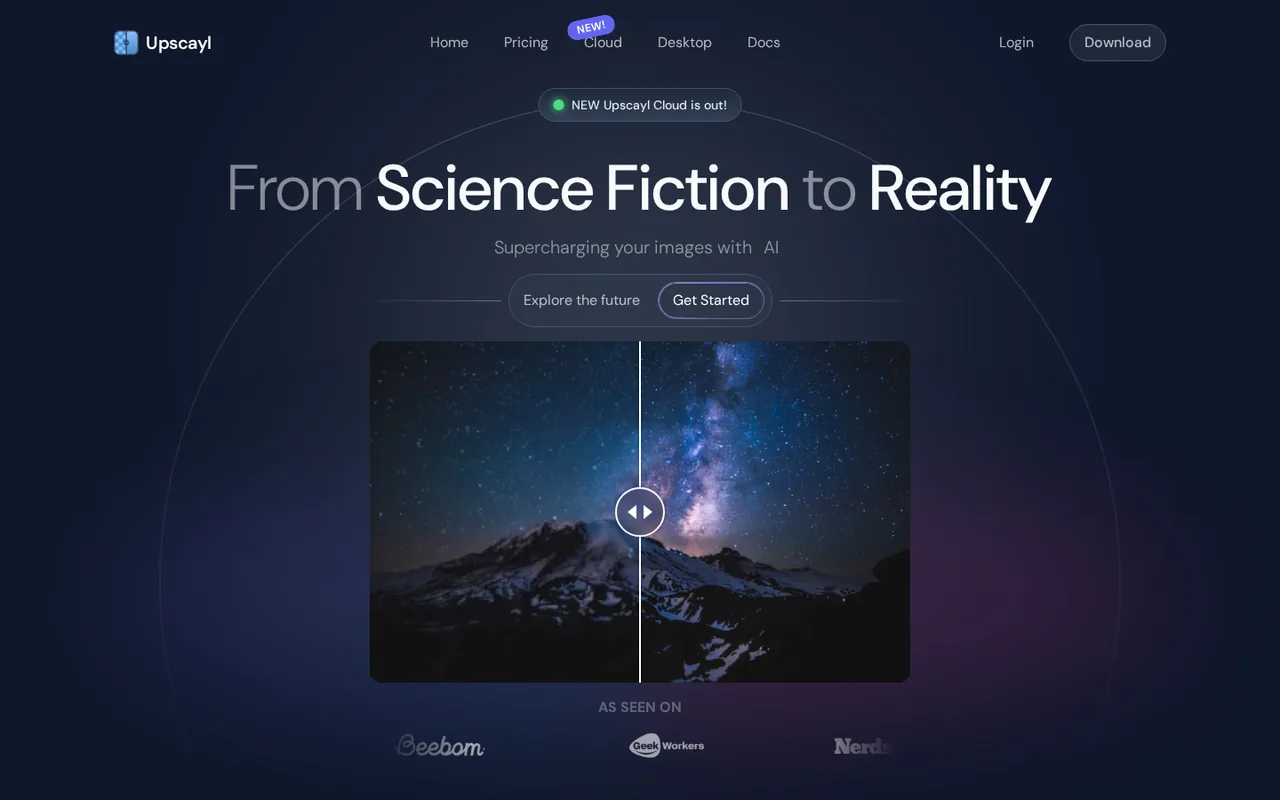
Upscayl: free desktop upscaler needs a Vulkan GPU, while Cloud Pro costs $24.99 a month
Updated October 2, 2026 · By Elias Brandt · Documentation review, not tested hands-on
Pros
- Free desktop app
- Files can stay on your machine
- Choice of models
Cons
- Needs a Vulkan GPU
- Does not fix blur
- Cloud credits are opaque
Bottom line
Free and open source (AGPL-3.0); runs on your own Vulkan-compatible computer.
You have a desktop with a discrete graphics card: the free app does the core upscaling job without any subscription.
Your laptop has only integrated graphics: many such chips do not work, and Cloud is the route without a compatible GPU.
Best forPeople with a desktop that has a discrete GPUOwners of small, sharp imagesUsers without a Vulkan graphics cardDevelopers and tinkerers
Strengths, limits and who it suits, in full
Strengths
- Free desktop app The desktop version is free and open source under AGPL-3.0, with no credit meter, so cost is only your own hardware.
- Files can stay on your machine Desktop upscaling runs locally on your graphics card instead of uploading images to a service.
- Choice of models Built-in and community models, plus a command-line tool, give more control than a one-button web upscaler.
Limits
- Needs a Vulkan GPU The README and docs say many CPUs and integrated GPUs do not work, which rules out some laptops.
- Does not fix blur Upscayl cannot deblur unfocused images or correct focus; it suits pixelated or low-resolution sources.
- Cloud credits are opaque The pricing page lists credits but not the credit cost per image, and unused credits are lost on cancellation.
Who it suits
- People with a desktop that has a discrete GPU the free desktop app covers the core job without a subscription.
- Owners of small, sharp images old web graphics, scans and screenshots are the intended input, not blurred photos.
- Users without a Vulkan graphics card Upscayl Cloud is the documented route, so weigh the Pro plan against the unknown credit cost per image.
- Developers and tinkerers the open-source code, command-line tool and custom models suit people who want to script batches.
How much does Upscayl cost?
Prices confirmed · checked
Regional prices: The desktop app is free and open source (AGPL-3.0).
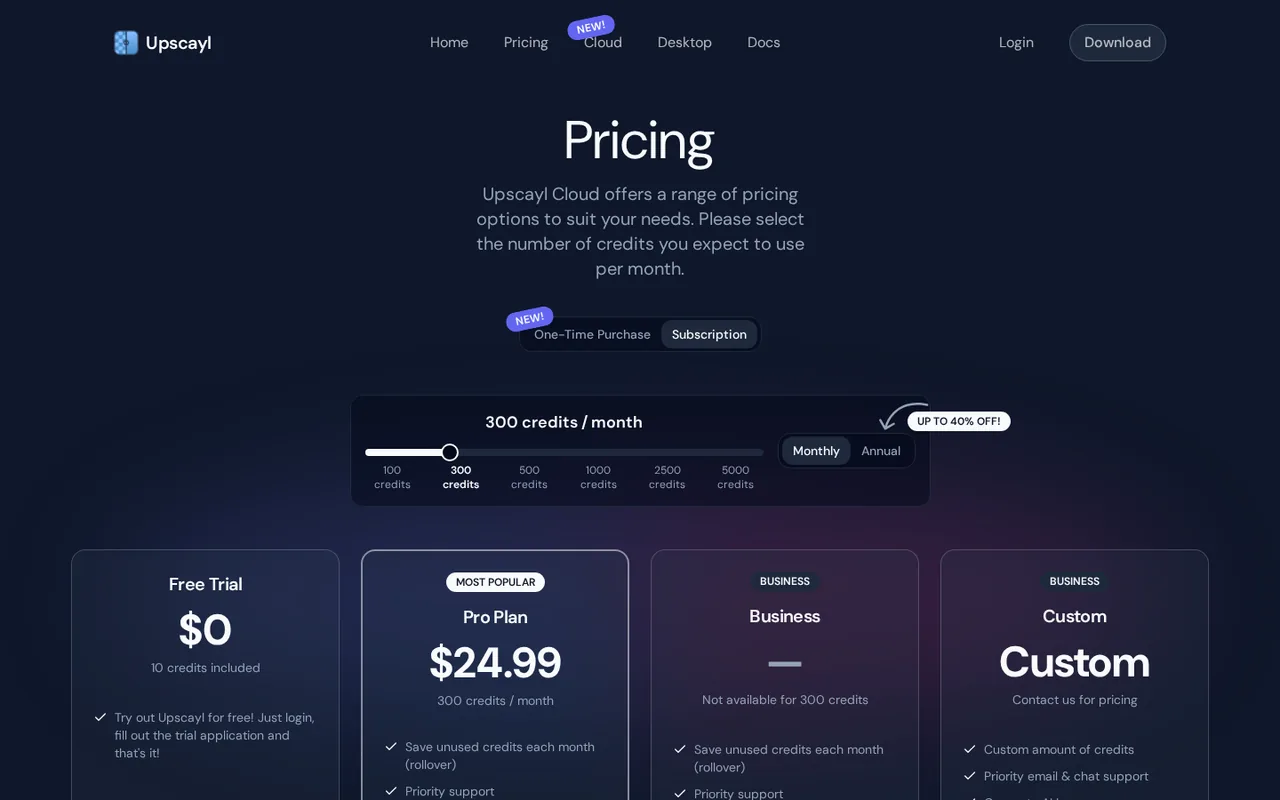
Upscayl Cloud is a separate paid web service: a Free Trial with 10 credits, a Pro plan at $24.99 per month with 300 credits (an annual option is described as up to 40% off), and Business and Custom plans by quote. The pricing page does not state how many credits one image costs, and no cost per image is assumed here.
| Plan | Price | What you get |
|---|---|---|
| Upscayl desktop app | 0 sourceFrom upscayl.org/pricing, checked Oct 2, 2026 (opens in a new tab) | Free and open source (AGPL-3.0); runs on your own Vulkan-compatible computer. |
| Upscayl Cloud Free Trial | 0one-time sourceFrom upscayl.org/pricing, checked Oct 2, 2026 (opens in a new tab) | 10 credits after login and a trial application. |
| Upscayl Cloud Pro | $24.99monthly sourceFrom upscayl.org/pricing, checked Oct 2, 2026 (opens in a new tab) | 300 credits per month, rollover of unused credits, priority support, 6 months of storage, upscaling up to 256MP, AI image generation; the page describes an annual option as up to 40% off. |
| Upscayl Cloud Business | Contact for quote | Custom credits, upscaling up to 512MP, priority support, 6 months of storage. |
How far does it go?
- Credits per image are unpublishedPro lists 300 credits per month and the Free Trial 10 credits, but the pricing page gives no credit cost per image or per megapixel. Divide 300 by the cost of one image only after you have run a test upscale in your own account and read the credits deducted.
Arithmetic from the published allowances above, not a usage test.
Taxes, currency and promotions can change the price you see at checkout.
Try Upscayl free (opens in a new tab)
Key features
| Feature | What it does | Watch out |
|---|---|---|
| AI upscaling of low-resolution images, up to 16x according to the home page | — | |
| Several built-in models plus community models such as Remacri and UltraSharp | Ships standard models and supports community ones such as HFA2k, Remacri, UltraSharp and Ultramix Balanced, with a custom-models repository for more. | The provider does not rank models by image type, so choosing between them means testing your own file. |
| Batch processing of many images | — | |
| Double upscale pass for extra enlargement | — | |
| Desktop installers for Windows, macOS and Linux | — | |
| upscayl-ncnn command-line tool for advanced users | — | |
| Upscayl Cloud with rollover credits and 6 months of storage on paid plans | A web service with credits: Free Trial 10 credits, Pro 300 credits per month, upscaling up to 256MP on Pro and 512MP on Business. | The pricing page gives no credit cost per image, and unused credits are forfeited when you cancel. |
| Desktop app | Runs Real-ESRGAN models on your own graphics card through Vulkan and writes the enlarged file locally; the code is open source under AGPL-3.0. | It needs a Vulkan-compatible GPU, and most integrated graphics do not work, per the README. |
Is Upscayl really free, and when do you pay?
The Upscayl desktop app is free and open source. The GitHub project carries the AGPL-3.0 license, and the home page describes the desktop download as free to keep. The pages reviewed describe no credit meter for the desktop app, so the only cost is your own computer and the time a large image takes to process.
Payment appears only with Upscayl Cloud, the separate web service. Its pricing page lists a Free Trial with 10 credits, a Pro plan at $24.99 per month with 300 credits, and Business and Custom plans sold by quote. The page does not say how many credits a single image costs, so the number of images a plan covers cannot be calculated from the page alone. That matters when you compare a Cloud subscription with a free download: the free route has a known cost of zero, while the paid route has a price per month but no published price per image.
Will your computer run the desktop app?
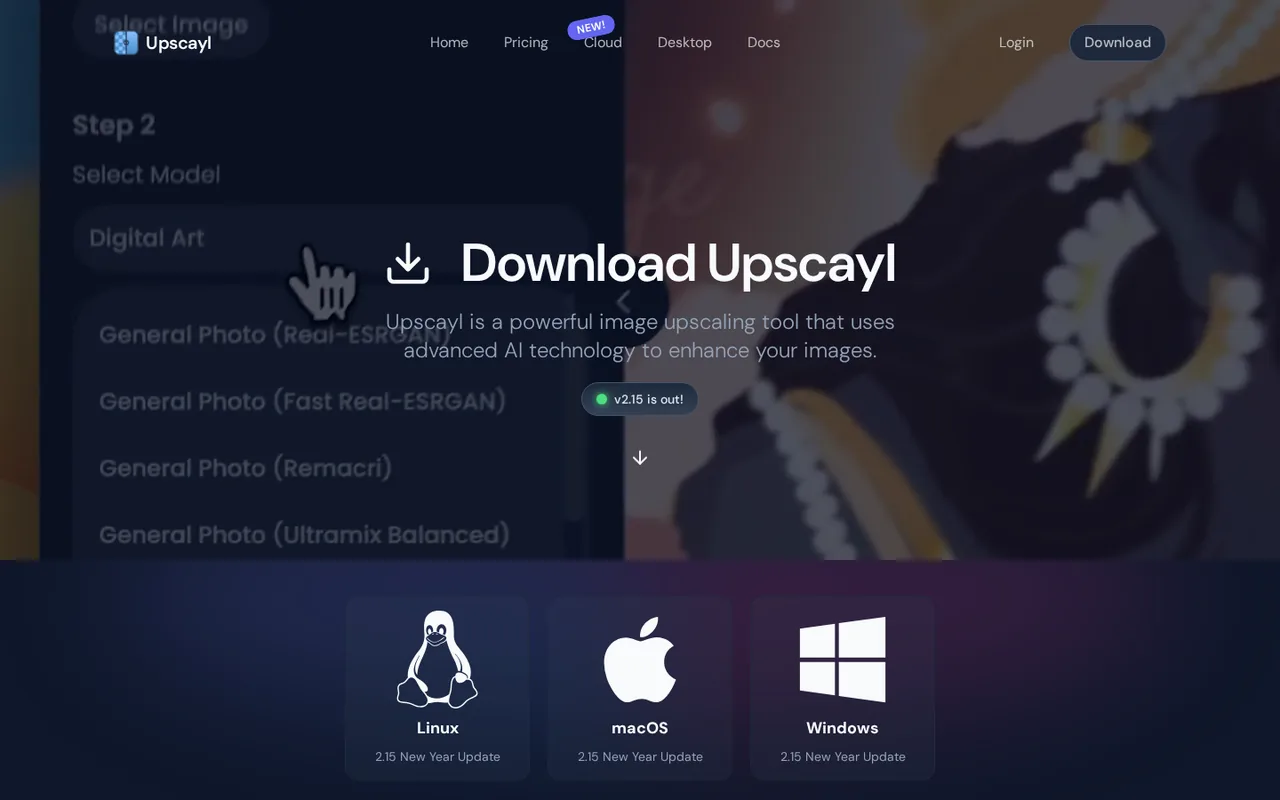
Upscayl needs a Vulkan-compatible graphics card. The README states that most integrated GPUs do not work, while still allowing you to try, and the documentation repeats that many CPUs and integrated GPUs fail. Supported systems are Windows 10 or later, macOS 12 or later and Linux, with installers in several formats such as EXE, DMG, Flatpak, AppImage, Snap, DEB and RPM.
If an upscale fails on a laptop that has two graphics chips, the documentation suggests adjusting the GPU ID setting so the app targets the discrete GPU, then reinstalling and restarting. Check this before paying for Cloud credits only to avoid a hardware problem, since a paid plan will not repair a settings mistake on your own machine. Write down your graphics card model and operating system before you start, so a failed run can be compared with the compatibility list in the documentation.
What kind of photo can Upscayl actually improve?
Upscayl enlarges pixelated or low-resolution images using Real-ESRGAN models running on Vulkan. The README is direct about the limit: it cannot deblur an unfocused picture or correct focus. A sharp but small photo is a good input; a soft, out-of-focus one will only become a larger soft one.
Several models ship with the app, and the README names community models such as HFA2k, Remacri, UltraSharp and Ultramix Balanced, with more available from a custom-models repository. The home page also mentions upscaling up to 16x, a double-upscale pass, batch processing and face enhancement. Which model suits line art, photos or faces is not ranked by the provider, so compare on your own file.
- Sharp, small, pixelated source: the intended use.
- Blurry or out-of-focus source: not corrected, per the README.
- Many files at once: batch processing is listed for the desktop app.
What happens to your images in Upscayl Cloud?
The privacy policy covers Upscayl Cloud only and says uploaded images are used just to provide the service and are not used to train AI models. Input files are kept for up to 1 day after upload, and generated outputs for 180 days or until you delete them; the policy adds that backups and caches can delay deletion.
The terms say you keep full ownership of what you upload. Prohibited uses include infringing or harmful content and unauthorized scraping. The terms are governed by the laws of India, with arbitration in New Delhi, and name the operator only as Upscayl, so check them before sending client material. The desktop app processes files on your own machine, but the pages reviewed do not describe its data collection.
Which plan fits, and what is lost on cancellation?
Pro adds rollover of unused credits, priority support, 6 months of storage, upscaling up to 256 megapixels and AI image generation. Business raises the megapixel ceiling to 512 and is quoted individually. Editorial assessment: someone upscaling a few images a month, on a machine with a discrete GPU, has no documented reason to pay, because the desktop app does the same core job for free.
Cancellation can be done at any time, but unused subscription credits are forfeited, and the terms exclude refunds for unused credits after you cancel or renew. Account history is deleted one month after cancellation. Download finished files before you stop paying.
Can Upscayl turn a small photo into a print-size file?
Proposed evaluation · not performed yet
With a computer that has a Vulkan-capable discrete GPU, install the free desktop app and use one sharp 800 x 600 pixel photo you own that contains fine text or texture. No payment is needed.
- Upscale it with the default model and again with one community model.
- Open each result at 100% and compare edges, text and skin or texture detail with the original.
- Repeat once with a deliberately out-of-focus copy of the same photo.
- Note the processing time and the output file size.
Accept the result if edges stay clean and no invented detail appears in the text. Reject outputs with smeared texture or warped letters. The out-of-focus copy should stay soft, as the README says it will. Leave the observed result blank until the exercise is run.
For a design suite with built-in image tools, see Canva. For general image generation, see Adobe Firefly. For enlarging video rather than stills, see Topaz Video. Check your graphics card first.
Is Upscayl worth it?
Documentation review plus dated public user reports. Documentation review, not tested hands-on. Not scored.
Worth it if
- You have a desktop with a discrete graphics card: the free app does the core upscaling job without any subscription.
- Your images are small but sharp: pixelated web graphics and low-resolution sources are the input the README describes.
- You want to keep files on your own machine: desktop processing runs locally on your graphics card.
Probably not if
- Your laptop has only integrated graphics: many such chips do not work, and Cloud is the route without a compatible GPU.
- Your photo is out of focus: the README says Upscayl cannot deblur or correct focus, so it only enlarges the softness.
- You need to know the cost per image before paying: the pricing page lists 300 credits but not credits per image.
Upscayl alternatives
Other images & design tools checked with the same method. Pick by the job, not by a score.

AI images, video and audio inside an Adobe workflow

Rigged 3D avatars from a selfie for games and apps

AI images placed straight into templated designs

Turning a written story into a character-consistent comic series, and optionally a short film

Photorealistic renders from architectural model screenshots and sketches

Turning a reference image or prompt into a textured 3D model

Depth maps and relief files for laser or CNC work

Teams that want to generate or edit images by API at a published per-image price
Used Upscayl? Write the first review. Visitor opinions are moderated and kept separate from our source checks.
Frequently asked questions
Is Upscayl cloud free?
Only partly. Upscayl Cloud lists a Free Trial with 10 credits, available after you log in and fill in a trial application. After that, the Pro plan costs $24.99 per month for 300 credits. The free desktop app is a separate product that has no credits at all, but it needs a compatible graphics card on your own computer.
Is Upscayl safe to use?
The desktop code is public on GitHub under AGPL-3.0, so anyone can inspect it, and files are processed on your own machine. Upscayl Cloud says uploads are not used to train models and are kept up to 1 day, with outputs kept 180 days. Download the app only from the official site or the project's GitHub page.
Why does Upscayl fail on my laptop?
The usual cause is the graphics chip. Upscayl needs a Vulkan-compatible GPU, and the documentation says many CPUs and integrated GPUs do not work. If your laptop also has a discrete GPU, the docs suggest changing the GPU ID setting to point at it, then reinstalling the app and restarting the computer.
Can Upscayl sharpen a blurry photo?
No. The README says Upscayl cannot deblur unfocused images or perform focus correction, and that it works best with pixelated or low-resolution material. It adds pixels to an image that is already sharp. If your photo is out of focus, a larger version will still look soft, so test with a sharp copy first.
What do I lose if I cancel Upscayl Pro?
Unused subscription credits are forfeited when you cancel, and the terms exclude refunds for unused credits after you cancel or renew. Account history is deleted after 1 month. Finished outputs are described as kept for 180 days or until you delete them, but save your files locally before you cancel.
Sources and method7 official sources · 8 details checked · Oct 2, 2026
How we checked this profile
8 details on this page were checked against Upscayl's own pages and help documentation (Oct 2, 2026).
See the checks by section8 documented
| Section | Checks | Last checked | Sources |
|---|---|---|---|
| Plans and prices | 2 documented | github.com/upscaylupscayl.org/pricing | |
| Strengths and limits | 2 documented | docs.upscayl.org/general-fixes.mdgithub.com/upscayl | |
| Article text | 2 documented | upscayl.org/privacyupscayl.org/pricing | |
| Platforms and integrations | 1 documented | github.com/upscayl | |
| Other details | 1 documented | upscayl.org/terms |
Sources for this profile
- Upscayl Cloud pricingupscayl.org
- Upscayl home pageupscayl.org
- Upscayl README and system requirements (GitHub)github.com
- Upscayl documentation: general fixesdocs.upscayl.org
All 7 sources
The desktop app is documented on GitHub and the home page; Upscayl Cloud has its own pricing, privacy and terms pages, and the privacy policy covers Cloud only. The home page does not quote prices; the pricing page is the source for plans. The terms name the operator only as Upscayl (also referred to as AI Corp) and are governed by the laws of India, with arbitration in New Delhi. The pages reviewed give no credit cost per image and no desktop data-collection statement. Unofficial sites using the Upscayl name were not used.
Sources checked Oct 2, 2026. Found something out of date? See how we correct profiles.