

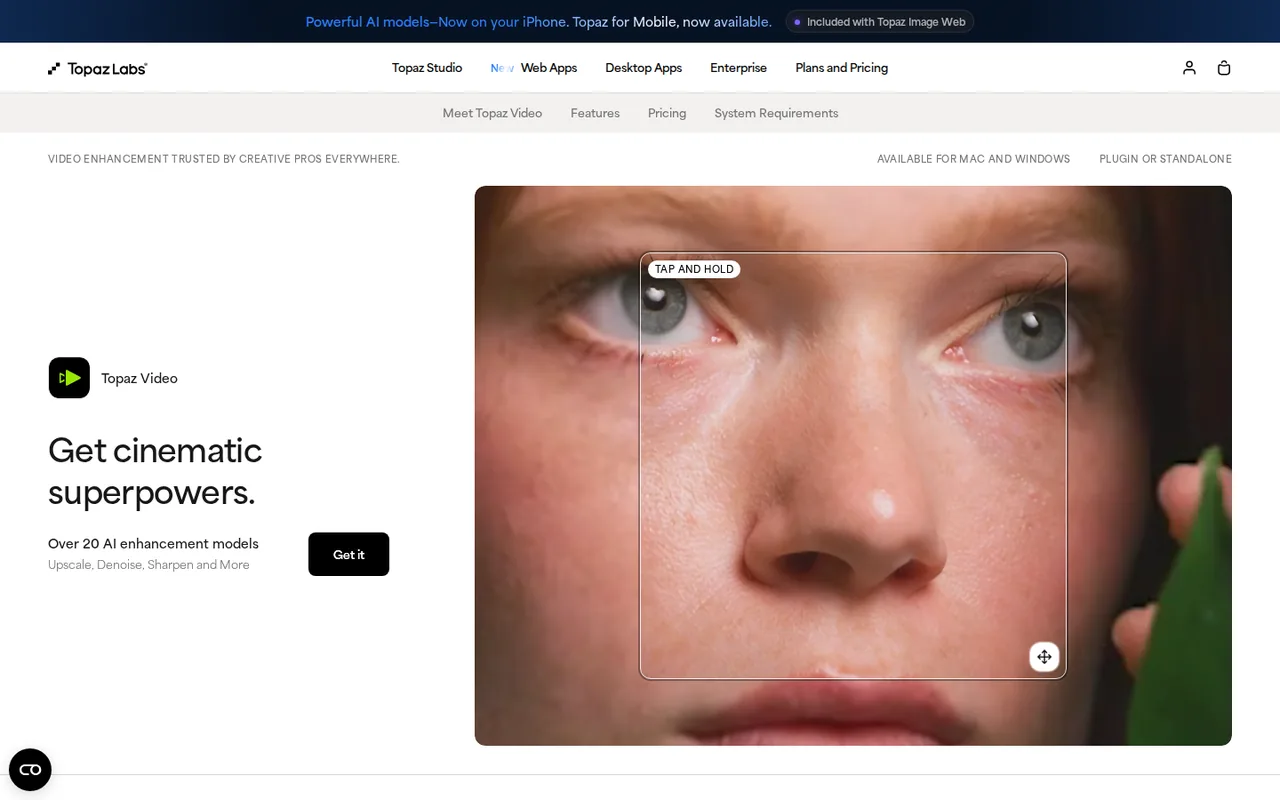
Topaz Video: paid-only repair for existing footage, from USD 299 per year or USD 59 per month, on supported hardware
Updated September 27, 2026 · By Elias Brandt · Documentation review, not tested hands-on
Pros
- Existing-footage workflow
- Local processing option
- Controlled comparisons
Cons
- Active subscription
- Hardware constraints
- Quality depends on the clip
Bottom line
You have compressed or noisy footage you own and want to try artifact reduction on a short clip before exporting the whole file.
You are on an unsupported system such as Intel Mac or Linux, where the intended local workflow may not run.
Best forEditors with compressed clipsArchive ownersLocal-render usersLarger organizations
Strengths, limits and who it suits, in full
Strengths
- Existing-footage workflow Starts from the video you need to improve rather than generating a replacement scene.
- Local processing option Desktop rendering can use your own compatible hardware.
- Controlled comparisons Preview and model controls support a narrow source-versus-output review.
Limits
- Active subscription The current app requires renewal after paid access ends.
- Hardware constraints Unsupported operating systems and GPUs can prevent the intended local workflow.
- Quality depends on the clip Block reduction can trade away texture or introduce distracting changes.
Who it suits
- Editors with compressed clips try a short original-resolution preview before upscaling.
- Archive owners keep an untouched master and evaluate faces, text and motion separately.
- Local-render users confirm GPU, memory and storage requirements before subscribing.
- Larger organizations check the Pro licence boundary rather than treating Personal as unrestricted commercial access.
How much does Topaz Video cost?
Prices confirmed · checked
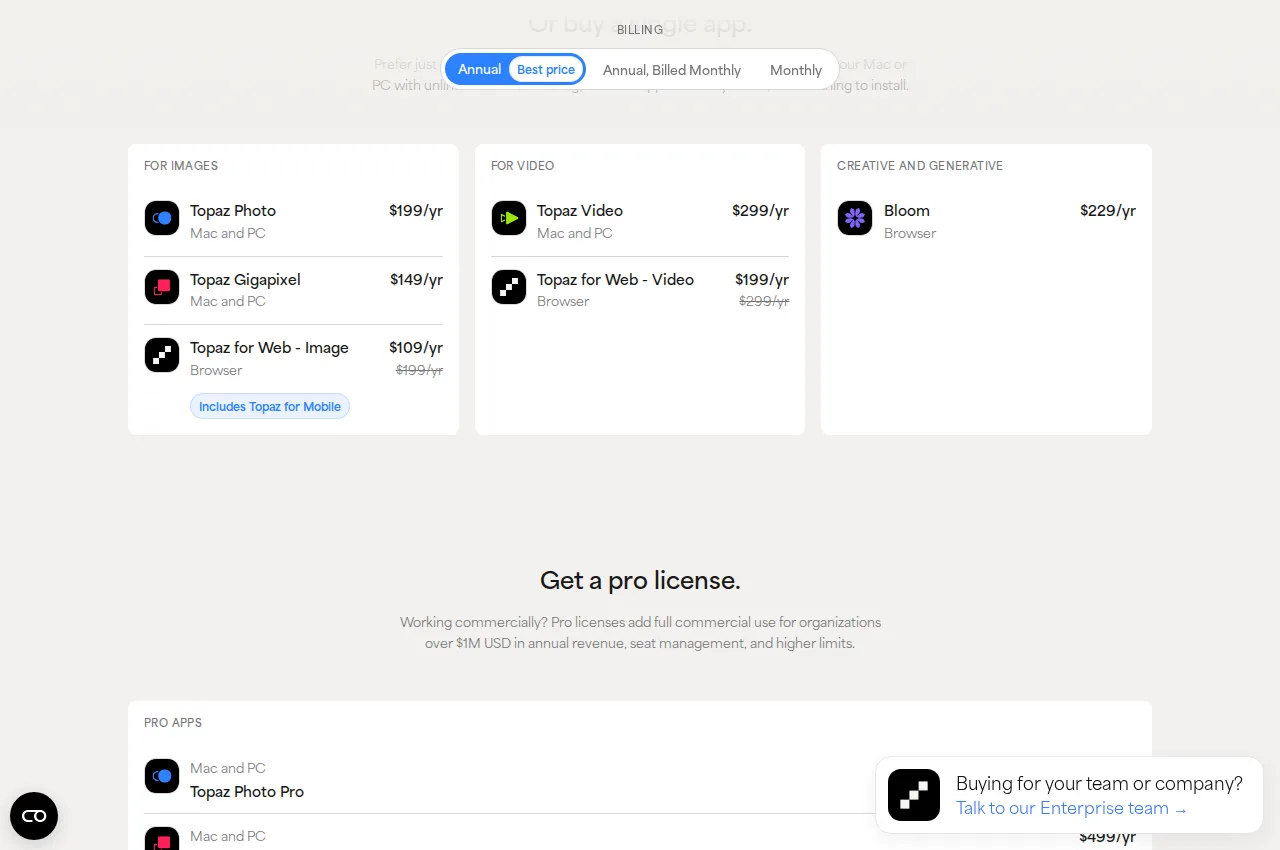
Regional prices: Another Personal option is USD 39 per month with an annual commitment.
Monthly billing on that commitment is different from the USD 59 monthly option. The displayed annual monthly equivalent is rounded; the stated annual total is used here. Taxes and applicable checkout conditions should be checked before purchase. Desktop, Web and Studio bundles are separate offers.
| Plan | Price | What you get |
|---|---|---|
| Personal annual | USD 299 per yearbilled annually sourceFrom topazlabs.com/pricing, checked Sep 27, 2026 (opens in a new tab) | Desktop Topaz Video; personal and commercial use for organizations under USD 1 million annual revenue. Local rendering uses your hardware. |
| Personal monthly | USD 59 per monthbilled monthly sourceFrom topazlabs.com/pricing, checked Sep 27, 2026 (opens in a new tab) | Monthly billing option for the current desktop app; the same Personal commercial-use boundary applies. |
| Pro annual | USD 699 per yearbilled annually sourceFrom topazlabs.com/pricing, checked Sep 27, 2026 (opens in a new tab) | Pro licence for larger organizations and expanded professional access; confirm the required local model in the current plan. |
How far does it go?
- Annual commitment versus monthly flexibilityAt the listed USD 39 monthly instalment, 12 payments total USD 468 for the annual commitment. The separate upfront annual total is USD 299. These options have different payment terms; this calculation excludes taxes and assumes the listed schedule stays fixed.
Arithmetic from the published allowances above, not a usage test.
Taxes, currency and promotions can change the price you see at checkout.
Visit Topaz Video (opens in a new tab)
Key features
| Feature | What it does | Watch out |
|---|---|---|
| Compression-artifact and noise enhancement | — | |
| Model-specific adjustment controls | — | |
| Output-resolution selection and upscaling | — | |
| Short-section preview comparisons | — | |
| Local video export with codec settings | — | |
| Optional cloud rendering with separate credit use | — | |
| Proteus controls | Tune enhancement for noise and compression artifacts. | Aggressive settings can change texture; evaluate moving footage rather than one still. |
| Preview workflow | Render a short portion before committing to the full clip. | A preview only represents the selected section and settings. |
| Export configuration | Choose a supported container, codec and output destination. | Check both the container and codec in the recipient’s editor. |
Can Topaz Video remove blockiness from compressed video?
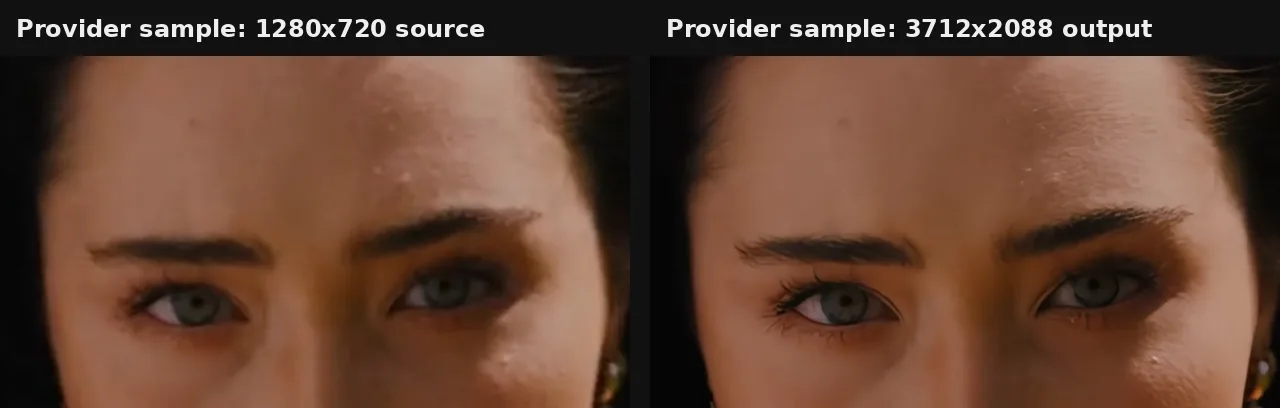
Topaz describes Proteus as a general enhancement model for noise and compression artifacts. It is a reasonable starting point when block-shaped damage comes from compressed footage. Start at the input resolution: changing both enhancement and image size makes it harder to see whether the visible improvement came from artifact treatment or simply a larger display.
The enhancement documentation encourages experimentation with the model and parameters for each source. Pick a passage containing a face, fine texture, text and movement if the clip has those elements. Compare it at a consistent display size and replay it normally; smoothing that looks attractive in a paused frame can become distracting when detail changes between frames.
Is current Topaz Video the same licence as Video AI?
No. Video AI is the legacy application, with version 7.1.5 identified as its final release. Current Topaz Video uses a paid subscription and needs active renewal when the paid period ends. The provider explicitly says the current app has no Trial mode, so a legacy watermarked-trial tutorial is not a free route through the current desktop export workflow.
Before buying or installing, record the exact application name and entitlement shown in the account. Keep an existing Video AI project associated with its own version until you have checked the replacement workflow. A newer installer, a Studio bundle and a separately sold web service should not be treated as interchangeable evidence of the same export right.
Which computer should you check before paying?
The minimum requirements list Apple M-series Macs and Windows systems with specified CPU, memory and graphics support. Intel Macs, Linux, Snapdragon processors, external GPUs and virtual machines are outside the supported configuration described by the provider. Check the full requirement table for the intended model rather than relying on the fact that another editor runs on the computer.
The baseline table lists 16 GB of memory and 45 GB of available internal storage, while model-specific requirements can be higher. Proteus Natural and scene detection require macOS 15 or newer. Internet is needed for activation and model downloads even when the eventual rendering is local, so install and download the required models before planning offline work.
Which subscription fits occasional or commercial restoration?
Editorial assessment
Compare the paid monthly option with the upfront annual option when the work is a single restoration project. The annual-commitment monthly instalment is a different agreement from a month-to-month plan. List the expected project window and payment schedule before comparing totals; the lowest displayed monthly equivalent is not always the smallest immediate commitment.
Personal permits commercial use for organizations below the provider’s USD 1 million annual-revenue boundary. Pro is the relevant licence family for larger organizations. Confirm the precise model and local-versus-cloud access required by the project as well: a credit allowance in a Studio bundle is not automatically an allowance attached to a standalone Personal subscription.
How do you export without obscuring the comparison?
Use a short preview to choose settings, then export the agreed section or full source using a supported encoder and container. The recipient may need an editing-friendly intermediate or a small playback file; those are different output briefs. Record resolution, frame rate, codec, destination and audio expectations before the final run, and preserve the original file unchanged.
Reopen the saved export outside Topaz and inspect its duration, first and last frames, and sound. If you introduce another compression pass immediately, it can hide or add artifacts that were not present in the preview. Keep the direct output for the comparison, and produce a distribution copy as a separate step only after the enhancement is accepted.
When should cloud rendering be a separate decision?
Cloud rendering moves computation away from the local device and has its own credit and model rules. Inspect the quote for the actual selected model and clip before starting a remote job. A local preview time is not a cloud price estimate, and the presence of a cloud button does not establish that an unlimited local allowance pays for that export.
Before sending footage to a remote service, confirm that the project permits the transfer. For a local-only production, record the chosen local model and keep the cloud route out of the runbook. If the computer cannot support that model, record the limitation rather than silently switching the evaluation to another processing environment.
A task to evaluate before choosing
Proposed evaluation · not performed yet
On a compatible computer with an active paid Topaz Video subscription, take a ten-second clip you own that shows compression blocks. Include movement and, if present, a face or sign. Use a local Proteus preview at the original resolution, preserve the original frame rate and leave optional cloud rendering off for this exercise.
- Record the app version, subscription, hardware, source dimensions and frame rate.
- Choose the same ten-second range for an unmodified reference and enhancement preview.
- Inspect block boundaries, skin or fabric texture, lettering and frame-to-frame stability.
- Adjust one enhancement setting at a time and write down what changed.
- Export the accepted candidate locally and reopen it in the intended player or editor.
Pass only if the chosen output reduces the distracting blocks without unacceptable changes to faces, lettering, motion or sound. Fail if an export cannot be opened, the clip is cut short, texture flickers or a required setting asks for a different entitlement. No outcome has been filled in for this exercise; retain rejected previews as well as the selected file.
For assembly and spoken-word edits, see Descript; for generative footage workflows, see Runway. Those jobs differ from restoration. The video tools category keeps the choices in their broader editing context.
Is Topaz Video worth it?
Documentation review plus dated public user reports. Documentation review, not tested hands-on. Not scored.
Worth it if
- You have compressed or noisy footage you own and want to try artifact reduction on a short clip before exporting the whole file.
- Your computer meets the listed memory, storage and GPU requirements, so local rendering is a realistic route.
- You can accept a paid subscription with no current desktop trial, and the Personal licence boundary fits your organisation.
Probably not if
- You are on an unsupported system such as Intel Mac or Linux, where the intended local workflow may not run.
- You expect a free trial of the current app; the provider says current Topaz Video has no Trial mode.
- You plan to use the Resolve plugin in the free host editor, since it requires DaVinci Resolve Studio.
Topaz Video alternatives
Other video & editing tools checked with the same method. Pick by the job, not by a score.

Developers and small teams who want a conversational video avatar for support, sales or tutoring and need to budget by minutes

Short animated stories from a script or prompt

Teachers, students and math YouTubers who want 3Blue1Brown-style explainer clips from a description, with an editable Manim code playground when they want control

Relighting or changing the background of short video clips

Creators combining permitted images and audio

Publishers, marketers and faceless-channel creators who turn existing articles or product pages into vertical, square or wide videos, one at a time or through automation

Local image-to-video on an NVIDIA RTX GPU

Turning a finished track into a vertical or widescreen music video
Used Topaz Video? Write the first review. Visitor opinions are moderated and kept separate from our source checks.
Frequently asked questions
Can I keep using the current app completely offline?
The current product documentation describes monthly authentication and allows up to a month of offline use after verification. Models must already be downloaded through the model manager. Cloud rendering still needs connectivity, so confirm that every model needed for an offline assignment is available locally before travelling.
Will the Resolve plugin run in the free version?
Topaz’s plugin documentation requires DaVinci Resolve Studio and explicitly excludes the free Resolve host from running the plugin. The standalone Topaz application is a separate route. Record both application entitlements when assessing a plugin workflow, because owning the enhancer does not upgrade the host editor.
Should interlaced footage use the same setup as modern digital video?
The enhancement controls distinguish progressive, interlaced and interlaced-progressive input. Select the type that describes the actual source before choosing a model, since that selection changes the available treatments. If you are unsure, inspect moving edges in the source rather than assuming that its file extension reveals the scan type.
Can I export an image sequence instead of a movie?
The supported-file documentation includes image-sequence export options as well as video encoders. Agree the sequence format and naming with the recipient first, and plan audio separately if it is required. A folder of frames needs a different handoff and storage check from a single playable video file.
Why might the plugin and standalone app behave differently?
Topaz warns that host-editor architecture, timeline settings and stacked operations can affect output expectations and responsiveness. Test the intended host workflow separately rather than carrying a standalone observation across unchanged. If upscaling changes the output dimensions, check the host timeline and export settings as part of that second evaluation.
How much does Topaz Video cost?
Topaz Video is a paid subscription. Personal costs USD 299 per year billed annually or USD 59 per month billed monthly, and Pro costs USD 699 per year. A separate Personal option of USD 39 per month requires an annual commitment, so twelve payments total USD 468. Taxes and checkout conditions apply, and Desktop, Web and Studio bundles are priced separately.
Is Topaz Video AI free?
No. The current Topaz Video desktop app is paid only, and the provider says it has no Trial mode, so older Video AI trial tutorials do not apply to it. Video AI 7.1.5 is the final legacy release. Plan on a Personal or Pro subscription and check hardware requirements before paying, since there is no trial to test your computer first.
Sources and method10 official sources · 8 details checked · Sep 27, 2026
How we checked this profile
8 details on this page were checked against Topaz Video's own pages and help documentation (Sep 27, 2026).
See the checks by section8 documented
| Section | Checks | Last checked | Sources |
|---|---|---|---|
| Article text | 5 documented | docs.topazlabs.com/enhancementdocs.topazlabs.com/tvai-vs-tvdocs.topazlabs.com/system-requirementsdocs.topazlabs.com/cloud-rendering | |
| Plans and prices | 2 documented | topazlabs.com/pricing | |
| Platforms and integrations | 1 documented | docs.topazlabs.com/plugins |
Sources for this profile
- Current pricingtopazlabs.com
- Producttopazlabs.com
- Enhancement modelsdocs.topazlabs.com
- Current and legacy productsdocs.topazlabs.com
All 10 sources
Current Topaz Video documentation is used instead of legacy Video AI tutorials. Local model and hardware requirements are distinct from optional cloud credits. The profile describes provider capabilities and a proposed clip check, not a measured restoration result.
Sources checked Sep 27, 2026. Found something out of date? See how we correct profiles.