Is Whisk AI Discontinued? What Replaced It in Flow
Google discontinued Whisk, its Labs tool for making images from other images, on April 30, 2026. This guide gives the dated record from Google’s own pages, what became of libraries and credits, what Flow offers for free, and which image tools take reference images if Flow does not fit.
By Elias Brandt · Updated 9 Oct 2026 · About 14 min read · Plan terms taken from each tool profile
The short answer
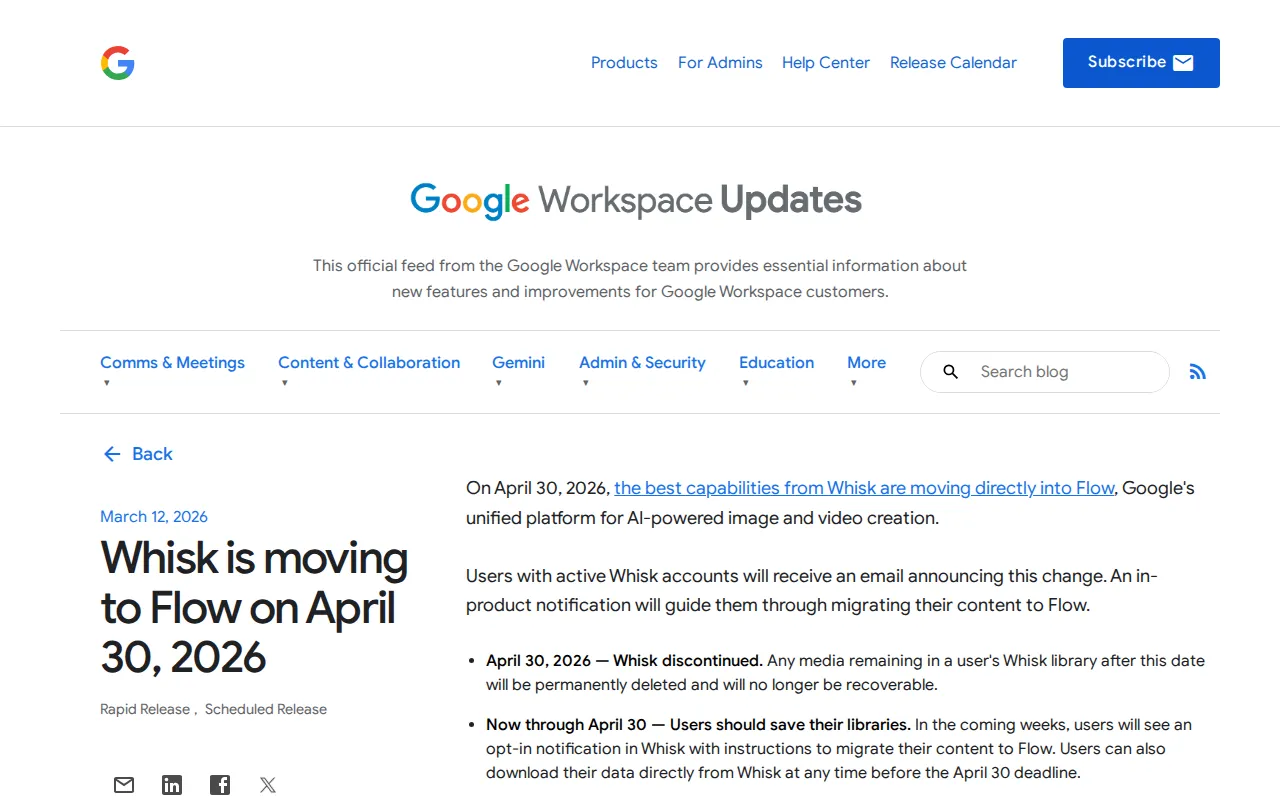
Is Whisk still available? No. Google’s Workspace Updates notice of March 12, 2026 set April 30, 2026 as the end date, and the old Whisk address now opens Flow.
Where did it go? Into Flow. Google’s February 25, 2026 post says the “best capabilities” of Whisk and ImageFX move there, and that images can be generated in Flow for free.
Flow does not fit? Leonardo.Ai, Canva and ChatGPT document image generation from a reference image and have free plans. Midjourney matches styles from images but is paid only. Adobe Firefly edits uploaded images.
Is Whisk AI discontinued?
The dated record from Google
| Date | What Google published |
|---|---|
| December 16, 2024 | Whisk launches as a Google Labs experiment, US only: you prompt with one image each for subject, scene and style. |
| February 25, 2026 | Google says the “best capabilities” of Whisk and ImageFX are moving into Flow; from March, users can opt in to transfer their projects and assets. |
| March 12, 2026 | Workspace Updates notice “Whisk is moving to Flow on April 30, 2026”; active Whisk accounts get an email and an in-product notice. |
| April 30, 2026 | “Whisk discontinued.” Media left in a Whisk library after this date is permanently deleted. Users in countries without Flow lose access with no migration path. |
| Today | The Whisk address, labs.google/fx/tools/whisk, forwards to flow.google.com. |
Google’s stated reason is to put generating, editing and animating in one workspace; the pages checked give no other. The February post covers ImageFX too, but gives it no separate end date, so this guide gives none.
Sources: Whisk is moving to Flow on April 30, 2026, New ways to create and refine content in Flow, Whisk launch post, Whisk address, now forwarding to Flow.
What happened to Whisk images, credits and access?
Item by item
In shortCredits moved on their own. Images moved only if you opted in before the deadline.
| Item | What Google says | What you can do now |
|---|---|---|
| Images and projects in your Whisk library | Moving them to Flow was opt-in, nothing moved automatically, and Whisk allowed downloads until the deadline. | Open your Flow library if you opted in; otherwise look for downloaded, shared or saved copies. |
| Anything still in Whisk after April 30, 2026 | Permanently deleted and no longer recoverable. | Nothing, by Google’s account. |
| AI credits | No action needed: Whisk and Flow use the same AI credits platform, so existing credits are already in Flow. | Click your profile picture in Flow to see the balance. |
| Access from a country without Flow | Users there lost Whisk on April 30, 2026 without a migration path. | Check Flow’s country list. Google says a VPN does not open Flow in unsupported regions. |
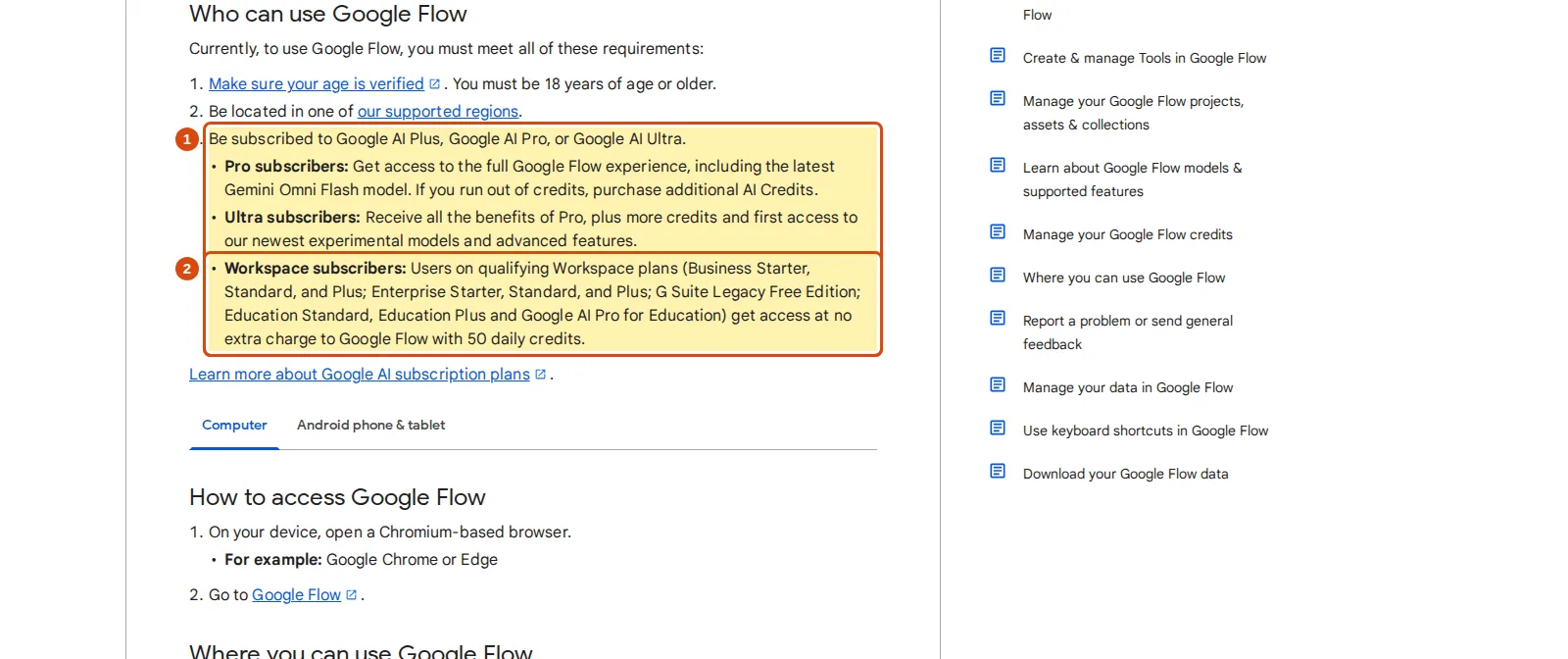
| Google Workspace accounts | The change affects all Workspace customers and Workspace Individual subscribers. | Qualifying Workspace plans list Flow access with 50 daily credits at no extra charge. |
Sources: Whisk is moving to Flow on April 30, 2026, Manage your Google Flow credits, Get started with Google Flow.
What replaced Whisk in Flow?
What Google says moved
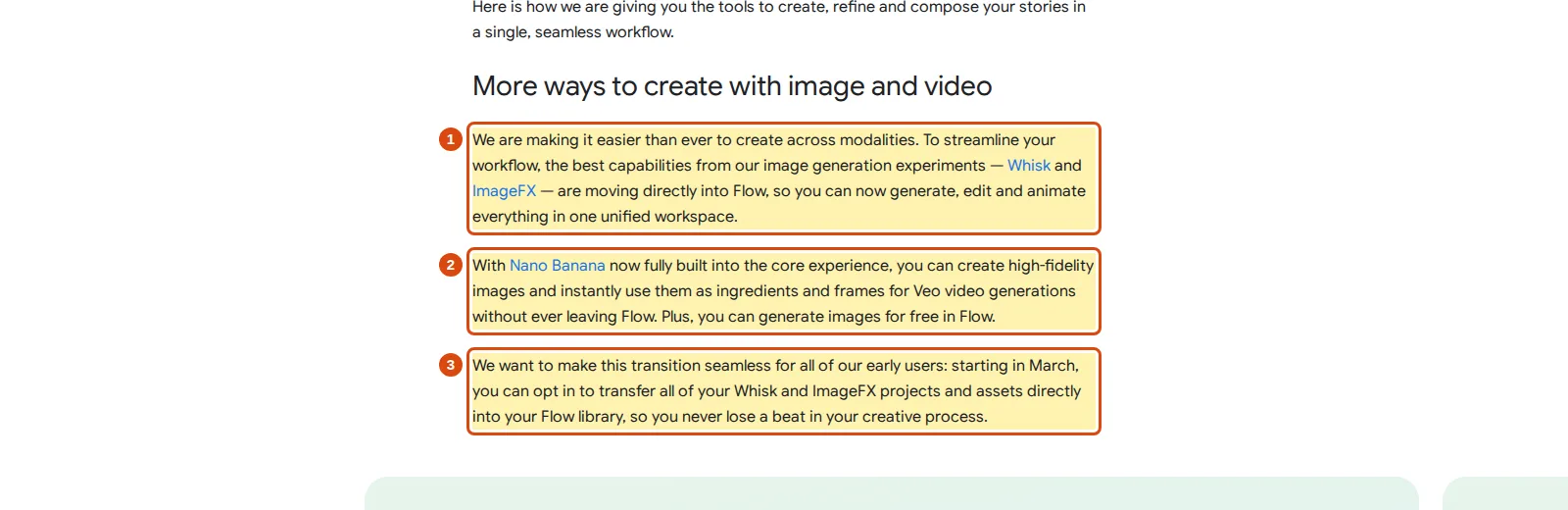
The Workspace notice calls Flow “Google’s unified platform for AI-powered image and video creation”. The February post adds:
- Nano Banana is built in, and its images can serve as ingredients and frames for Veo video.
- Images can be generated in Flow for free.
- A lasso tool and drawing on the image mark what a written edit should change.
Neither page lists Whisk’s features one by one or describes a three-slot subject, scene and style screen in Flow, so do not count on that layout.
Sources: New ways to create and refine content in Flow, Whisk is moving to Flow on April 30, 2026.
Rebuilding a subject, scene and style prompt in Flow
In shortIn Whisk, Gemini described your images for you. In Flow you add them as ingredients and write that description yourself.
| In Whisk, per the launch post | In Flow, per Google’s help pages |
|---|---|
| Subject, scene and style images in three slots | Images dragged into the prompt box, or added with More, then Add to Prompt, as ingredients |
| Gemini writes a caption of each image | You write a detailed text prompt; with Agent on, Flow routes the request to an image model |
| Imagen 3 generates the picture | Nano Banana Pro is the default image model; you can pick another |
| View and edit the underlying prompts | The History panel keeps earlier versions of an image and the prompts used to make them |
| Remix by swapping an input | Edit with Agent by describing the change; the original is kept |
- Open a project and choose Image.Click the model name in the prompt box, then Image; set aspect ratio, outputs and model.
- Add your old reference images as ingredients.Drag the subject, scene and style images into the prompt box.
- Say what each image is for.Name the subject, scene and style images in the prompt; Google’s steps include no automatic caption.
- Ask for variations, then edit.With Agent on, Google’s example asks for 20 variations with different lighting.
Sources: Create and edit images in Google Flow, Whisk launch post.
Is Flow free, and who can use it?
Flow credits, per Google’s help page
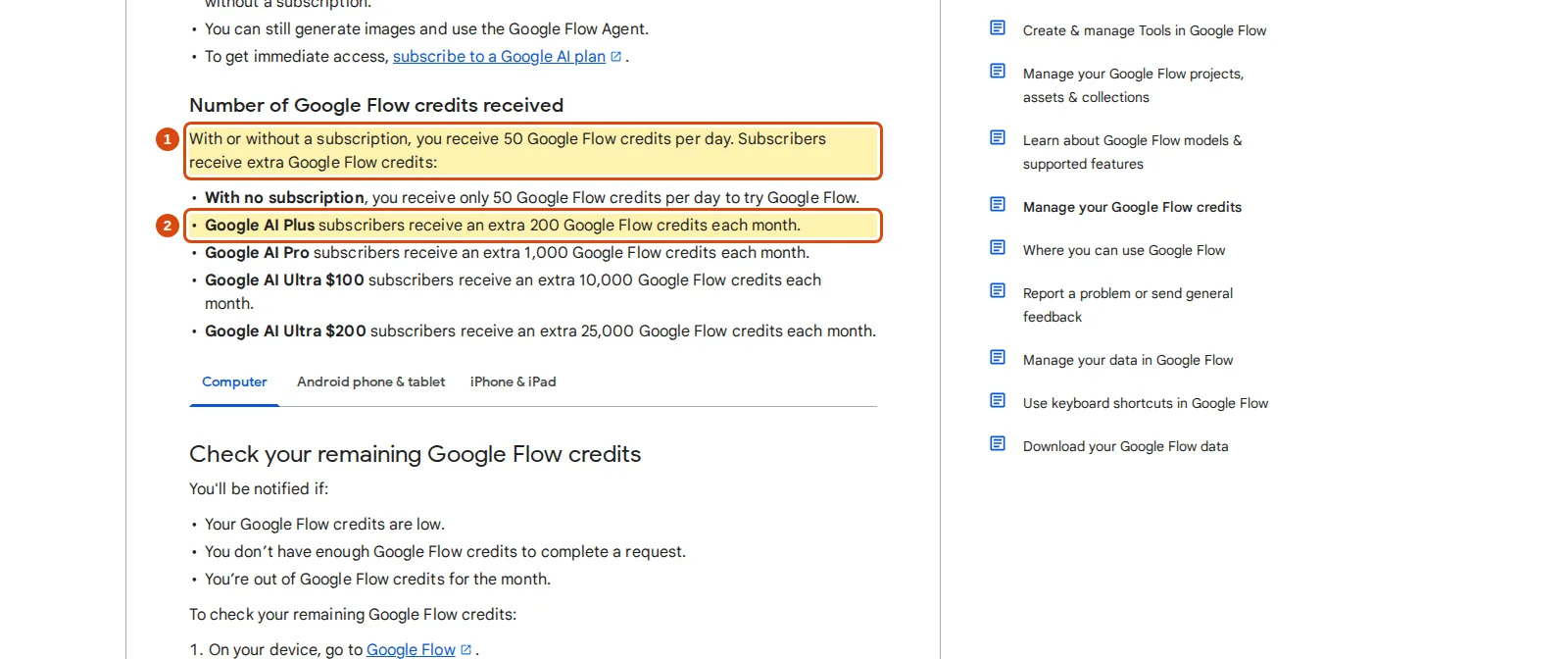
In shortEvery account gets 50 Flow credits a day; Google AI plans add monthly credits. Google publishes no credit cost per image.
| Access | Flow credits |
|---|---|
| With or without a subscription | 50 a day; the day’s refresh starts with your first generation, and unused credits do not roll over |
| Google AI Plus | 200 extra each month |
| Google AI Pro | 1,000 extra each month |
| Google AI Ultra $100 | 10,000 extra each month |
| Google AI Ultra $200 | 25,000 extra each month |
Monthly credits refresh with the billing cycle and do not roll over. Costs are per generation, and the published cost table covers video and upscaling only; Google points to Settings in the prompt box for current costs. Failed generations cost nothing. From roughly 2 PM to 5 PM UTC, non-subscribers may be unable to generate videos, but images stay open.
Sources: Manage your Google Flow credits, Get started with Google Flow.
Google’s pages disagree on the free route
The credits page and the February post describe free use. The Get started page lists three requirements: a verified age of 18 or older, a supported region, and a Google AI Plus, Pro or Ultra subscription; qualifying Workspace plans get Flow with 50 daily credits at no extra charge. Until the pages agree, try a generation on your own account before buying a plan for Flow.
Sources: Manage your Google Flow credits, Get started with Google Flow, New ways to create and refine content in Flow.
Age, countries and feature gaps
In shortWhisk launched in the US only. Flow lists 152 countries and territories, with a few features switched off in the EEA, Switzerland and the UK.
- Who: users aged 18 or older with a verified age.
- Where: 152 countries and territories on Google’s list; features can vary by country.
- Gaps: no uploaded-video editing or Avatars in the EEA, Switzerland and the UK; no AI credit purchases in Japan.
- Prompts: Google recommends English prompts, although the interface lists many languages.
Sources: Where you can use Google Flow, Get started with Google Flow.
What is the alternative to Whisk AI if Flow does not fit?
Which Whisk inputs each tool documents
In shortWhisk steered a new image with existing images. The grid shows which tools document that, and how far.
| Capability | Flow |  Leonardo.Ai Leonardo.Ai |  Canva Canva |  ChatGPT ChatGPT |  Midjourney Midjourney |  Adobe Firefly Adobe Firefly |
|---|---|---|---|---|---|---|
| Whisk’s inputs | ||||||
| Start from or guide with an image | Offeredingredients in the prompt | Offeredstarting image | Offeredreference photo | Offeredattached reference image | Offeredreference images, Edit Model | Partlyedits uploaded images |
| Several reference images in one job | Partlyseveral images, for video scenes | Offeredup to six, Omni editing | Not listednot covered in the sources checked | Not listednot covered in the sources checked | Offeredup to four per job | Not listednot covered in the sources checked |
| Style taken from an image | Partlystyle references, for video scenes | Partlytrained Elements, 10 to 50 images | Not listedpreset styles only | Not listednot covered in the sources checked | OfferedStyle References | Not listednot covered in the sources checked |
| After the first result | ||||||
| Edit with a written instruction | OfferedAgent and lasso tool | OfferedOmni editing | Not listednot covered in the sources checked | Offerededit in chat | OfferedEdit Model | OfferedPrompt to Edit |
| Turn the image into video | OfferedVeo frames and ingredients | Offeredstarting image to clip | Not listednot covered in the sources checked | Not listednot covered in the sources checked | Offeredimage-to-video | Offeredreference image to video |
| Access | ||||||
| Free access | Partly50 credits a day; pages disagree | Offered150 tokens a day | Offeredup to 20 AI uses a month | Partlyimage generation limited | Not listedno free plan | Partlylimits not published |
documented partly or with limits not documented in the sources checked, or not offered where the label says so.
Flow cells come from Google’s Flow post and help pages, the other cells from each tool’s profile on this site.
Free access, each in its own unit
| Tool | Free access | Over a 30-day month | First paid step |
|---|---|---|---|
| Flow | 50 Flow credits a day | 50 × 30 = 1,500 credits if used daily; no per-image cost is published, so no image count | Google AI Plus: 200 extra credits a month; price not on the pages checked |
| Leonardo.Ai | 150 fast tokens a day, not carried over | 150 × 30 = 4,500 tokens if used daily; cost per image varies by model, size, references and outputs | Essential, USD 12 per month billed monthly: 8,500 tokens with rollover |
| Canva | Up to 20 Standard or Premium AI uses a month | Up to 20 uses; Canva calls the counts estimates for simple tasks | Pro, EUR 12 per month billed monthly: up to 200 Premium uses |
| ChatGPT | Image generation, limited | No number published | Go, EUR 8 per month on the German page: more images than Free |
| Midjourney | None; no free trial | Not applicable | Basic, USD 10 per month billed monthly: 200 Fast minutes, about 200 image prompts |
| Adobe Firefly | Limited free daily generations on select models | Adobe publishes no exact daily number | Firefly Standard, EUR 10.98 per month incl. VAT: 2,000 credits and unlimited standard image features |
Amounts as each profile records them, not converted.
In shortFive tools with profiles here, ordered by how directly each documents making an image from reference images.
Several references and a daily free allowance: Leonardo.Ai
Best for remixing from several reference images
Prompt or starting image, then reference-based edits.
- Free 150 tokens a day
- Entry from USD 12 / month Essential, billed monthly
Leonardo.Ai generates, edits and upscales images and short videos, on the web and in iOS and Android apps.
What it does with images
- Image generation
- From a text prompt or a starting image, with a model you pick or one chosen for you.
- Omni editing
- Change details inside an image by describing the edit, with up to six reference images depending on the model.
- Elements
- Train a style or character Element on 10 to 50 images and reuse it later.
Closest to Whisk
Several reference images steering one result, close to Whisk’s three slots, and a free allowance that refreshes daily.
Watch for
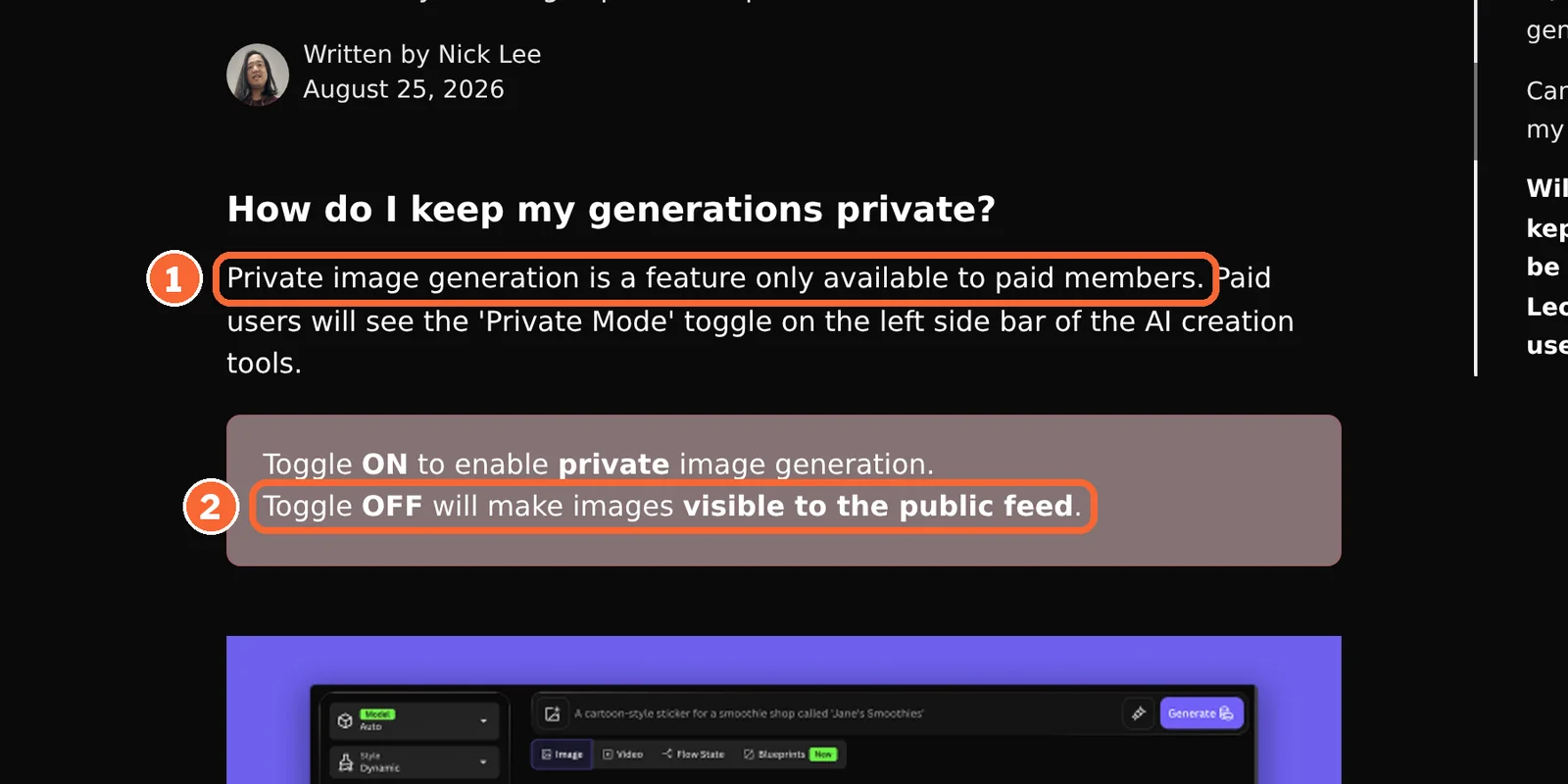
Private generation needs a paid plan, and free accounts face stricter prompt filtering.
See the Leonardo.Ai profile for plans, limits and sources.
Visit Leonardo.Ai (opens in a new tab)
Sources: Leonardo.Ai: generating images, Leonardo.Ai Omni editing, Leonardo.Ai private and public images, Leonardo.Ai commercial usage.
A reference photo straight into a design: Canva
Best for images that end up in a layout
Generate inside the design editor.
- Free up to 20 AI uses a month
- Entry from EUR 12 / month Pro, billed monthly
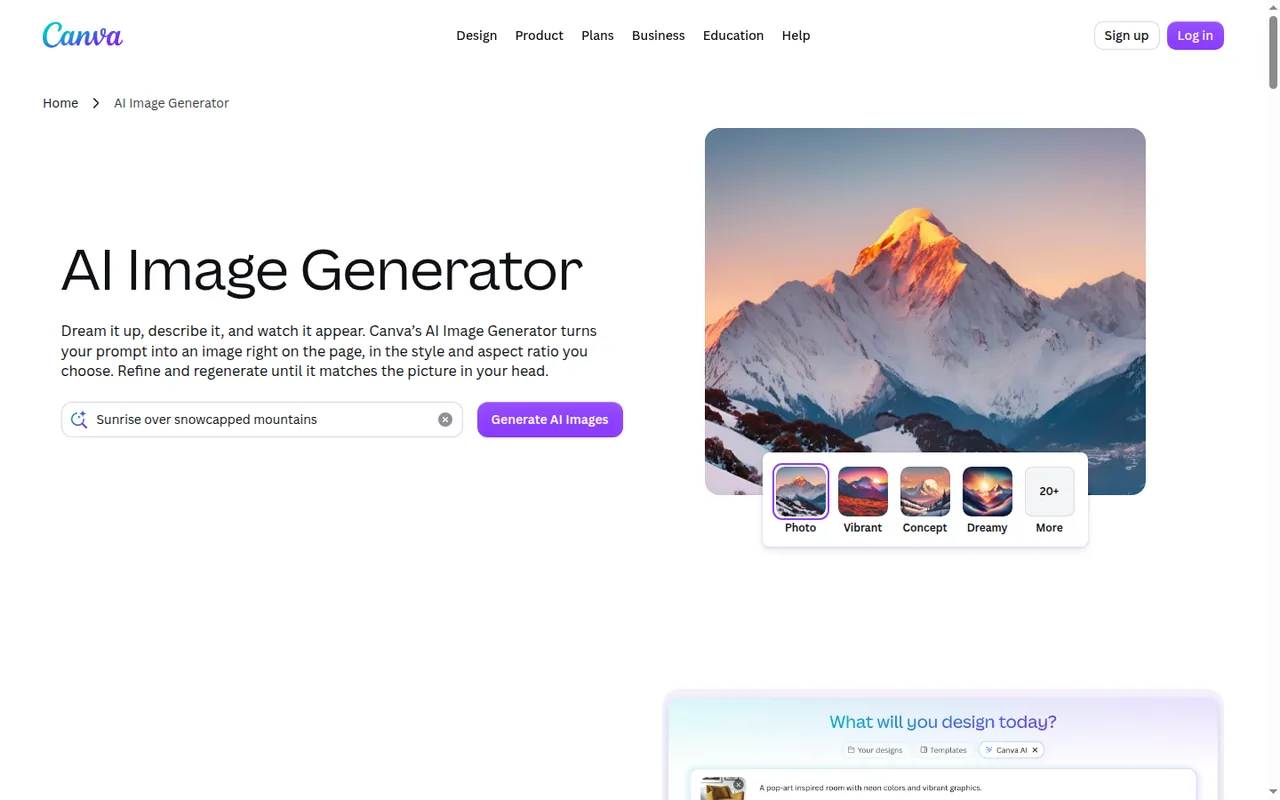
Canva’s AI Image Generator turns a text prompt or a reference photo into an image that lands inside a design.
What it does with images
- Reference photo
- Accepted alongside the text prompt in the AI Image Generator.
- Preset styles
- More than ten, picked from a list rather than taken from your own image.
- Magic Layers
- Splits a flat or generated image into editable layers; labelled beta and drawn from the AI allowance.
Closest to Whisk
Starting from one reference photo, with the result already in a design you can edit and export.
Watch for
One reference photo is documented, not three, and Ultra quality is limited to paid plans.
See the Canva profile for plans, limits and sources.
Visit Canva (opens in a new tab)
Sources: Canva AI Image Generator, Canva AI usage, Canva copyright and AI designs.
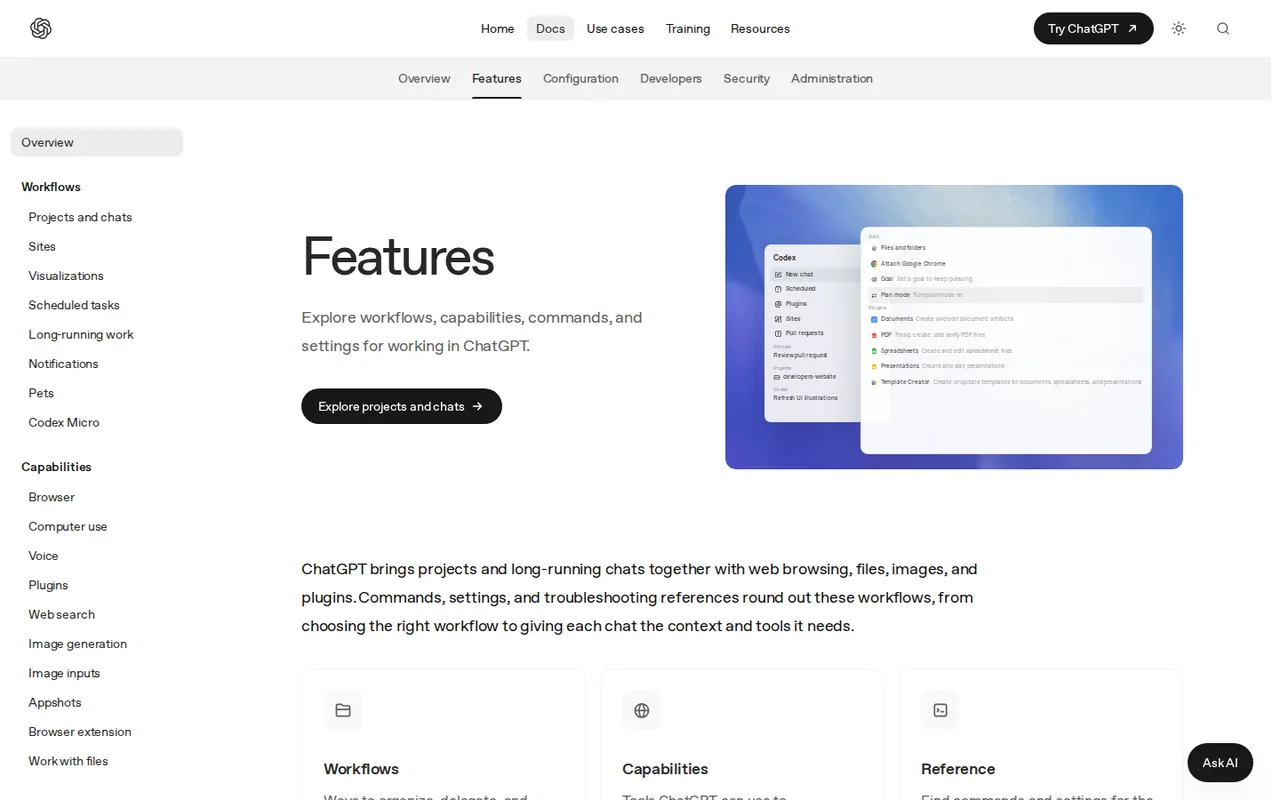
If you already work in ChatGPT
Best for one-off images guided by a picture
Attach an image and describe the result.
- Free limited image generation
- Entry from EUR 8 / month Go, German pricing page
ChatGPT generates or edits images in a chat, from a text prompt and an optional reference image.
What it does with images
- Reference image
- An attached image can guide generation or editing.
- Edit in the chat
- Ask for changes in plain language after the first result.
- Review views
- Focused and canvas views, with comments on specific images.
Closest to Whisk
Describing a change in words and attaching a picture, without learning a separate image app.
Watch for
Image availability and limits depend on the plan and workspace settings; Go may include ads.
See the ChatGPT profile for plans, limits and sources.
Visit ChatGPT (opens in a new tab)
Sources: ChatGPT image generation, ChatGPT pricing.
Matching a style from an image: Midjourney
Best for style references, on a paid plan
Combine references, match a look, edit.
- Free none
- Entry from USD 10 / month Basic, billed monthly
Midjourney works from text and image prompts on midjourney.com and in Discord.
What it does with images
- Edit Model
- Takes up to four reference images per job and changes images from written instructions.
- Style References
- Match the look of an existing image, or apply style codes.
- Editor
- Layers, smart selection, inpainting, outpainting and transparent PNG export.
Closest to Whisk
Whisk’s style slot: a look taken from an image you supply, plus several references in one job.
Watch for
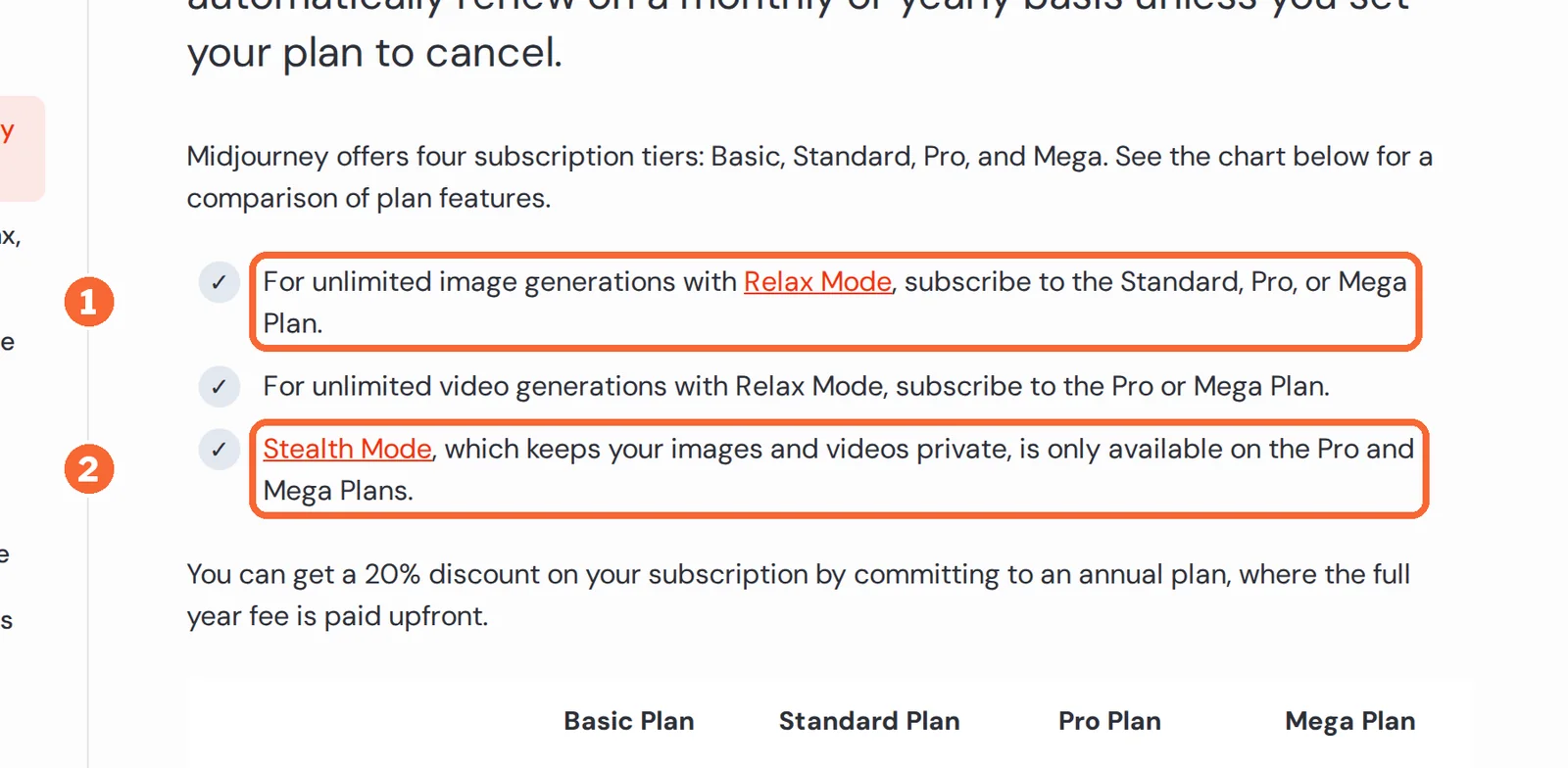
No free plan or trial, and creations are public by default below Pro.
See the Midjourney profile for plans, limits and sources.
Visit Midjourney (opens in a new tab)
Sources: Midjourney Edit Model, Midjourney Stealth Mode, Comparing Midjourney plans.
Editing an image you already have: Adobe Firefly
Best for edits inside Adobe apps
Edit uploaded images, hand off to Adobe apps.
- Free limited daily generations
- Entry from EUR 10.98 / month Standard, incl. VAT
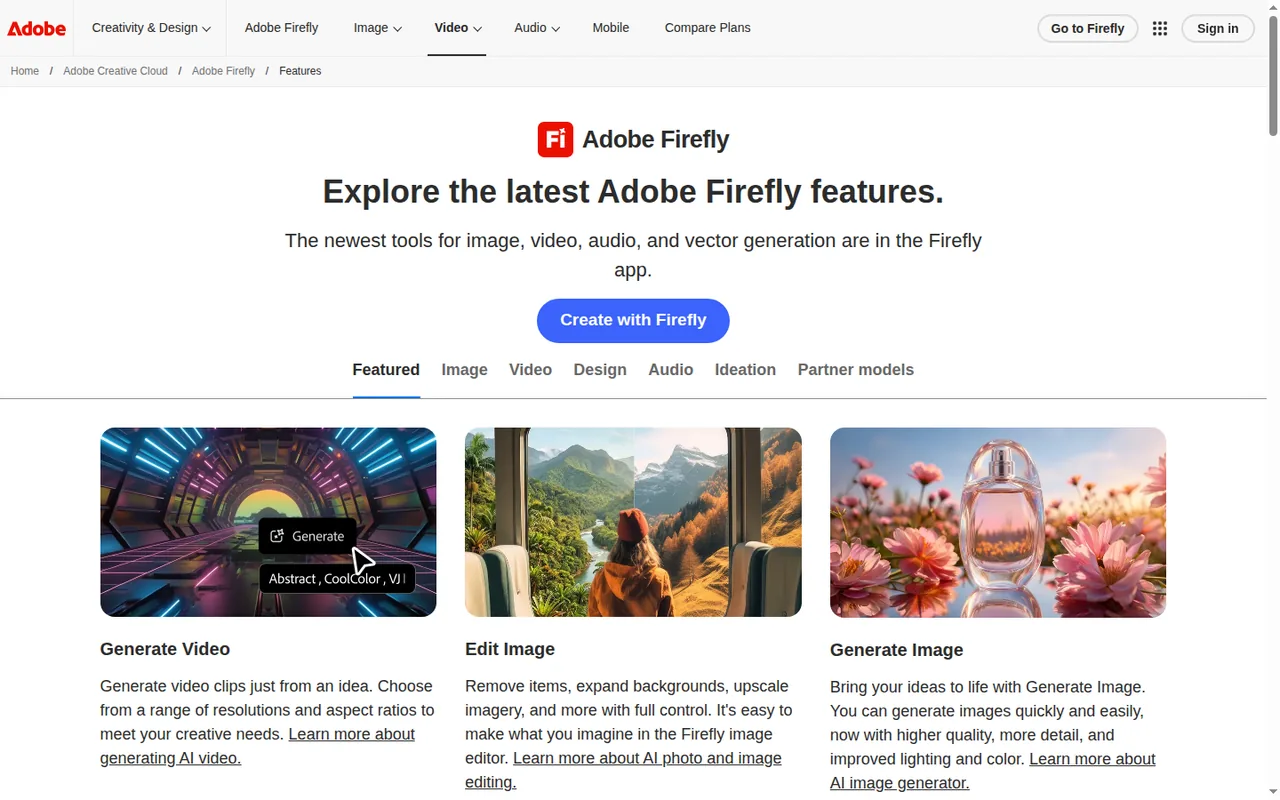
Adobe Firefly generates from text prompts with Adobe or partner models and edits uploaded images.
What it does with images
- Image editing
- Remove objects, expand backgrounds, upscale, and use Generative Fill or Prompt to Edit on uploaded images.
- Partner models
- Models from Google, OpenAI and others under one login, charged as premium features.
- Reference image to video
- Generate Video accepts a text prompt or a reference image.
Closest to Whisk
Changing an image you kept from Whisk, rather than remixing from three references.
Watch for
Generating an image from a reference image is not covered in the sources checked; the requirements page lists 2000x2000 pixels as the largest image download.
See the Adobe Firefly profile for plans, limits and sources.
Visit Adobe Firefly (opens in a new tab)
Sources: Adobe Firefly features, Adobe Firefly plans, Content Credentials overview.
How do you move a Whisk workflow now?
Five steps
- Collect what survived.Your Flow library if you opted in; otherwise downloads, shared images and files in cloud folders.
- Label each reference by role.Put the role in each file name, so any tool’s prompt can name it.
- Write the prompt out.Whisk let you view and edit the prompts it built; copied ones are your starting text. If none survived, describe each image’s role in a sentence.
- Check who can see the results.Use the table below before the first generation.
- Compare each result with its references.Google’s launch post warned that Whisk kept a subject’s essence, not a replica, and could change height, hairstyle or skin tone; check replacements the same way.
Sources: Whisk launch post.
Visibility, marks and rights before you publish
| Tool | Who can see results | Marks on outputs | Use of outputs |
|---|---|---|---|
| Flow | Not covered in the sources checked | Invisible SynthID watermark on outputs from Veo, Omni and Nano Banana; a visible watermark is optional, and automatic in India, South Korea and Vietnam | Not covered in the sources checked |
| Leonardo.Ai | Public on the free plan; private generation on paid plans | Free-plan videos carry a watermark; images not covered in the sources checked | Commercial use allowed on all plans, free included |
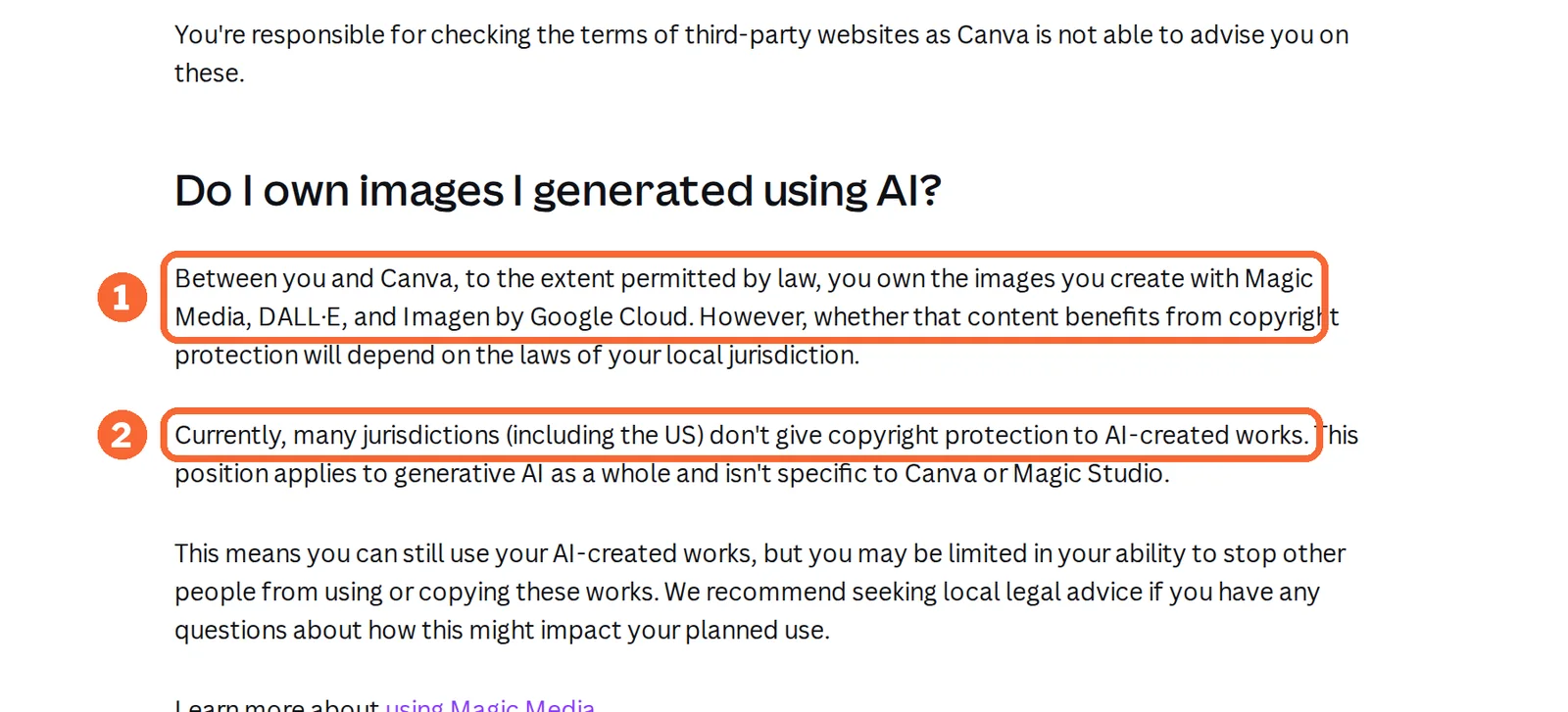
| Canva | Not covered in the sources checked | Not covered in the sources checked | Canva notes that many jurisdictions, including the US, give AI-created works no copyright protection |
| ChatGPT | Not covered in the sources checked | Not covered in the sources checked | Not covered in the sources checked |
| Midjourney | Public on Explore by default; Stealth mode on Pro and Mega | Not covered in the sources checked | You own outputs, subject to documented exceptions |
| Adobe Firefly | Not covered in the sources checked | Content Credentials on fully generated assets | For eligible teams, beta-feature outputs fall outside Adobe’s indemnification |
Sources: Get started with Google Flow, Leonardo.Ai private and public images, Leonardo.Ai commercial usage, Canva copyright and AI designs, Midjourney Stealth Mode, Content Credentials overview.
Questions, and what this guide does not judge
Common questions
Is Whisk AI discontinued?
Yes. Google ended Whisk on April 30, 2026, after announcing the move in a Workspace Updates notice on March 12. Its main capabilities went into Flow, Google's image and video workspace, and the old Whisk page now opens Flow instead. Nothing in Google's notices points to a comeback, so plan around Flow or another image tool.
Does Google Whisk still work?
No. There is no Whisk editor left to sign in to; the old address sends you to Flow. People in countries where Flow is not offered lost access on the shutdown date with no way to move their work. In supported countries, existing AI credits are already available in Flow.
Is Whisk AI now in Google Flow?
Partly, in Google's words: Whisk's "best capabilities" moved into Flow, together with those of ImageFX. Google does not list which Whisk features made the move, so the three-slot subject, scene and style screen may not look the same. In Flow you add reference images to the prompt as ingredients and describe what each one is for.
Is Whisk AI free?
Whisk itself no longer exists, so the question now applies to Flow. Google's February post says images can be generated in Flow for free, and the credits help page gives every account 50 credits a day. The Get started page still lists a Google AI subscription as a requirement, so test with your own account before relying on free use.
What is the alternative to Whisk AI?
Flow is the replacement Google names. Outside Flow, Leonardo.Ai, Canva and ChatGPT document image generation guided by a reference image, and all three have a free plan. Midjourney takes up to four reference images per job and matches styles from images, but it has no free plan. Adobe Firefly suits editing an image you already have.
Can I recover images I made in Whisk?
Only if a copy exists outside Whisk. Google says media left in a Whisk library after April 30, 2026 was permanently deleted and cannot be recovered, and the move to Flow had to be started by each user. Check your Flow library if you opted in, then your downloads, shared links and cloud folders.
What this guide does not judge
Image quality, how well each tool keeps a subject’s likeness, how strongly a reference steers the result, speed and prompt tips are left out: none of the pages behind this guide document them in a way we can check.
Flow has no profile on this site yet; its facts here come from Google’s help pages and posts.
Take one subject image, one scene image and one style image you made or own, plus one prompt of no more than 30 words that names each image’s role. Run them in Flow on the free daily credits and in one tool from the table on its free plan. Record the date, plan, credits or tokens used, and every output; then note for each output whether the subject, the scene and the style each visibly carried over.
How this guide was made
Status facts come from Google’s Workspace Updates notice, the Whisk launch post, Google’s February post on Flow and four Flow help pages, each linked where used. Tool facts come from the Leonardo.Ai, Canva, ChatGPT, Midjourney and Adobe Firefly profiles on this site, which cite the vendors’ pages and carry their own check dates. Sections follow the topics ranking pages cover, limited to what the sources document. No rating is given. See our editorial policy.