

Key features
- Image generationCreate images from text prompts or a starting image, with automatic model selection or a model you choose.
Choose a model or let Leonardo.Ai pick one; the token cost changes with the model, image size, reference images and number of outputs.
Falls short Free accounts face stricter prompt filtering than paid ones.
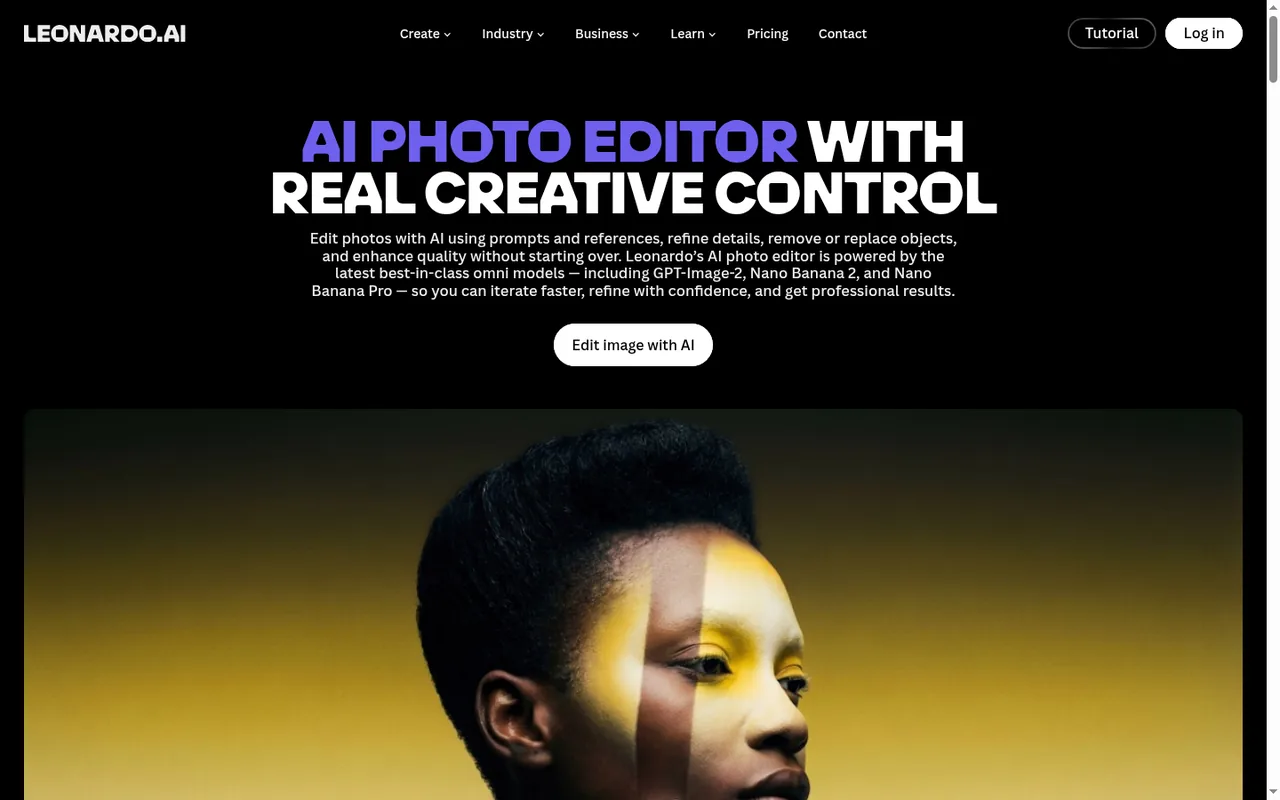
- Omni editingChange details inside an existing image by describing the edit, with up to six reference images depending on the model.
- Video generationAnimate a prompt or a starting image into a short clip, choosing from several video models.
Motion 2.0 adds motion controls and motion elements, and only some video models are open to free users.
Falls short Videos download only as MP4, free-plan videos carry a watermark, and only paid users can upload their own images as a source.
- Pro UpscalerEnlarge images in Precise or Creative mode up to 105 megapixels on paid plans.
Precise mode preserves structure and can clean AI artifacts, while Creative mode adds generative reconstruction to repair faces or hands; output reaches 105 MP.
Falls short It is limited to paid plans, outputs 8-bit JPEG only and costs 73 to 1,211 tokens per run depending on settings.
- Elements trainingTrain your own style or character Element and reuse it in later generations.
- BlueprintsStart from ready-made workflows that combine models, prompts and settings, each with its own token cost.
- Elements (custom models)Users train LoRA-style Elements on a dataset of 10 to 50 images, with Flux Dev as the default base model.
Falls short The FAQ states that trained custom models cannot be downloaded, so they stay inside Leonardo.Ai.
- Edit in CanvaIndividual users can send a generated image to Canva as a new design, without a paid plan on either service.
Falls short It is unavailable for Teams accounts and sends only one image at a time.
Strengths and limits
Strengths
- Daily free allowance: The Free plan refreshes its token allowance every day rather than giving a one-time grant.
- Rollover and top-ups: Paid plans bank unused tokens up to three months' worth, and top-up tokens do not expire.
- Commercial use on all plans: The help center says generated images may be used commercially, including by free users.
- Editing and upscaling in one place: Omni editing, background removal and the Pro Upscaler sit alongside generation, with a hand-off to Canva.
More limits to plan around
- English-only interface and support: The interface is optimized for English and support answers only in English.
Who else is it for?
Editorial assessment, based on documented features
- Developers adding image featuresConsider the pay-as-you-go API when generation or background removal must run in your own product; API credits are separate from app tokens.
How much does Leonardo.Ai cost?
Prices confirmed · checked
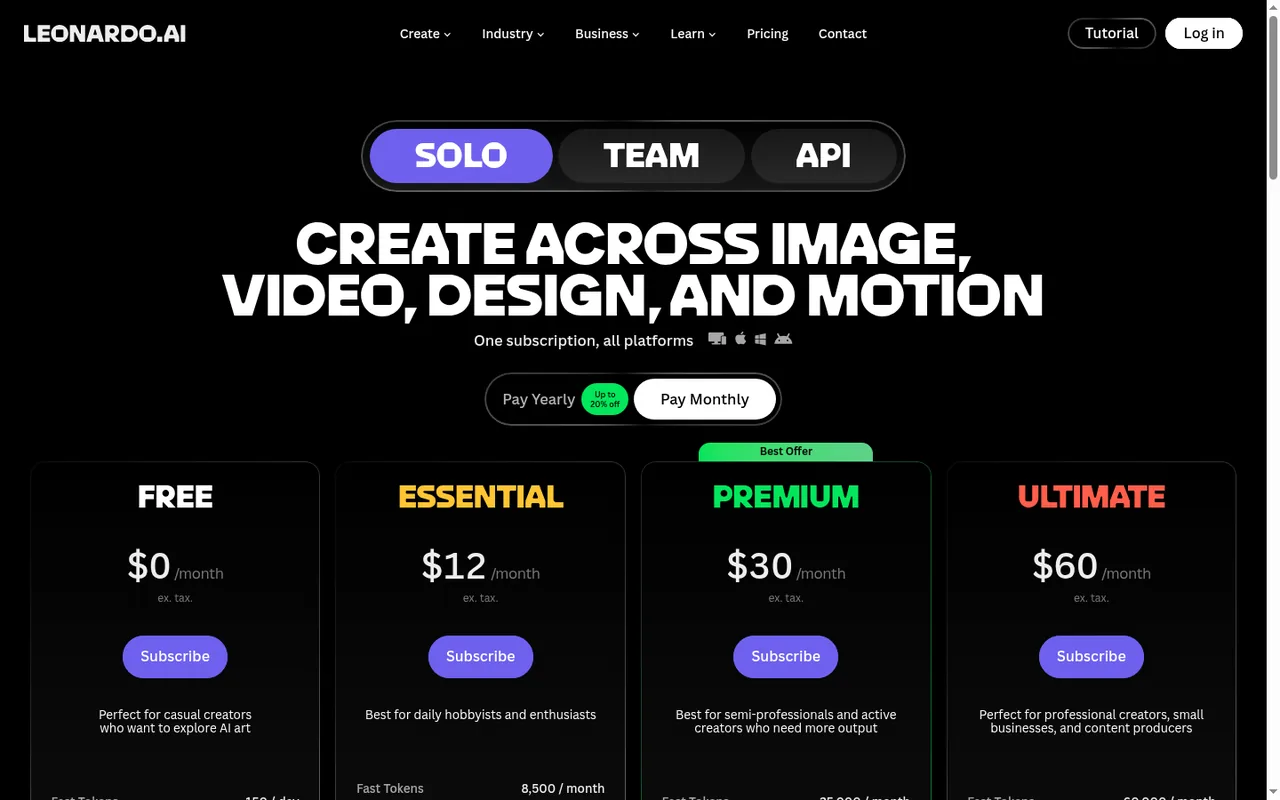
Prices are in US dollars, excluding tax. Pay Yearly, labelled up to 20% off, lowers each individual plan's monthly price; no annual total is listed. Unused paid tokens roll into a bank capped at three months' worth, and top-up tokens need an active subscription. Teams prices are listed per month with no separate annual price.
Free
USD 0 per month
150 fast tokens per day that do not carry over; public generations; 1 personal collection; limited Blueprints, Realtime Canvas and Elements.
Essential
USD 12 per monthbilled monthly · USD 10 per month on yearly billing; tax excluded
8,500 monthly fast tokens; 25,500 rollover bank; private generations; train up to 10 personal AI models per month; 2 simultaneous generations.
Premium
USD 30 per monthbilled monthly · USD 24 per month on yearly billing; tax excluded
25,000 monthly fast tokens; 75,000 rollover bank; unlimited relaxed image generation on selected models; train up to 20 personal AI models per month.
Ultimate
USD 60 per monthbilled monthly · USD 48 per month on yearly billing; tax excluded
60,000 monthly fast tokens; 180,000 rollover bank; unlimited relaxed image and video generation on selected models; train up to 50 personal AI models per month.
Teams
USD 72 per month for Starter or USD 144 per month for Growth at the default seat countUSD 24 or USD 48 per seat, tax excluded
25,000 or 60,000 fast tokens per seat; minimum 3 seats; team-only visibility.
How far does it go?
- Free over a month versus EssentialThe daily 150 tokens add up to about 4,500 in a 30-day month (150 × 30), but only if you use them every day; Essential's 8,500 monthly tokens are almost twice that and roll over when unused.
- Pro Upscaler on an Essential allowanceAt 73 to 1,211 tokens per run, 8,500 monthly tokens cover about 7 upscales at the most expensive settings (8,500 ÷ 1,211) or about 116 at the cheapest (8,500 ÷ 73), before any image is generated.
- Teams Starter against PremiumThree Starter seats at USD 24 give a shared pool of 75,000 tokens for USD 72 a month (3 × 25,000), so each Starter seat costs USD 24 for the same 25,000 tokens a Premium account gets for USD 30, but you must buy at least three seats.
Arithmetic from the published allowances above, not a usage test.
Taxes, currency and promotions can change the price you see at checkout.
Which Leonardo.Ai plan fits the way you work?
Editorial assessment
The plan choice turns on three questions: can your images be public, how many tokens do you spend in a typical month, and do you need video once the tokens are gone. Token costs differ by model and setting, so read the cost on the generate button for your usual model before comparing allowances.
- Free is enough if public images in the community feed are acceptable and a day’s work fits inside the daily allowance, since unused tokens vanish at the reset.
- Essential fits once outputs must stay private, you need to delete images or use the Pro Upscaler, and your monthly use stays under its token grant.
- Premium fits when you regularly run out of tokens on image work, because relaxed image generation continues on selected models after the allowance is spent.
- Ultimate fits when video is part of the routine and relaxed generation should cover video as well as images.
- Teams or the API fit when three or more people share one token pool with team-only visibility, or when generation has to run inside your own product.
If the deciding factor is something else, such as a particular visual style or tight integration with a design suite, compare the Midjourney, Canva and Adobe Firefly profiles or browse all AI image tools.
How do tokens work in Leonardo.Ai?
Tokens are the currency for almost every action on the platform. Each image model, video model and feature has its own token cost, which can also change with reference images, image size, settings and the number of outputs. The cost is shown before you generate, usually on the button itself.
Paid plans refill fast tokens monthly on the billing date. Unused tokens move to a rollover bank that holds up to three months’ worth: 25,500 on Essential, 75,000 on Premium and 180,000 on Ultimate. Top-up tokens are bought in packs, never expire and are used last, but they require an active subscription and are not sold on Teams plans. Cancelling a plan cancels the rollover balance.
Continue reading · 6 more sectionsShow lessWhat does the free plan really include? · What happens when your paid tokens run out? · Who owns the images, and who can see them? …
What does the free plan really include?
The pricing page shows Free at USD 0 per month with 150 fast tokens per day, public creations, basic quality settings and one personal collection. Blueprints, Realtime Canvas, Elements and Ultra quality are marked as limited, and there is no rollover bank or top-up option.
The daily allowance does not accumulate; unused tokens expire at the next reset. Only some video models are open to free users, free-plan videos carry a watermark, and uploading your own image as a video source requires a paid plan. The FAQ adds that free accounts face stricter prompt filtering.
What happens when your paid tokens run out?
On Premium and Ultimate, relaxed generation takes over once every token is spent. It cannot be switched on manually, applies only to supported models and may slow down at busy times. The supported model lists differ between the pricing page and the help center, so look for the Unlimited icon in the model menu.
On Essential, the options are the rollover bank or a top-up pack. A top-up pack is drawn only after the monthly and rollover tokens, so it works as a reserve.
Who owns the images, and who can see them?
The help center says generated images can be used commercially on every plan, including Free. Rights in images created privately on a paid plan stay with the user, and that does not change after switching back to Free.
Visibility is the practical difference. Private Mode is paid-only, so free-plan images appear in the public feed where others can remix them. For public images, the help center describes a worldwide perpetual license for Leonardo.Ai to use and distribute them; private images are not used for advertising or improvement. Deleting generated images also requires a paid subscription.
Can you edit, upscale and download after generation?
Yes. Omni editing changes details in an existing image from a text prompt, and the Canvas editor regenerates masked areas. Pro Upscaler, on paid plans, offers Precise and Creative modes and accepts JPEG, PNG or WEBP input.
Formats vary by feature: Transparency images are PNG only and videos are MP4 only. The FAQ says there is no UI feature for bulk downloads, although the visibility guide mentions downloading selected Library images.
How do Teams and the API differ from individual plans?
Leonardo for Teams costs USD 24 per seat for Starter and USD 48 per seat for Growth, with a minimum of three seats. Starter pools 75,000 tokens with a 225,000 bank and Growth 180,000 tokens with a 540,000 bank. Team generations stay private to the team, and extra tokens come from adding seats rather than top-ups.
The developer API is billed separately. The pay-as-you-go option lists up to 10 concurrent generations and API credit that does not expire, and the FAQ notes that API credits and app tokens are not directly comparable. Leonardo.Ai also says remove.bg’s background removal API has moved to its platform, as both are part of Canva.
Can Leonardo keep a product silhouette stable across variations?
Proposed evaluation · not performed yet
Use a model offered in your Free account and inspect the token quote first; use a fictional product because free generations may be public.
Input: Prompt: a matte blue fictional travel mug, straight sides, one handle, plain white background, no letters or logos. Keep the prompt and settings for comparison.
- Generate one image and record the model, dimensions and tokens used.
- Change only the background to pale grey and generate one variation.
- Compare handle count, rim shape, colour and added markings; download through the account option if available.
Accept: Both images preserve one handle and the chosen silhouette, and the saved file opens at the recorded dimensions. Stop or revise: If the model or download needs an upgrade, stop at the preview check; if the shape changes, tighten the description before spending further tokens.
Leonardo.Ai alternatives
Other images & design tools profiled with the same source-checked method. Pick by the job, not by a score.
| Tool | Free access | Paid plans from | Consider it for |
|---|---|---|---|
| Leonardo.AiThis profile | Free access available | USD 12 per month | AI images with a daily free allowance |
| Midjourney | No free tier | USD 10 per month | AI images and short image-to-video clips from text and image prompts |
| Adobe Firefly | Free access available | EUR 10.98 per month | AI images, video and audio inside an Adobe workflow |
| Canva | Free access available | EUR 12 per month | AI images placed straight into templated designs |


Leonardo.Ai user reviews
Visitor opinions, moderated before publishing. Separate from our source checks; we do not score tools.
Frequently asked questions
Can I try a paid Leonardo.Ai plan before paying?
Not on the consumer plans. The help center states there are no free trials for Essential, Premium or Ultimate and suggests buying a plan and cancelling it if it does not suit you. For Teams, Leonardo.Ai says a trial may be granted case by case, so ask sales before committing to three seats.
How many images can I generate at the same time?
The pricing page lists 2 simultaneous generations on Essential, 3 on Premium and 6 on Ultimate. That matters when you queue batches, because a job waits until a slot frees up rather than running in parallel. Developers on the pay-as-you-go API get a separate limit of up to 10 concurrent generations, which is independent of any app subscription.
How many custom models can I train on each plan?
Essential allows 10 personal models a month, Premium 20 and Ultimate 50. Each Element is a LoRA trained from your own dataset of at least 10 images; Flux Dev, the default base, accepts up to 50 and SDXL up to 40. Trained models stay inside Leonardo.Ai, since the help center says they cannot be downloaded for use elsewhere.
Which tokens are spent first?
Two help articles describe the order differently. The Tokens FAQ says monthly fast tokens go first, while the top-up article lists rollover tokens before fast tokens. Both agree that purchased top-up tokens are drawn last, so a top-up pack acts as a reserve that survives month to month as long as the subscription stays active.
Is Leonardo.Ai available in languages other than English?
The help center says the interface is optimized for English and does not offer multi-language support, and customer support replies only in English. Prompts in other languages are not covered by that statement, so a non-English workflow should be checked on the Free plan with a few typical prompts before paying for a subscription.
How we checked this profile
33 details on this page were checked against Leonardo.Ai's own pages and help documentation (Sep 24, 2026). 2 are still open and listed below.
See the checks by section28 documented3 editorial assessment2 open
| Section | Checks | Last checked | Sources |
|---|---|---|---|
| Article text | 5 documented 2 editorial 1 open | leonardo.ai/pricingintercom.help/9044700-tokens-frequently-…intercom.help/7051613-frequently-asked-q…intercom.help/9075772-transparencyleonardo.ai/api | |
| Plans and prices | 9 documented 1 editorial 1 open | leonardo.ai/pricingintercom.help/9044700-tokens-frequently-…intercom.help/9560707-token-rolloverintercom.help/11702713-top-up-tokens | |
| Questions | 5 documented | leonardo.ai/pricingintercom.help/7051613-frequently-asked-q…intercom.help/10501488-how-to-train-and-… | |
| Strengths and limits | 2 documented | intercom.help/8044029-private-public-ima…intercom.help/8044018-commercial-usage | |
| Features | 5 documented | intercom.help/14698341-how-to-use-pro-up…intercom.help/11027827-generating-video-…intercom.help/7051613-frequently-asked-q…intercom.help/11483692-using-omni-models…intercom.help/14493906-how-to-edit-leona… | |
| Platforms and integrations | 2 documented | intercom.help/7051613-frequently-asked-q…leonardo.ai/removebg-api-leonardo |
Still open
- Annual billing for Leonardo Teams plans is not confirmed.Not confirmed · checked · Source (opens in a new tab)
- Whether images can be downloaded in bulk is unclear.Not confirmed · checked · Source (opens in a new tab)
Sources for this profile
- Leonardo.Ai pricingleonardo.ai
- Tokens FAQintercom.help
- Token rolloverintercom.help
- Top-up tokensintercom.help
All 20 sources
- Commercial usageintercom.help
- Leonardo.Ai FAQintercom.help
- Pro Upscaler guideintercom.help
- Generating videointercom.help
- Private and public imagesintercom.help
- Visibility settingsintercom.help
- Omni models and inline editorintercom.help
- Transparencyintercom.help
- Edit in Canvaintercom.help
- Elements, LoRAs and datasetsintercom.help
- Canvas editorintercom.help
- Generating imagesintercom.help
- Blueprintsintercom.help
- Leonardo for Teamsleonardo.ai
- Leonardo.Ai APIleonardo.ai
- remove.bg API newsleonardo.ai
Plan prices and token amounts come from Leonardo.Ai's pricing and Teams pages; token rules, privacy, commercial use, video, upscaling, export and the Canva hand-off come from the Leonardo.Ai help center. Help articles disagree on bulk download and on the order in which token types are spent.
Sources checked Sep 24, 2026. We read the vendor's documentation; we did not test the product or score it. Found something out of date? See how we correct profiles.


