Synthesia Alternatives: Five Tools by the Part of the Video They Replace
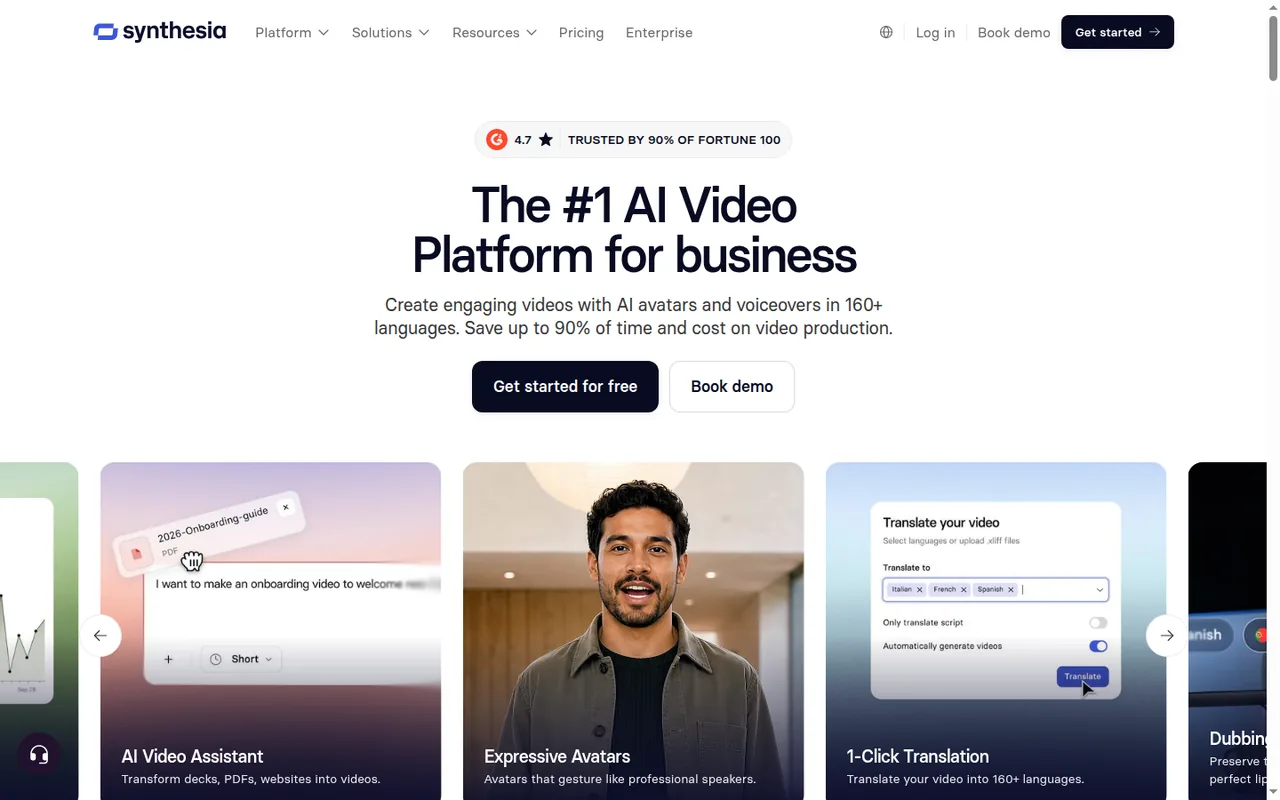
Synthesia turns scripts and slides into videos with an AI presenter. This guide covers five alternatives: HeyGen and VEED, which also put an AI avatar on screen, and Descript, Runway and ElevenLabs, which each replace one part of the job: the presenter, the footage or the voice. Pick by the part that fails, then check what leaves Synthesia and what a month of lessons costs.
By Elias Brandt · Updated 8 Oct 2026 · About 18 min read · Plan terms taken from each tool profile
The short answer
Still want an AI presenter? HeyGen is the closest swap: script to avatar video, deck import, lip-synced translation and SCORM export on Business. VEED puts avatars and auto subtitles into a browser editor for short videos.
Can someone be filmed? Descript edits a real recording through its transcript, so a fix means deleting words.
Missing footage, or only a voice? Runway generates cutaways and b-roll. ElevenLabs narrates, clones voices and dubs, with no visuals.
Which Synthesia alternative fits the part you need to replace?
The five tools at a glance
In shortFind the row that matches the part of your Synthesia video that fails. The last column is the catch to check before you pay.
Who each tool is for, what you get without paying, the first paid plan as the vendor lists it, the unit usage is counted in, and the main catch. Synthesia sits in the first row for reference. Details and sources follow below.
| Tool | Best for | Free access | First paid plan | Usage counted in | Catch to check |
|---|---|---|---|---|---|
 Synthesia Synthesia | Training videos with an AI presenter, built from scripts or slides | Basic: 10 video minutes a month, no downloads | USD 19 / month (Starter, billed monthly) | 10 included minutes, then about 100 credits per finished minute | Stock-avatar videos may not run in paid promotion |
 HeyGen HeyGen | Avatar video from a script, and lip-synced translation of finished videos | Up to 3 videos a month, 1 minute each, watermarked | USD 29 / month (Creator, billed monthly) | Credits per minute, set by the avatar model | Creator and Pro cannot buy credit packs on web |
 VEED VEED | Short captioned videos in a browser editor | 720p exports with a watermark | $12 per user / month, billed yearly as $147 (Creator) | Credits for generation; auto subtitles sit outside them on Creator | Gen-AI Studio files stop at 1 minute on Creator |
 Descript Descript | Filmed lessons edited through the transcript | 60 media minutes a month; 720p video with a watermark | USD 24 / person / month (Hobbyist, billed monthly) | Media minutes plus AI credits | Every import and retake counts against media minutes |
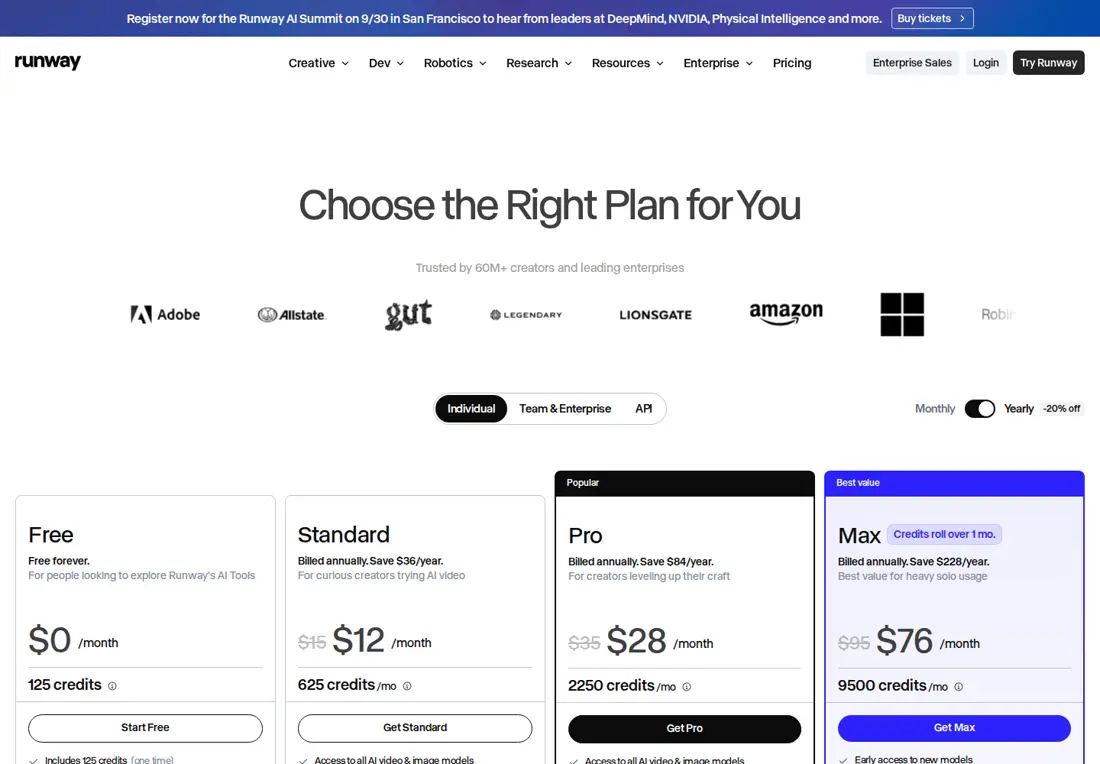
 Runway Runway | Generated cutaways and b-roll, not presenters | 125 one-time credits, watermarked | USD 15 / month (Standard, billed monthly) | Credits per second of video | Gen-4.5 renders 720p; 4K is a separate upscale |
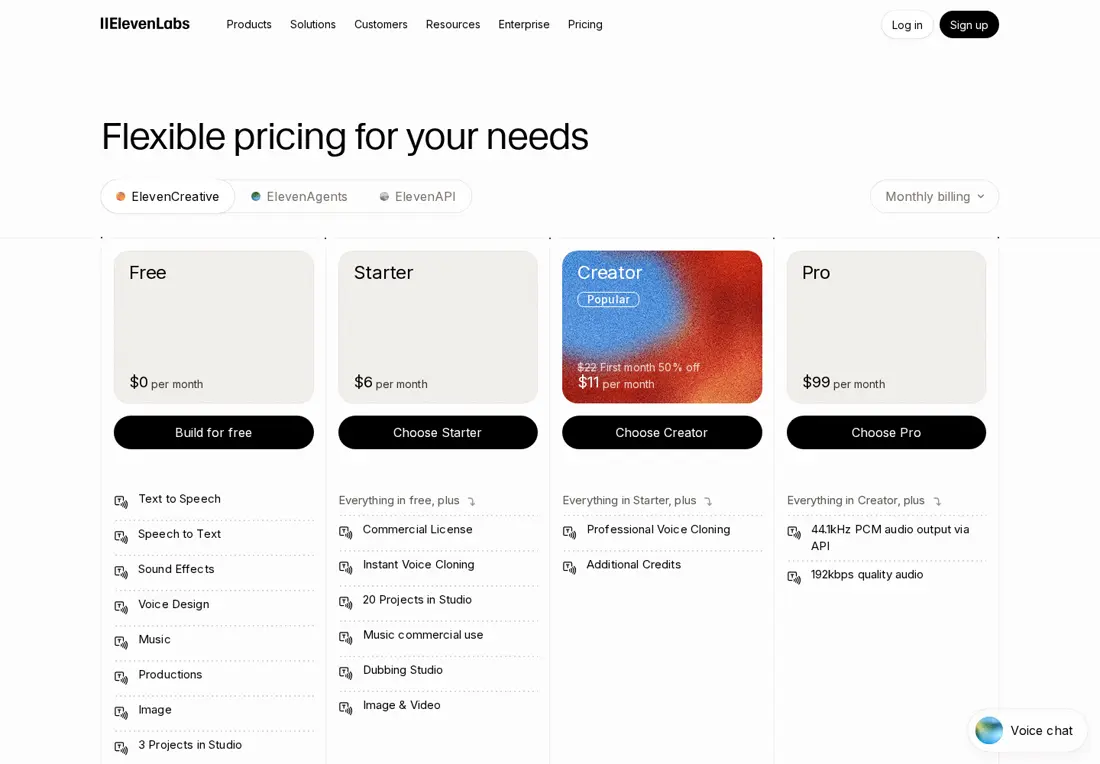
 ElevenLabs ElevenLabs | Voice-only lessons, cloned voices and dubbing | 10,000 credits a month, noncommercial with attribution | USD 6 / month (Starter, billed monthly) | Credits per character, one pool for every product | Dubbing uses thousands of credits per minute |
Plan names and amounts from each tool’s profile, which shows the date its plan terms were checked. VEED’s profile lists yearly billing only.
What makes a good Synthesia alternative
In shortFive questions decide whether a switch is worth it. Avatar realism is not one of them here, because nothing in the sources lets us compare it.
- It replaces the part that failsA Synthesia video is a script, a presenter, a voice and a delivery format. A tool that swaps all four for one broken part costs a rebuild you did not need.
- It delivers what the destination acceptsAn LMS may expect SCORM, a video page an MP4, a player separate caption files. Synthesia keeps SCORM on Enterprise; HeyGen lists it on Business.
- Its unit fits your monthly minutesSynthesia counts finished minutes; the others count credits per minute, per second or per character, or media minutes for everything imported. Price a normal month, not the plan card.
- Its rights fit the channelSynthesia bars stock-avatar videos from paid promotion, cloned faces and voices need consent, and free ElevenLabs audio is noncommercial.
- It speaks your languagesSynthesia’s one-click translation into 80+ languages is Enterprise only. HeyGen lists 175+ languages on paid plans, ElevenLabs 74 for speech, VEED 50+ on Pro and Descript 30+ on Business.
Do you need to leave Synthesia at all?
Some limits end with a plan change
In shortDownloads, fonts and running out of credits are fixed inside Synthesia. Paid promotion with stock avatars, SCORM without Enterprise and a filmed presenter are real reasons to look elsewhere.
This page is about Synthesia, the AI video platform, not the piano-learning software with the same name.
Synthesia’s free Basic plan builds and previews videos but cannot download them, and the logo stays until Starter. Every plan, Basic included, gets 10 minutes of video and 500 credits a month; a typical finished minute after that uses about 100 credits, and regenerating an edited video charges only for the new footage. Credits reset each billing period and do not carry over when you upgrade.
| Your reason | Fixed inside Synthesia? | Where to look otherwise |
|---|---|---|
| You need MP4 files without the logo | Yes: Starter, USD 19 per month (USD 14 billed yearly) | No move needed |
| Imported decks lose your brand fonts | Yes: Basic and Starter cannot upload custom fonts | No move needed |
| Credits run out mid-month | Yes: Pro 2x to 8x add 12,000 to 48,000 credits a month, and Billing offers top-ups | No move needed |
| The LMS needs a SCORM package | Only on Enterprise, priced by sales | HeyGen, which lists SCORM export on Business |
| The video will run as a paid ad | Partly: custom avatars follow the agreement with the person depicted; stock and synthetic avatars may not be used in paid promotion | Descript with a filmed presenter |
| On-screen text must change language too | Only on Enterprise: AI Dubbing on other plans leaves on-screen text untouched | Rebuild the scenes per language; on-screen text translation in the other tools is not covered in the sources checked |
| A real person can present | Not the point of Synthesia | Descript, which edits the recording as text |
| Lessons use buttons or branching | They play only inside Synthesia | Not covered in the sources checked for the tools here |
Sources: Synthesia pricing, Synthesia credits, Synthesia video licensing, Synthesia SCORM export, Synthesia translation.
If you need a different kind of video: one tool each
In shortEach tool has the same layout: what it does, what it takes over from Synthesia, what you leave behind, and what carries over.
If you still want an avatar presenter: HeyGen
Best for avatar video and lip-synced translation
Best when the presenter stays and the problem is SCORM pricing, languages or translating videos you already made.
- Free Up to 3 videos a month, watermarked
- Entry from USD 29 / month Creator, billed monthly; USD 24 billed yearly
HeyGen builds videos from a script in its AI Studio editor, with stock avatars or a Digital Twin made from your own footage. It also translates existing videos into 175+ languages and dialects on paid plans, with or without lip-sync.
What it does
- Stock and custom avatars
- 500+ stock avatars; a Digital Twin needs a consent video under 30 seconds from the person in the footage.
- Slides to video
- PPT, PPTX or PDF files up to 50 MB; only the first 50 slides of each upload are imported.
- Video translation
- 6 credits per minute in Speed mode, 10 in Precision and 4 without lip-sync.
- Downloads
- 720p, 1080p or 4K, plus audio and SRT captions; 4K needs Pro or higher and 4K avatar footage.
Takes over from Synthesia
Script-to-avatar production, deck import and dubbing of finished videos, with SCORM export on Business rather than Enterprise.
You leave behind
Long decks in one file: Synthesia takes 150 slides or 1 GB. Comments on HeyGen share pages cannot be turned off, and password-protected sharing is Enterprise only.
What carries over
Scripts, captions and your original PowerPoint decks, split into 50-slide parts. Personal avatars do not move: the presenter records new footage and a consent video. Synthesia vs HeyGen covers the avatar-to-avatar decision.
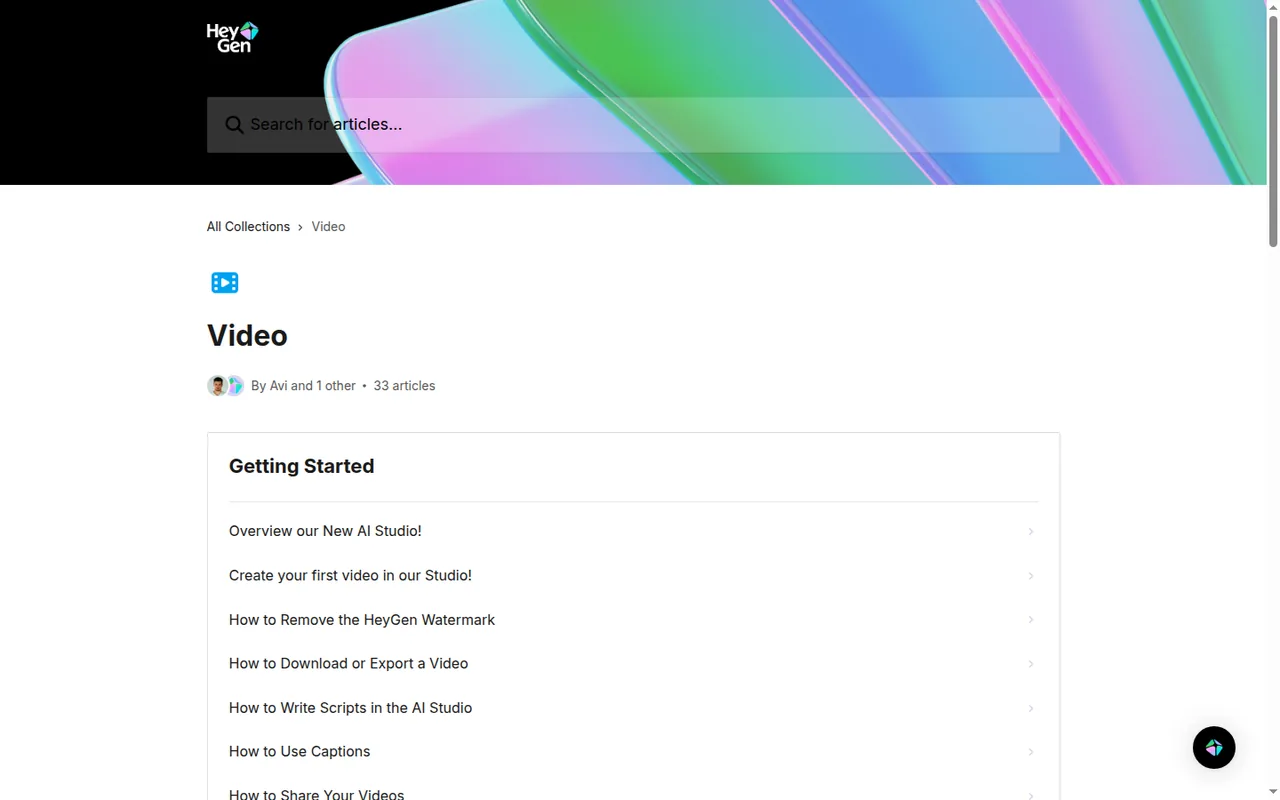
See the HeyGen profile for plans, limits and sources.
Visit HeyGen (opens in a new tab)
Sources: HeyGen pricing, HeyGen PPT/PDF to Video, HeyGen consent video.
If you edit in the browser and need captions: VEED
Best for short captioned videos with an AI studio
Best when videos are short, captions matter and a draft built from stock clips is enough.
- Free 720p exports, watermarked
- Entry from $12 / user / month Creator, billed yearly as $147
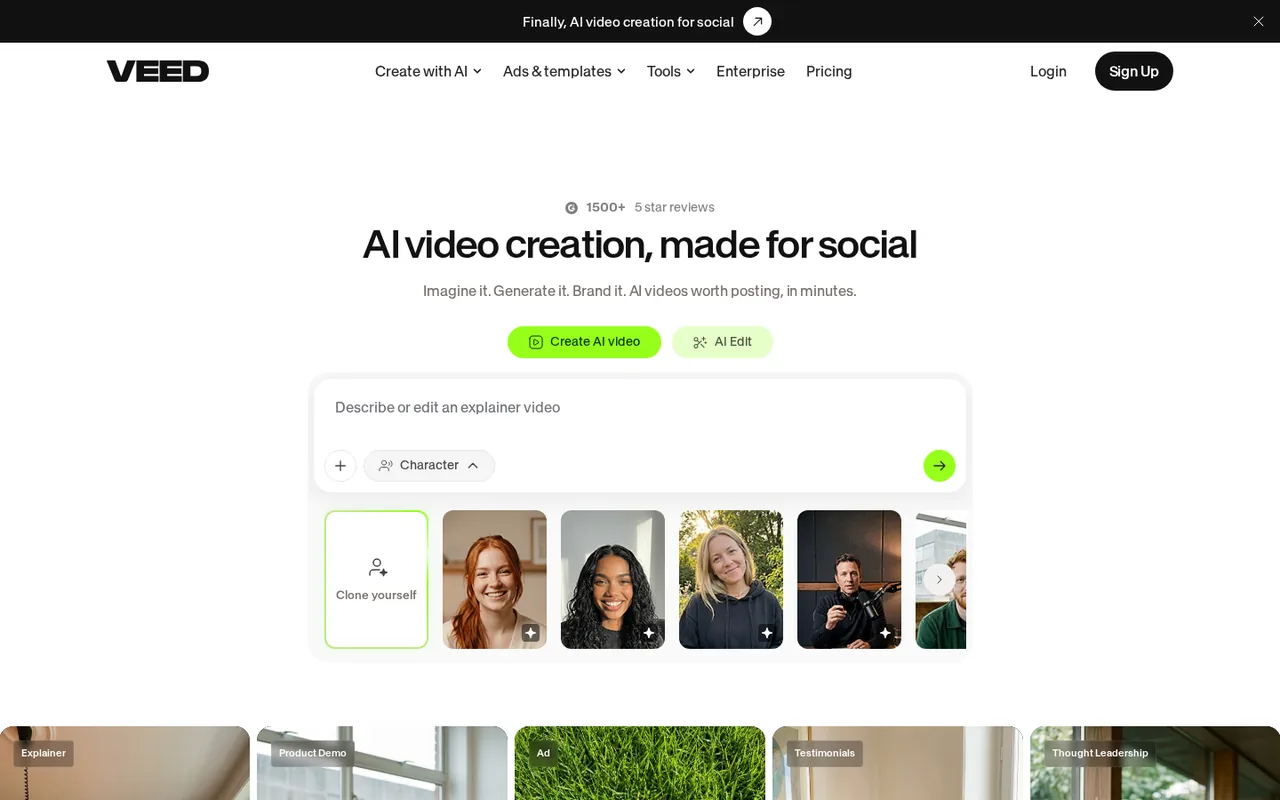
VEED is a browser video editor with auto subtitles, translation, AI dubbing, AI avatars and text-to-speech. Its Gen-AI Studio turns a prompt into a short social video with a script, voiceover, stock visuals, an avatar, subtitles and music.
What it does
- Auto subtitles
- Unlimited on Creator; SRT, VTT and TXT downloads on paid plans.
- Gen-AI Studio length
- Files up to 1 minute on Creator, 5 on Pro and 30 on Studio.
- Translation
- 50+ languages on Pro, which also adds 4K export.
- Brand Kits
- Colors, fonts, logos and voices; Pro allows several kits.
Takes over from Synthesia
Short explainers and social cuts with an avatar and captions, edited in the same browser app.
You leave behind
Lesson-length generation on the entry plan, since Creator’s Gen-AI Studio files stop at 1 minute. Its visuals are stock clips, not generated footage, and prices are per user.
What carries over
Downloaded Synthesia MP4 files, as footage to cut and caption in the editor. Import of avatars, scripts or caption files is not covered in the sources checked.
See the VEED profile for plans, limits and sources.
Visit VEED (opens in a new tab)
Sources: VEED pricing, VEED Gen-AI Studio, VEED export resolution.
If a real person can be filmed: Descript
Best for recorded lessons you edit as text
Best when the trainer can appear on camera and a fix should mean deleting words, not regenerating scenes.
- Free 60 media minutes a month
- Entry from USD 24 / person / month Hobbyist, billed monthly; USD 16 billed yearly
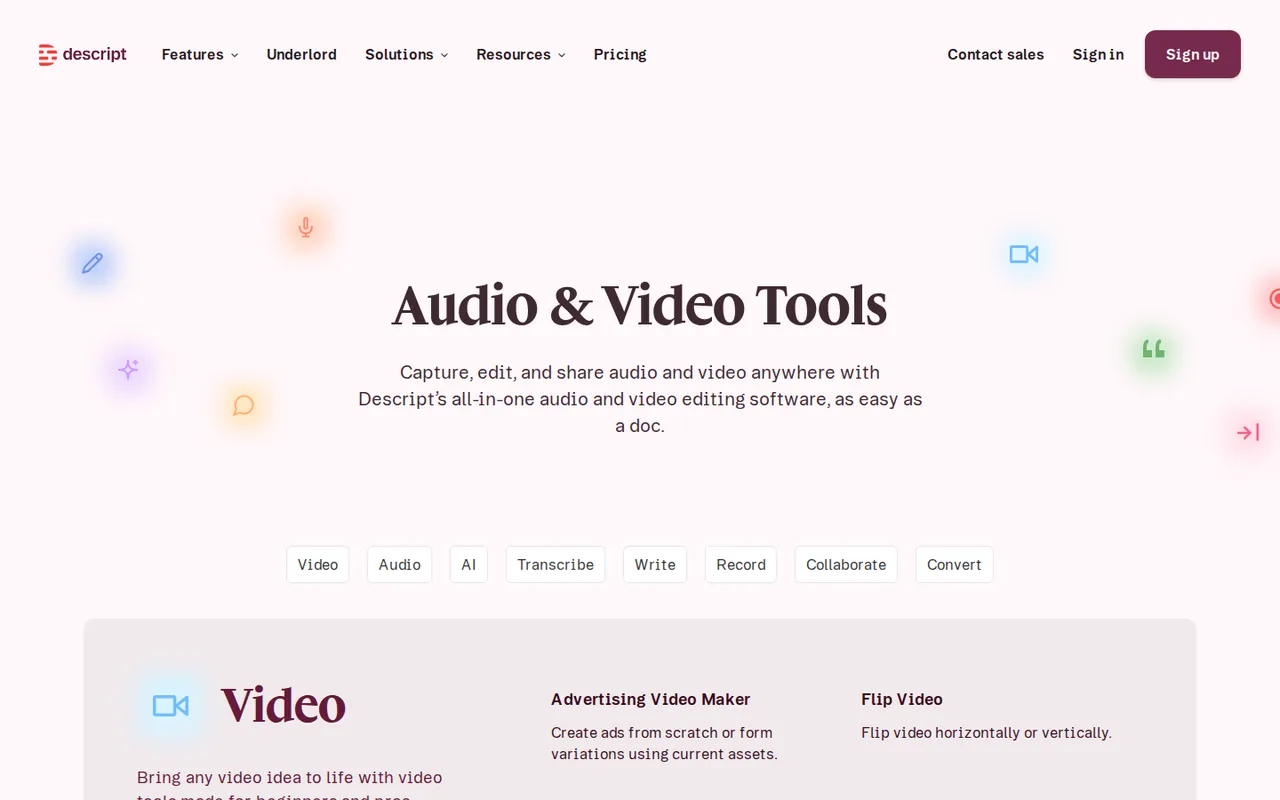
Descript edits video and audio through the transcript: delete a word and it leaves the recording. It records screens, remote guests and multitrack sessions, and transcribes in 25 languages on every plan.
What it does
- Transcript editing
- Cut and paste a sentence and the media moves with it; removed media can be restored.
- AI speech and voice cloning
- Narration in a cloned voice from typed text, from Hobbyist up.
- Translation and dubbing
- Versions in 30+ languages on Business.
- Timeline export
- Premiere Pro, Final Cut Pro and other editors, on Creator and higher.
Takes over from Synthesia
Lessons with a real presenter, corrected by editing text, with narration fixes in a cloned voice.
You leave behind
Generated presenters as the main format: Descript’s avatars draw on AI credits and are left out of timeline exports. Every import and retake uses media minutes, and each editor pays a full seat.
What carries over
Downloaded Synthesia MP4 files import as ordinary footage to trim, and scripts become recording scripts. Runway vs Descript shows where each sits in an edit.
See the Descript profile for plans, limits and sources.
Visit Descript (opens in a new tab)
Sources: Descript pricing, Descript: edit like a doc, Descript media minutes.
If the lesson needs footage nobody shot: Runway
Best for cutaways and b-roll, not presenters
Best as an addition: generated shots go back into an avatar video or a Descript edit.
- Free 125 one-time credits
- Entry from USD 15 / month Standard, billed monthly; USD 12 billed yearly
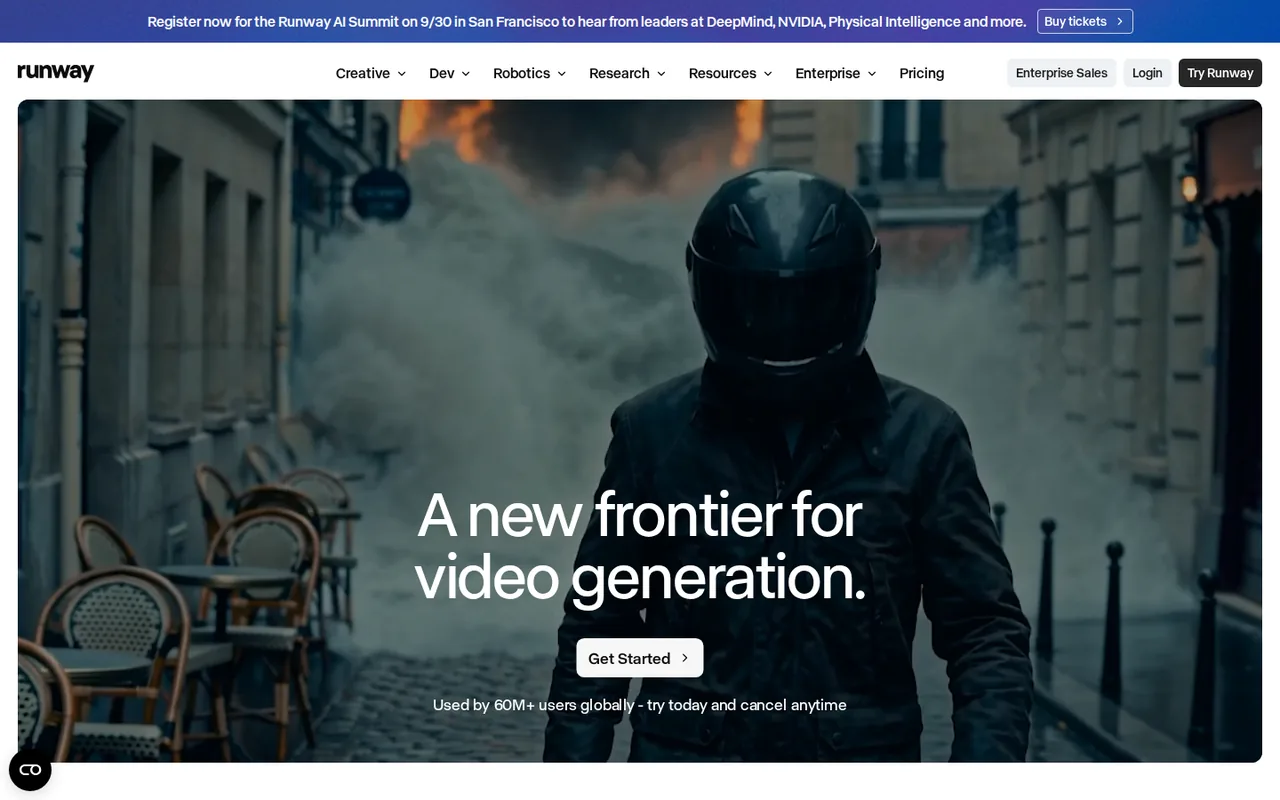
Runway generates clips from text or image prompts with Gen-4.5 and other models, extends and alters footage you own, and removes backgrounds. Gen-4.5 makes clips of 2 to 10 seconds at 720p.
What it does
- Video generation
- Gen-4.5 uses 12 credits per second of video.
- Footage editing
- Extend and alter existing footage instead of reshooting it.
- Editor plugins
- Premiere Pro, After Effects and DaVinci Resolve Studio 19 or later, on Standard and higher.
- Parallel generations
- 5 on Standard, 15 on Pro and 20 on Max.
Takes over from Synthesia
The b-roll a Synthesia scene would otherwise use, which there draws on the same credit balance as avatar minutes.
You leave behind
A presenter, deck import and caption files: none of them is listed on the profile. Standard and Pro credits reset each month, and Free credits never renew.
What carries over
Nothing has to leave Synthesia. Runway shots go into the existing lesson as cutaways.
See the Runway profile for plans, limits and sources.
Visit Runway (opens in a new tab)
Sources: Runway pricing, Creating with Gen-4.5, Runway plugin for Premiere Pro.
If only the voice track is the problem: ElevenLabs
Best for narration, cloned voices and dubbing
Best for voice-only lessons over slides or screen recordings, or for re-voicing videos you already downloaded.
- Free 10,000 credits a month, noncommercial
- Entry from USD 6 / month Starter, billed monthly; USD 5 billed yearly
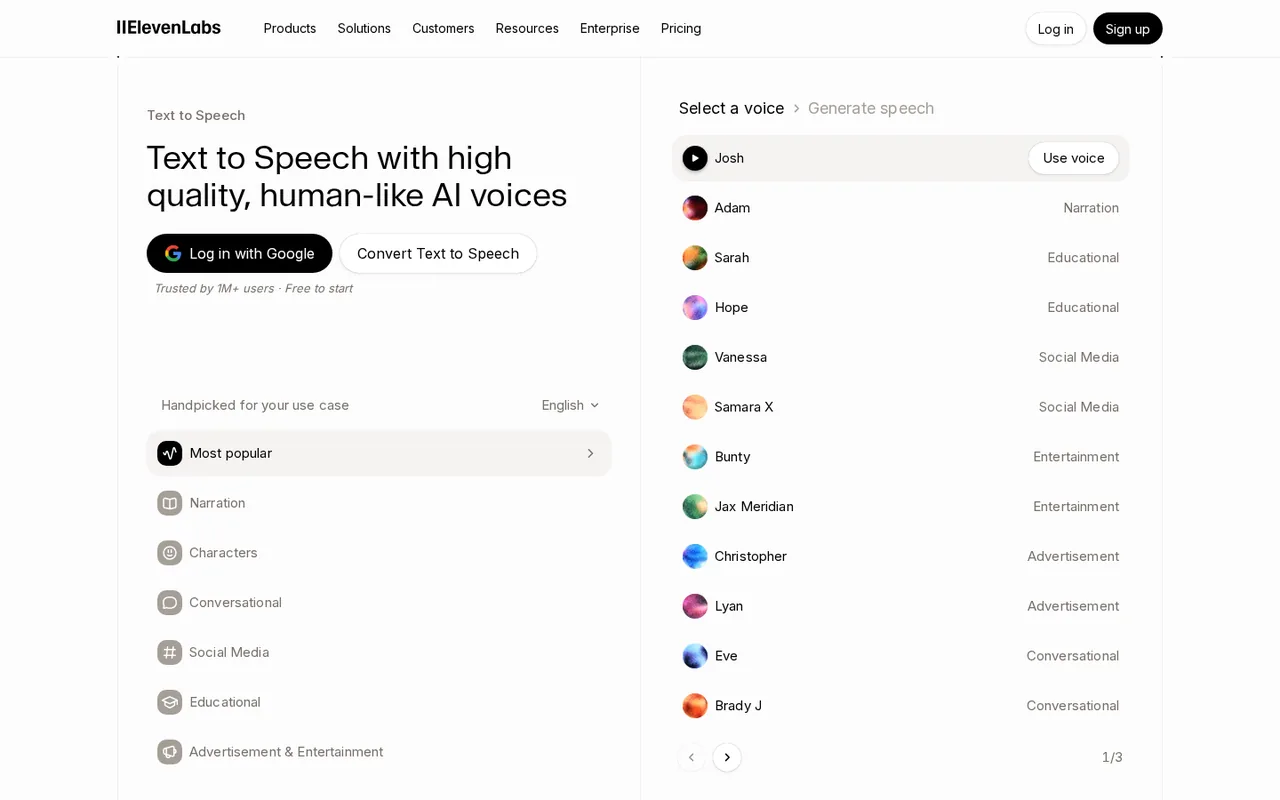
ElevenLabs turns a script into speech in 74 languages, clones voices on paid plans, transcribes, and dubs existing video or audio. Every product draws on one monthly credit pool.
What it does
- Text to speech
- 1 credit per character on the Multilingual v2 model.
- Instant voice cloning
- From Starter, after you confirm the right and consent to clone the voice.
- Dubbing
- About 10,000 credits per minute in Dubbing Studio, or 3,000 for automatic dubbing, both without a watermark.
- Commercial license
- From Starter; rights are fixed when the audio is generated.
Takes over from Synthesia
Synthesia’s voiceovers and AI Dubbing, without the visuals.
You leave behind
Avatars, scenes and video export. Free-generated audio stays noncommercial and needs attribution, even after a later upgrade.
What carries over
Scripts from the XLIFF files, as text to narrate, and downloaded MP4 lessons, as sources to dub.
See the ElevenLabs profile for plans, limits and sources.
Visit ElevenLabs (opens in a new tab)
Sources: ElevenLabs pricing, ElevenLabs voice cloning, Eleven Rights.
Feature matrix and rights: what each tool covers
In shortFifteen capabilities marked from the six profiles. A dash means the sources checked do not cover it, not that the tool lacks it.
| Capability | Synthesia | HeyGen | VEED | Descript | Runway | ElevenLabs |
|---|---|---|---|---|---|---|
| Making the video | ||||||
| Stock AI avatar presenter | Offered9 on Basic, 125+ on Starter | Offered500+ stock avatars | OfferedAI avatars listed | Partlyavatars use AI credits | Not listednot covered in the sources checked | Not listednot covered in the sources checked |
| Avatar of a real person | Offeredphoto or video, Starter up | OfferedDigital Twin, consent video | Not listednot covered in the sources checked | Not listednot covered in the sources checked | Not listednot covered in the sources checked | Not listednot covered in the sources checked |
| Draft video from a prompt or document | OfferedAI Video Assistant, Starter up | OfferedVideo Agent | PartlyGen-AI Studio, stock clips | Not listednot covered in the sources checked | Partlyclips of 2 to 10 seconds | Not listednot covered in the sources checked |
| Slides to video | Offered.pptx, 150 slides | OfferedPPT or PDF, first 50 slides | Not listednot covered in the sources checked | Not listednot covered in the sources checked | Not listednot covered in the sources checked | Not listednot covered in the sources checked |
| Generated footage | PartlyB-roll on the credit balance | PartlyB-roll controls | Not listedstock clips, not generated | Not listednot covered in the sources checked | OfferedGen-4.5 and other models | Not listednot covered in the sources checked |
| Edit a filmed recording | Not listednot covered in the sources checked | Not listednot covered in the sources checked | Offeredbrowser editor | Offeredtranscript editing | Partlyextend and alter footage | Not listednot covered in the sources checked |
| Voice and language | ||||||
| Text-to-speech narration | Offeredvoiceovers | Offeredvoice controls | OfferedAI voice | OfferedAI speech, Hobbyist up | Partlysupport varies by plan | Offered74 languages |
| Voice cloning | Not listednot covered in the sources checked | OfferedCreator up | Not listednot covered in the sources checked | OfferedHobbyist up | Not listednot covered in the sources checked | Offeredinstant from Starter |
| Dub an existing video | OfferedAI Dubbing, every plan | Offeredpaid plans | OfferedAI dubbing listed | PartlyBusiness only | Not listednot covered in the sources checked | OfferedDubbing Studio |
| Lip sync on translated video | Offeredoptional | Offeredwith or without | Not listednot covered in the sources checked | Not listednot covered in the sources checked | Not listednot covered in the sources checked | Not listednot covered in the sources checked |
| Translate on-screen text too | Partlyone-click translation, Enterprise | Not listednot covered in the sources checked | Not listednot covered in the sources checked | Not listednot covered in the sources checked | Not listednot covered in the sources checked | Not listednot covered in the sources checked |
| Delivery | ||||||
| Video without a watermark | Partlyfrom Starter | Partlyfrom Creator | Partlyfrom Creator | Partlyfrom Hobbyist | Partlyfrom Standard | Not listedaudio only |
| Caption files | OfferedSRT and VTT | OfferedSRT | OfferedSRT, VTT, TXT on paid plans | Not listednot covered in the sources checked | Not listednot covered in the sources checked | Not listednot covered in the sources checked |
| SCORM package for an LMS | PartlyEnterprise only | PartlyBusiness and Enterprise | Not listednot covered in the sources checked | Not listednot covered in the sources checked | Not listednot covered in the sources checked | Not listednot covered in the sources checked |
| 4K output | Not listed1080p MP4 listed | PartlyPro up, 4K footage | PartlyPro up | PartlyCreator up | Partlyupscale on paid plans | Not listednot covered in the sources checked |
offered partly or with limits not listed on the profile.
Cells come from each tool’s profile on this site, which cites the vendor pages and the date they were checked.
Rights to faces, voices and commercial use
In shortCheck this table before the video goes into an ad, or before anyone’s face or voice is cloned.
| Tool | Faces | Voices | Commercial use and refunds |
|---|---|---|---|
| Synthesia | A personal avatar needs a person of legal age who consents; custom avatars follow the agreement with that person | Not covered in the sources checked | Stock and synthetic avatars may not be used in any paid promotion; purchases are non-refundable |
| HeyGen | Every video-based Digital Twin needs a consent video under 30 seconds; screen recordings are rejected | Voice cloning from Creator | Use of stock avatars in ads: not covered in the sources checked; payments generally non-refundable, with case-by-case review within 15 days for web purchases |
| VEED | Not covered in the sources checked | Not covered in the sources checked | Not covered in the sources checked |
| Descript | Not covered in the sources checked | Voice cloning from Hobbyist | Not covered in the sources checked |
| Runway | Recognisable people need extra care | Not covered in the sources checked | Commercial use depends on the plan’s terms; trademarks and footage you did not create need extra care |
| ElevenLabs | Not applicable: audio only | Cloning a real voice needs that person’s consent, confirmed before the clone is saved | Commercial license from Starter; free audio is noncommercial with attribution, and upgrading later does not change that |
Sources: Synthesia video licensing, Synthesia custom avatars, HeyGen consent video, ElevenLabs voice cloning, Eleven Rights.
What leaves Synthesia, and what do you rebuild?
Inventory your Synthesia account
In shortDownload before you cancel: Basic cannot download anything, and after the paid period ends the account loses access to every video.
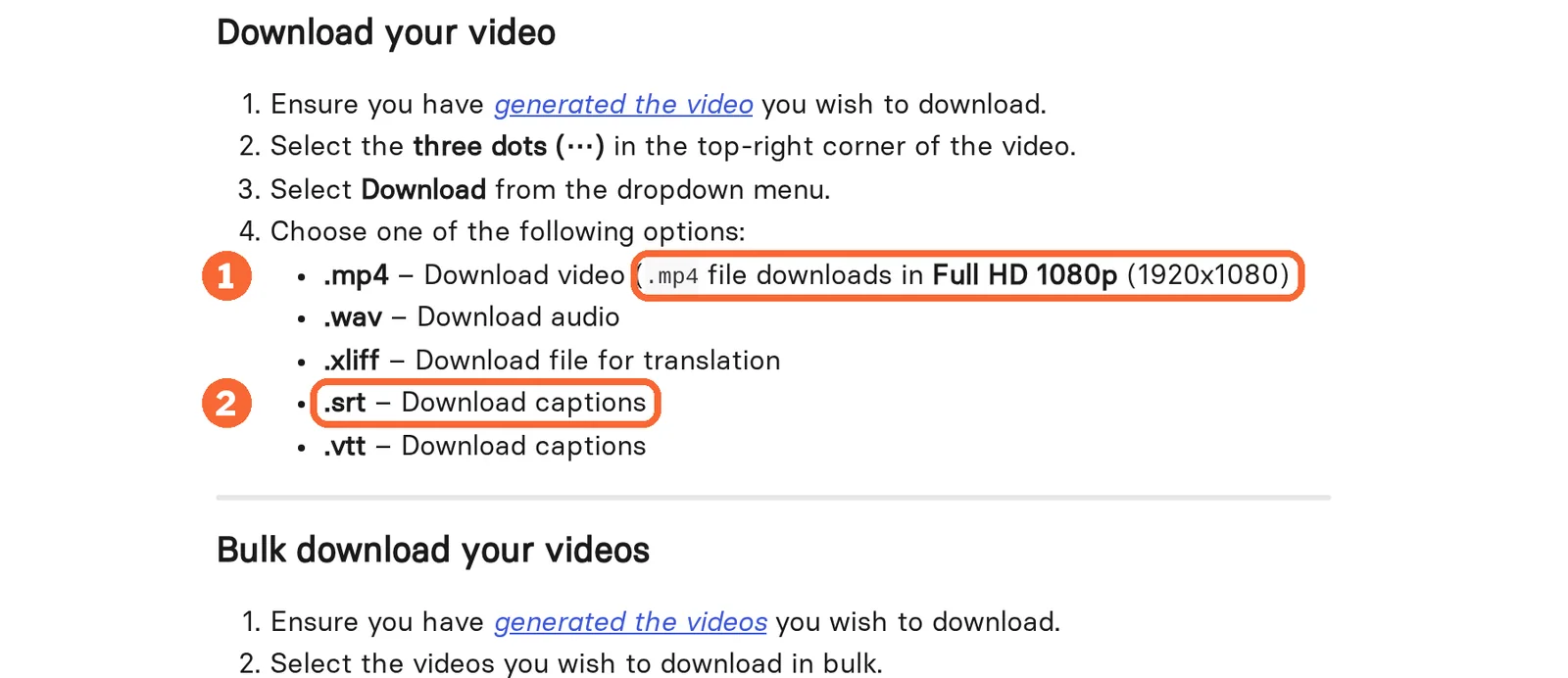
Starter, Pro and Enterprise users can download each video as a 1080p MP4 with WAV audio, SRT and VTT captions and an XLIFF file, one by one or in bulk by folder. Videos with buttons or branching are the exception: they cannot be downloaded as MP4 and play only inside Synthesia.
| Synthesia item | Does it leave? | Where it goes next |
|---|---|---|
| Finished lessons | Yes, as 1080p MP4, singly or by folder | Your archive or LMS; Descript or VEED for trimming; HeyGen or ElevenLabs as a source to dub |
| Scripts and translations | Yes, as an XLIFF file per video | Any tool that takes script text, including ElevenLabs narration |
| Captions | Yes, as SRT or VTT | The player or LMS caption track |
| Narration | Yes, as WAV audio | A reference track when re-voicing |
| Source decks | Your original PPTX, not an export | HeyGen PPT/PDF to Video, in parts of 50 slides and 50 MB |
| Personal avatars | No: not among the download formats | HeyGen records a new Digital Twin with a consent video |
| Branching or button lessons | No: they play only inside Synthesia | Rebuild the logic in the new player |
| Unused credits | No: they reset each billing period | Time the switch to the end of a cycle |
Synthesia accepts decks up to 1 GB or 150 slides, so long decks built there may not fit HeyGen in one upload. A 120-slide onboarding deck, for example, needs three HeyGen uploads of 50, 50 and 20 slides, each under 50 MB.
Sources: Synthesia download help, Synthesia plan and billing, Synthesia PowerPoint import, HeyGen PPT/PDF to Video.
Switch in this order
In shortLeave Synthesia last. Its downloads need a paid plan, and purchases there are non-refundable.
- Download every lesson, caption and XLIFF file while the paid plan is active.
- Run the new tool on a monthly plan first; yearly HeyGen plans are charged once a year, and Synthesia’s annual credits arrive upfront.
- Move one course, keep the old links live until learners have switched, and confirm every download opens.
- Cancel at the end of a billing period: access continues until then, and unused credits do not carry over anyway.
Budget the exit on the new side as well. HeyGen’s pause option postpones the next charge by 30 days but expires the unused balance, and cancelling returns the account to Free without its credits.
Sources: Synthesia plan and billing, HeyGen cancel or pause.
What do 30 lesson minutes cost in each tool’s unit?
Usage units side by side
In shortEach tool meters in its own unit, so two plans at the same price can cover very different amounts of video.
| Tool | First plan without a watermark | Usage is counted as | Unused balance |
|---|---|---|---|
| Synthesia | Starter, USD 19 per month | 10 included video minutes, then about 100 credits per finished minute | Resets each billing period |
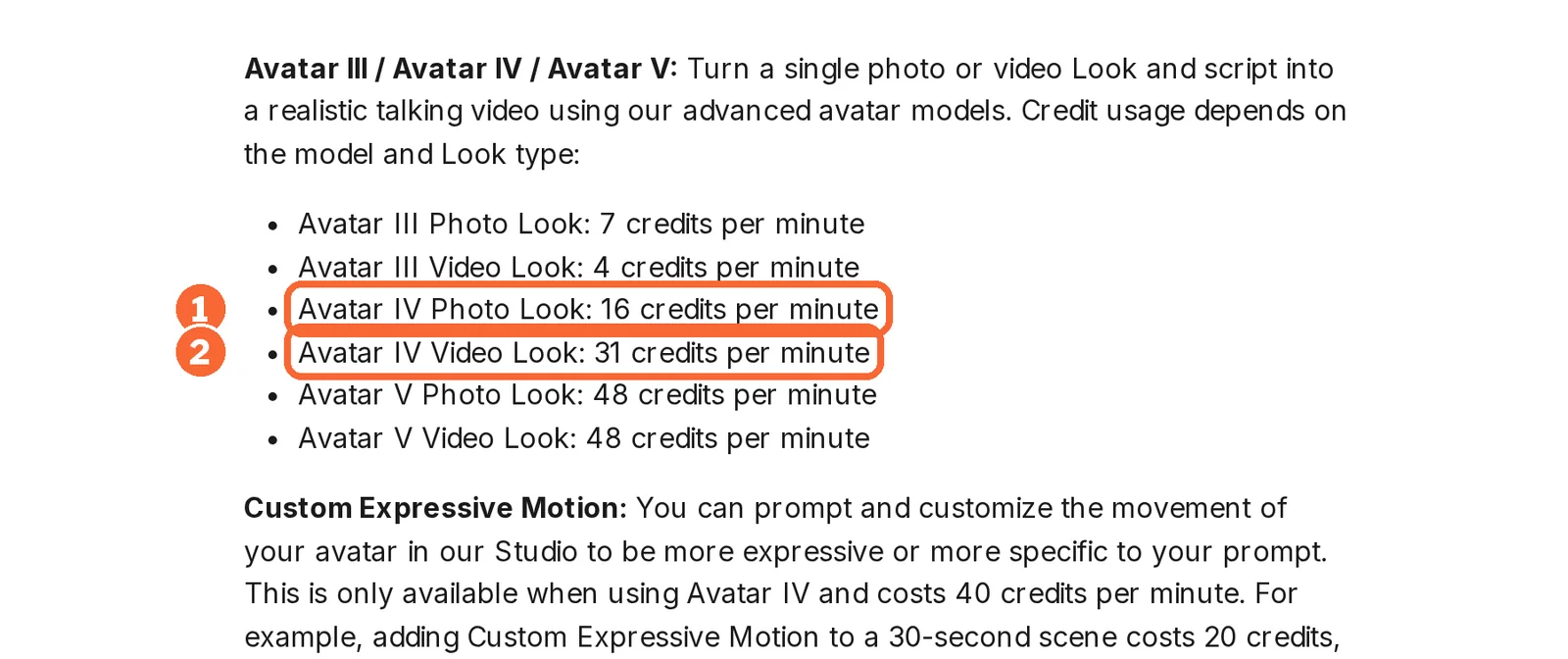
| HeyGen | Creator, USD 29 per month | 16 credits a minute for an Avatar IV photo look, 31 for a video look, 48 for Avatar V | Monthly subscribers keep it for one extra cycle; lost on cancelling |
| VEED | Creator, $12 per user per month billed yearly | 6,000 credits for generation; auto subtitles outside them | Not covered in the sources checked |
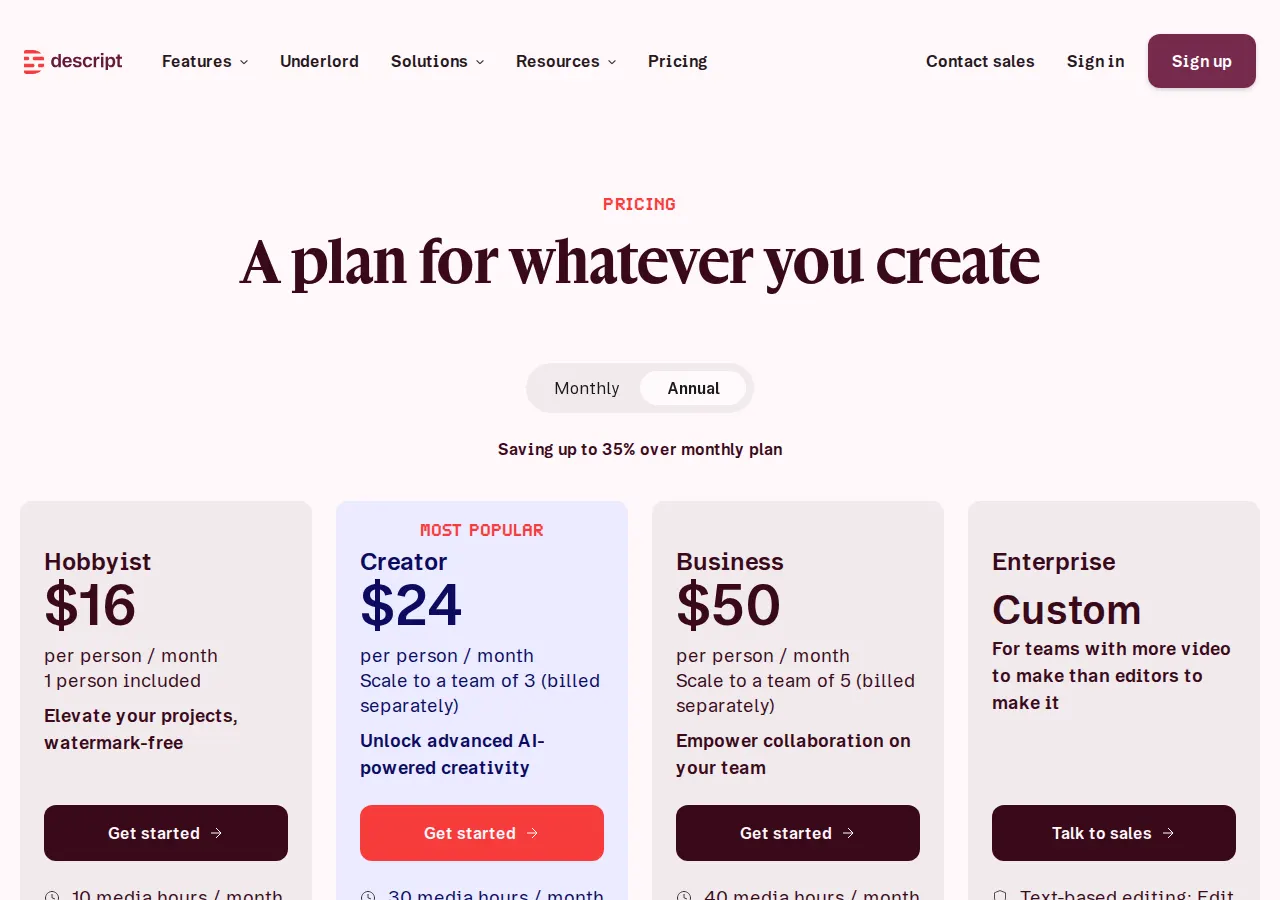
| Descript | Hobbyist, USD 24 per person per month | 10 media hours for everything imported or recorded, plus 400 AI credits | Neither rolls over |
| Runway | Standard, USD 15 per month | 625 credits; Gen-4.5 uses 12 per second | Resets on Standard and Pro; Max carries one month |
| ElevenLabs | Starter, USD 6 per month | 30,000 credits; 1 per character of speech on Multilingual v2 | Rolls forward for up to two months on paid plans |
Sources: Synthesia credits, HeyGen credit usage, VEED pricing, Descript media minutes, Creating with Gen-4.5, ElevenLabs credits.
Ten 3-minute lessons a month
In shortThe same month of work, 30 finished minutes, priced on monthly billing in each tool’s unit. Different credits are never divided into each other.
| Tool | Route | The arithmetic | Smallest plan that covers it |
|---|---|---|---|
| Synthesia | Avatar video | The 10 included minutes go first; the other 20 need about 2,000 credits (20 × 100). Starter’s 1,750 cover about 17 more, about 27 in all | Pro, USD 89 per month: 6,500 credits, about 75 minutes |
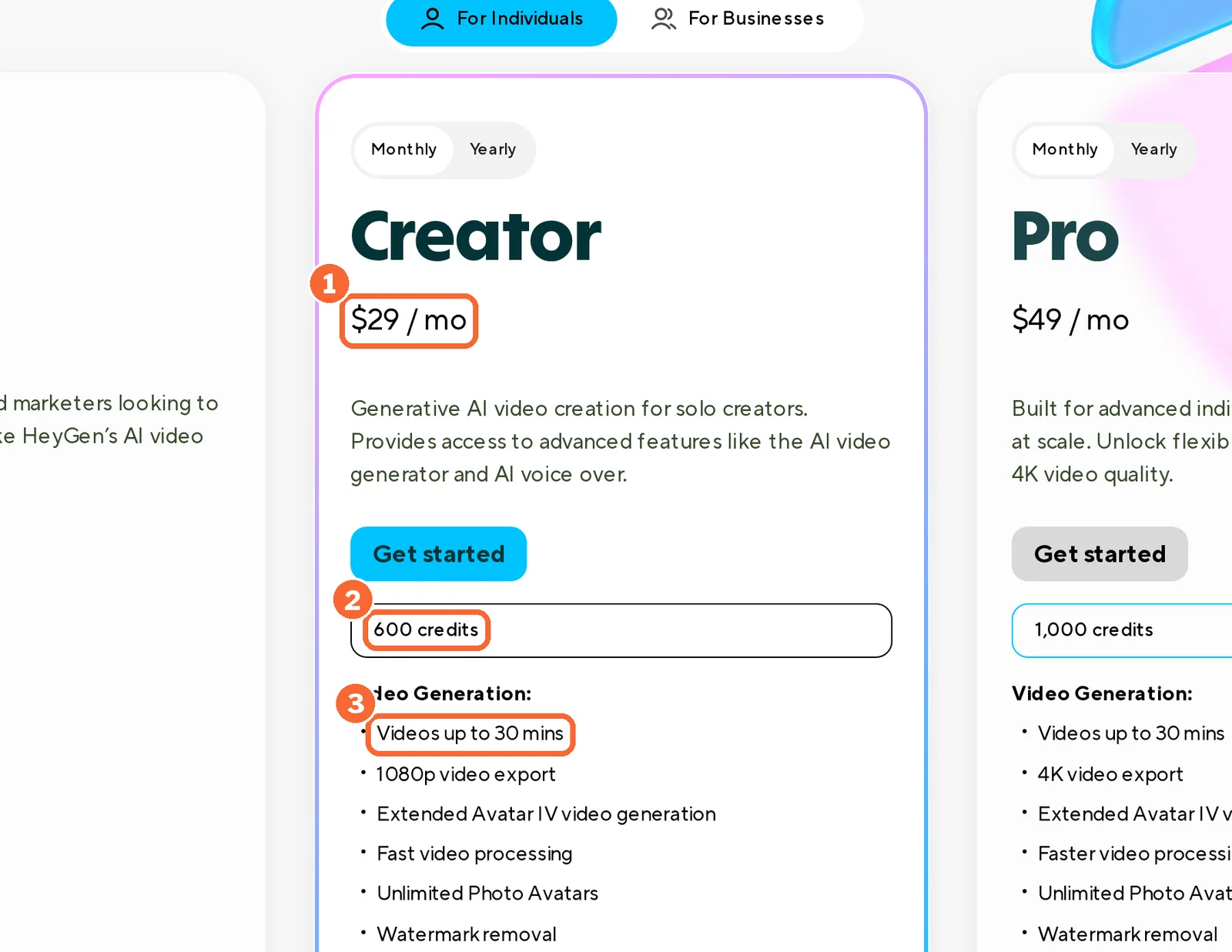
| HeyGen | Avatar IV, video look | 30 × 31 = 930 credits; Creator’s 600 cover about 19 minutes. With Avatar V, 30 × 48 = 1,440 | Entry Pro, USD 49 per month, with 1,000 credits; Business, USD 149 per month, with 1,500 shared credits, for Avatar V |
| VEED | Gen-AI Studio | Each 3-minute file is over Creator’s 1-minute limit; credits per minute are not covered in the sources checked | Pro, $22 per user per month billed yearly as $265, with 5-minute files |
| Descript | Filmed and edited | Assuming 3 raw minutes per finished minute, 90 media minutes; Free’s 60 fall short | Hobbyist, USD 24 per month: 600 media minutes |
| Runway | Footage only | 1,800 seconds × 12 = 21,600 credits, more than twice Max’s 9,500. Five 5-second cutaways use 300 | Standard, USD 15 per month, for cutaways only |
| ElevenLabs | Voice over slides | At about 1,000 credits per minute of speech, about 30,000 credits: all of Starter’s allowance, with nothing left for retakes | Creator, USD 22 per month (USD 11 the first month): 121,000 credits |
Sources: Synthesia pricing, HeyGen pricing, VEED Gen-AI Studio, Descript pricing, Runway pricing, ElevenLabs pricing.
The same 30 minutes in one more language
In shortTranslating finished lessons is far cheaper per minute than generating them, but only where the tool publishes a rate.
| Tool | Route | Credits for 30 minutes |
|---|---|---|
| Synthesia | AI Dubbing with lip sync, every plan | 30 × 80 = 2,400, beyond Starter’s 1,750; the dubbing help article still lists 240 a minute, which would make 7,200. On-screen text stays untranslated |
| HeyGen | Video translation, Creator and up | 30 × 6 = 180 in Speed mode, 300 in Precision, 120 without lip-sync; Creator takes sources up to 30 minutes |
| ElevenLabs | Dubbing Studio or automatic dubbing | 30 × 10,000 = 300,000 in Dubbing Studio, inside Pro’s 600,000 (USD 99 per month); 30 × 3,000 = 90,000 automatic, inside Creator’s 121,000 |
| VEED | Translation into 50+ languages, Pro | Credit rate not covered in the sources checked |
| Descript | Translation and dubbing into 30+ languages, Business | Credit rate not covered in the sources checked |
Sources: Synthesia dubbing, HeyGen video translation, ElevenLabs pricing.
How each plan steps up
In shortRead live from each profile. Each chart compares one tool’s own plans; currencies are never mixed.

Price per month on yearly billing, from the Synthesia profile. Bars compare plans of this tool only.

Price per month on yearly billing, from the VEED profile. Bars compare plans of this tool only.

Price per month on yearly billing, from the Descript profile. Bars compare plans of this tool only.

Price per month on yearly billing, from the Runway profile. Bars compare plans of this tool only.

Price per month on yearly billing, from the ElevenLabs profile. Bars compare plans of this tool only.
| Tool | Plan | Price | Included |
|---|---|---|---|
| HeyGen | Free | USD 0 per month | Up to 3 videos a month, 1 minute each, watermarked |
| HeyGen | Creator | USD 24 per month billed yearly as USD 288 (USD 29 monthly) | 600 credits; videos up to 30 minutes; 1080p; voice cloning |
| HeyGen | Pro | From USD 41 per month billed yearly as USD 488 (USD 49 monthly) | 1,000 credits at entry; 4K export; translation proofreading |
| HeyGen | Business | USD 119 per month billed yearly as USD 1,428 (USD 149 monthly) | 1,500 shared credits; videos up to 60 minutes; SSO; SCORM export |
Most bars show the yearly-billed monthly price; the tables above use monthly billing. Synthesia Enterprise and Descript Enterprise are priced on request.
Sources: Synthesia pricing, HeyGen pricing, VEED pricing, Descript pricing, Runway pricing, ElevenLabs pricing.
Questions, and what this guide does not judge
Common questions
Is there a free version of Synthesia?
Yes. Basic costs USD 0, needs no credit card and renews monthly with 10 video minutes and 500 credits, but it cannot download videos and keeps the watermark. The free tiers of the alternatives have their own catches: HeyGen Free is watermarked and capped at 1-minute videos, VEED and Descript export 720p with a watermark, and free ElevenLabs audio is noncommercial.
What is better, Synthesia or HeyGen?
Neither wins outright; it depends on the job. HeyGen lists SCORM export on Business and translation into 175+ languages on paid plans, while Synthesia keeps SCORM and one-click translation on Enterprise. Synthesia imports decks of up to 150 slides against HeyGen's 50 per upload, and charges only for new footage when an edited video is regenerated. Avatar realism is not compared here.
Is Synthesia worth it?
It is when you make recurring training or onboarding videos with an on-screen presenter and one editor can work within the credits: Starter at USD 19 a month gives MP4 downloads, and Pro at USD 89 covers about 75 minutes a month. It is a weaker fit when you need SCORM or one-click translation, both Enterprise only, or plan to use stock avatars in paid ads.
Is there a Synthesia alternative without an avatar?
Yes, three of the tools here work without one. Descript edits a filmed recording through its transcript, ElevenLabs produces narration and dubbing for slides or screen recordings, and Runway generates cutaway footage that can sit beside a presenter. Each replaces only part of a Synthesia video, so plan where the script, captions and final export will come from.
Can I keep my SCORM and LMS workflow after leaving Synthesia?
Among the tools here, only HeyGen lists SCORM export, on its Business plan at USD 149 a month or USD 119 billed yearly, plus LMS integrations. SCORM is not listed on the VEED, Descript, Runway or ElevenLabs profiles, so their files need a separate authoring step before an LMS can track completions. Test one upload before moving a whole course.
Can I reuse my Synthesia avatar in HeyGen?
No. Synthesia's download formats cover video, audio, captions and XLIFF files, not the avatar itself. In HeyGen the presenter films new footage for a Digital Twin and records a consent video of under 30 seconds; screen recordings are rejected. HeyGen's pages also disagree on how many custom avatar slots each plan has, so check the count in your account first.
What this guide does not judge
Which avatar looks more lifelike, how natural each voice and lip sync sounds, how fast videos render and how easy each editor feels are the questions most Synthesia lists rank on. None of the vendor pages behind this guide document them in a way we can check, so they are not judged here. The same goes for real-time conversational avatars and team approval workflows, which some lists cover.
Colossyan, DeepBrain AI, D-ID, Elai and Pictory appear in other Synthesia lists. They are left out until each has a profile with checked plan terms. For voice-only work, see text to speech; more tools sit in the video category.
Take one existing 3-minute lesson with a product name that is hard to pronounce, one on-screen instruction and its original deck. Rebuild it in one shortlisted tool on the lowest plan with watermark-free download, using a stock avatar or your own consented recording. Change one sentence and record the credits charged for the new version, then deliver the file to the real destination: an LMS, a video page or an ad account.
How this guide was made
Plans, units, features and rights come from the Synthesia, HeyGen, VEED, Descript, Runway and ElevenLabs profiles on this site, which cite the vendors’ pricing, help and licensing pages and carry their own check dates. Plan charts are read live from the profiles. Sections follow the topics the top-ranking Synthesia alternative pages cover, limited to what the vendors document. No rating is given. See our editorial policy.