AI Tools for Content Creators: Nine Tools by Job, From Script to Thumbnail
One AI tool for each job in a creator’s week, from the script to the thumbnail, sized against one weekly episode: its free limit, its first paid plan and the unit it counts usage in.
By Elias Brandt · Updated 9 Oct 2026 · About 13 min read · Plan terms taken from each tool profile
The short answer
Where should a creator start? With the editor. Descript edits the recording through its transcript, and Hobbyist already includes Studio Sound and voice cloning.
Which tools fill the gaps? Claude drafts the script. Auphonic or Adobe Podcast finish podcast audio, ElevenLabs narrates, Runway generates shots you cannot film, OpusClip cuts short clips, and Canva or Leonardo.Ai make thumbnails.
What does a weekly show cost? Descript Hobbyist plus Runway Standard is USD 28 a month billed yearly or USD 39 monthly; Claude, Canva and Adobe Podcast work on free plans.
Which AI tool fits each content creation job?
Nine tools at a glance
| Job | Tool | Free access | First paid plan | Usage counted in | Catch to check |
|---|---|---|---|---|---|
| Script and outline |  Claude Claude | Chat, web search, file creation, up to five projects | USD 20 / month (Pro, billed monthly) | Session allowance plus a weekly cap | Research starts on Pro |
| Record and edit |  Descript Descript | 60 media minutes a month; 720p video with a watermark | USD 24 / person / month (Hobbyist, billed monthly) | Media minutes plus AI credits | Retakes use media minutes too |
| Podcast audio |  Auphonic Auphonic | 2 hours of processed audio a month, with a jingle | USD 13 / month (Auphonic S, billed monthly) | Hours of processed audio | 3-minute minimum per production |
| Rescue one bad track |  Adobe Podcast Adobe Podcast | Enhance Speech on audio files up to 30 minutes, 1 hour a day | EUR 21.99 / month incl. VAT (Firefly Pro, Germany) | Hours a day and file length | Cleaning video needs Firefly Pro |
| Narration |  ElevenLabs ElevenLabs | 10,000 credits a month, noncommercial with attribution | USD 6 / month (Starter, billed monthly) | Credits per character | Rights fixed at generation |
| Shots you cannot film |  Runway Runway | 125 one-time credits, watermarked | USD 15 / month (Standard, billed monthly) | Credits per second of video | Gen-4.5 renders 720p |
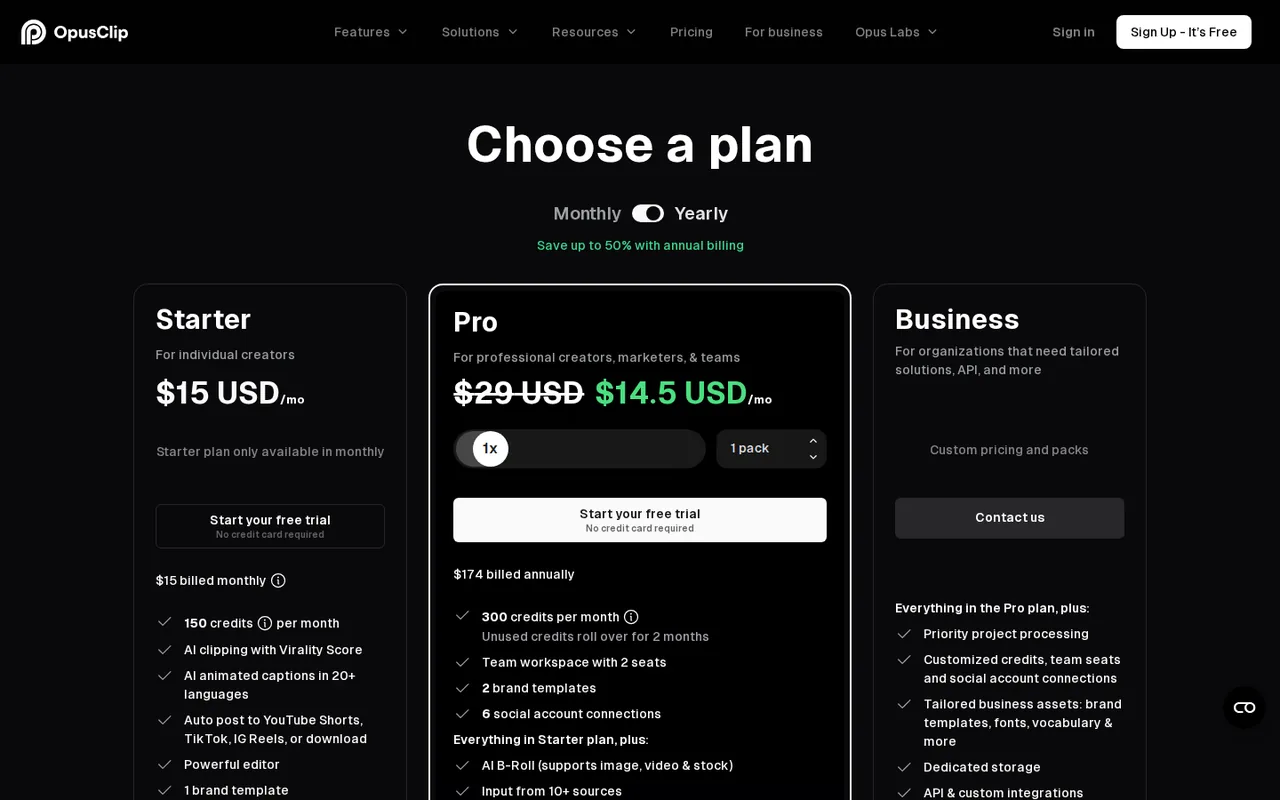
| Short clips |  OpusClip OpusClip | 60 processing minutes a month, watermarked captions | $15 per month (Starter; billing period not stated) | Credits per source minute | Free exports last 3 days |
| Thumbnails |  Canva Canva | Up to 20 Standard or Premium AI uses a month | EUR 12 / month (Pro, billed monthly; USD 18 for US visitors) | AI uses from a monthly allowance | Transparent PNG is paid-only |
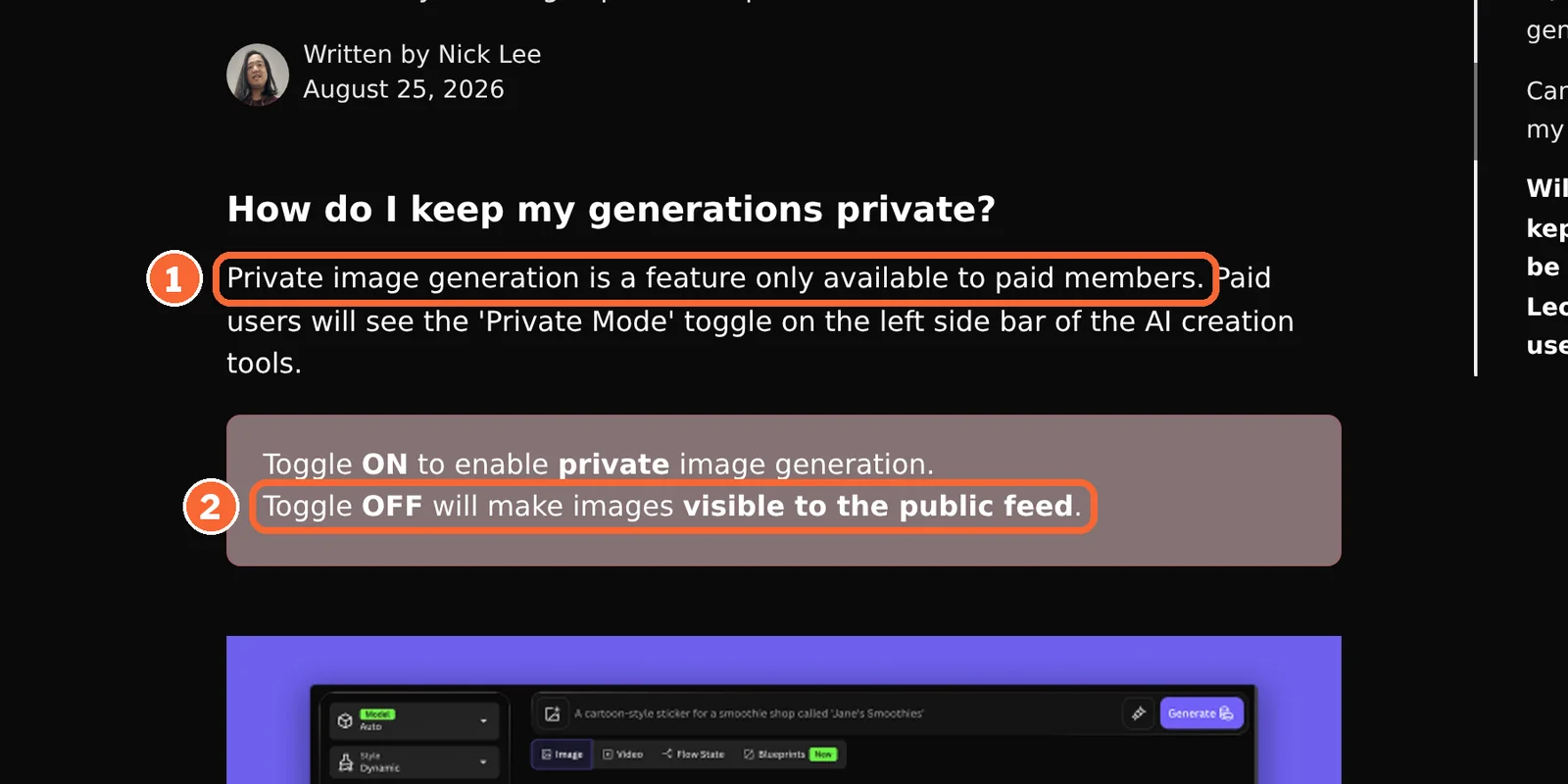
| Stylised art |  Leonardo.Ai Leonardo.Ai | 150 tokens a day; generations are public | USD 12 / month (Essential, billed monthly) | Tokens per generation | Private images need a paid plan |
Plan names and amounts from each tool’s profile, which shows the date its plan terms were checked. Canva and Adobe list euro prices to a visitor in Germany.
What earns a tool a place in the kit
- It delivers a file the editor cannotA podcast master, a narrated segment, a generated shot, a vertical clip or a thumbnail.
- It does not repeat a feature you already pay forDescript Hobbyist includes Studio Sound and voice cloning, so a cleanup or voice subscription has to do more than that.
- Its free plan lasts a real monthSome refill monthly; Runway’s 125 credits are granted once.
- Its unit fits your episodePrice your month in the tool’s own unit, not the plan card.
- Its output can be publishedWatermarks, public feeds and noncommercial licences stop some free output.
Which AI tools write the script and edit the recording?
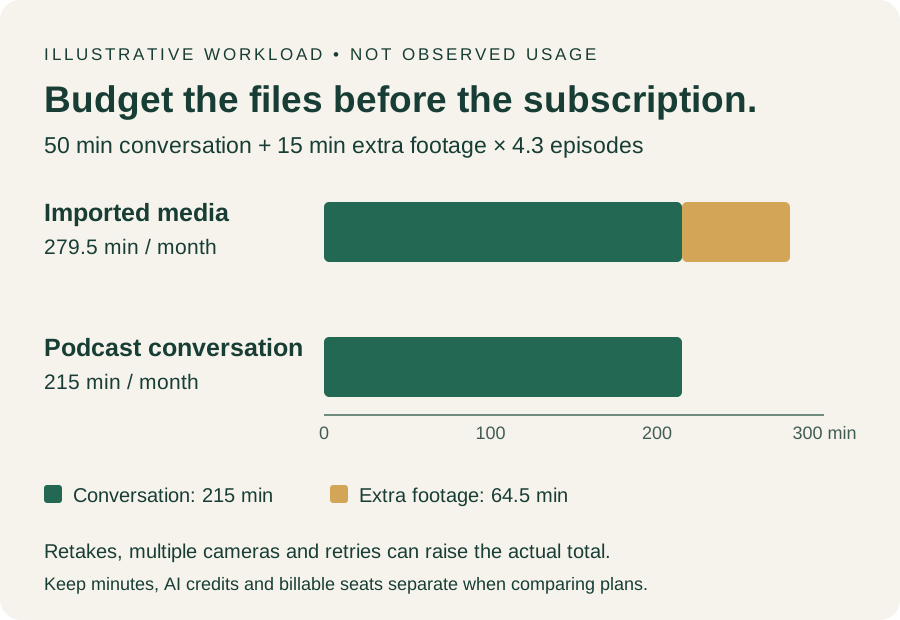
Every figure here uses one reference case: a solo creator publishing one interview episode a week to YouTube, with a podcast version, a thumbnail and the occasional generated insert. Assume a 50-minute conversation recorded in Descript Rooms, 15 minutes of extra footage and 4.3 episodes a month.
For the script and outline: Claude
Best for scripts, outlines and show notes
- Free Chat, files, up to five projects
- Entry from USD 20 / month Pro, billed monthly; USD 17 billed yearly as USD 200
For a weekly show, one Claude project can hold the format notes, past scripts and sponsor rules.
What it does
- Projects
- Files and instructions shared by every chat in the project; up to 10x the capacity on paid plans.
- Research
- Multi-step web research with citations, on paid plans.
- Descript connection
- Descript’s MCP lets Claude control Descript; imports through it use media minutes.
Use it for
Outlines, drafts, titles and show notes, on Free.
Skip it if
You need cited research weekly: it is paid-only and uses the allowance faster than chat.
Hands off
A script into the Descript project.
See the Claude profile for plans, limits and sources.
Visit Claude (opens in a new tab)
Sources: Claude pricing, Claude Projects, Descript MCP.
For recording and editing: Descript
Best for podcasts and talking-head video edited as text
- Free 60 media minutes a month
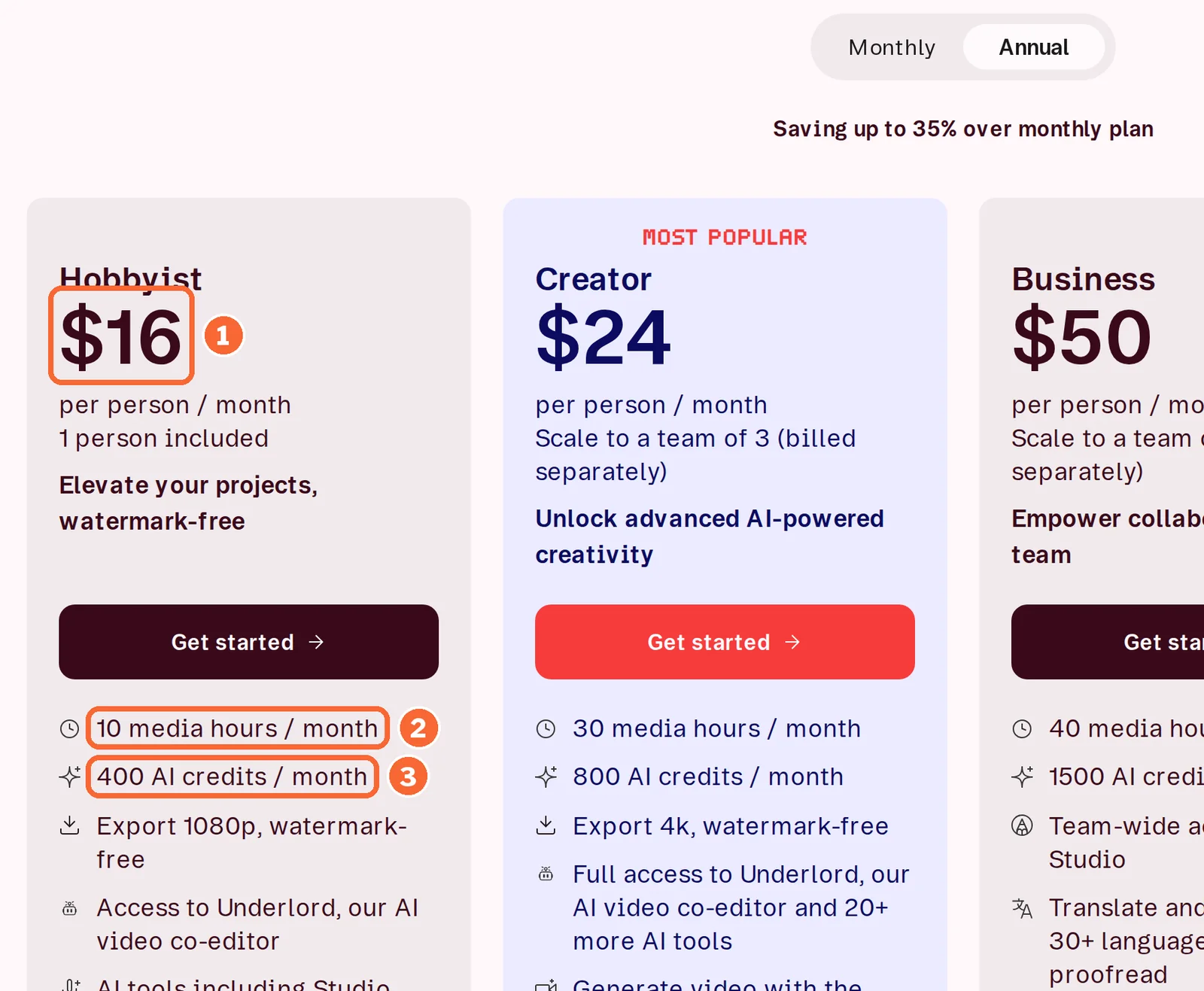
- Entry from USD 24 / person / month Hobbyist, billed monthly; USD 16 billed yearly
Descript transcribes in 25 languages on every plan and meters two budgets: media minutes for what you import or record, AI credits for AI features.
What it does
- Rooms recording
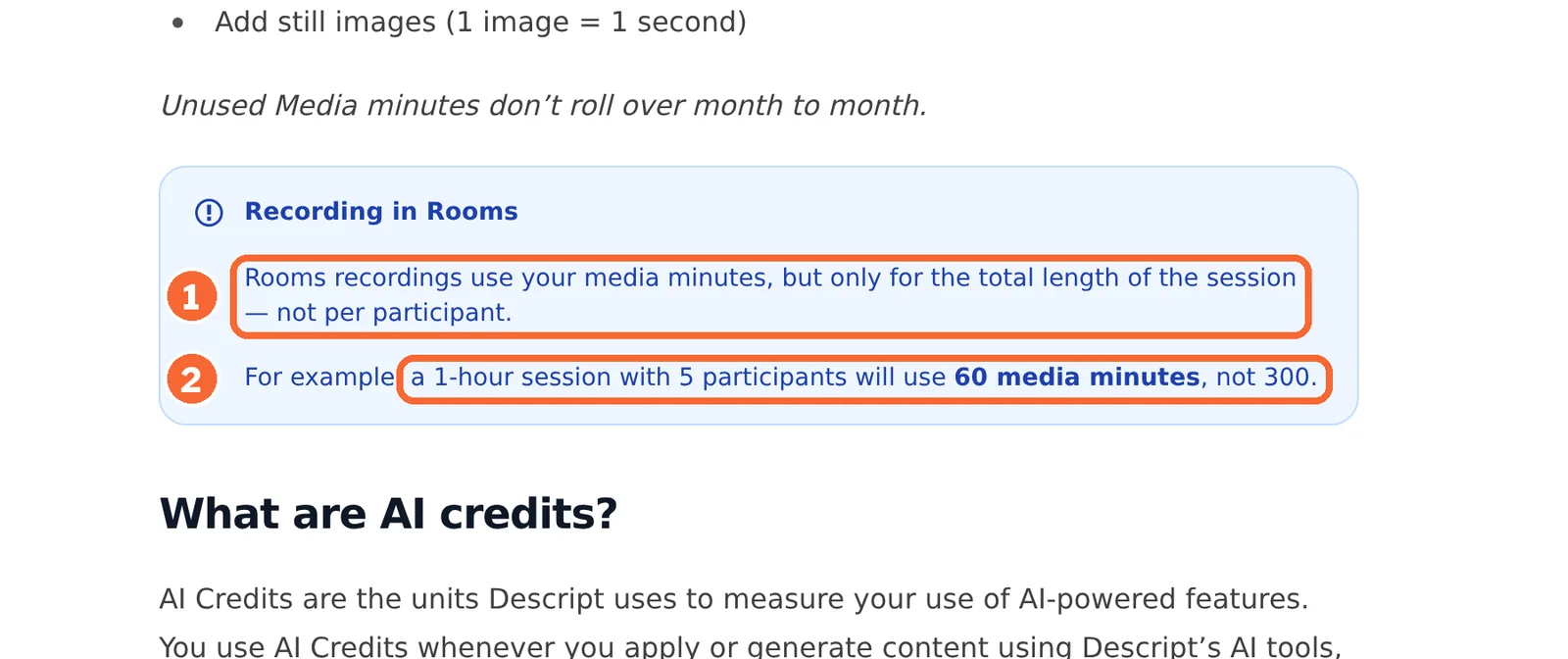
- A session uses media minutes for its length, not per guest: one hour with five people uses 60.
- Studio Sound
- Reduces background noise and echo, at most 30 AI credits per file.
- YouTube export
- Direct from the web app: 720p and 1 hour on Free, 1080p on Hobbyist, 4K and 3 hours on Creator.
Use it for
The edit, noise cleanup and cloned-voice fixes on one plan.
Skip it if
The video is cut to image and rhythm, such as a music video.
Hands off
A video master, podcast audio and, on Creator, a Premiere Pro or Final Cut Pro timeline.
See the Descript profile for plans, limits and sources.
Visit Descript (opens in a new tab)
Sources: Descript pricing, Descript media minutes and AI credits, Descript YouTube export.
Do you need a separate audio cleanup or voice tool?
Often not: a video-first channel that exports its audio from the Descript project can stop there. These three earn a place for a podcast-first show, a badly recorded guest or a voice that is not yours.
For a podcast feed: Auphonic
Best for levelling, loudness and publishing
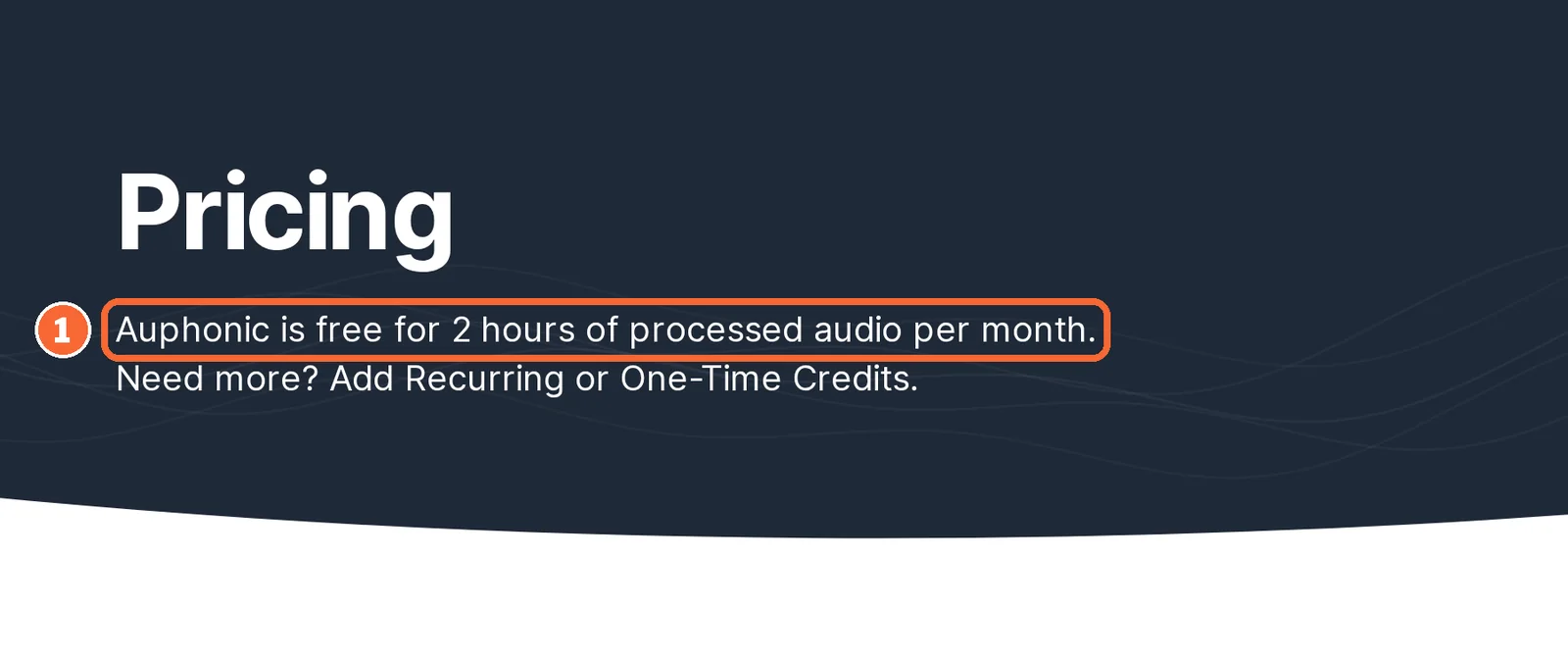
- Free 2 hours of processed audio a month
- Entry from USD 13 / month Auphonic S, billed monthly; USD 11 billed yearly
Auphonic balances speakers, reduces noise and reverb and cuts filler words without manual mixing.
What it does
- Loudness targets
- Integrated loudness, true peak and MaxLRA, for example -16 LUFS for podcasts or EBU R128.
- Multitrack mixdown
- Separate speaker and music tracks become one mix, billed by output length rather than track count.
- Publishing
- YouTube, Libsyn, Buzzsprout, Acast and other hosts, plus Dropbox and Google Drive.
Use it for
A podcast-first feed that needs consistent loudness.
Skip it if
The podcast is audio exported from a video-first edit.
Hands off
A finished podcast master, sent straight to the host.
See the Auphonic profile for plans, limits and sources.
Visit Auphonic (opens in a new tab)
Sources: Auphonic pricing, Auphonic pricing FAQ, Auphonic external services.
For one badly recorded track: Adobe Podcast
Best for free browser cleanup of speech
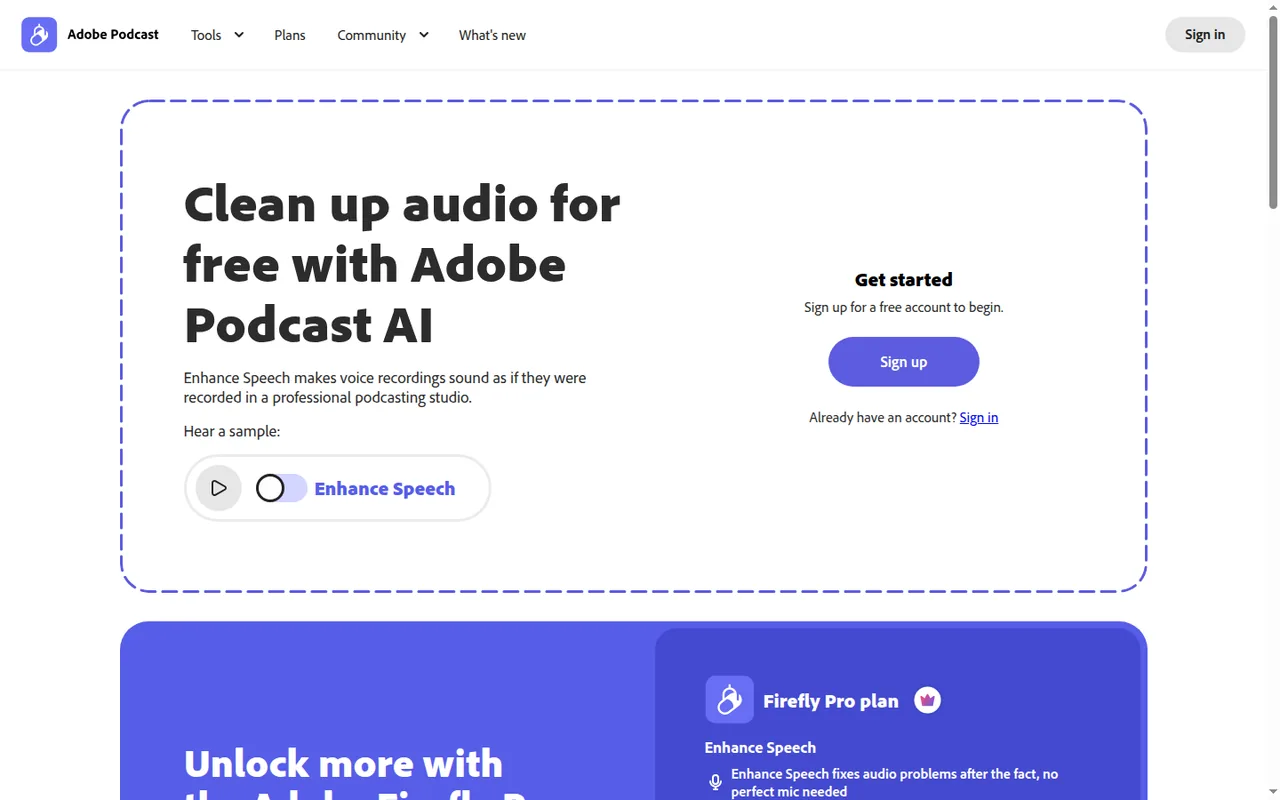
- Free Enhance Speech, 1 hour a day
- Entry EUR 21.99 / month Firefly Pro, incl. VAT, Germany
New customers get Adobe Podcast’s Premium features only through Adobe’s Firefly Pro plan.
What it does
- Enhance Speech, Free
- Audio only, one file at a time, up to 30 minutes and 500 MB, 1 hour a day.
- With Firefly Pro
- Video such as MP4 and MOV, bulk upload, a strength control, 4 hours a day and files up to 2 hours.
- Captions and audiograms
- Captioned clips with themes and aspect ratios; Free audiograms are Podcast-branded.
Use it for
A free second pass on one remote track.
Skip it if
You clean video or long files weekly and a euro-priced plan does not fit.
Hands off
A cleaned file in the uploaded format.
See the Adobe Podcast profile for plans, limits and sources.
Visit Adobe Podcast (opens in a new tab)
Sources: Adobe Podcast plans, Adobe Firefly plans, Adobe Podcast technical requirements.
For a voice that is not yours: ElevenLabs
Best for narration and translated versions
- Free 10,000 credits a month, noncommercial
- Entry from USD 6 / month Starter, billed monthly; USD 5 billed yearly
ElevenLabs speaks 74 languages from one monthly credit pool. Descript Hobbyist already clones your own voice.
What it does
- Text to speech
- 1 credit per character on Multilingual v2; Creator’s 121,000 credits are about 121 minutes of speech.
- Dubbing
- About 10,000 credits per minute in Dubbing Studio, or 3,000 for automatic dubbing.
- Voice Isolator
- Cleans a recorded voice from files up to 500 MB and one hour.
Use it for
A narrated explainer, a faceless segment or a translated episode.
Skip it if
The channel is monetised and you planned to stay on Free.
Hands off
A narration file for the edit.
See the ElevenLabs profile for plans, limits and sources.
Visit ElevenLabs (opens in a new tab)
Sources: ElevenLabs pricing, ElevenLabs credits, ElevenLabs Voice Isolator.
Which tools make b-roll, short clips and thumbnails?
A thumbnail is a layout job first: a face, a few words and a brand colour at a small size.
For a shot you cannot film: Runway
Best for generated inserts and cutaways
- Free 125 one-time credits
- Entry from USD 15 / month Standard, billed monthly; USD 12 billed yearly
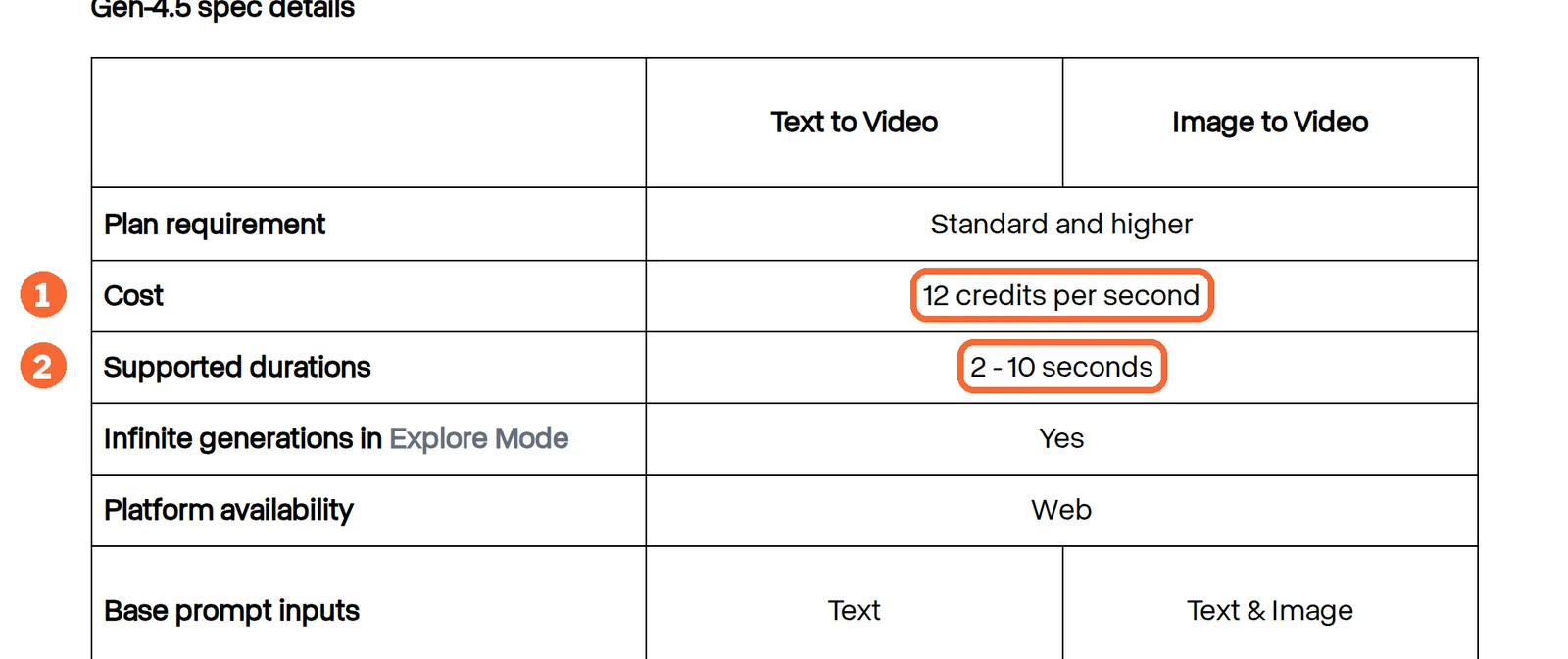
Runway generates clips of 2 to 10 seconds from text or image prompts and also turns a script into speech, though voice and plan support vary.
What it does
- Gen-4.5 rate
- 12 credits per second, so Standard’s 625 credits cover about 52 seconds a month.
- Output
- Gen-4.5 renders 720p; 4K is a separate upscale on paid plans.
- Credit life
- Standard and Pro credits reset monthly; Free credits never renew.
Use it for
A cutaway for something you only describe on camera.
Skip it if
You need more than about three finished shots a month on Standard, assuming three takes per usable 5-second shot.
Hands off
A clip for the edit.
See the Runway profile for plans, limits and sources.
Visit Runway (opens in a new tab)
Sources: Runway pricing, Creating with Gen-4.5, Runway speech generation.
For short clips from each episode: OpusClip
Best for turning a long recording into vertical clips
- Free 60 processing minutes a month
- Entry $15 per month Starter; billing period not stated
OpusClip charges 1 credit per minute of source video, however many clips you export.
What it does
- Captions and reframe
- Animated captions; 9:16 on Free and Starter, with 1:1 and 16:9 added on Pro.
- Pro export
- Bulk export and export to Premiere Pro and DaVinci Resolve, at $29 per month.
- Credit life
- Monthly-plan credits expire after 60 days; extra credits come only as a 300-credit pack.
Use it for
Captioned vertical clips from every finished episode.
Skip it if
You post one or two clips a month: Descript’s Underlord can also repurpose a recording, so check it first.
Hands off
9:16 clips, downloadable for 3 days on Free or 30 on Starter.
See the OpusClip profile for plans, limits and sources.
Visit OpusClip (opens in a new tab)
Sources: OpusClip pricing, OpusClip credits, OpusClip plans and credits.
For thumbnails and channel art: Canva
Best for layouts with text, faces and brand colours
- Free Up to 20 AI uses a month
- Entry EUR 12 / month Pro, billed monthly; USD 18 for US visitors
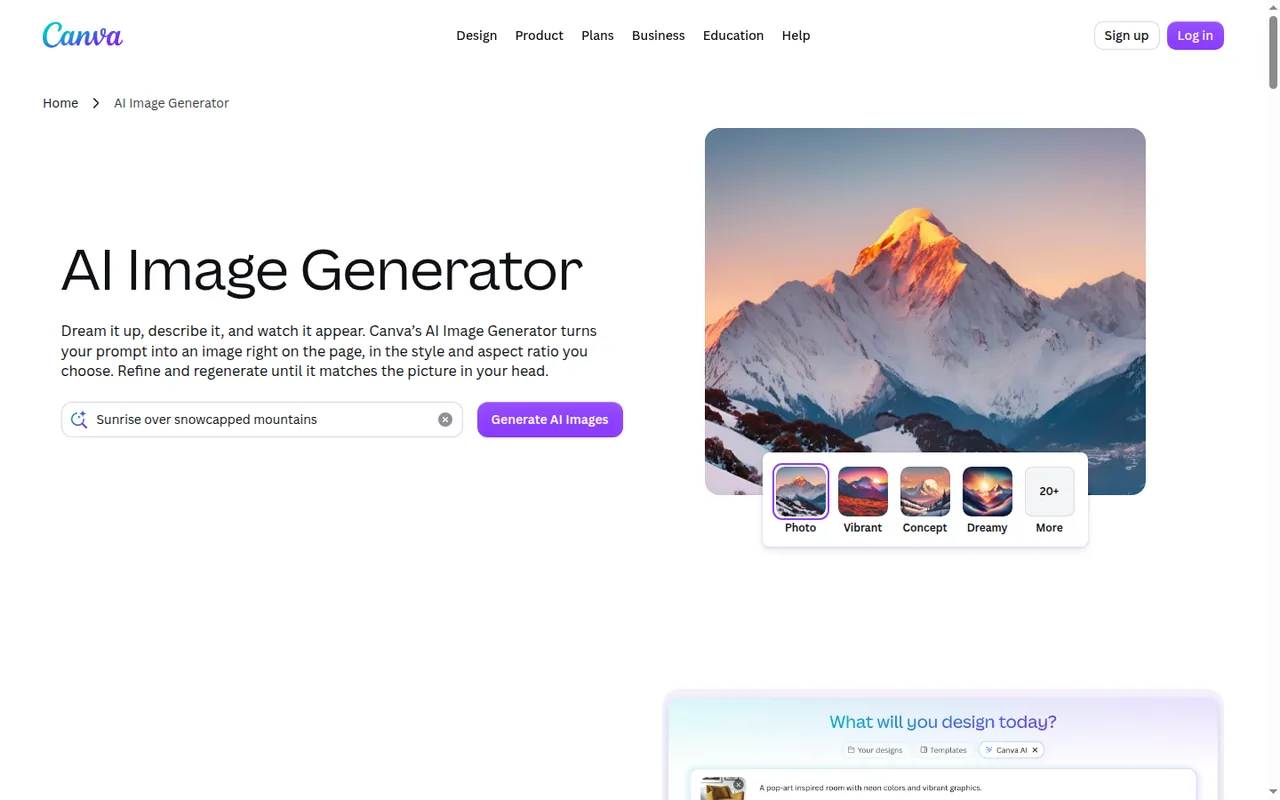
Canva generates images inside a design, so background and title are edited in one place.
What it does
- AI Image Generator
- Text or a reference photo to image, with 10+ preset styles and a chosen aspect ratio.
- Brand Kits
- One with 3 colours on Free, 5 on Pro.
- Exports
- JPG, PNG, PDF, GIF and MP4; transparent PNG and SVG on paid plans.
Use it for
One generated background per weekly thumbnail, inside a reusable template.
Skip it if
You need stylised art the presets do not give: generate it in Leonardo.Ai and finish the layout here.
Hands off
A finished PNG or JPG thumbnail.
See the Canva profile for plans, limits and sources.
Visit Canva (opens in a new tab)
Sources: Canva pricing, Canva AI usage, Canva download file types.
For stylised art: Leonardo.Ai
Best for an illustrated look or a recurring character
- Free 150 tokens a day, public
- Entry from USD 12 / month Essential, billed monthly; USD 10 on yearly billing
Leonardo.Ai trains a reusable style or character Element from 10 to 50 images.
What it does
- Elements
- Trained models cannot be downloaded.
- Edit in Canva
- Send one generated image at a time to Canva as a new design, without a paid plan on either service.
- Private generation
- Essential and up; free images appear in the public feed and can be remixed.
Use it for
A recurring illustrated look across thumbnails and channel art.
Skip it if
The artwork is for an episode you have not announced and you are on Free.
Hands off
An image sent to Canva for layout.
See the Leonardo.Ai profile for plans, limits and sources.
Visit Leonardo.Ai (opens in a new tab)
Sources: Leonardo.Ai pricing, Leonardo.Ai edit in Canva, Leonardo.Ai private and public images.
What should you check before publishing AI-made content?
Check this before a sponsored or monetised upload.
| Tool | Watermark or branding | Commercial use | Privacy and ownership |
|---|---|---|---|
| Descript | Free video exports at 720p with a watermark; Hobbyist exports 1080p without | Not covered in the sources checked | Not covered in the sources checked |
| Auphonic | Free productions include an Auphonic jingle | Not covered in the sources checked | Audio files are stored for a limited number of days |
| Adobe Podcast | Free audiograms are Podcast-branded | Not covered in the sources checked | Not covered in the sources checked |
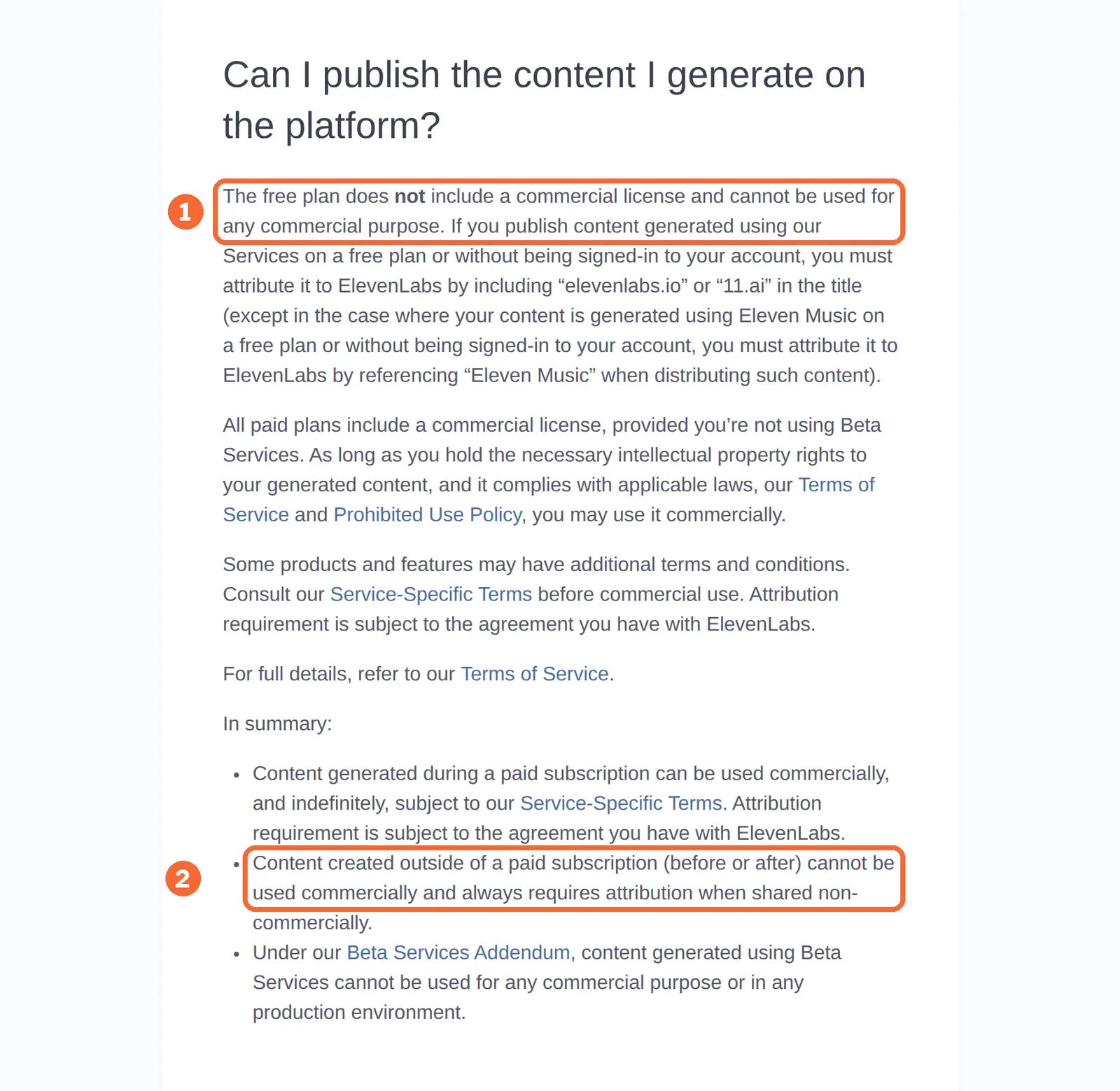
| ElevenLabs | Dubbing listed without a watermark at the rates above | Free audio is noncommercial with attribution; Starter adds a commercial license, fixed when the audio is generated and excluding beta features | Cloning a voice needs the right and consent to clone it |
| Runway | Free output is watermarked; Standard removes it | Depends on the plan’s terms | Recognisable people, trademarks and footage you did not create need extra care |
| OpusClip | Free captions carry a watermark; Starter exports without | Not covered in the sources checked | Free storage expires after 3 days |
| Canva | Not covered in the sources checked | Not covered in the sources checked | Canva notes that many jurisdictions, including the US, give AI-created works no copyright protection |
| Leonardo.Ai | Free-plan videos carry a watermark | The help center allows commercial use on every plan, Free included | Free generations are public and can be remixed; Essential makes them private |
Sources: Descript pricing, Auphonic pricing, Eleven Rights, Runway pricing, OpusClip pricing, Canva copyright ownership, Leonardo.Ai commercial usage, Leonardo.Ai private and public images.
What does one weekly episode cost in each tool’s unit?
The same month, counted nine ways
| Tool | What the reference month uses | Free plan covers | Smallest plan that covers it |
|---|---|---|---|
| Descript | (50 + 15) × 4.3 = about 280 media minutes; one Studio Sound pass per episode, at most 4.3 × 30 = about 130 AI credits | Not one episode: 60 minutes against 65 | Hobbyist: 600 minutes, 400 credits |
| Auphonic | 50 × 4.3 = 215 minutes of conversation audio | Two episodes: 120 minutes, with a jingle | Auphonic S: 9 hours, or 540 minutes |
| Adobe Podcast | One 50-minute guest track to repair | Yes, as a 30- and a 20-minute file | Free |
| OpusClip | 50 × 4.3 = 215 source minutes, if every episode is clipped | One episode: 60 credits | Pro, $29 per month: 300 credits; Starter’s 150 cover three episodes |
| ElevenLabs | A 3-minute narrated segment per episode: about 3,000 credits, 12,900 a month | Not on a monetised channel | Starter: 30,000 credits, room for retakes |
| Runway | One 5-second insert per episode, three takes: 4.3 × 180 = about 774 credits | No: 125 credits, once | Pro: 2,250 credits; Standard’s 625 cover about three shots |
| Canva | One AI background per thumbnail: 4 or 5 uses, plus retries | Yes: up to 20 uses | Free |
| Leonardo.Ai | Tokens per image vary by model and size | 150 tokens a day, public | Essential, for private images |
| Claude | Usage per script is not covered in the sources checked | Outlines and drafts | Pro, for cited research |
Sources: Descript media minutes and AI credits, Descript Studio Sound, Auphonic pricing FAQ, Adobe Podcast plans, OpusClip credits, ElevenLabs pricing, Creating with Gen-4.5, Canva AI usage.
The monthly bill
| Stack | Per month, billed yearly | Per month, billed monthly |
|---|---|---|
| Video-first core: Descript Hobbyist, with Claude, Canva and Adobe Podcast on Free | USD 16 | USD 24 |
| + Runway Standard for generated inserts | USD 28 (16 + 12) | USD 39 (24 + 15) |
| + ElevenLabs Starter for a narrated segment | USD 33 (28 + 5) | USD 45 (39 + 6) |
| + Auphonic S for a podcast-first show | USD 44 (33 + 11) | USD 58 (45 + 13) |
Only US-dollar plans with a stated billing period are added. OpusClip does not state the billing period for $15 and $29, and Canva Pro and Adobe Firefly Pro are priced in euros, so all three are budgeted separately. Each extra Descript editor is another seat.
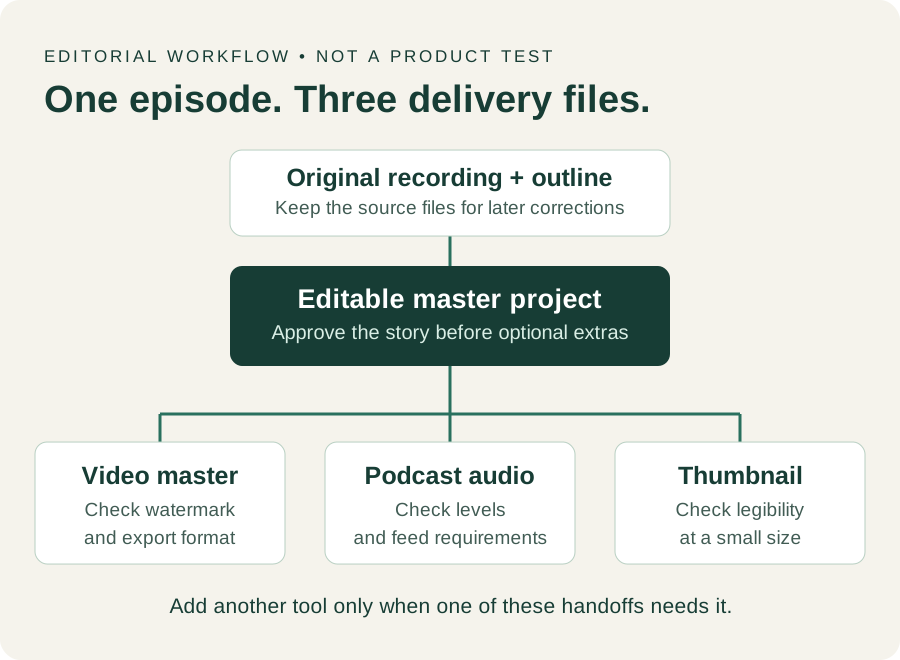
Delivery checklist for each episode
| Handoff | Keep | Check before moving on | If it fails |
|---|---|---|---|
| Recording → edit | Original media and outline | All files open and the story is complete | Record the missing part before adding another tool |
| Edit → video | Editable project and exported master | Resolution and watermark match the plan | Recheck the plan and export settings |
| Edit → podcast | Audio master | Levels meet your feed’s target, such as -16 LUFS | Try Studio Sound before buying a separate subscription |
| Episode → clips | Finished episode and clip picks | Captions match the audio and the clip is 9:16 | Trim the clip in the editor instead |
| Artwork → thumbnail | Editable layout and final image | Text is legible at a small size and the image rights fit the channel | Revise the layout; a prettier image does not fix unclear text |
| Pilot → recurring plan | Usage log | Minutes, credits, retries and seats are recorded separately | Stay on free or monthly plans before choosing yearly billing |
Questions, and what this guide does not judge
Common questions
Which AI tool should a content creator start with?
Start with whatever edits your main format, because every other tool hands files to it. For interviews and talking-head video that is a text-based editor such as Descript, whose Hobbyist plan already bundles noise cleanup and a cloned voice. Add a second subscription only after a month shows a file the editor cannot deliver.
Can a creator run this whole kit on free plans?
Partly. Scripts, thumbnails and a one-track audio repair fit free plans. Weekly publishing does not: Descript Free stops at 60 media minutes, Auphonic adds its jingle, OpusClip watermarks captions, Runway never refills its 125 credits and free ElevenLabs speech is noncommercial. Expect to pay for the editor first and add the others only as each job becomes regular.
Can one Descript account be shared between the creator and a freelance editor?
Descript bills per person, and each seat carries its own media minutes and AI credits. Sharing one login mixes both people's usage and edit history in a single allowance. On Creator, a small team can add seats up to three, with allowances pooled across the drive, so a regular editor is better added as a seat than handed a password.
Do I need Adobe Podcast if Descript already has Studio Sound?
Not as a subscription. It helps as a free second opinion when one guest track is badly recorded, since Enhance Speech runs in a browser without an account upgrade for audio files of up to half an hour. Compare the two results on the same clip and keep whichever sounds natural rather than over-processed.
Can generated narration be used in sponsored videos?
Only when it comes from a plan with commercial rights. ElevenLabs grants them from Starter for audio generated while subscribed, subject to its terms, so make sure the final take is generated after upgrading. Sponsored content may also carry disclosure rules from the platform or the sponsor, which the voice licence does not cover.
What this guide does not judge
Script quality, voice realism, thumbnail clicks, render speed, ease of use and popularity are what many creator lists rank on. The vendor pages behind this guide do not document them in a way we can check, so they are not judged here.
Scheduling and SEO tools such as Buffer, Predis.ai and Surfer SEO, which other lists add, are left out until each has a profile with checked plan terms. Avatar tools such as HeyGen replace the person on camera, which this workload does not need. More tools sit in the video, audio and images categories.
Run one real 10-minute segment through the chosen stack on free or monthly plans: edit, one Studio Sound pass, audio and video export, one clip, one thumbnail and, if needed, one generated 5-second shot. Log minutes, credits and retakes.
How this guide was made
Plans, units, features and rights come from the nine tool profiles on this site, which cite the vendors’ pricing, help and licensing pages and carry their own check dates. The workload is the stated assumption; the arithmetic uses only profile figures. Sections follow the topics top-ranking creator lists cover. No rating is given. See our editorial policy.