Perso AI: dubbing is metered by minutes and video length, and Free is one watermarked 1-minute generation
Updated September 28, 2026 · By Elias Brandt · Documentation review, not tested hands-on
Pros
- Exports beyond the video
- Commercial use on paid plans
- Published biometric rules
Cons
- Short Free test
- Monthly credits expire
- Tight per-video caps
Bottom line
One video up to 1 minute, 720p, non-removable watermark; 12 dubbing languages listed.
You dub a few 5 to 15 minute videos a month into one or two languages, since Creator lists 40 dubbed minutes and a 15-minute video cap.
You need every translated minute lip-synced, since Creator lists 13 lip-sync minutes a month against 40 dubbed minutes.
Best forYouTube and course creatorsMarketing teams localizing adsAgencies delivering client videosTeams needing shared workspaces
Strengths, limits and who it suits, in full
Strengths
- Exports beyond the video Paid plans list WAV stems, SRT subtitles and XLSX scripts for editing elsewhere.
- Commercial use on paid plans The pricing FAQ grants commercial usage rights with watermark-free output.
- Published biometric rules The terms encrypt voice and face data, store it separately and allow deletion requests.
Limits
- Short Free test The Free generation is one video of up to a minute, 720p, with a non-removable watermark.
- Monthly credits expire Subscription credits are valid for one month; separately bought credits for one year.
- Tight per-video caps Starter limits a single video to 3 minutes and Creator to 15, regardless of remaining credits.
Who it suits
- YouTube and course creators Creator, with a 15-minute cap and 40 dubbed minutes, fits a few mid-length episodes a month.
- Marketing teams localizing ads short clips fit Starter, but it includes only 2 lip-sync minutes a month.
- Agencies delivering client videos settle speaker consent and post-editing rights before promising edited deliverables.
- Teams needing shared workspaces collaboration features are listed only for Enterprise, so self-serve plans suit one user.
How much does Perso AI cost?
Prices confirmed · checked
Regional prices: Prices are in USD and, under the terms, exclude VAT.
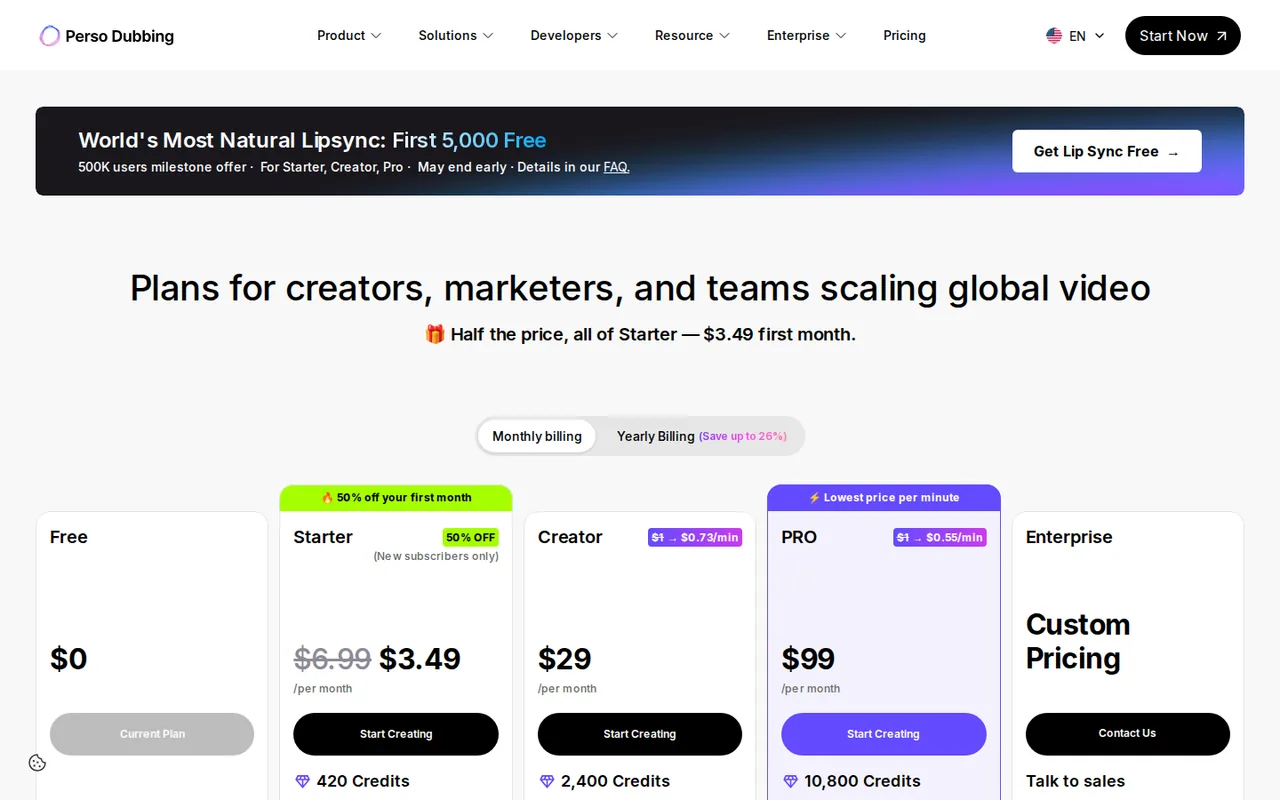
Creator and Pro work out to $21 and $73 a month when billed yearly. Subscription credits are valid for one month and do not roll over; credits bought separately last one year, and the earliest-expiring credits are used first. Extra minutes cost $1.5 per minute on Creator and Pro, which also offer discounted Premium Credit Packs. A lip-sync promotion on the pricing page says it may end early; check its conditions before relying on it.
| Plan | Price | What you get |
|---|---|---|
| Free | $0one generation on sign-up sourceFrom perso.ai/pricing, checked Sep 28, 2026 (opens in a new tab) | One video up to 1 minute, 720p, non-removable watermark; 12 dubbing languages listed. |
| Starter | $6.99 per monthmonthly billing only · first month $3.49 for new subscribers sourceFrom perso.ai/pricing, checked Sep 28, 2026 (opens in a new tab) | 420 credits (7 dubbed minutes), 2 lip-sync minutes, 3-minute videos, 1080p, watermark-free download. |
| Creator | $29 per monthor $252 billed yearly sourceFrom perso.ai/pricing, checked Sep 28, 2026 (opens in a new tab) | 2,400 credits (40 dubbed minutes), 13 lip-sync minutes, 15-minute videos, 74 languages. |
| Pro | $99 per monthor $876 billed yearly sourceFrom perso.ai/pricing, checked Sep 28, 2026 (opens in a new tab) | 10,800 credits (180 dubbed minutes), 60 lip-sync minutes, 30-minute videos, 4K, 111 languages. |
| Enterprise | Custom quote | Custom credits, 60-minute videos, team workspace and dedicated server resources. |
How far does it go?
- Two language versions of a 12-minute video12 minutes × 2 languages = 24 dubbed minutes. At 60 credits per dubbed minute (420 credits ÷ 7 minutes), that is 1,440 credits: more than Starter offers and beyond its 3-minute video cap, but within Creator with 2,400. Lip sync for all 24 minutes exceeds Creator with 13 lip-sync minutes; Pro lists 60. This assumes each language version counts separately; confirm the quote shown in the editor.
Arithmetic from the published allowances above, not a usage test.
Taxes, currency and promotions can change the price you see at checkout.
Try Perso AI free (opens in a new tab)
Key features
| Feature | What it does | Watch out |
|---|---|---|
| AI dubbing with translated speech and optional voice cloning | Recreate the speaker’s voice in the target language from the uploaded video. | The provider says models are built with user consent; you still need the speaker’s permission. |
| Lip sync that re-renders mouth movement to the dubbed audio | — | |
| Script editing and a custom glossary before regeneration | Edit the transcript or translation and fix recurring terms before regenerating. | The pricing page lists the custom glossary from Starter upward, not on Free. |
| Multi-speaker detection with per-speaker audio export | — | |
| SRT subtitles, WAV stems and XLSX scripts alongside MP4 output | — | |
| Speech-to-text and audio separation with their own monthly minutes | — | |
| Dubbing minutes | Each plan converts credits into dubbed minutes, for example 420 credits for 7 minutes on Starter. | Lip-sync minutes are a separate, smaller allowance on every paid plan. |
Which plan fits the length of your video?
Perso caps each video by plan before credits matter. A single upload can run 3 minutes on Starter, 15 on Creator, 30 on Pro and 60 on Enterprise. A 20-minute lecture therefore needs Pro even if the monthly balance on Creator would cover it, or it must be split into shorter parts before upload. Free is separate: one video of up to a minute, generated once per new account.
Monthly dubbed minutes then decide how many videos fit: 7 on Starter, 40 on Creator and 180 on Pro. Languages widen with the plan, from 12 supported dubbing languages on Free to 74 on Starter and Creator and 111 on Pro. Editorial assessment: Creator suits someone dubbing a handful of 5 to 15 minute videos into one or two languages each month, while Starter is mainly a trial for short clips.
How is lip sync counted differently from dubbing?
The comparison table lists lip dubbing as its own monthly allowance: 2 minutes on Starter, 13 on Creator and 60 on Pro. That is a fraction of the dubbing minutes on the same plan. A creator who wants every translated minute lip-synced should compare the runtime with this smaller number, not with the headline credit total.
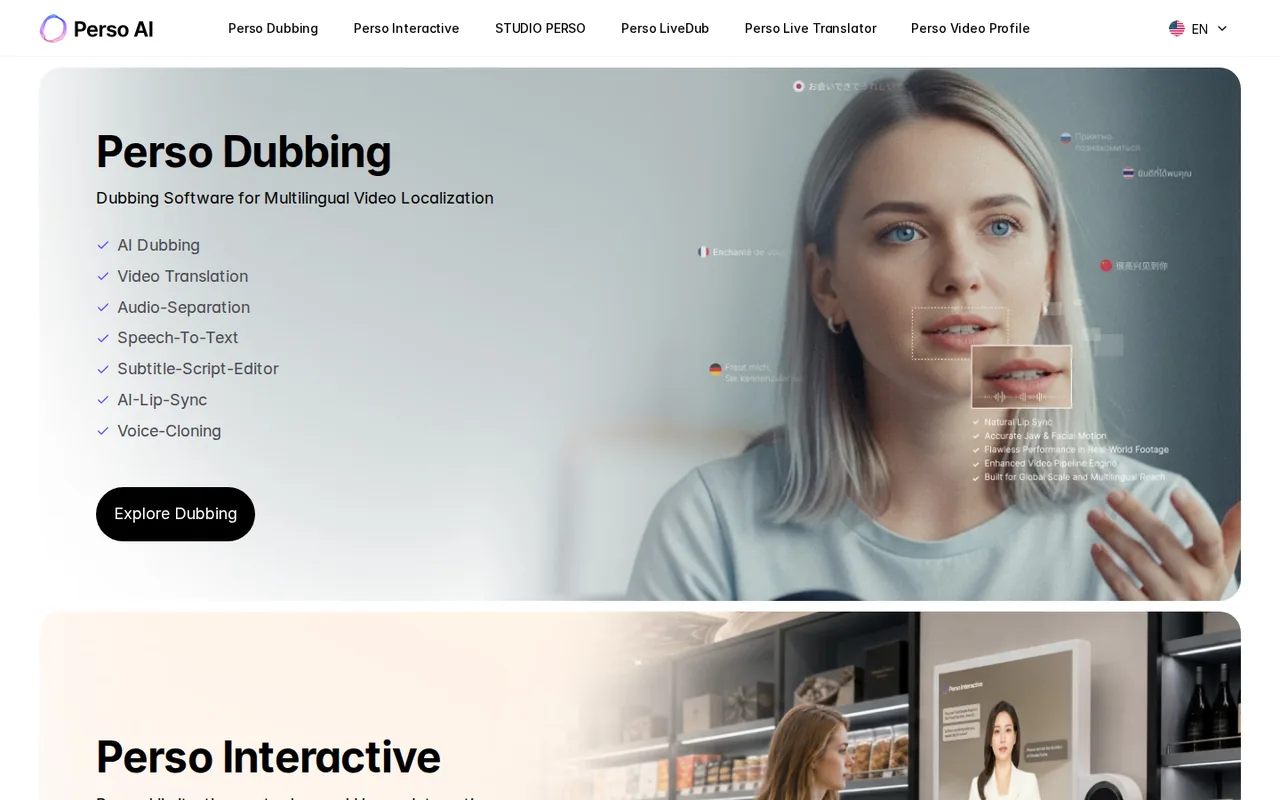
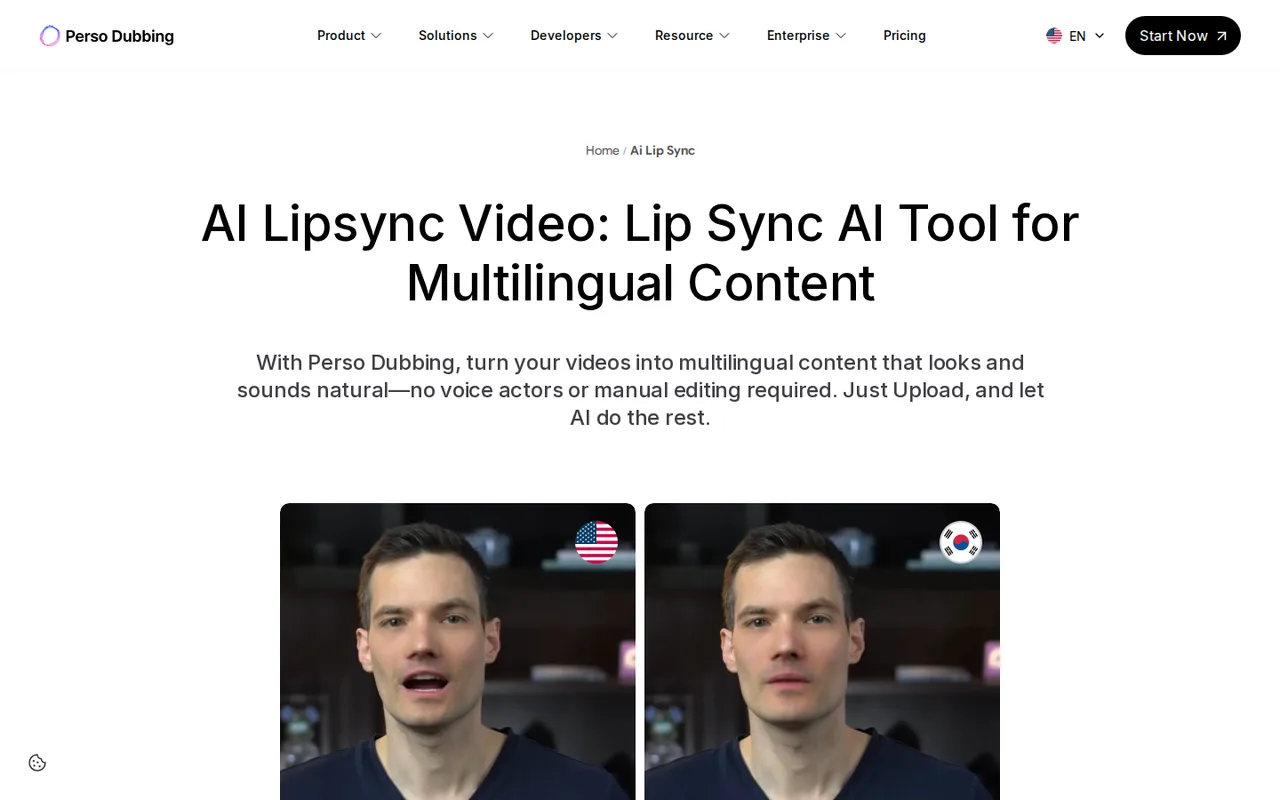
Pro adds the Nightingale model at 6 credits per second, or 360 credits per minute, next to the Oriole and Wren models on lower plans. The lip-sync page describes frame-level processing that copes with mouths partly covered by hands or microphones. Those are provider claims, and a short clip of your own footage is the way to check them.
What do you actually download?
Paid plans list more than the dubbed MP4. The comparison table includes source and translated audio as WAV, per-speaker source audio as a TAR archive, background music as WAV, source and translated subtitles as SRT, and scripts as XLSX. An editor can rebuild the mix or subtitle track in another application instead of accepting the rendered video as final.
Resolution rises with the plan: 720p on Free, 1080p on Starter and Creator, and 4K on Pro. Storage changes too: Free projects are kept for 30 days, paid plans without a stated limit. Download what you need promptly on Free, and keep the WAV and SRT files with the delivered video in case a client asks for corrections later.
Whose voice and face may you use?
Voice cloning and lip sync reproduce a real person, including voice and mouth movement. The pricing FAQ makes you responsible for holding rights to the source material, including voice and image rights, and the voice-cloning page states that models are created only with user consent. For anyone other than yourself, get written permission that names dubbing, cloning and the target languages.
The terms treat facial and voice data as biometric information: encrypted, stored separately, destroyed after its purpose and deletable on request. They also let ESTsoft use member data for AI learning; refusing is possible but may restrict some services. The trust page adds that Perso belongs to the Content Authenticity Initiative and supports metadata that labels AI-dubbed content.
What happens when credits run out or you cancel?
Subscription credits are valid for one month from issue, separately purchased credits for one year, and the earliest-expiring credits are spent first. When credits are exhausted, new dubbing stops, but existing projects can still be regenerated, viewed and downloaded. Creator and Pro users can keep generating in a slower reduced-speed mode.
Cancellation takes effect at the next billing date, with access until then. The terms allow withdrawal within seven days of payment, limited for credits already used, and otherwise make fees non-refundable. They also prohibit editing downloaded content into derivative works and saving it other than through the download feature, so confirm with ESTsoft whether post-editing a delivered file fits your contract.
Can a one-minute clip be dubbed and lip-synced acceptably?
Proposed evaluation · not performed yet
Record a 50-second clip of yourself speaking to camera, with one pause and one brand name, and use the Free generation to dub it from English into Spanish. The clip uses your own voice and face, so no third-party consent is needed. The Free output carries a watermark, so treat the run as a quality check only.
- Upload the clip and note whether the glossary is offered on Free.
- Review the transcript and translation, and correct one line deliberately.
- Generate, then watch the pause, the brand name and the final sentence.
- Check whether lip sync was applied or shown as unavailable on Free.
- Download the MP4 and note resolution, watermark and remaining balance.
Accept a dub whose timing stays within the clip, pronounces the brand name correctly and keeps the voice recognisable. Reject cut-off speech, a mistranslated corrected line or unusable mouth movement. No result is recorded until the task is run.
For presenter videos built from an avatar rather than your own footage, see HeyGen or Synthesia. ElevenLabs centres on voice work, and Dzine on image-driven lip sync. Compare the same clip before comparing price.
Is Perso AI worth it?
Documentation review plus dated public user reports. Documentation review, not tested hands-on. Not scored.
Worth it if
- You dub a few 5 to 15 minute videos a month into one or two languages, since Creator lists 40 dubbed minutes and a 15-minute video cap.
- You want to finish the mix elsewhere, because paid plans list WAV stems, SRT subtitles and XLSX scripts next to the MP4.
Probably not if
- You need every translated minute lip-synced, since Creator lists 13 lip-sync minutes a month against 40 dubbed minutes.
- You need a shared team workspace or plan to post-edit client deliverables, as collaboration is listed for Enterprise only and the terms bar editing downloaded content into derivative works.
Perso AI alternatives
Other video & editing tools checked with the same method. Pick by the job, not by a score.

Developers and small teams who want a conversational video avatar for support, sales or tutoring and need to budget by minutes

Short animated stories from a script or prompt

Teachers, students and math YouTubers who want 3Blue1Brown-style explainer clips from a description, with an editable Manim code playground when they want control

Relighting or changing the background of short video clips

Short cinematic AI clips with audio

Creators who post faceless short-form video at volume and want a template, script, voiceover and render in one place

Storyboarding and producing short AI videos from a script

Short AI video and image variants across several models
Used Perso AI? Write the first review. Visitor opinions are moderated and kept separate from our source checks.
Frequently asked questions
Can I pay yearly for Starter?
No. The pricing FAQ lists Starter at $6.99 a month on monthly billing only, with a first-month price of $3.49 for new subscribers. Annual billing, which saves up to 26 percent, applies to Creator at $252 a year and Pro at $876 a year. Check the renewal amount before relying on the introductory month.
Can two people work in the same Perso account?
Team invitations, shared workspaces, project sharing and permissions are listed only for Enterprise. Self-serve plans are built for one user. Holding several plans creates separate Spaces, and the terms do not allow credits or projects to move between them, so a second subscription does not pool minutes with the first.
Is the free generation enough to judge lip sync?
Possibly not. The pricing FAQ says the one-time Free generation includes AI lip sync, but the comparison table lists lip-dubbing minutes only for paid plans, and the lip-sync page says it is available on paid plans. Look for the lip-sync option in the editor before uploading; if it is missing, a discounted first Starter month is the cheapest paid check.
What happens to projects if I stop using Perso?
The terms say that if a member does not use the service for more than a year, created content and uploaded data are deleted and cannot be restored. Closing the account deletes member data immediately, except records kept by law. Download the MP4, stems and subtitles you need before cancelling or leaving an account idle.
Is Perso Dubbing available through an API?
The pricing comparison lists API key access, a usage dashboard and documentation, and the site links a developer portal at developers.perso.ai. The public table does not state clearly which self-serve plans include API keys, so confirm eligibility with the plan selector or the sales team before building an integration around it.
Sources and method7 official sources · 6 details checked · Sep 28, 2026
How we checked this profile
6 details on this page were checked against Perso AI's own pages and help documentation (Sep 28, 2026). 1 is still open and listed below.
See the checks by section5 documented1 open
| Section | Checks | Last checked | Sources |
|---|---|---|---|
| Plans and prices | 1 documented | perso.ai/pricing | |
| Article text | 1 documented | perso.ai/pricing | |
| Strengths and limits | 2 documented | info.perso.ai/260526.htmlperso.ai/pricing | |
| Other details | 1 documented 1 open | info.perso.ai/260526.htmlperso.ai/ai-lip-sync |
Still open
- Whether the Free generation includes lip sync: the pricing FAQ says yes, the comparison table and lip-sync page list paid plans only.Not confirmed · checked · Source (opens in a new tab)
Sources for this profile
- Pricing and plan FAQperso.ai
- Perso AI product hubperso.ai
- Terms of Use (May 26, 2026)info.perso.ai
- Privacy Policy (June 19, 2026)info.perso.ai
Plan figures come from the pricing page and its FAQ; credit validity, refunds and content rules from the Terms of Use dated May 26, 2026. The pricing FAQ says Free includes AI lip sync, while the comparison table and the lip-sync page list lip sync on paid plans only. The terms also bar editing downloaded output into derivative works, which is hard to square with the commercial-use FAQ; ask ESTsoft before post-editing client deliverables.
Sources checked Sep 28, 2026. Found something out of date? See how we correct profiles.