

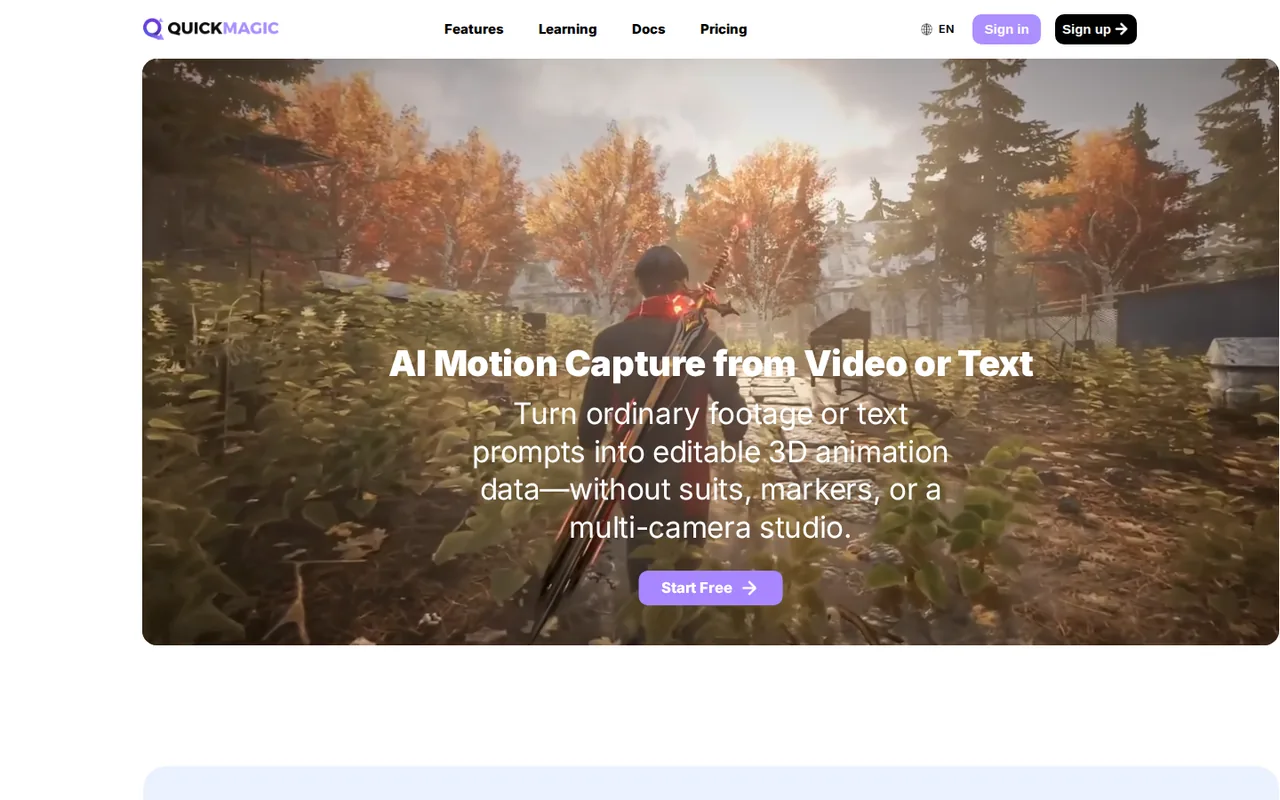
What is QuickMagic, in short?
Updated October 17, 2026 · By Elias Brandt · Documentation review, not tested hands-on
Pros
- No suit or markers
- Free plan with FBX export
- Wide export list on paid plans
- Commercial use from Basic
Cons
- Free plan is not commercial
- Credit cost per clip is not published
- No credit top-ups on personal plans
- Assets are not kept on Free
- Several modules are Beta
Best forIndie game developers and animators who need reference or base motionCreators who film their own reference with a phoneNot for real-time or streaming captureNot for non-humanoid rigs without checking first
Strengths, limits and who it suits, in full
Strengths
- No suit or markers The Facts page says QuickMagic uses ordinary single-camera video from a phone, webcam or camera for markerless capture.
- Free plan with FBX export The Facts page lists Free at $0 with 50 V-Coins, 30-second uploads and FBX export, so the workflow can be tried before paying.
- Wide export list on paid plans Paid Video to Motion lists FBX, BVH, BIP, C4D, VMD and presets for Unreal, Mixamo, Unity Anim, CC & iClone and Roblox.
- Commercial use from Basic The pricing FAQ and Facts page say Basic, Pro, Max and Studio include commercial use, subject to rights in your source material.
Limits
- Free plan is not commercial Free does not include commercial use, and the Facts page does not state when its 50 V-Coins renew.
- Credit cost per clip is not published The pricing FAQ says credits needed vary by feature, model, video duration, frame rate and processing method, and no per-clip cost is given, so a monthly credit allowance cannot be turned into a number of clips.
- No credit top-ups on personal plans The pricing FAQ says there are no separate Monthly Credit top-up packages, and unused credits do not roll over; when credits run out you wait for refresh or buy a higher tier.
- Assets are not kept on Free The pricing FAQ says assets stay available for 15 days after an account moves to Free, then enter a 7-day deletion process.
- Several modules are Beta Audio to Motion, Motion Editor and 3D Previs are listed as Beta; the Facts page does not give their pricing, limits or audio formats.
Who it suits
- Indie game developers and animators who need reference or base motion The homepage shows creator workflows for Unreal Engine characters, Cascadeur cleanup, MMD videos, iClone and UEFN.
- Creators who film their own reference with a phone The Facts page lists single-camera footage from a phone, webcam or camera, with MP4, MOV, AVI and WebM file types.
- Not for real-time or streaming capture The Facts page says web capture is not a real-time SDK promise and tells users to confirm API capabilities with QuickMagic.
- Not for non-humanoid rigs without checking first the Facts page documents humanoid animation and target presets and does not assert support for arbitrary non-humanoid rigs.
How much does QuickMagic cost?
Prices confirmed · checked
Regional prices: Prices are USD as listed on the QuickMagic Facts page, which says it was verified on 2026-10-14; we read it on 2026-10-17.
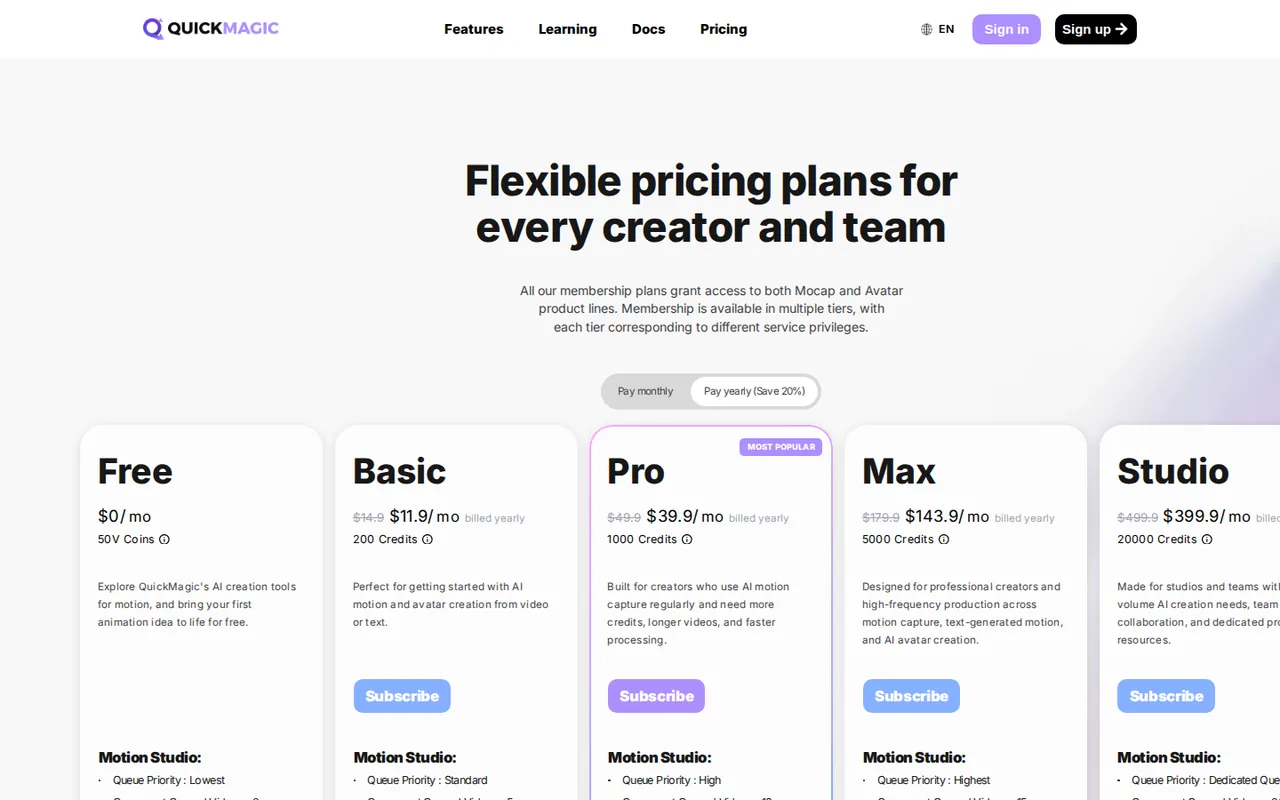
Annual figures on that page are monthly equivalents billed annually, not monthly-payment offers, and no annual total is stated, so we do not compute one. Credits refresh on each subscription's billing cycle and do not roll over; credits from several active subscriptions are added together, and a lower-tier plan cannot be bought while a higher tier is active. V-Coins and Monthly Credits are separate balances and the default deduction is VCoins until a plan with Monthly Credits is bought. The pricing FAQ gives Basic plus Pro as 1,200 credits a month, which matches 200 plus 1,000 on the Facts page. The pricing page itself is script-driven, so its plan table was not readable in our fetch; plan figures come from the Facts page. API packages are priced separately and not listed here. We did not create an account.
| Plan | Price | What you get |
|---|---|---|
| Free | $0 sourceFrom quickmagic.ai/Pricing, checked Oct 17, 2026 (opens in a new tab) | 50 V-Coins (the Facts page does not state a renewal schedule); clips up to 30 seconds; 50 MB upload; 1 person per capture; FBX output; commercial use not included. |
| Basic | $14.90 per month sourceFrom quickmagic.ai/Pricing, checked Oct 17, 2026 (opens in a new tab) | Monthly billing; 200 credits a month; clips up to 60 seconds; 100 MB upload; 2 people per capture; commercial use included. Annual billing is listed as a $11.90 monthly equivalent, not a monthly-payment offer. |
| Pro | $49.90 per month sourceFrom quickmagic.ai/Pricing, checked Oct 17, 2026 (opens in a new tab) | Monthly billing; 1,000 credits a month; clips up to 90 seconds; 200 MB upload; 3 people per capture; commercial use included. Annual billing is listed as a $39.90 monthly equivalent. |
| Max | $179.90 per month sourceFrom quickmagic.ai/Pricing, checked Oct 17, 2026 (opens in a new tab) | Monthly billing; 5,000 credits a month; clips up to 120 seconds; 300 MB upload; 4 people per capture; commercial use included. Annual billing is listed as a $143.90 monthly equivalent. |
| Studio | $499.90 per month sourceFrom quickmagic.ai/Pricing, checked Oct 17, 2026 (opens in a new tab) | Monthly billing; 20,000 credits a month; clips up to 120 seconds; 400 MB upload; 6 people per capture; commercial use included; for high-volume web use and team collaboration, and it does not include API access. Annual billing is listed as a $399.90 monthly equivalent. |
How far does it go?
- What a credit costs at each paid tierOn monthly billing the plan fee divided by the monthly credit allowance is about $0.075 a credit on Basic ($14.90 / 200), $0.050 on Pro ($49.90 / 1,000), $0.036 on Max ($179.90 / 5,000) and $0.025 on Studio ($499.90 / 20,000), and only if you use every credit. QuickMagic does not publish how many credits a clip costs, because that depends on feature, model, duration, frame rate and processing method, so this is the price of credits, not of a finished animation. Test one representative clip on Free before sizing a plan.
Arithmetic from the published allowances above, not a usage test.
Taxes, currency and promotions can change the price you see at checkout.
Try QuickMagic free (opens in a new tab)
Key features
| Feature | What it does | Watch out |
|---|---|---|
| Video to Motion: estimates 3D character movement from ordinary single-camera video, with body, hand and facial options depending on workflow (homepage, Facts page) | Video to Motion and Text to Motion produce editable skeletal animation; Video Studio is a separate workflow that produces MP4 files. The Facts page also says a matching file extension does not guarantee a matching skeleton, so bone mapping, scale, reference pose and frame rate need checking on import. | Plan on a retargeting and cleanup step in your 3D tool; the Facts page does not assert support for arbitrary non-humanoid rigs. |
| Text to Motion: creates an editable 3D motion draft from a plain-language action prompt (homepage) | — | |
| Exports FBX, BVH, BIP, C4D and VMD plus target presets such as Unreal, Mixamo, Unity Anim, CC & iClone and Roblox; Free lists FBX only (Facts page) | — | |
| Beta modules: Audio to Motion, Motion Editor for natural-language animation edits, and 3D Previs for character and camera blocking (Facts page, status confirmed 2026-10-14) | — | |
| Separate Video Studio workflow that renders MP4 video rather than skeletal motion, and separate API packages for integrations (Facts page) | — | |
| Capture limits rise with the plan | The Facts page lists clip limits of 30, 60, 90, 120 and 120 seconds and upload limits of 50, 100, 200, 300 and 400 MB across Free, Basic, Pro, Max and Studio, and 1, 2, 3, 4 and 6 people per capture. It adds that higher frame rates can shorten the stated clip limits. | Check your longest take and the number of performers against these limits before choosing a plan; a 90-second two-person scene does not fit Free. |
Which plan fits your clips?
The Facts page ties limits to the plan: Free allows 30-second clips and one person, Basic 60 seconds and two people, Pro 90 seconds and three, and Max and Studio 120 seconds with four and six. Commercial use starts at Basic, so a Free-plan export is for testing, not client work. Higher frame rates can shorten the stated clip limits.
What happens after the export?
QuickMagic returns motion data, not a finished character. The Facts page says compatibility depends on the target rig and documents humanoid animation and listed presets only, so budget time to retarget and clean up in Blender, Unreal Engine, Unity or Cascadeur. The homepage shows creator workflows that do exactly this, and these are provider-selected examples, not our tests.
What should you check before paying?
The pricing FAQ says credit cost varies by feature, duration and frame rate, that personal plans have no top-ups, and that unused credits expire. Free-plan assets are deleted after a 15-day window plus a 7-day deletion process once an account is on Free, so download exports promptly.
How could you check QuickMagic before paying?
Proposed evaluation · not performed yet
Use the Free plan on footage you would really use.
- Film one take of the action you need, under 30 seconds, with the performer fully visible and a steady camera.
- Export FBX and retarget it onto your own rig in your 3D tool.
- Note jitter, foot sliding and hand accuracy, then decide whether a paid tier’s extra formats and limits are worth it.
QuickMagic alternatives
Other video & editing tools checked with the same method. Pick by the job, not by a score.

Developers and small teams who want a conversational video avatar for support, sales or tutoring and need to budget by minutes

Short animated stories from a script or prompt

Teachers, students and math YouTubers who want 3Blue1Brown-style explainer clips from a description, with an editable Manim code playground when they want control

Relighting or changing the background of short video clips

Short AI video and image variants across several models

Creators and small teams who want video, image and audio generation under one credit balance

Small businesses that want social posts and clips generated and scheduled

Turning long recordings into short vertical clips
Used QuickMagic? Write the first review. Visitor opinions are moderated and kept separate from our source checks.
Frequently asked questions
Is QuickMagic free?
Yes, in part. The Facts page lists a Free plan at $0 with 50 V-Coins, 30-second uploads and FBX export, but without commercial use. Basic starts at $14.90 a month.
How much does QuickMagic cost?
On monthly billing the personal plans are Basic $14.90, Pro $49.90, Max $179.90 and Studio $499.90. Annual billing is listed as monthly equivalents of $11.90, $39.90, $143.90 and $399.90.
Does QuickMagic need a mocap suit?
No. It uses ordinary single-camera video from a phone, webcam or camera. Results depend on how clearly the subject is visible and on motion blur, occlusion and camera movement.
Can I use QuickMagic animations commercially?
Basic, Pro, Max and Studio include commercial use and Free does not. You still need the rights to any footage, characters or audio you upload.
Does QuickMagic have an API?
Yes, through separate API packages. Personal subscriptions, including Studio, do not include API access, and API prices are not listed publicly.
Sources and method4 official sources · 12 details checked · Oct 17, 2026
How we checked this profile
12 details on this page were checked against QuickMagic's own pages and help documentation (Oct 17, 2026).
See the checks by section12 documented
| Section | Checks | Last checked | Sources |
|---|---|---|---|
| Article text | 1 documented | quickmagic.ai | |
| Plans and prices | 5 documented | quickmagic.ai/factsquickmagic.ai/Pricing | |
| Strengths and limits | 2 documented | quickmagic.ai/Pricing | |
| Features | 2 documented | quickmagic.ai/facts | |
| Who it suits | 1 documented | quickmagic.ai/facts | |
| Questions | 1 documented | quickmagic.ai/facts |
Sources for this profile
- Pricing page FAQ: credits, asset retention, commercial usequickmagic.ai
- Homepage with modules, export list and creator workflowsquickmagic.ai
- Facts page with plan table, limits and export formats, last verified by QuickMagic 2026-10-14quickmagic.ai
- User Agreement (linked from the Facts page; not read in full)docs.quickmagic.ai
Official pages read on 2026-10-17: homepage, pricing page FAQ (via a proxy fetch because the page is script-driven), and the Facts page, which QuickMagic says it verified on 2026-10-14. The User Agreement was linked but not read in full. We did not create an account, use the Free plan or process a video. Gaps: the Free plan's V-Coin renewal schedule, credits per clip, Audio to Motion formats and limits, SMPL plan eligibility, API package prices, and how well the capture handles occlusion or fast motion. The homepage says results depend on subject visibility, motion blur, occlusion, camera movement and action type. Creator quotes on the homepage and third-party reviews were not used as evidence. The Facts page comparison with DeepMotion is the provider's own and was not used.
Sources checked Oct 17, 2026. Found something out of date? See how we correct profiles.