

What is Korpi AI, in short?
Updated October 17, 2026 · By Elias Brandt · Documentation review, not tested hands-on
Pros
- Free trial without a card
- Templates cover the whole job
- Cancel in account settings
- You keep ownership of output
Cons
- Refunds are limited
- Free-trial terms are thin
- Clearing rights is on you
- Autopilot posting needs Clipper or higher
Best forFaceless channel creators posting several Shorts a weekCreators who want scheduled postingNot for anyone who needs a written commercial licence for client workNot for teams that need to see a monthly credit total before buying
Strengths, limits and who it suits, in full
Strengths
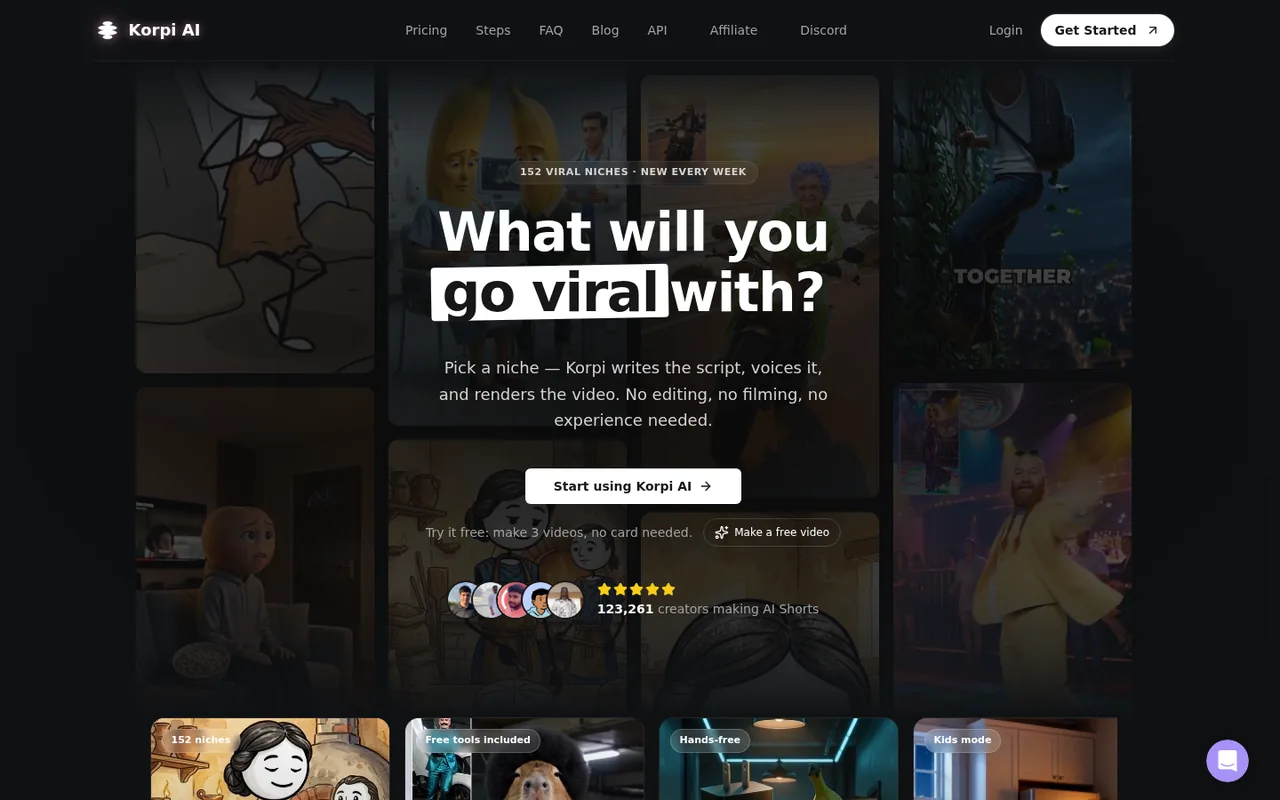
- Free trial without a card The homepage says you can make 3 videos free with no card needed, so a template can be tried before paying.
- Templates cover the whole job The homepage says each niche template handles script, voiceover, captions and scene rendering into a finished vertical video.
- Cancel in account settings The pricing page and Terms say subscriptions renew until you cancel and that you can cancel online in Account settings, with cancellation effective at the end of the billing period.
- You keep ownership of output The Terms say you retain ownership of videos, scripts and other output, and the homepage FAQ says you hold full commercial rights.
Limits
- Refunds are limited For purchases under the terms accepted from September 19, 2026, the pricing page says there are no refunds for a change of mind or unused access or credits; mandatory consumer rights still apply.
- Free-trial terms are thin The homepage does not say whether the 3 free videos carry a watermark, a length limit or different commercial rights than paid plans.
- Clearing rights is on you The Terms say the service does not guarantee that an output is cleared for your use and that you must respect copyright, publicity and privacy rights, and not remove AI-content labels or watermarks it adds.
- Autopilot posting needs Clipper or higher Hobby is listed as manual posting only, so scheduled publishing costs at least $27.99 a month on monthly billing.
Who it suits
- Faceless channel creators posting several Shorts a week The homepage and pricing page describe template-driven vertical video with up to 50 to 240 finished videos a month on the capped plans.
- Creators who want scheduled posting The pricing page lists Autopilot posting on Clipper, Pro and Unlimited and the homepage describes campaigns that publish on a schedule.
- Not for anyone who needs a written commercial licence for client work the homepage FAQ promises full commercial rights, but the Terms add that clearing third-party rights is the user's job and do not describe per-plan licences.
- Not for teams that need to see a monthly credit total before buying the pricing page shows credit counts as animated digits we could not read reliably, and the plain-text pricing lists none.
How much does Korpi AI cost?
Prices confirmed · checked
Regional prices: Prices are in USD as read on 2026-10-17 from the pricing page and its plain-text version, excluding any VAT or local taxes added at checkout.
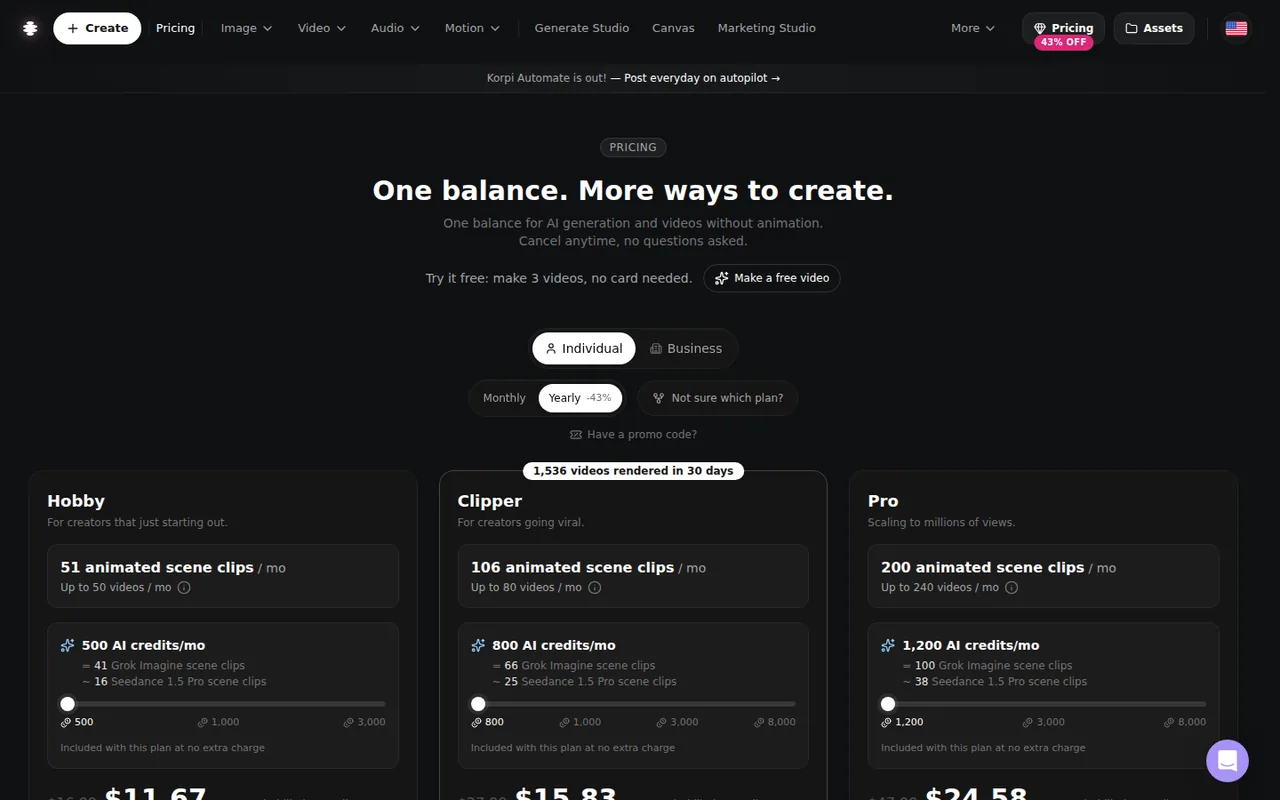
The page leads with annual-equivalent prices; the monthly prices above come from the plain-text pricing and match the page's own savings lines (for example Hobby $16.99 x 12 minus $140 is the $64 the page says you save). On Unlimited the page shows $199 crossed out beside $119.17, and the savings line ($358) matches $149 a month, not $199. Annual plans are billed in one payment and renew yearly until cancelled. The plain-text page says plans have monthly, yearly and lifetime billing; the pricing page showed no lifetime option. Credit counts on the page rendered as animated digits and were not recorded, and the plain-text version lists none; Pro and Unlimited video-model allowances differ between the two versions (Wan 3.0 seconds against Grok Imagine days), so check the plan you buy. We did not create an account.
| Plan | Price | What you get |
|---|---|---|
| Free trial | $0 sourceFrom korpi.ai/pricing, checked Oct 17, 2026 (opens in a new tab) | 3 videos with no card needed, per the homepage; watermark, length and commercial-use terms for these videos were not stated. |
| Hobby | $16.99 per month sourceFrom korpi.ai/pricing, checked Oct 17, 2026 (opens in a new tab) | Monthly billing; up to 50 videos a month; manual posting only; 2 parallel video generations and 4 images; 1 cloned voice; videos up to 15 minutes; standard speed. Yearly billing is $140 per year (the page shows $11.67 a month equivalent). |
| Clipper | $27.99 per month sourceFrom korpi.ai/pricing, checked Oct 17, 2026 (opens in a new tab) | Monthly billing; up to 80 videos a month; Autopilot posting; 4 parallel videos and 6 images; 3 cloned voices; max speed. Yearly billing is $190 per year (the page shows $15.83 a month equivalent). |
| Pro | $47.99 per month sourceFrom korpi.ai/pricing, checked Oct 17, 2026 (opens in a new tab) | Monthly billing; up to 240 videos a month; Autopilot posting; 5 parallel videos and 6 images; 10 cloned voices; ultra speed; 60 seconds a month of Wan 3.0 video listed in the plain-text pricing. Yearly billing is $295 per year (the page shows $24.58 a month equivalent). |
| Unlimited | $149 per month sourceFrom korpi.ai/pricing, checked Oct 17, 2026 (opens in a new tab) | Monthly billing; unlimited rendering and exports; Autopilot posting; 8 parallel videos and 12 images; 30 cloned voices; priority queue; unlimited Grok Imagine video for 14 days a month on the pricing page. Yearly billing is $1430 per year (the page shows $119.17 a month equivalent). |
How far does it go?
- What a finished video costs at each video capThe pricing page lists up to 50 videos a month on Hobby, 80 on Clipper and 240 on Pro. Dividing the monthly price by that cap gives at most about $0.34 a video on Hobby ($16.99 / 50), $0.35 on Clipper ($27.99 / 80) and $0.20 on Pro ($47.99 / 240), and only if you use the whole cap. Unlimited ($149) has no video cap, so the figure depends on how many you make; at 300 videos it would be about $0.50. These numbers cover the plan fee and the included rendering only, not extra credits for premium video models or any top-ups.
Arithmetic from the published allowances above, not a usage test.
Taxes, currency and promotions can change the price you see at checkout.
Try Korpi AI free (opens in a new tab)
Key features
| Feature | What it does | Watch out |
|---|---|---|
| 152 niche templates for faceless Shorts, Reels and TikToks; each one writes the script, voices it, adds captions and renders a vertical video (homepage) | — | |
| Korpi AI Agent that builds a video from one prompt by choosing a niche, writing the script and rendering it (homepage, pricing page) | — | |
| Automation campaigns that generate and post videos on a schedule; the pricing page lists Autopilot posting from Clipper up and manual posting only on Hobby | The pricing page lists up to 50 videos a month on Hobby, 80 on Clipper and 240 on Pro, while Unlimited lists unlimited finished videos and exports. Premium scene models are metered separately, and Grok Imagine video is listed as included on every plan. | Your monthly video count decides the plan more than the headline price does, but a plan with a high video cap can still run out of model allowance first. |
| Extra tools in the same workspace: Replace Anything, Auto Clipper, AI Ad Cloner, UGC and AI ads, an image generator and free video tools such as a caption remover (homepage) | — | |
| Access to video models such as Sora 2, Veo 3.1, Seedance 2.0, Kling v3 Turbo and Grok Imagine 1.5, plus an MCP server for Claude and an API (homepage) | — | |
| Posting is gated by plan | The pricing page marks Autopilot posting as not included on Hobby and included on Clipper, Pro and Unlimited. Parallel generations rise from 2 videos on Hobby to 4, 5 and 8, and voice cloning from 1 voice to 3, 10 and 30. | If you want campaigns that publish on a schedule, Hobby is not enough; if you post by hand, the higher tiers mainly buy speed and parallel renders. |
Which plan fits your posting volume?
The pricing page caps finished videos at 50 a month on Hobby, 80 on Clipper and 240 on Pro, and removes the cap on Unlimited. The clearest reason to move up from Hobby is scheduling, because Autopilot posting is not included on Hobby. If you publish by hand, the higher tiers mainly add parallel renders and cloned voices.
What can you do with the videos?
The homepage FAQ says you own full commercial rights to every video. The Terms of Service say you keep ownership of your output, but they also say Korpi does not guarantee an output is cleared for your use, that you are responsible for third-party and publicity rights, and that you may not remove AI-content labels or watermarks it adds. They also bar reselling its templates or music libraries and require users to be at least 16.
What should you check on the pricing page?
Three things did not line up on the day we read it: the Unlimited plan shows $199 crossed out while its own savings line implies $149 a month, the plain-text version mentions a lifetime option the page does not show, and monthly credit totals could not be read. Refunds are limited for new purchases, so confirm the plan and billing period before paying for a year.
How could you check Korpi AI before paying?
Proposed evaluation · not performed yet
Use the free videos on the niche you actually plan to post.
- Pick one template that matches your channel and write the same script you would publish.
- Render the free video and check the length, captions, voice and whether a watermark appears.
- Count how many videos you would post in a month, then compare that number with the 50, 80 and 240 caps and decide whether you need scheduled posting.
Korpi AI alternatives
Other video & editing tools checked with the same method. Pick by the job, not by a score.

Developers and small teams who want a conversational video avatar for support, sales or tutoring and need to budget by minutes

Short animated stories from a script or prompt

Teachers, students and math YouTubers who want 3Blue1Brown-style explainer clips from a description, with an editable Manim code playground when they want control

Relighting or changing the background of short video clips

Teams assembling short explainers

Short cinematic AI clips with audio

Storyboarding and producing short AI videos from a script

Short AI video and image variants across several models
Used Korpi AI? Write the first review. Visitor opinions are moderated and kept separate from our source checks.
Frequently asked questions
Is Korpi AI free?
Not fully. The homepage offers 3 free videos with no card needed, but the pricing page lists only paid plans starting at $16.99 a month. We could not see whether the free videos are watermarked or limited.
How much does Korpi AI cost?
On monthly billing the plans are Hobby $16.99, Clipper $27.99, Pro $47.99 and Unlimited $149. Yearly billing is $140, $190, $295 and $1430 a year, billed in one payment.
Can I use Korpi AI videos commercially?
The homepage FAQ says you own full commercial rights, and the Terms say you keep ownership of your output. The Terms also leave clearing third-party rights to you, so check any music, likeness or brand you add.
Is Korpi AI worth it?
We have not tested it, so that depends on your channel. It fits creators posting faceless Shorts at volume who want templates and scheduling; try the 3 free videos on your niche first, since credit totals and free-video terms are not stated.
Sources and method4 official sources · 13 details checked · Oct 17, 2026
How we checked this profile
13 details on this page were checked against Korpi AI's own pages and help documentation (Oct 17, 2026).
See the checks by section13 documented
| Section | Checks | Last checked | Sources |
|---|---|---|---|
| Article text | 1 documented | korpi.ai | |
| Plans and prices | 5 documented | korpi.aikorpi.ai/pricing.mdkorpi.ai/pricing | |
| Features | 4 documented | korpi.aikorpi.ai/pricing | |
| Strengths and limits | 2 documented | korpi.ai/pricingkorpi.ai/tos | |
| Questions | 1 documented | korpi.ai |
Sources for this profile
- Pricing page with plans and limitskorpi.ai
- Homepage with features, free-trial offer and FAQkorpi.ai
- Plain-text pricing and FAQkorpi.ai
- Terms of Service, effective October 7, 2026korpi.ai
Official pages read on 2026-10-17: homepage (including its FAQ), pricing page (rendered through a proxy fetch because the page is script-driven), the plain-text pricing page and the Terms of Service effective October 7, 2026. We did not create an account, use the free trial or generate a video. Gaps: whether the free videos are watermarked or limited, what the monthly credit totals are, whether a lifetime plan exists, and how the commercial-rights promise applies per plan. The homepage creator counter and the plain-text page disagree on user numbers, and the on-site testimonials and view counts were not used. The affiliate page, blog comparisons and third-party reviews were not used. No official social accounts were found on the pages read.
Sources checked Oct 17, 2026. Found something out of date? See how we correct profiles.