

Luma AI: no free plan is listed, and the $30 Plus credits stretch much further on drafts than on 1080p video
Updated September 29, 2026 · By Elias Brandt · Documentation review, not tested hands-on
Pros
- Many models on one balance
- Published per-model rates
- Output rights assigned
Cons
- No confirmed free allowance
- Broad training license
- Refunds at Luma's discretion
Bottom line
You want to try several video and image models from one subscription, because Ray, Kling, Veo and Seedance draw on the same credit balance.
You expect a free tier to produce usable work, because the pricing page lists no free plan or credit amount.
Best forAgency and brand teamsCreators comparing video modelsSolo users on a budgetTeams that need SSO or custom models
Strengths, limits and who it suits, in full
Strengths
- Many models on one balance Luma Ray, Uni-1 and third-party video, image and audio models share one credit pool.
- Published per-model rates The pricing page lists credits per second or per image for each model and resolution.
- Output rights assigned The terms assign Luma's rights in generated output to the customer, with commercial use on a paid plan.
Limits
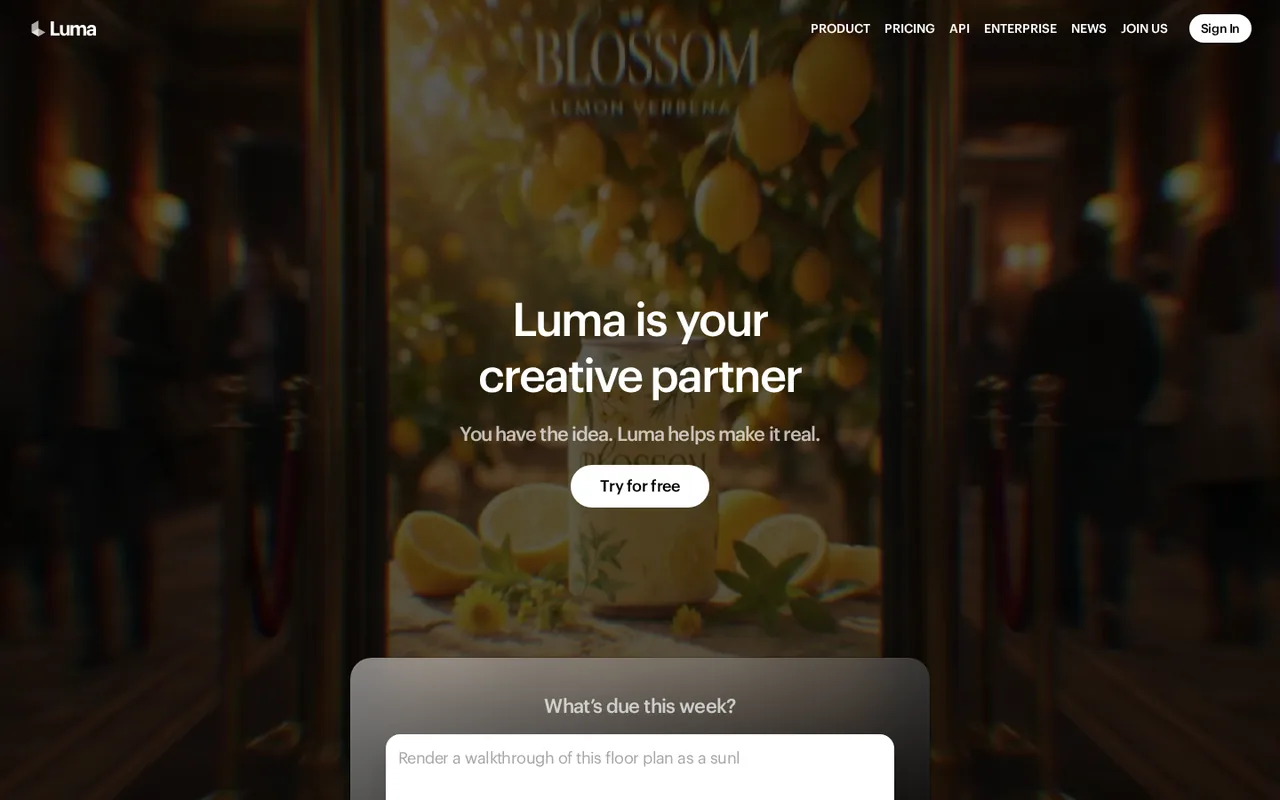
- No confirmed free allowance The homepage says Try for free, but the current pricing page shows no free plan or credit amount.
- Broad training license Input and output from paid use may be used to train Luma models, and free-use output may also be publicly displayed.
- Refunds at Luma's discretion The terms call fees final and non-refundable unless Luma decides otherwise.
Who it suits
- Agency and brand teams agents that turn one brief into many variants suit campaign versioning, provided each asset is reviewed.
- Creators comparing video models one account reaches Ray, Kling, Veo and Seedance, so rates and results can be compared on one prompt.
- Solo users on a budget Plus is the entry price, and draft mode is the cheapest way to iterate before paying for 1080p.
- Teams that need SSO or custom models SSO sits in Team and custom fine-tuning in Enterprise, both priced through sales.
How much does Luma AI cost?
Prices confirmed · checked
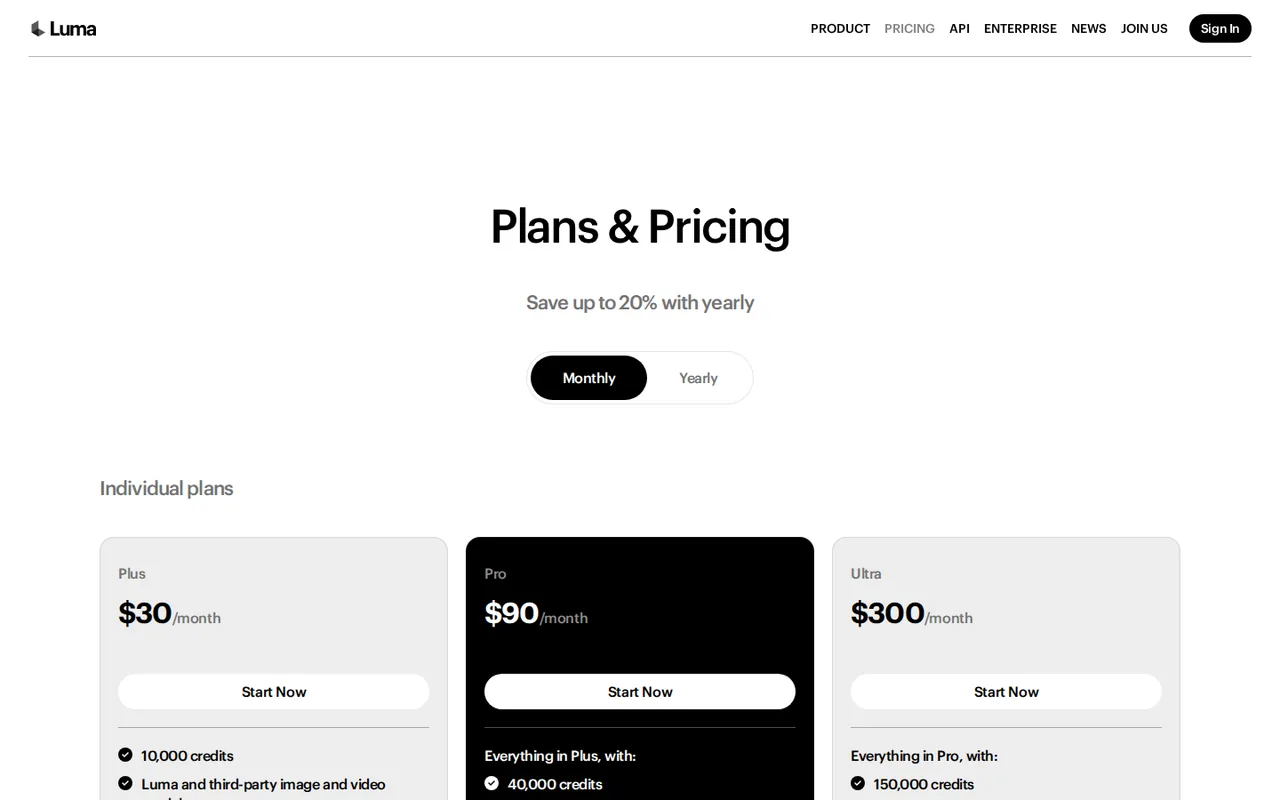
- $30Plus
- $90Pro
- $300Ultra
Regional prices: Prices are shown in USD and exclude taxes, which the terms make the customer's responsibility.
The yearly toggle is labelled "Save up to 20%" and bills $300, $900 or $3,000 up front. Renewals are charged at the then-current rate regardless of earlier discounts, and Luma must give 30 days' notice of a price change. API credits are bought separately and do not come from these plans.
| Plan | Price | What you get |
|---|---|---|
| Plus | $30 per monthbilled monthly · or $25 per month, $300 billed yearly sourceFrom lumalabs.ai/pricing, checked Sep 29, 2026 (opens in a new tab) | 10,000 credits a month; Luma and third-party image and video models; edit access for guest collaborators; commercial use. |
| Pro | $90 per monthbilled monthly · or $75 per month, $900 billed yearly sourceFrom lumalabs.ai/pricing, checked Sep 29, 2026 (opens in a new tab) | Everything in Plus; 40,000 credits a month; 4x usage with the Luma Agents. |
| Ultra | $300 per monthbilled monthly · or $250 per month, $3,000 billed yearly sourceFrom lumalabs.ai/pricing, checked Sep 29, 2026 (opens in a new tab) | Everything in Pro; 150,000 credits a month; 15x usage with the Luma Agents. |
| Team | Contact sales | Team member management, projects and team-wide sharing, usage analytics, shared team credits and SSO. |
| Enterprise | Contact sales | Everything in Team, plus enterprise commitments, dedicated education and training, and custom fine-tuning. |
How far does it go?
- Plus credits against Ray3.14 and Veo ratesRay3.14 720p costs 20 credits a second: 10,000 ÷ 20 = 500 seconds, or 100 five-second clips. At 1080p, 80 credits a second: 10,000 ÷ 80 = 125 seconds, or 25 clips. Veo 3.1 with audio at 280 credits a second: 10,000 ÷ 280 = about 35 seconds. This is arithmetic on published rates, not observed output; retries and HDR cost more.
Arithmetic from the published allowances above, not a usage test.
Taxes, currency and promotions can change the price you see at checkout.
Visit Luma AI (opens in a new tab)
Key features
| Feature | What it does | Watch out |
|---|---|---|
| Luma Agents that research, generate and refine video, image, audio and text | Plan and run multi-step creative jobs across media from one brief. | Pro and Ultra list 4x and 15x agent usage, but the base allowance on Plus is not stated. |
| Ray video models with draft, SDR and HDR output | — | |
| Uni-1 image model with style and character references | — | |
| Kling, Veo, Seedance, GPT Image and Nano Banana on the same credits | — | |
| Video-to-video modify, extend, reframe and upscale | Restyles or edits footage you upload, with separate per-second rates for each resolution. | You must hold the rights to the footage, and the terms prohibit deepfakes and impersonation. |
| ElevenLabs speech, sound effects and music generation | — | |
| Guest collaborator editing and team-wide sharing | — | |
| Credit metering | Every generation draws on one monthly pool, priced per second of video or per image by model and resolution. | Ray3.14 costs 4 credits a second in draft mode but 80 at 1080p, and HDR multiplies the rate by 4. |
| Third-party models | Kling, Veo, Seedance, Minimax, GPT Image and Nano Banana run inside Luma on the same balance. | Veo 3.1 with audio costs 280 credits a second, and the terms leave third-party tools under their own providers' terms. |
Is there still a free way to use Luma?
The homepage has a “Try for free” button that leads to account sign-up, but the pricing page lists only Plus, Pro, Ultra, Team and Enterprise. No free plan, free credit amount or trial length appears there. The payments guide, last updated in January 2026, describes a Free plan limited to draft video with watermarks and personal use, yet the same guide lists Lite and Unlimited tiers that no longer exist.
Treat free access as unconfirmed until the account screen shows a balance. The terms still contain rules for free use: output made outside an active paid subscription cannot be used commercially, and Luma receives a license to publicly display and distribute it. A free test is therefore a look at the interface, not a way to make client work.
How far do 10,000 Plus credits go?
Luma prices each model per second of video or per image, so the same plan buys very different amounts of footage. The cheapest route is Ray3.14 draft mode for exploring ideas; final renders at higher resolution, HDR or with third-party audio models cost many times more. The credit guide adds that usage rounds up, so a 9-second clip is billed as 10.
- Ray3.14 text-to-video or image-to-video: 4 credits a second in draft, 10 at 540p, 20 at 720p and 80 at 1080p; HDR costs 4 times the base rate.
- Kling 3.0 at 1080p: 40 credits a second without audio and 49 with audio.
- Seedance 2.0 with audio: 51 credits a second at 720p and 126 at 1080p.
- Veo 3.1: 140 credits a second without audio and 280 with audio, at 720p or 1080p.
- Images range from 1 credit for a 1K Seedream image to 255 credits for a high-quality 4K GPT Image 2 render.
When is Pro or Ultra better value than Plus?
Credits per dollar rise with the tier. On monthly billing, Plus gives 10,000 ÷ $30 = about 333 credits per dollar, Pro 40,000 ÷ $90 = about 444, and Ultra 150,000 ÷ $300 = 500. The multipliers for the Luma Agents are separate: Pro lists 4x and Ultra 15x agent usage, but the pricing page does not state the Plus baseline.
Editorial assessment
Stay on Plus if you mostly render drafts and short 720p clips, since 10,000 credits cover about 100 five-second Ray3.14 clips. Move to Pro when a month of work needs well beyond 10,000 credits, such as more than 125 seconds of 1080p Ray3.14. The current pricing page does not list top-up prices, so compare the in-app top-up rate with the $60 gap first. Ultra fits teams running agents daily; Team is needed for shared credits and SSO.
Who owns the videos, and when can you use them commercially?
The terms assign Luma’s rights in generated output to you, but only output produced during an active paid subscription that allows commercial use can be used commercially. The assignment does not cover rights that third parties hold in output from their models, and the terms warn that other users may receive similar or identical results.
Luma reserves the right to embed watermarks, content credentials or provenance metadata in output, and the terms forbid removing or obscuring them. Keep a record of which plan was active when each asset was made, and check the exported file for visible marks before delivering it to a client.
What does Luma do with your uploads and generations?
During paid use you grant Luma a license to use your input to provide the service and to train and develop its AI models, and a perpetual license to output for the same purposes. During free use the license widens to public display, reproduction and distribution. The privacy policy, updated April 20, 2026, also lists model training among the uses of personal information.
Uploaded footage, product photos and scripts can therefore end up in training data. Keep unreleased products, client material and recognizable people out of the tool unless you have permission for that use. After a subscription ends, the terms give 30 days to export your input before Luma may delete it.
How do renewals, upgrades and refunds work?
Web subscriptions are billed through Stripe and renew at the rate in force at renewal, regardless of earlier discounts. The payments guide says upgrades apply immediately with prorated billing, downgrades take effect at the end of the cycle, and credits reset on the same date each month. iOS subscriptions are billed and refunded by Apple.
The terms call all fees final and non-refundable unless Luma decides otherwise. The payments guide describes a request window of 30 days from purchase or renewal for web plans that are unused or mostly unused, at Luma’s discretion. If you are testing a plan, keep usage light until you know whether you will stay.
Can one Plus month turn a product photo into a 15-second teaser?
Proposed evaluation · not performed yet
On a Plus account, use a product photo you own and a short script with no real people. Budget the job in credits before starting: three 5-second Ray3.14 draft passes cost 3 × 5 × 4 = 60 credits, and three final 5-second 720p shots cost 3 × 5 × 20 = 300 credits.
- Record the credit balance and the plan before the first prompt.
- Generate three draft image-to-video passes and pick one direction.
- Render three 5-second 720p shots in that direction and one retry for the weakest shot.
- Download the files and check resolution, duration, product shape and any visible watermark outside the app.
- Record the credits actually used and compare them with the 360-credit estimate plus the retry.
Accept three shots whose product keeps its shape and label across frames and a credit total within the published rates. Reject warped packaging, invented text or a charge that the rate table does not explain. No output or credit figure is reported until the exercise is run.
For another per-second credit video suite that also edits footage, compare Runway. To run image-to-video on your own GPU without credits, see FramePack. To upscale footage you already have rather than generate new shots, look at Topaz Video.
Is Luma AI worth it?
Documentation review plus dated public user reports. Documentation review, not tested hands-on. Not scored.
Worth it if
- You want to try several video and image models from one subscription, because Ray, Kling, Veo and Seedance draw on the same credit balance.
- You deliver paid client work, because commercial use is allowed only for output made while a paid plan is active.
- You plan to iterate on cheap drafts first, because per-second rates make the low-resolution passes a small share of the monthly credits.
Probably not if
- You expect a free tier to produce usable work, because the pricing page lists no free plan or credit amount.
- You handle confidential footage or unreleased products, because the terms let Luma use input and output to train its models.
- You plan to call the models from your own software on subscription credits, because API usage is billed separately.
Luma AI alternatives
Other video & editing tools checked with the same method. Pick by the job, not by a score.

Developers and small teams who want a conversational video avatar for support, sales or tutoring and need to budget by minutes

Short animated stories from a script or prompt

Teachers, students and math YouTubers who want 3Blue1Brown-style explainer clips from a description, with an editable Manim code playground when they want control

Relighting or changing the background of short video clips

Browser video editing with auto subtitles for social clips

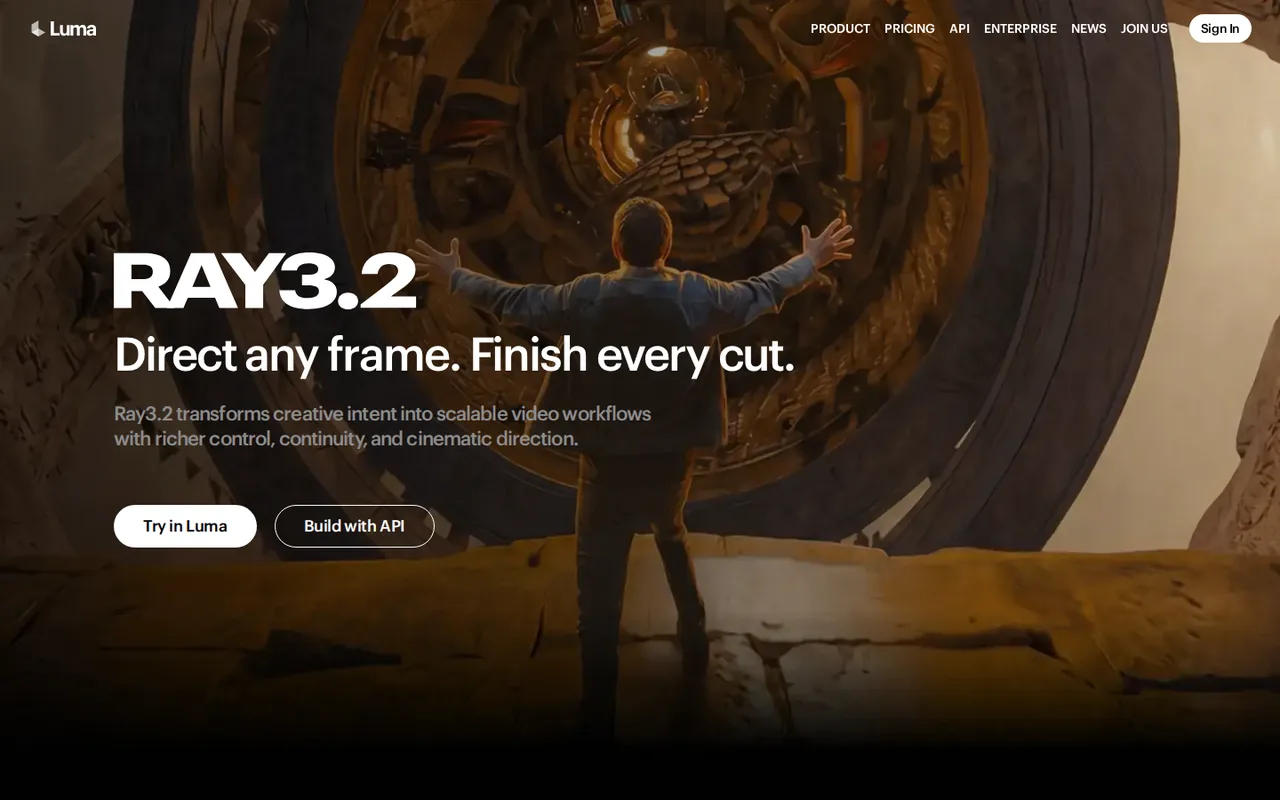
Creators who want to plan scenes with an agent and render with several video models on one credit balance

YouTube keyword research and AI-assisted video planning

Dubbing and subtitling existing videos into other languages
Used Luma AI? Write the first review. Visitor opinions are moderated and kept separate from our source checks.
Frequently asked questions
How much does Luma AI cost?
Luma AI costs $30 a month for Plus, $90 for Pro and $300 for Ultra on monthly billing. Yearly billing charges $300, $900 or $3,000 up front. Plus includes 10,000 credits a month, Pro 40,000 and Ultra 150,000. Team and Enterprise are priced through sales, and API credits are bought separately.
Is Luma AI still free?
Not confirmed. The Luma homepage says Try for free, but the current pricing page lists only Plus, Pro, Ultra, Team and Enterprise, with no free plan or free credit amount. Older help guides still describe a Free plan, so check the balance on your account screen. Output made outside a paid plan cannot be used commercially.
Is luma.ai the same company as Luma Labs and Dream Machine?
No. Luma AI, Inc. runs lumalabs.ai, the site behind Dream Machine and Luma Agents. The site at luma.ai is run by Luma AI LTD, which states on its own pages that it is not related to Dream Machine by LumaLabs. Check the domain before paying, because both offer AI video subscriptions.
Do unused monthly credits roll over to the next month?
No. The December 2025 credit guide says monthly credits reset with each billing cycle and do not roll over. Top-up credits bought on an active paid plan are different: they stay valid for 12 months and are spent after the monthly allowance. If you cancel, unused top-ups are hidden and return when you resubscribe.
Can Luma subscription credits be used with the Luma API?
No. The credit guide states that app subscriptions and the API are billed separately and that credits do not transfer between them. Developers who want to call Ray or Uni-1 from their own software need to buy API credits on the API billing page, even if they already hold a Pro or Ultra plan.
What if I chose yearly billing by mistake?
The payments guide says Luma can switch an account that picked annual instead of monthly to the correct plan and refund the difference between the annual total and the monthly price. Ask quickly by email to the support address, because refund requests for web plans are limited to 30 days and to plans that are mostly unused.
Can I avoid the arbitration clause in the terms?
The terms send most disputes to binding individual arbitration, but you may opt out within 30 days of accepting them. The opt-out is a letter to Luma AI, Inc., Legal Department, 715 Alma Street, Palo Alto, CA 94301, with your full name and the account email address. Small-claims actions remain available.
Sources and method6 official sources · 7 details checked · Sep 29, 2026
How we checked this profile
7 details on this page were checked against Luma AI's own pages and help documentation (Sep 29, 2026).
See the checks by section7 documented
| Section | Checks | Last checked | Sources |
|---|---|---|---|
| Plans and prices | 4 documented | lumalabs.ai/pricing | |
| Strengths and limits | 2 documented | lumalabs.ai/terms-of-service | |
| Other details | 1 documented | lumalabs.ai/terms-of-service |
Sources for this profile
- Plans and per-model credit rates (monthly and yearly views)lumalabs.ai
- Luma homepage (Luma Agents, Ray and Uni-1 models)lumalabs.ai
- Terms of service (updated May 14, 2026)lumalabs.ai
- Privacy policy (updated April 20, 2026)lumalabs.ai
All 6 sources
The terms name Luma AI, Inc., 715 Alma Street, Palo Alto, CA 94301, and use the lumalabs.ai support address. The site at luma.ai belongs to a different company, Luma AI LTD, which states it is not related to Dream Machine by LumaLabs, and luma.com is an unrelated events platform. Learning-hub guides updated in December 2025 and January 2026 still describe Free, Lite and Unlimited plans and older rates that the current pricing page does not list. Usage examples use the per-second Ray3.14 rates.
Sources checked Sep 29, 2026. Found something out of date? See how we correct profiles.