

What is Magic Hour, in short?
Updated October 11, 2026 · By Elias Brandt · Documentation review, not tested hands-on
Pros
- Free start without an account
- One credit balance across video, image and audio
- Credits do not expire
- Written no-training commitment
Cons
- Free tier is limited and its size is not stated
- Resolution is gated by plan
- Credit cost varies widely by tool
- Narrow refunds and no PayPal
Best forSocial creators who want several kinds of output in one placeDevelopers who need an API without a separate planAgencies and teams producing at volumeNot for client work on a free accountNot for anyone who cannot get consent for a face or voice
Strengths, limits and who it suits, in full
Strengths
- Free start without an account The homepage says core tools can be tried without signing up, and the pricing FAQ says no credit card is needed for the Free plan.
- One credit balance across video, image and audio The pricing page lists allowances for each tool, so you can see what a plan buys before paying.
- Credits do not expire The pricing FAQ says unused credits roll over, and credit packs are described as never expiring.
- Written no-training commitment The Terms and Trust page both say uploads and outputs are not used to train AI models.
Limits
- Free tier is limited and its size is not stated Free video and audio may be watermarked, use is personal only, and the daily credit amount is not published on the pages read.
- Resolution is gated by plan Creator stops at 1024px and 4K needs the $99-a-month Business plan, or $792 billed yearly.
- Credit cost varies widely by tool The same plan buys 1.7 hours of most video but 7 minutes of UGC ads, so the headline hours do not apply to every tool.
- Narrow refunds and no PayPal Refunds need under 400 credits used within 7 days, are limited to one per customer, and PayPal is not accepted.
Who it suits
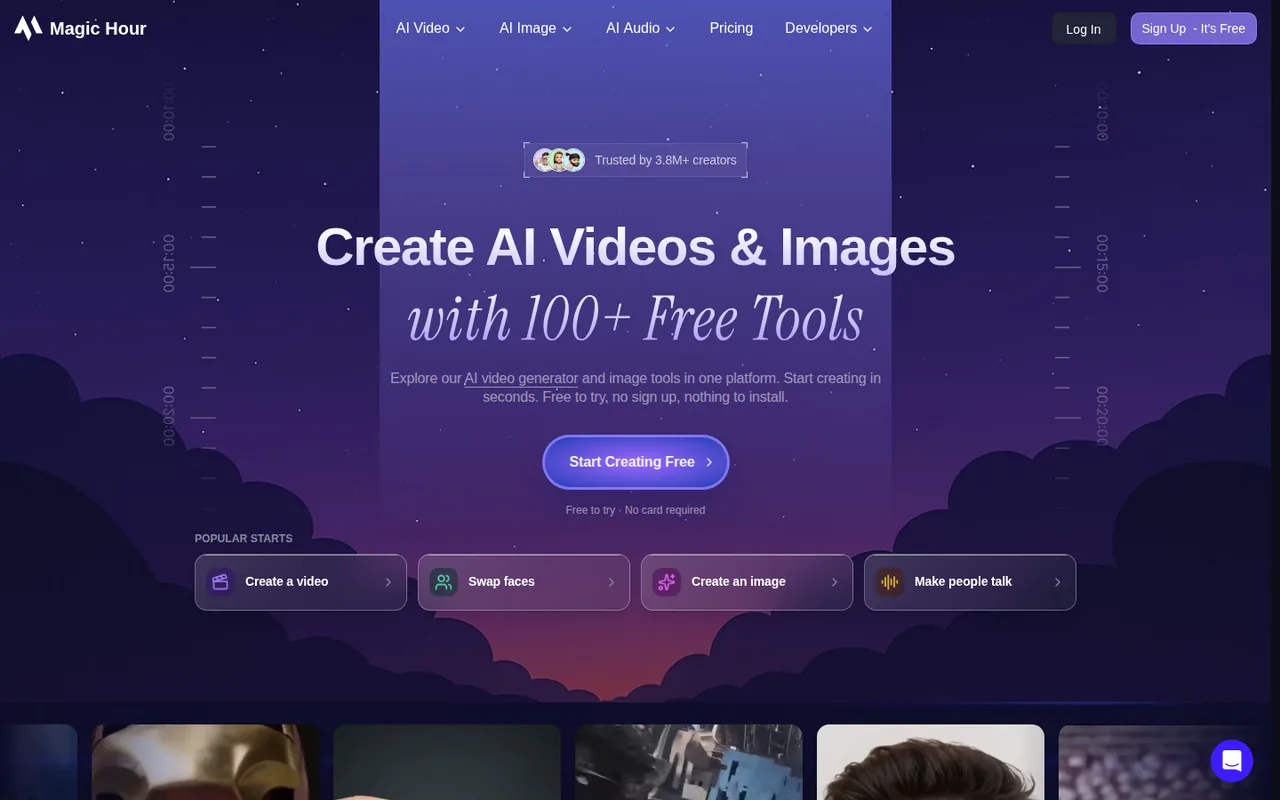
- Social creators who want several kinds of output in one place The homepage groups video, image and audio tools under one account and credit balance.
- Developers who need an API without a separate plan The pricing FAQ says API access is included on every plan, with SDKs for four languages.
- Agencies and teams producing at volume Business adds 4K, unlimited concurrency and 10 GB uploads, which matter more for batch work than for occasional clips.
- Not for client work on a free account Free use is personal and non-commercial only; commercial use needs a paid subscription or credit pack.
- Not for anyone who cannot get consent for a face or voice the face swap and voice tools leave consent to the user, and the Terms bar explicit content of real people without it.
How much does Magic Hour cost?
Prices confirmed · checked
- $19Creator
- $39Pro
- $99Business
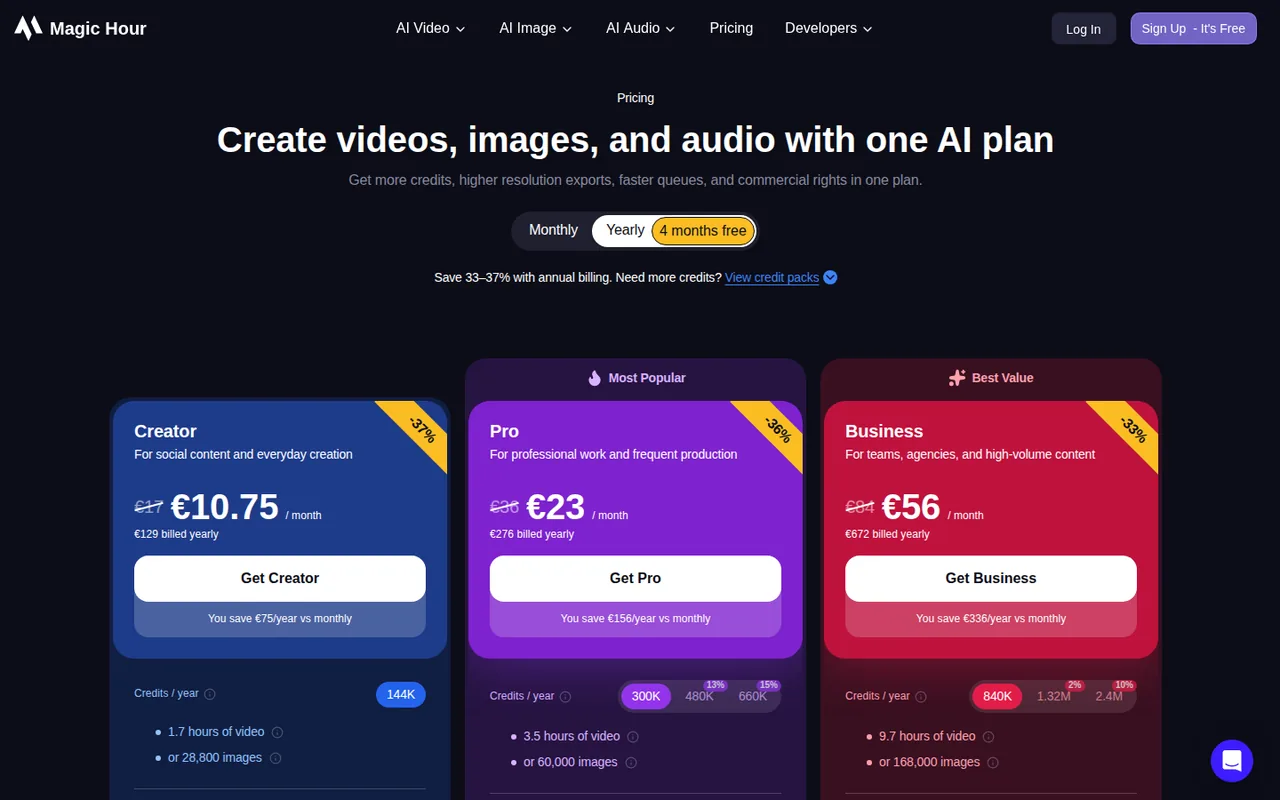
Regional prices: Prices are in USD as shown on the pricing page's yearly view, read through a US proxy; the page lists Creator, Pro and Business at $19, $39 and $99 a month struck against $12, $25 and $66 billed yearly, and the monthly figures are inferred from those strike-throughs and the stated annual savings of $84, $168 and $396.
The monthly view and each plan's monthly credit allotment were not captured, and the larger credit tiers shown on Pro and Business have no captured price. Read from a European address the same page showed euro prices, so the amount you pay may differ by region. Prices exclude tax, which is added at checkout through Stripe where required. Subscriptions can be cancelled any time and end at the close of the billing cycle. Cards and several wallets are accepted; PayPal is not.
| Plan | Price | What you get |
|---|---|---|
| Free | $0 sourceFrom magichour.ai/pricing, checked Oct 11, 2026 (opens in a new tab) | Core tools can be tried without signing up or entering a card, with free daily credits whose size is not stated; free video and audio exports may carry a watermark, image outputs do not; personal, non-commercial use only. |
| Creator | $19 per month billed monthly; $12 per month billed yearly$144 sourceFrom magichour.ai/pricing, checked Oct 11, 2026 (opens in a new tab) | 144,000 credits a year (about 1.7 hours of video or 28,800 images by the page's estimate); exports up to 1024px; 3 generations at once; 2 GB uploads; watermark-free; commercial use; API access. |
| Pro | $39 per month billed monthly; $25 per month billed yearly$300 sourceFrom magichour.ai/pricing, checked Oct 11, 2026 (opens in a new tab) | 300,000 credits a year (about 3.5 hours of video or 60,000 images); exports up to 1472px; 5 generations at once; 5 GB uploads; larger credit tiers of 480,000 and 660,000 are shown but their prices were not captured. |
| Business | $99 per month billed monthly; $66 per month billed yearly$792 sourceFrom magichour.ai/pricing, checked Oct 11, 2026 (opens in a new tab) | 840,000 credits a year (about 9.7 hours of video or 168,000 images); exports up to 4K; unlimited generations at once; 10 GB uploads; larger credit tiers of 1.32M and 2.4M are shown but their prices were not captured. |
| Credit packs | $10 for 4,000 credits; $30 for 12,000shown at $27; $80 for 32,000 · shown at $68; $160 for 64,000 · shown at $128 sourceFrom magichour.ai/pricing, checked Oct 11, 2026 (opens in a new tab) | One-off purchases; credits never expire; watermark-free exports and commercial-use rights, but not the higher resolution, queue priority or concurrency of a subscription. |
| Enterprise | Custom | Pricing for teams with large-scale needs is quoted by email; no figures are published. |
How far does it go?
- What a minute of video costs on each purchaseThe pricing page estimates 1.7, 3.5 and 9.7 hours of video for the Creator, Pro and Business yearly allowances. Dividing each price gives about $1.41 a minute on Creator ($144 / 102 minutes), $1.43 on Pro ($300 / 210 minutes) and $1.36 on Business ($792 / 582 minutes). Credit packs cost more per minute: $3.57 on the Starter pack ($10 / 2.8 minutes) and $2.88 on the Max pack ($128 / 44.4 minutes at its discounted price). The AI UGC Ad Generator is far dearer, about $20.57 a minute on Creator ($144 / 7 minutes). These are arithmetic on rounded, published estimates for the default tool, not a Magic Hour statement, and the page does not give the model, length or resolution behind them.
Arithmetic from the published allowances above, not a usage test.
Taxes, currency and promotions can change the price you see at checkout.
Try Magic Hour free (opens in a new tab)
Key features
| Feature | What it does | Watch out |
|---|---|---|
| More than 100 tools for video, image and audio in one account, from text-to-video and image-to-video to image generation, upscaling and background removal (homepage) | — | |
| People-focused video tools: face swap video and photo, lip sync, talking photo, character replace and AI avatars (pricing page) | — | |
| Audio tools for voice generation, voice cloning, voice changing, music, sound effects and audio translation (pricing page) | — | |
| A REST API with SDKs for Python, Node, Go and Rust, included on every plan at the plan's own usage level (homepage, pricing FAQ) | The pricing FAQ says API access comes with all plans at the same usage level, and the Trust page says the API has no separate rate or concurrency limits, with web-app capacity depending on the plan. | Per-call credit costs are not listed on the pages read. |
| Templates, with a stated 10,000+ available, and a route to submit templates and earn credits on paid plans (homepage, pricing page) | — | |
| Credits by tool | The pricing page gives each plan an allowance per tool: most video tools get 1.7, 3.5 and 9.7 hours, but the AI UGC Ad Generator gets only 7, 14 and 39 minutes and the AI Video Editor 17, 35 and 96 minutes. | The page does not say which model or output length the hours assume. |
| Resolution and concurrency by plan | Creator exports up to 1024px with 3 generations at once, Pro 1472px with 5, and only Business reaches 4K with unlimited concurrency. | Whether higher resolutions cost more credits is not stated. |
| Data commitments | The Trust page and Terms say prompts, uploads and outputs are not sold or used for model training, and that staff do not routinely review them. | Retention varies by feature and is not tabulated. |
Who owns what you make on a free account?
The pricing FAQ says you own the assets you generate, subject to the Terms and applicable law, and warns that outputs may not be unique or qualify for copyright. Commercial use is a separate question: only paid subscribers, credit-pack buyers and customers on an agreed paid arrangement may use outputs commercially, while everyone else is limited to personal, non-commercial use. Image outputs are unwatermarked even on the free plan, so a clean file is not evidence that it can be used in client work.
What do the face and voice tools expect of you?
Magic Hour sells face swap, head swap, voice cloning and lip sync alongside its general video tools. Its Terms of Service put the burden on the user: you must hold the rights and consents needed to use anyone’s image, voice or likeness, and the Terms do not ask for consent documents with each generation. The Terms also bar sexually explicit or intimate content of a real person without their consent, including AI-generated likenesses, and impersonation. The Trust page adds that media sent to these tools is not used to identify people or to train models. In practice that means keeping written permission for any face or voice that is not your own before you publish.
How could you check Magic Hour before paying?
Proposed evaluation · not performed yet
Measure what a free clip costs in credits and what the export looks like, using a photo you took yourself.
- Open the image-to-video tool without signing up, upload a photo of an object you own and generate a five-second clip.
- Note the credit balance before and after if an account is needed; the pricing page implies roughly 24 credits per second of video (4,000 credits for up to 2.8 minutes).
- Check the downloaded video for a watermark and its resolution, then decide whether 1024px on Creator is enough for your platform.
Magic Hour alternatives
Other video & editing tools checked with the same method. Pick by the job, not by a score.

Developers and small teams who want a conversational video avatar for support, sales or tutoring and need to budget by minutes

Short animated stories from a script or prompt

Teachers, students and math YouTubers who want 3Blue1Brown-style explainer clips from a description, with an editable Manim code playground when they want control

Relighting or changing the background of short video clips

Creators planning short licensed clips

Animators, game developers and 3D creators who want rough-to-usable character motion from phone footage and will clean it up in their own 3D tool

Generated video and footage editing

Faceless vertical shorts generated from a one-line idea
Used Magic Hour? Write the first review. Visitor opinions are moderated and kept separate from our source checks.
Frequently asked questions
Is Magic Hour AI free to use?
Partly. The pricing page says the Free plan needs no credit card, core tools can be tried without signing up, and free accounts may receive starter credits and daily credits. Free image outputs carry no watermark, but free video and audio may, and free use is personal and non-commercial only. The pages do not state how many free credits you get.
How much does Magic Hour cost?
Creator is $144 billed yearly ($12 a month), Pro $300 ($25 a month) and Business $792 ($66 a month); billed monthly they list at $19, $39 and $99. Credit packs run from $10 for 4,000 credits to $160 for 64,000. Outside the US the page showed euro prices, so confirm the total at checkout.
How much does a minute of AI video cost on Magic Hour?
By the pricing page's own estimates, about $1.4 a minute on a yearly plan allowance for most video tools and $2.9 to $3.6 a minute with credit packs, but only about $20 a minute on the AI UGC Ad Generator. The hours are rounded estimates and the page does not say which model or resolution they assume.
Does Magic Hour train on my uploads?
Its Terms of Service and Trust page say it does not train AI models on prompts, uploads or outputs, does not sell them, and does not routinely review customer content, though staff can access it to investigate reported problems, enforce the Terms or meet legal duties. Retention varies by feature, and deleted accounts have a 14-day restoration period.
Do Magic Hour credits expire, and can I get a refund?
Unused credits roll over and never expire, per the pricing FAQ. A new subscription or renewal is refundable within 7 days if fewer than 400 credits have been used, and a credit pack within 7 days if none of it is used. Each customer gets one approved refund, and PayPal is not accepted.
Sources and method4 official sources · 19 details checked · Oct 11, 2026
How we checked this profile
19 details on this page were checked against Magic Hour's own pages and help documentation (Oct 11, 2026).
See the checks by section19 documented
| Section | Checks | Last checked | Sources |
|---|---|---|---|
| Article text | 5 documented | magichour.aimagichour.ai/trustmagichour.ai/terms-of-servicemagichour.ai/pricing | |
| Plans and prices | 10 documented | magichour.ai/pricing | |
| Questions | 2 documented | magichour.ai/pricingmagichour.ai/trust | |
| Features | 1 documented | magichour.ai/pricing | |
| Strengths and limits | 1 documented | magichour.ai/trust |
Sources for this profile
- Pricing page with plans, credit packs and FAQmagichour.ai
- Magic Hour homepagemagichour.ai
- Terms of Servicemagichour.ai
- Trust, Privacy & Data Use pagemagichour.ai
Official pages read on 2026-10-11: homepage, pricing page with its FAQ, Terms of Service and the Trust, Privacy & Data Use page. The pricing page was re-read through a US proxy to get dollar prices. We did not create an account or generate anything. Gaps: the monthly-billing view and monthly credit allotments, prices of the larger credit tiers, the size of the free daily credit allowance, the Privacy Policy and Refund Policy pages (the refund terms come from the pricing FAQ), and the model behind each tool's credit allowance. The homepage's user-count figure, press quotes and customer reviews are the provider's own selection and were not used. Social links come from the homepage footer. Third-party reviews and comparison pages were not used.
Sources checked Oct 11, 2026. Found something out of date? See how we correct profiles.


