

What is Relevance AI, in short?
Updated October 24, 2026 · By Elias Brandt · Documentation review, not tested hands-on
Pros
- Model cost without markup
- Steps inside a tool are free
- Approval per tool
- Hard spend stop
Cons
- No free way in
- Two official price views
- Failures cost Actions
- Credits expire on cancellation
- Data-use wording differs
Best forSales teams automating research and outreachSupport and operations teamsTeams that already pay a model providerOrganisations with an EU or Australian data requirementNot for occasional personal automation
Strengths, limits and who it suits, in full
Strengths
- Model cost without markup The docs say Vendor Credits pass LLM and tool costs through at wholesale, and your own API keys can replace them.
- Steps inside a tool are free A multi-step tool run counts as one Action, so packing fixed steps into one tool keeps the Action count down.
- Approval per tool Sensitive tools such as email or CRM writes can require approval while routine lookups run automatically.
- Hard spend stop Usage limits on every plan stop Actions or credits at a set monthly amount and email the people you choose.
Limits
- No free way in The Free plan is retired for new signups and existing accounts, and the terms rule out change-of-mind refunds.
- Two official price views The marketing pricing page lists only Enterprise, while the docs list Pro and Team with prices; plans are bought inside the app.
- Failures cost Actions A tool run that fails still counts as one Action, so retries multiply the bill for a flaky integration.
- Credits expire on cancellation Unused Actions and Vendor Credits expire when a subscription ends and have no cash value.
- Data-use wording differs The security page says your data is not used to improve the services, while the terms license Client Data to provide and improve the Solution.
Who it suits
- Sales teams automating research and outreach Agents can read CRM records, research accounts and draft messages, with approval required before anything is sent.
- Support and operations teams Workforces hand work between specialised agents and escalate to a person when a task falls outside its brief.
- Teams that already pay a model provider BYOK moves model spend to your own account while Relevance AI meters only Actions.
- Organisations with an EU or Australian data requirement London and Sydney regions are offered alongside the US at signup.
- Not for occasional personal automation with no free plan and a two-builder Pro seat limit, the entry cost suits a team workload rather than a few personal tasks.
How much does Relevance AI cost?
Prices confirmed · checked
- $29Pro
- $349Team
Regional prices: The docs say annual billing saves 33% over the monthly rate.
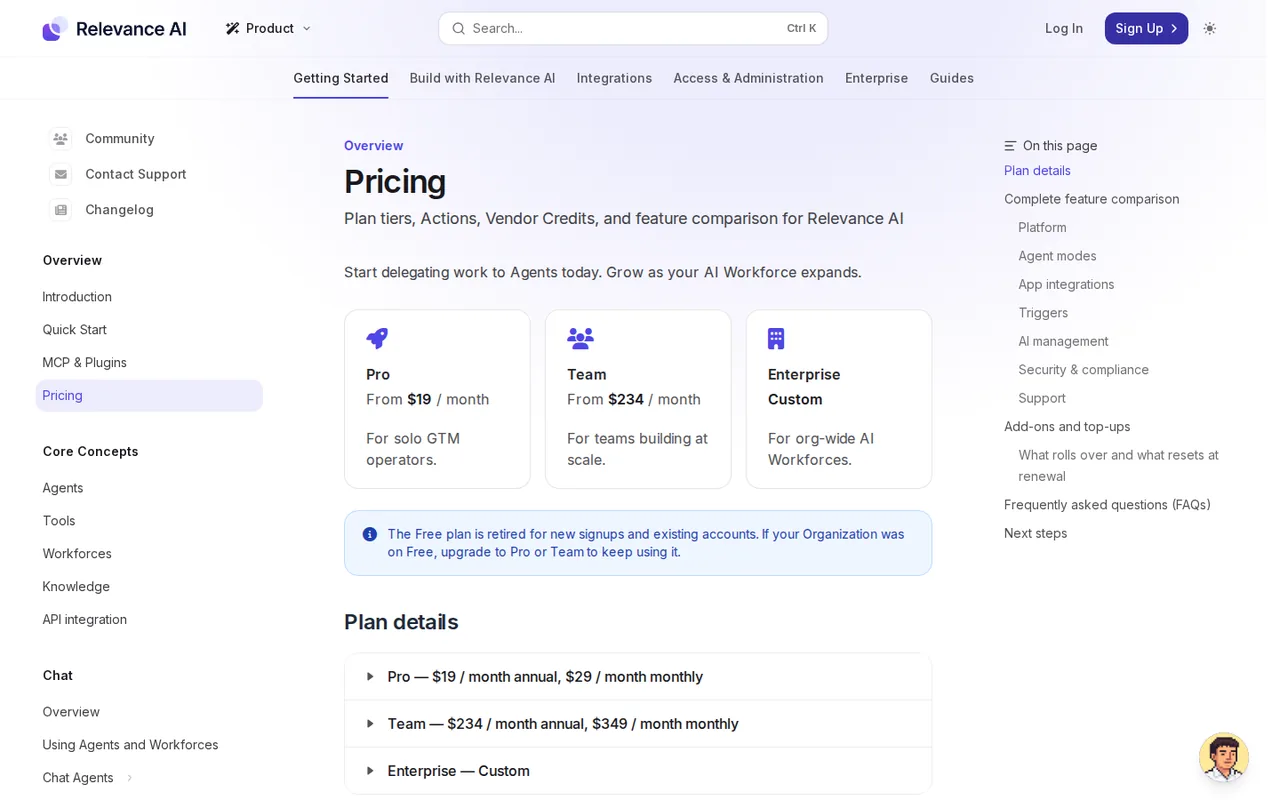
Subscriptions apply to the whole Organization, cannot be transferred and renew automatically. Plan Actions reset at each renewal; Action top-ups roll over to the next cycle; Vendor Credits roll over indefinitely on Pro and Team while you stay subscribed, although the plan list names "Unused Credits Rollover" as a Team feature. The terms say fees are non-refundable for change of mind and unused Actions and Vendor Credits expire at cancellation. The marketing pricing page lists only Enterprise; Pro and Team prices come from the documentation pricing page and are bought from the in-app plan counter. The old Free plan has been retired.
| Plan | Price | What you get |
|---|---|---|
| Pro | $19/month billed yearly$29/month billed monthly sourceFrom relevanceai.com/docs/get-started/pricing, checked Oct 24, 2026 (opens in a new tab) | 2,500 Actions and 10,000 Vendor Credits ($20) a month; BYOK; unlimited agents, tools and workforces; 2 build users, 1 project; 90-day task history; chat mode, scheduled tasks, escalations and premium app triggers. |
| Team | $234/month billed yearly$349/month billed monthly sourceFrom relevanceai.com/docs/get-started/pricing, checked Oct 24, 2026 (opens in a new tab) | 7,000 Actions and 35,000 Vendor Credits ($70) a month; 5 build users and 45 end users, 5 shared projects; calling and meeting agents, analytics dashboard, priority support. |
| Enterprise | Custom quote | Custom Actions and Vendor Credits, unlimited users and projects, Salesforce, Snowflake and Zendesk triggers, agent evaluations, work-hour controls, SSO, RBAC, audit logs and a dedicated account manager. |
| Top-ups | $80 per 1,000 Actions; $20 per 10,000 Vendor Credits sourceFrom relevanceai.com/docs/get-started/pricing, checked Oct 24, 2026 (opens in a new tab) | Any paid plan, in steps of 1,000 Actions or 10,000 Vendor Credits; Action top-ups roll to the next cycle. |
How far does it go?
- One lead-routing workload, two buildsAssume 40 form leads a day, each classified by a model and written to a sheet and a Slack message: 1,200 runs in a 30-day month. Built as one three-step tool, that is 1,200 Actions, inside Pro's 2,500. Built as an agent that calls three separate tools, it is 3,600 Actions: Pro plus two 1,000-Action top-ups at $80 each, or $29 + $160 = $189 on monthly billing, against $349 for Team (7,000). Pro's $20 of monthly Vendor Credits spread over 1,200 runs leaves about $0.017 of model cost per run before top-ups or your own key. Editorial arithmetic on published rates and an assumed workload, not a Relevance AI figure.
Arithmetic from the published allowances above, not a usage test.
Taxes, currency and promotions can change the price you see at checkout.
Visit Relevance AI (opens in a new tab)
Key features
| Feature | What it does | Watch out |
|---|---|---|
| Agents briefed in plain language that decide which tools to call, with Invent to generate an agent from a description or Marketplace templates to clone (introduction docs) | — | |
| Tools: step-by-step automations built in a no-code builder from LLM prompts, API calls, integrations and optional Python code steps, reusable across agents or run in bulk (Tools docs) | — | |
| Workforces: a visual canvas that links specialised agents, tools and conditions into one multi-step process (introduction docs) | — | |
| Per-tool approval modes (Auto Run, Approval Required, Let Agent Decide) and a failure policy that retries a tool, then terminates or escalates the task to a person (agent tools docs) | A tool is one Action per run however many steps it chains, so a prompt, a CRM update and an email built as one tool cost one Action. | Split into three tools called by an agent, the same work is three Actions, and each failed or retried run is charged as another. |
| Triggers from 1,000+ app integrations, schedules, webhooks and API calls; premium WhatsApp, LinkedIn and Telegram triggers on Pro, Salesforce, Snowflake and Zendesk triggers on Enterprise (pricing docs) | — | |
| Spend tooling: hard monthly usage limits on every plan, email usage alerts and automatic top-ups on Pro and Team (usage limits and spend controls docs) | — | |
| Bring your own model key | BYOK is optional on every plan and bypasses Vendor Credits, which stay as a fallback; reasoning tokens on supported Claude models count as output tokens. | Actions are still charged, and the terms say fees are not reduced or refunded for usage on your own keys. |
| Data region | Each organisation picks US (N. Virginia), EU (London) or AU (Sydney) at signup. | The region cannot be changed after the organisation is created; moving means contacting support. |
Why does the pricing page show only Enterprise?
Relevance AI keeps two official price views. The pricing page on the main site lists a single Enterprise plan behind “Talk to sales”. The documentation pricing page lists Pro from $19 a month and Team from $234 a month on annual billing ($29 and $349 billed monthly), with “Get started” links into the app, and its FAQ says you upgrade from the plan counter at the bottom left of the dashboard. The same page says the Free plan is retired for new signups and existing accounts, so every Organization now needs a paid plan.
What counts as an Action and a Vendor Credit?
An Action is one run of a Tool. The plans and credits page says it counts the same whether the tool sends one email or runs a complex workflow with many steps, and a tool that fails still counts. Vendor Credits are the model and tool costs, passed through at wholesale with no markup; at the top-up price of $20 per 10,000, one Vendor Credit is $0.002. Bring your own model keys and Vendor Credits are bypassed, but Actions are still charged.
That makes design a cost decision. Steps you always run together are cheaper as one tool than as several tools an agent picks between. The failure policy in the agent tools docs can retry an errored tool up to a set number of times, and the docs warn that more retries may raise usage; each retry is another tool run. If you want run costs broken into model, tool-call and compute credits instead, the Gumloop profile explains that meter.
How do agents, tools and workforces divide the work?
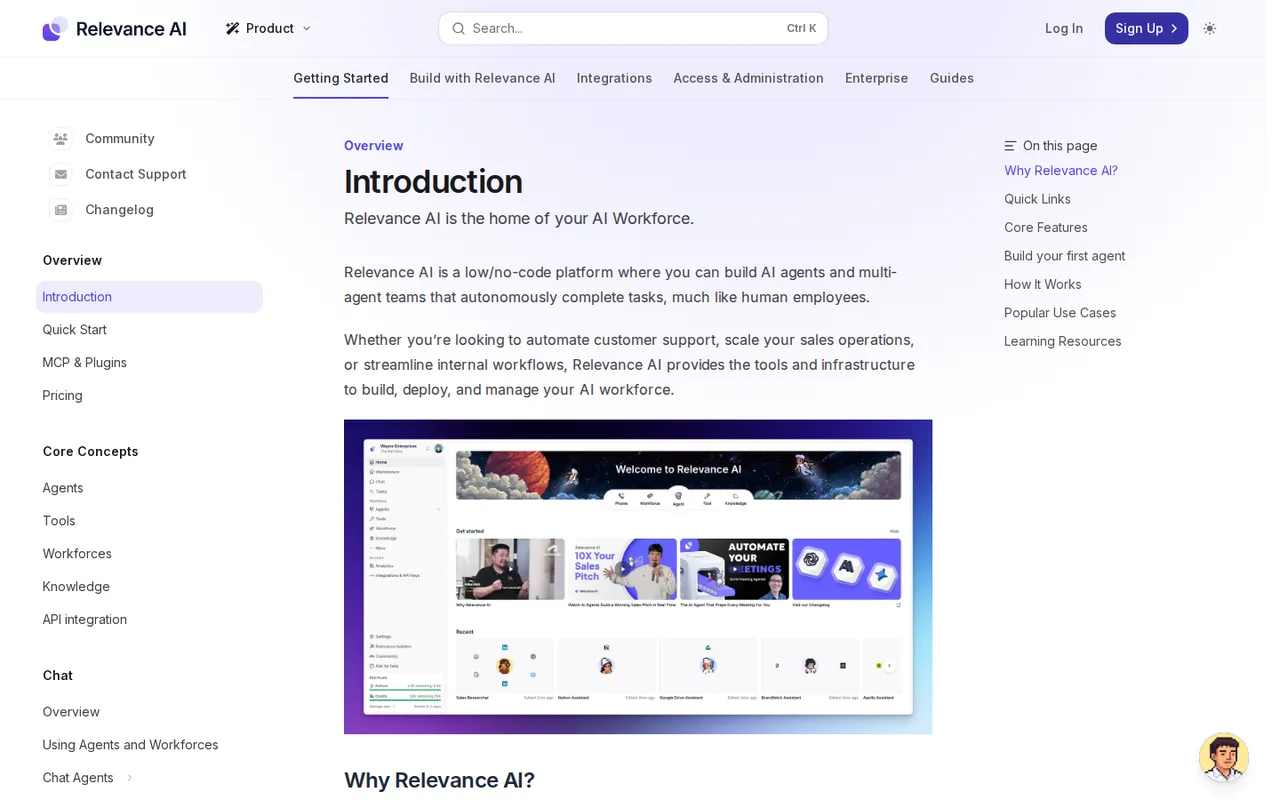
The tools docs describe a tool as inputs, steps and outputs built in a no-code builder: LLM prompts, API calls, integrations and Python code. An agent decides when to use which tool, and a workforce links several agents and tools on a canvas with conditions between them. Triggers come from app events, schedules, webhooks or API calls.
Approvals are set per tool or per connection. Approval Required makes the agent draft its intended action and wait; Let Agent Decide leaves the call to the agent; Auto Run can be capped with “Max auto runs”. A task waiting for approval stays open until someone approves or rejects it. Runs are limited to 15 minutes for most tools and for each agent turn, and tasks queue when your tier’s concurrency is full.
How do you keep spending under control?
Three settings cover it. Usage limits, available on all plans, hard-stop Actions or credits at a monthly amount for the Organization or a project and email the people you list; usage alerts only notify. Spend controls on Pro and Team top up automatically, and the amount is easy to misread: with 1,000 credits left, a 10,000 threshold and a 1,000 top-up, you are charged for 10,000 credits to reach 11,000. If a payment fails, the account may be limited until it is fixed.
Where is your data stored?
The security overview says Relevance AI is SOC 2 Type II and GDPR compliant, encrypts data with TLS 1.2+ in transit and AES-256 at rest, and stores it in the US, EU (London) or Australia (Sydney) as chosen at signup. It says your data is not used to train models or improve the services without a partnership agreement, and deletion requests are processed within 60 days. The terms, however, grant a licence to use Client Data to provide and to improve the Solution, so ask which wording your contract follows. SSO, RBAC and audit logs are Enterprise features.
How could you check Relevance AI before committing?
Proposed evaluation · not performed yet
On a monthly Pro plan, build the same lead task twice and compare the Action counts before choosing an annual term.
- Subscribe to Pro monthly, choose your data region, and set a usage limit of 300 Actions for the test project.
- Build one tool with three steps (classify a lead with a prompt, add a sheet row, post to a test Slack channel) and run it on ten sample leads.
- Build an agent that calls three single-step tools for the same job, set the Slack tool to Approval Required, and run the same ten leads.
- Reject one approval and break the sheet connection once, then read the Actions and Vendor Credits each run used.
Accept if the tool build uses about ten Actions, the agent waits on every Slack post, and the rejected post never appears. Reject if retries consume Actions you cannot see in the breakdown, or the agent posts without approval. No result is recorded here.
Relevance AI alternatives
Other automation tools checked with the same method. Pick by the job, not by a score.

Teams that want Zapier-style flows and AI agents with the option to self-host the open source core

Building and enriching lead lists from websites

Meeting owners who verify commitments

Agent tasks that need an inspectable file handoff

Connecting web apps without code

Inbox triage and draft replies for busy professionals

Teams drafting work from shared context

Visual automation for app workflows
Used Relevance AI? Write the first review. Visitor opinions are moderated and kept separate from our source checks.
Frequently asked questions
Does Relevance AI have a free plan or free trial?
No. The documentation says the Free plan has been retired for both new signups and existing accounts, so an Organization that was on Free must upgrade to Pro or Team to keep using it. The terms also say fees are not refunded for a change of mind, so a monthly Pro plan at $29 is the smallest commitment.
What happens to unused Actions and Vendor Credits?
Plan Actions reset to the plan amount at each renewal, while Action top-ups you buy carry over to the next billing cycle. Vendor Credits, included or bought, roll over indefinitely on Pro and Team as long as the subscription stays active. When you cancel, the terms say any unused Actions and Vendor Credits expire and are not refunded.
Can I use my own OpenAI or Anthropic key with Relevance AI?
Yes, on every plan. Your own keys bypass Vendor Credits, which stay available as a fallback. Actions are still counted for each tool run. The terms add that you are responsible for usage, cost and compliance on third-party keys, and that your Relevance AI fees are not reduced or refunded because of that usage.
How many people can use a Pro or Team plan?
Pro includes 2 build users and 1 project. Team includes 5 build users, 45 end users who use agents without building them, and 5 shared projects. The subscription applies to the whole Organization, everyone shares its Actions and Vendor Credits, and it cannot be moved to another Organization. Enterprise has unlimited users and projects.
Who operates Relevance AI and which law applies?
The terms are a contract with OnSearch Pty Ltd, an Australian business with ABN 33 637 909 409 trading as Relevance AI. They are governed by the laws of New South Wales, with disputes going first to a meeting and then to mediation at the Australian Disputes Centre. Subscriptions renew automatically each billing cycle unless cancelled.
Sources and method17 official sources · 23 details checked · Oct 24, 2026
How we checked this profile
23 details on this page were checked against Relevance AI's own pages and help documentation (Oct 24, 2026).
See the checks by section22 documented1 editorial assessment
| Section | Checks | Last checked | Sources |
|---|---|---|---|
| Article text | 6 documented | relevanceai.com/pricingrelevanceai.com/spend-controlsrelevanceai.com/system-limitsrelevanceai.com/securityrelevanceai.com/approvals-and-escalationsrelevanceai.com/terms-and-conditions | |
| Plans and prices | 5 documented 1 editorial | relevanceai.com/pricing | |
| Strengths and limits | 1 documented | relevanceai.com/pricing | |
| Questions | 2 documented | relevanceai.com/pricing | |
| Features | 6 documented | relevanceai.com/plansrelevanceai.com/usage-limitsrelevanceai.com/toolsrelevanceai.com/toolsrelevanceai.com/language-model | |
| Other details | 1 documented | relevanceai.com/new-pricing | |
| Official channels and media | 1 documented | relevanceai.com |
Sources for this profile
- Docs: pricing (Pro, Team, Enterprise, top-ups, FAQ)relevanceai.com
- Relevance AI homepagerelevanceai.com
- Pricing page (Enterprise only)relevanceai.com
- Docs: plans and creditsrelevanceai.com
All 17 sources
- Docs: pricing and packaging changes (8 Sep 2025)relevanceai.com
- Docs: spend controlsrelevanceai.com
- Docs: credit and action usage limitsrelevanceai.com
- Docs: system quotasrelevanceai.com
- Docs: security overviewrelevanceai.com
- Docs: introductionrelevanceai.com
- Docs: toolsrelevanceai.com
- Docs: give your agent tools (approvals, failure policy)relevanceai.com
- Docs: Workforce approvals and escalationsrelevanceai.com
- Docs: agent language model settingsrelevanceai.com
- Docs: API integrationrelevanceai.com
- Terms and Conditions (OnSearch Pty Ltd)relevanceai.com
- Privacy policyrelevanceai.com
Official pages read on 24 Oct 2026 with plain HTTP requests (the docs site serves Markdown copies) and a local browser for the marketing pricing page: homepage, relevanceai.com/pricing (Enterprise only), docs pages on pricing, plans and credits, the 8 Sep 2025 pricing change, spend controls, usage limits, system quotas, security, tools, agent tools and approvals, Workforce approvals and escalations, language model settings and API integration, the Terms and Conditions and the privacy policy. The marketing and docs pricing pages differ; the docs were used for plan prices. The docs example still shows 3,000 Vendor Credits on Pro, while the plan table lists 10,000. We did not create an account or run an agent. Customer counts and case studies on the website were not used, nor were third-party pricing articles.
Sources checked Oct 24, 2026. Found something out of date? See how we correct profiles.