

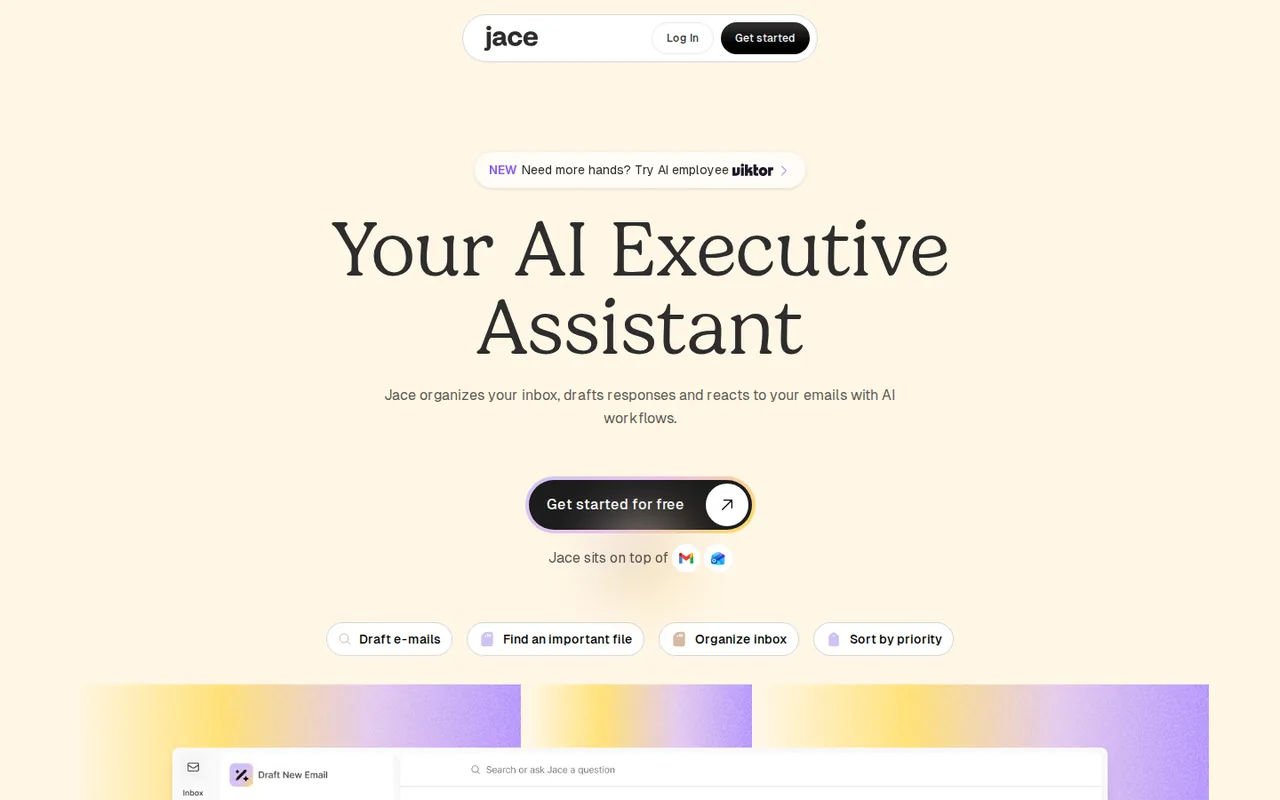
Jace AI: inbox drafts and labels, but only a 7-day trial before Plus at $25 per month
Updated September 29, 2026 · By Elias Brandt · Documentation review, not tested hands-on
Pros
- Nothing sends without approval
- Stated no-training policy
- Works inside your mail app
Cons
- No lasting free plan on current pages
- Credit cost per action unpublished
- Broad mailbox access
Bottom line
Trial of Plus or Pro, cancel anytime according to the pricing page; whether a card is required is not stated.
You run one or two work inboxes where most replies follow patterns, because Plus covers 2 inboxes and drafts are matched to your past sent mail.
You need a lasting free plan, because the current pages show only a 7-day trial ahead of the paid tiers.
Best forFounders and executives with heavy inboxesPeople juggling two work inboxesTeams already using Slack, Notion or DriveRegulated or confidential mailboxes
Strengths, limits and who it suits, in full
Strengths
- Nothing sends without approval The FAQ says Jace prepares drafts and never sends email without your approval.
- Stated no-training policy The privacy policy and security page say email content is not used to train AI models.
- Works inside your mail app Drafts and labels appear in Gmail or Outlook on desktop and mobile, with no install.
Limits
- No lasting free plan on current pages The pricing page shows only a 7-day trial before Plus or Pro.
- Credit cost per action unpublished The pricing page lists monthly credits but not how many a draft or label uses.
- Broad mailbox access Connecting grants read, compose, send and manage permissions, and copies of emails are stored on Jace servers.
Who it suits
- Founders and executives with heavy inboxes fits when most replies follow patterns that past sent mail can teach.
- People juggling two work inboxes Plus covers two inboxes; more accounts need Pro.
- Teams already using Slack, Notion or Drive integrations add context to drafts, but check what each connection exposes.
- Regulated or confidential mailboxes third-party AI providers process thread content, so confirm your policies allow that first.
How much does Jace AI cost?
Prices confirmed · checked
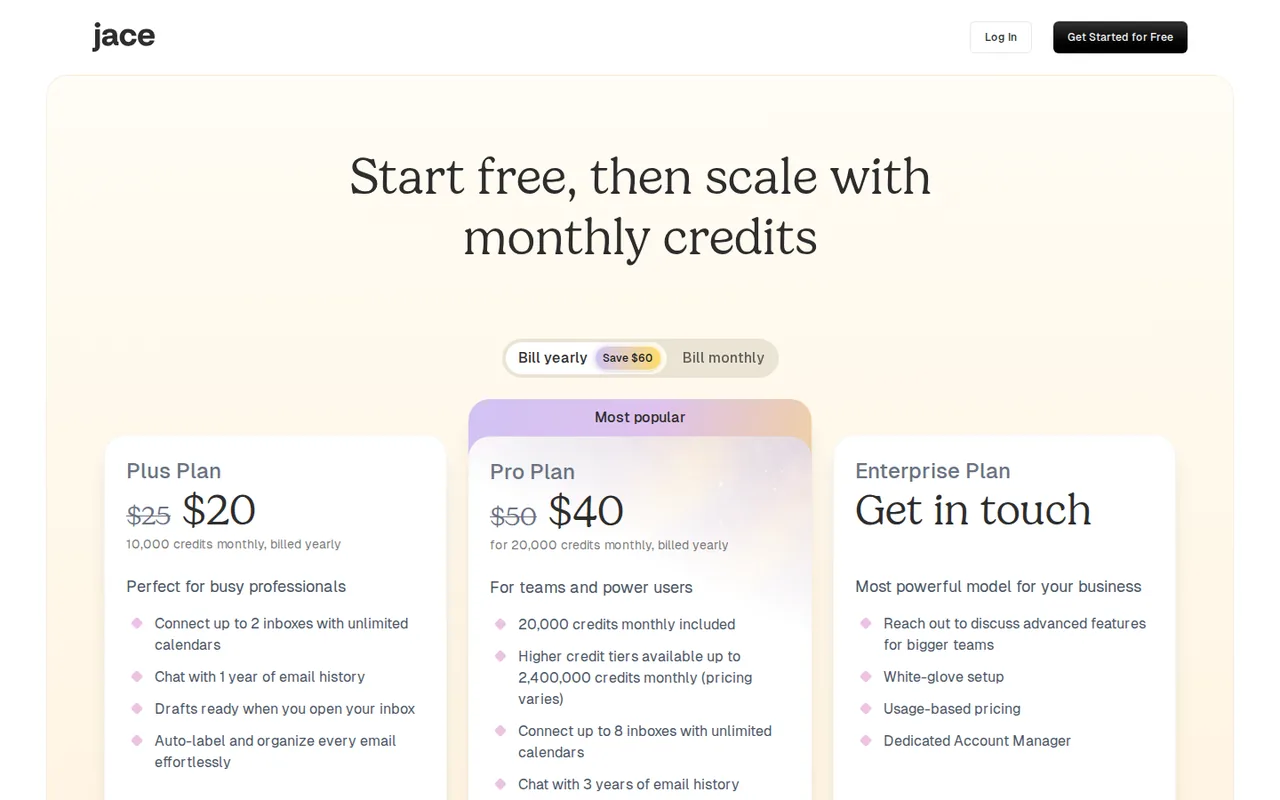
- $25Plus
- $50Pro
Regional prices: Prices are shown in USD.
The yearly toggle is labelled 20% off, and the yearly invoice total is not printed on the page. Monthly credits reset at the start of each billing period; reward credits never expire. The page footer promises a 30-day money-back guarantee, while the terms say fees are generally non-refundable except at the company's discretion or where law requires. Subscriptions renew automatically, and taxes are extra.
| Plan | Price | What you get |
|---|---|---|
| Free Trial | $0 for 7 days sourceFrom jace.ai/pricing, checked Sep 29, 2026 (opens in a new tab) | Trial of Plus or Pro, cancel anytime according to the pricing page; whether a card is required is not stated. |
| Plus | $25 per monthbilled monthly · or $20 per month, billed yearly sourceFrom jace.ai/pricing, checked Sep 29, 2026 (opens in a new tab) | 10,000 credits a month; up to 2 inboxes with unlimited calendars; chat with 1 year of email history; drafts and AI labels; standard support. |
| Pro | $50 per monthbilled monthly · or $40 per month, billed yearly sourceFrom jace.ai/pricing, checked Sep 29, 2026 (opens in a new tab) | Starts at 20,000 credits a month, with higher tiers up to 2,400,000 at varying prices; up to 8 inboxes; 3 years of email history; custom integrations and MCPs; priority support. |
| Enterprise | Custom pricing | Usage-based pricing, white-glove setup and a dedicated account manager. |
How far does it go?
- Allowance per connected inboxPlus monthly: $25 ÷ 2 inboxes = $12.50 per inbox and 10,000 ÷ 2 = 5,000 credits per inbox. Pro monthly at the base tier: $50 ÷ 8 = $6.25 per inbox and 20,000 ÷ 8 = 2,500 credits per inbox. The credit cost of a draft, label or chat request is not published, so how many emails each allowance covers is unknown.
Arithmetic from the published allowances above, not a usage test.
Taxes, currency and promotions can change the price you see at checkout.
Try Jace AI free (opens in a new tab)
Key features
| Feature | What it does | Watch out |
|---|---|---|
| Gmail and Outlook connection through OAuth | — | |
| Automatic draft replies for emails labelled Needs Reply | — | |
| AI Labels with custom prompt-based labels | Sorts mail into labels such as Needs Reply, Waiting or FYI and applies rules for CCs, templates and scheduling. | Custom labels depend on the prompt you write, so vague prompts mislabel mail. |
| Rules for CCs, templates, sign-offs, scheduling and follow-ups | — | |
| Calendar-aware scheduling drafts and invites | — | |
| Chat over 1 or 3 years of email history | — | |
| Integrations such as Slack, Google Drive, Notion and remote MCP servers | Pulls context from tools like Slack, Google Drive or Notion and can connect a remote MCP server. | Custom integrations and MCPs are listed on Pro, and each connection widens what the assistant can read. |
| Automatic drafts | Writes a reply for every email tagged Needs Reply, using your past sent mail to match tone. | Drafts rely on imported history, so a new or rarely used inbox gives it less to learn from. |
What happens when the 7-day free trial ends?
Both Plus and Pro start with a 7-day free trial that can be cancelled at any time, according to the pricing page. The terms say that after a trial you may be charged unless you cancel, where the promotion said so, and that subscriptions then renew automatically each month or year. The public pages do not say whether a card is needed to start the trial.
Refund wording differs between pages. The site footer promises a 30-day money-back guarantee, while the terms say fees are generally non-refundable except at the company’s discretion or where law requires, and cancelling keeps access until the end of the paid period. Save the guarantee wording with your receipt if you plan to rely on it.
What does Jace need access to in Gmail or Outlook?
Signup runs through Google or Microsoft OAuth. The terms say the consent screen asks for permissions such as reading, composing, sending and managing email, and the getting-started guide lists syncing threads and labels, creating drafts and reading send-as settings and signatures. After connecting, Jace imports recent mail first and then up to 1 year of history on Plus or 3 years on Pro.
The terms state that copies of your emails are stored on Jace servers to allow fast processing and search. You can disconnect from Settings or revoke access in your Google or Microsoft account; the privacy policy says disconnecting starts deletion of the associated emails and derived data, although backups may persist for a limited time.
Who else processes your email content?
The privacy policy says drafts and summaries are generated by third-party AI providers such as OpenAI, Anthropic, Google Vertex AI or Azure AI, which receive the relevant thread content. Jace says these providers may use the data only to produce the requested output and not for training, and that Jace itself does not train models on your emails.
Two other flows are easy to miss. PostHog analytics tracks product use, and a marketing-partner clause says website cookies may be linked to other information about you, including your email address, for advertising, with an opt-out at retention.com. For client, legal or health correspondence, check whether your own obligations allow these processors before connecting the inbox.
Can Jace send an email without you?
The pricing FAQ says Jace never sends email without your approval and prepares drafts for you to review, edit and send. The security page adds a qualifier: it does not send emails without your action unless you explicitly ask it to. The terms describe sending a draft at your direction through your connected account.
Rules are where that line matters. The Rules FAQ lists auto-replies alongside CCs, templates and follow-ups, and follow-up drafts are prepared automatically when you are waiting on a reply. Read every rule before enabling it, and keep automated behaviour limited to drafting until you have reviewed a week of its output. Under the terms, you remain the author of anything sent.
Plus or Pro: which limits decide it?
Credits are the headline number, but the pricing page does not say how many credits a draft, label or chat request uses, so the allowance cannot be converted into emails. The account menu shows usage limits, according to the February 2026 changelog. The clearer differences are structural:
- Plus: 10,000 credits, 2 inboxes, 1 year of searchable history, standard support.
- Pro: 20,000 credits and higher tiers, 8 inboxes, 3 years of history, custom integrations and MCPs, priority support.
- Enterprise: usage-based pricing, setup help and an account manager.
Editorial assessment
One or two inboxes with ordinary reply volume fit Plus. Pro is justified by account count, older history or MCP connections rather than by the credit figure, which cannot be compared until per-action costs are published. Watch the usage display during the trial to estimate your own rate.
How actively is Jace being developed?
The changelog’s newest entry, dated July 1, 2026, describes features of Viktor, an AI employee product that the Jace homepage also promotes. The previous entry, February 2, 2026, is the most recent one about Jace itself and added daily email briefs, Pipedream Connect integrations and faster loading.
The Impressum lists Zeta AI, Inc. of Delaware as the provider, with a legal contact at viktor.com. The pages do not explain how the two products relate or whether Jace will keep receiving new features. For a tool with this much mailbox access, check the changelog again before committing to a yearly plan.
Can the trial sort and draft replies in a test inbox safely?
Proposed evaluation · not performed yet
During the 7-day trial, connect a separate Gmail account created for the test, not a work inbox. From a second account you own, send ten fictional emails: three questions needing a reply, two meeting requests and five newsletter-style messages. Enable no auto-reply rules and no integrations.
- Note the plan, the connected account and the usage display before starting.
- Wait for the import, then check which label each of the ten emails received.
- Open the drafts for the three questions and the two meeting requests and check the facts and proposed times.
- Confirm in the Sent folder that nothing was sent without your action.
- Disconnect Jace and confirm that access is removed in the Google account permissions page.
Accept correct Needs Reply labels on the five actionable emails, drafts that answer only what was asked and an empty Sent folder. Reject invented facts, a sent message you did not approve or access that remains after disconnecting. No label accuracy or draft quality is reported until the exercise is run.
For a general AI agent that works across Slack, email and other apps, compare Lindy. For rule-based automations between email and other tools without an AI drafting layer, see Zapier.
Is Jace AI worth it?
Documentation review plus dated public user reports. Documentation review, not tested hands-on. Not scored.
Worth it if
- You run one or two work inboxes where most replies follow patterns, because Plus covers 2 inboxes and drafts are matched to your past sent mail.
- You want a draft to review before anything goes out, since the pricing FAQ says Jace does not send email without your approval.
Probably not if
- You need a lasting free plan, because the current pages show only a 7-day trial ahead of the paid tiers.
- Your mailbox holds confidential client, legal or health mail, because third-party AI providers process thread content and copies of emails sit on Jace servers.
Jace AI alternatives
Other automation tools checked with the same method. Pick by the job, not by a score.

Teams that want Zapier-style flows and AI agents with the option to self-host the open source core

Building and enriching lead lists from websites

Meeting owners who verify commitments

Agent tasks that need an inspectable file handoff

Adults with ADHD who want a talk-to-it daily planning and check-in companion on their phone

Delegating multi-step research and file tasks to an AI agent

Self-hostable workflow and AI-agent automation

Live calls where AI help is permitted
Used Jace AI? Write the first review. Visitor opinions are moderated and kept separate from our source checks.
Frequently asked questions
Is Jace AI the same as the older JACE web agent from Zeta Labs?
The current Jace AI at jace.ai is an email assistant, and its legal pages name Zeta AI, Inc. Older coverage describes JACE as a browser agent that completed web tasks, which is not how the product is presented now. The browser extension privacy notice is still hosted on a Zeta Labs page, suggesting the same lineage.
Can I create my own AI labels?
Yes. In Settings, Labels, the Your Labels section has a button to create a new AI label, where you enter a name and a prompt describing which emails belong there. Jace then tags matching mail automatically. Existing labels can be edited from the same page, and a Suggested AI Labels list offers ready-made categories.
Does Jace work on my phone?
There is no separate app to install. The FAQ says drafts and labels appear inside your normal email app on mobile and desktop, because Jace works through Gmail or Outlook. The full workspace, including chat with your email history, is at app.jace.ai in a browser, which also works on a phone.
Who is allowed to sign up for Jace?
The terms require users to be at least 16, or the age of majority where they live if that is higher, and able to enter a binding agreement. The privacy policy says the service is not intended for children. Accounts are individual; team plans let an owner pay for several members centrally.
Can Jace use information from Slack, Notion or Google Drive when drafting?
Yes, once you enable them under Settings, Integrations. The FAQ names Slack, Google Drive, Notion, Linear and Asana among 200+ tools, and a February 2026 update added more through Pipedream Connect. Each integration lets Jace read that source, so connect only tools whose content you are comfortable sending to its AI providers.
Sources and method9 official sources · 7 details checked · Sep 29, 2026
How we checked this profile
7 details on this page were checked against Jace AI's own pages and help documentation (Sep 29, 2026).
See the checks by section7 documented
| Section | Checks | Last checked | Sources |
|---|---|---|---|
| Plans and prices | 3 documented | jace.ai/pricingjace.ai/terms | |
| Strengths and limits | 2 documented | jace.ai/pricingjace.ai/terms | |
| Who it suits | 1 documented | jace.ai/privacy | |
| Other details | 1 documented | jace.ai/impressum |
Sources for this profile
- Plans, credits and FAQjace.ai
- Product overviewjace.ai
- Terms of service (updated November 26, 2025)jace.ai
- Privacy policy (updated May 5, 2026)jace.ai
All 9 sources
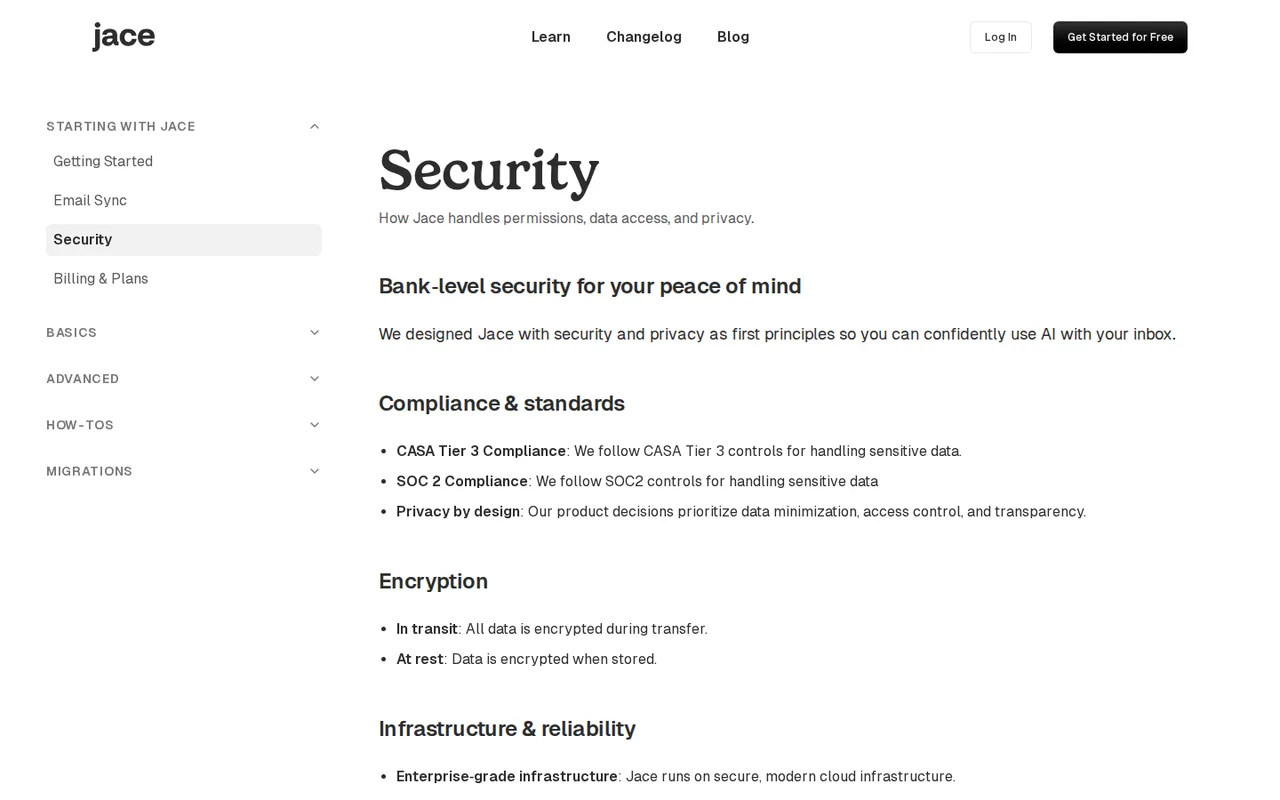
The Impressum names Zeta AI, Inc. of Wilmington, Delaware, with a legal contact address at viktor.com, and the homepage promotes Viktor, an AI employee product; the pages do not describe that relationship further. The latest changelog entry, July 1, 2026, covers Viktor, and the previous one, February 2, 2026, covers Jace. The homepage cites a SOC 2 Type 1 examination, while the security docs say SOC 2 compliance. The FAQ lists 200+ integrations; the changelog describes 3,000+ through Pipedream Connect. The /security page returned 404.
Sources checked Sep 29, 2026. Found something out of date? See how we correct profiles.

