Fathom: unlimited free recording and transcripts, but advanced summaries cover only 5 calls a month on Free
Updated October 5, 2026 · By Elias Brandt · Documentation review, not tested hands-on
Pros
- Return to the evidence
- Start with an individual workflow
- No storage ceiling on Free
Cons
- Recording is not agreement
- Capture-mode restrictions
- Summary depth drops on Free
Bottom line
Recordings, transcripts and basic recaps; advanced-summary access is limited.
You mainly need recordings and transcripts to search later, because capture and transcription carry no cap on Free.
You need team-wide search and shared folders for a single seat, because Team and Business both require at least two users.
Best forMeeting owners who verify commitmentsSmall sales groups on Free or PremiumTeams expecting automatic task completion
Strengths, limits and who it suits, in full
Strengths
- Return to the evidence A recorded passage can help resolve an ambiguous summary.
- Start with an individual workflow A team purchase is unnecessary just to evaluate basic capture.
- No storage ceiling on Free Recordings, storage and transcription are unlimited, so archive size alone is no reason to upgrade.
Limits
- Recording is not agreement An assigned action still needs the named participant to confirm it.
- Capture-mode restrictions The advertised bot-free option is a Mac beta, not a promise across platforms.
- Summary depth drops on Free After the monthly advanced-summary allowance, later calls fall back to the General/Enhanced template.
Who it suits
- Meeting owners who verify commitments Useful for reviewing who agreed to do what and by when.
- Small sales groups on Free or Premium CRM sync with HubSpot, Salesforce or Close is listed for up to three users per email domain.
- Teams expecting automatic task completion Meeting notes identify work; they do not carry it out.
How much does Fathom cost?
Prices confirmed · checked
Regional prices: USD per-user prices; annual labels are monthly equivalents.
Team and Business require two users. Tax and region were not stated. The free preview is distinct from recurring Free access; confirm the feature in the actual account.
| Plan | Price | What you get |
|---|---|---|
| Free | $0 sourceFrom fathom.ai/pricing, checked Oct 5, 2026 (opens in a new tab) | Recordings, transcripts and basic recaps; advanced-summary access is limited. |
| Premium | $20/user monthly; $16/user/month on annual billing sourceFrom fathom.ai/pricing, checked Oct 5, 2026 (opens in a new tab) | Advanced summaries and AI action items. |
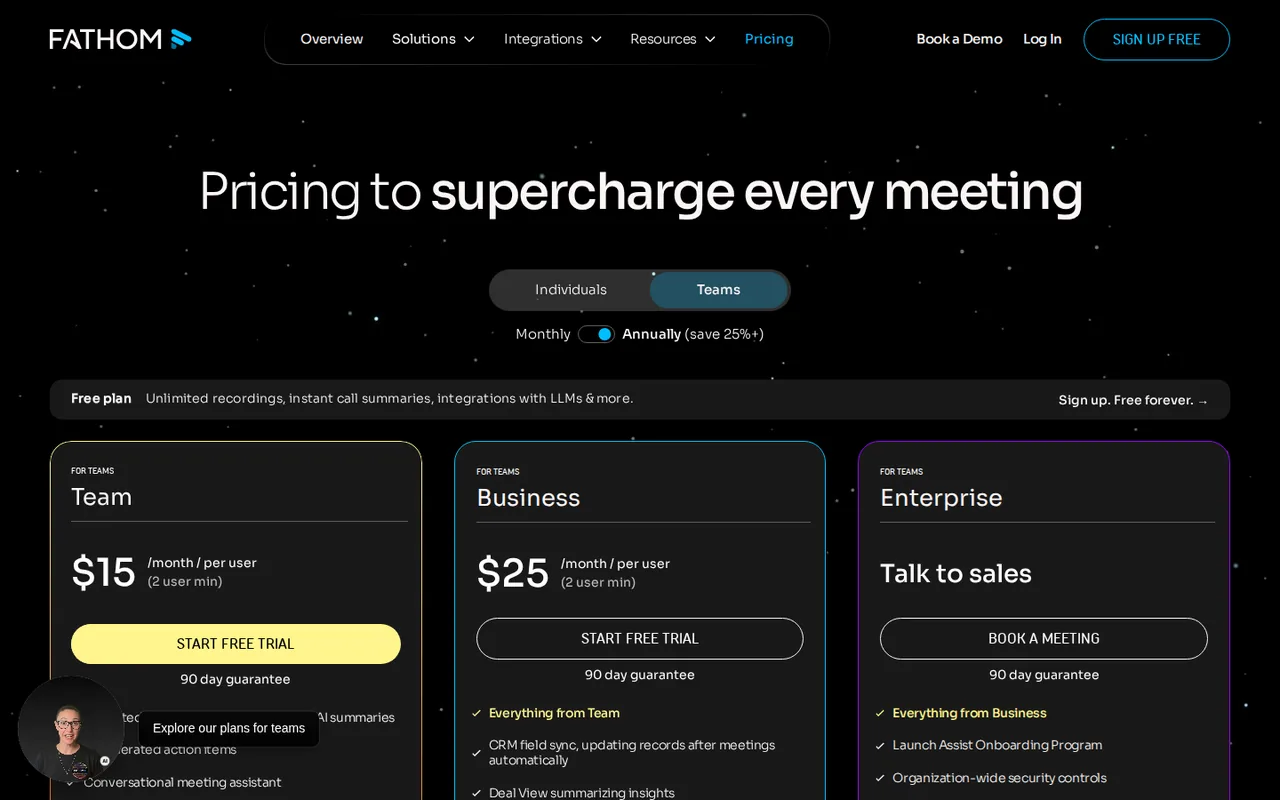
| Team | $19/user monthly; $15/user/month on annual billing sourceFrom fathom.ai/pricing, checked Oct 5, 2026 (opens in a new tab) | At least two users; shared team workflows. |
| Business | $34/user monthly; $25/user/month on annual billing sourceFrom fathom.ai/pricing, checked Oct 5, 2026 (opens in a new tab) | At least two users; CRM field sync and coaching features. |
| Enterprise | Custom quote | Organization controls and contracted retention options. |
Taxes, currency and promotions can change the price you see at checkout.
Try Fathom free (opens in a new tab)
Key features
| Feature | What it does | Watch out |
|---|---|---|
| Unlimited recording and transcription in 38 languages | — | |
| Clips, playlists and search across your own calls | — | |
| Bot capture or bot-free capture (Mac beta) | — | |
| AI action items and follow-up emails on Premium | — | |
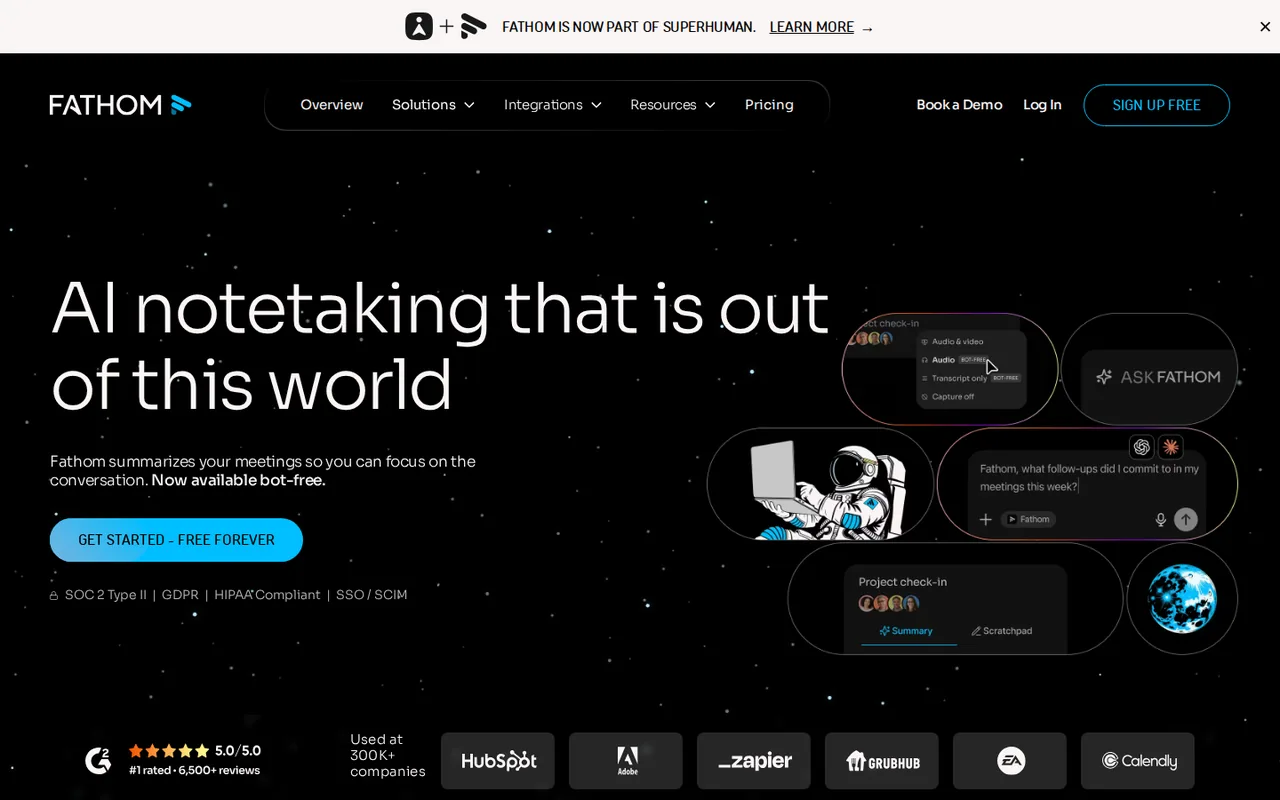
| CRM sync with HubSpot, Salesforce or Close for up to 3 users per email domain | — | |
| Team folders, comments and keyword alerts on Team | — |
Will an action item survive the handoff?
Turn each proposed commitment into four fields: owner, action, due date and source passage. Leave a field unknown when the recording is silent on it. “We should look at this next week” names no owner and sets no delivery date. A neat list can otherwise hide the very ambiguity the team needs to resolve.
The individual-plan guide says new accounts get a 30-day preview of Premium features, and Free accounts lose them when the preview ends. Build the evaluation around what the account keeps after that point. Basic recording stays useful even without the richer summary.
Decide when Free stops being enough
The pricing page puts unlimited recording, transcription, clips and search across your own calls on Free. The ceiling is summary depth: once the monthly advanced-summary allowance is used, later calls get the General/Enhanced template. Premium removes that cap and adds AI action items and follow-up emails.
- Stay on Free if the transcript and a basic recap are what you reread.
- Move to Premium ($20/user monthly; $16/user/month on annual billing) when drafted action items save real follow-up time.
- Look at Team only with two or more people who need global search, shared folders and comments.
- Look at Business when CRM field sync, deal view or coaching metrics are the reason to buy.
Keep sharing narrower than capture
Decide who needs the recording and who only needs the agreed task list. Review the link’s audience before sending anything; a clip can reveal information outside the action it supports. Recording permission and the team’s information policy should be settled before capture, not inferred from the software being able to join a call.
Evaluate a corrected commitment
Proposed evaluation, not performed: use a consented practice meeting on Free with available advanced-summary access, or Premium if action-item generation is the requirement. Use fictional work and disable automatic external follow-ups.
- Have one participant say they will send a draft on Tuesday, then explicitly correct the deadline to Thursday.
- Include a second suggestion with no owner and no agreed date. Keep a reference note of those distinctions.
- Review the transcript and generated recap. Check whether Thursday survives the correction and whether the unassigned suggestion stays unassigned.
- Open the source passage for each commitment before copying it into a task tracker.
- Inspect the sharing audience without sending the link to real customers or colleagues.
Accept the workflow when a reviewer can trace both decisions and correct the record without guessing. Record misses and the account’s remaining feature access after the exercise.
Is Fathom worth it?
Documentation review plus dated public user reports. Documentation review, not tested hands-on. Not scored.
Worth it if
- You mainly need recordings and transcripts to search later, because capture and transcription carry no cap on Free.
- You work alone and want action items drafted for you, which Premium provides at $20/user monthly or $16/user/month on annual billing.
Probably not if
- You need team-wide search and shared folders for a single seat, because Team and Business both require at least two users.
- You need bot-free capture on Windows or another platform, since the provider offers that option only as a Mac beta.
Fathom alternatives
Other automation tools checked with the same method. Pick by the job, not by a score.

Teams that want Zapier-style flows and AI agents with the option to self-host the open source core

Building and enriching lead lists from websites

Agent tasks that need an inspectable file handoff

Inbox triage and draft replies for busy professionals

Connecting web apps without code

Teams drafting work from shared context

Visual automation for app workflows

Adults with ADHD who want a talk-to-it daily planning and check-in companion on their phone
Used Fathom? Write the first review. Visitor opinions are moderated and kept separate from our source checks.
Frequently asked questions
Is Fathom free forever?
Fathom's pricing page lists a Free plan with unlimited recordings and transcriptions, and its help center says a free version remains for individuals. Free advanced summaries are limited to the first 5 calls each month; Premium adds unlimited advanced summaries, AI action items and "Ask Fathom".
Does Fathom ask attendees for recording consent?
Only when the setting "Auto Request Recording Consent" is on and the meeting is a scheduled, external calendar event where you have host privileges (per the help center, for the bot-free experience). If an attendee declines, Fathom disables auto-record for that call. Consent law varies by jurisdiction, so this does not replace your own policy.
Who can see a Fathom recording once it is shared?
It depends on the link setting: anyone with the link, anyone on the same domain, or only people added. The help center warns that "Anyone with the link" keeps the recording reachable by anyone holding the URL, and that a shared recording cannot be unsent, only access removed.
Does Fathom share recordings automatically after a meeting?
Only if auto-share is turned on. You choose Summary & Recording, Summary Only or Nothing, and it goes to everyone on the synced calendar invite, including people who did not attend.
Sources and method6 official sources · Oct 5, 2026
Sources for this profile
- Fathom pricing, monthly and annual toggle checkedfathom.ai
- Free and Premium feature boundarieshelp.fathom.video
- Current plan nameshelp.fathom.video
- Recording consent behaviorhelp.fathom.video
All 6 sources
Plan and feature details come from the official pricing page and the help-center articles listed under Sources. The proposed evaluation below has not been performed. Provider demonstrations are not our test results. Consent, sharing and auto-share rules come from the help center; the bot-free consent flow is described by the provider for its newer experience. Export formats were not verified from an official page and are not claimed.
Sources checked Oct 5, 2026. Found something out of date? See how we correct profiles.