How to Translate SRT Subtitles: Which Tools Take the File, and How to Keep Every Cue
An SRT file is a list of numbered cues, each with a start time, an end time and a line of text. Translating it should change the text and nothing else. This guide sorts the tools listed on this site by what they start from, your subtitle file or your video, shows which plan lets you download the result and what one video costs in each tool’s unit, then walks through seven steps that keep every cue in place.
By Elias Brandt · Updated 9 Oct 2026 · About 13 min read · Plan terms taken from each tool profile
The short answer
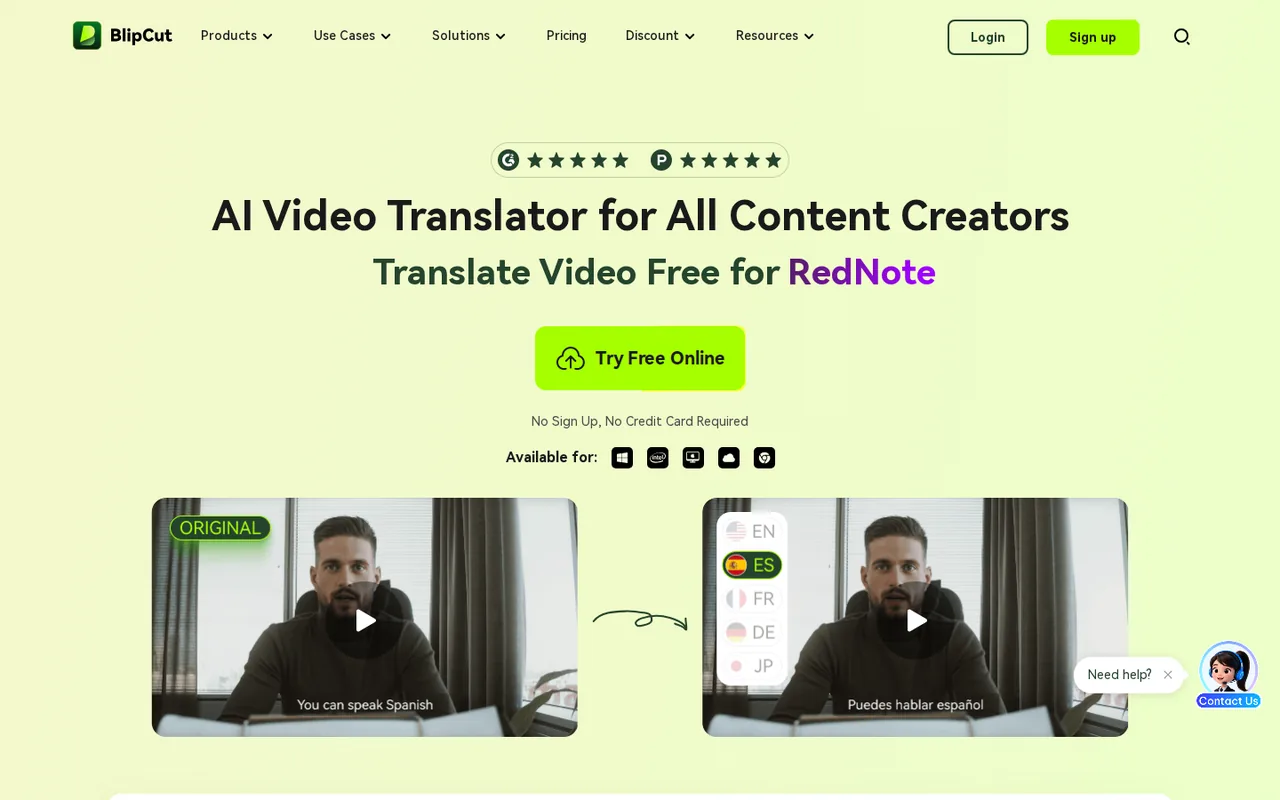
Already have an SRT file? See the BlipCut profile for plans, limits and sources. imports SRT or VTT files and translates subtitles into 70+ languages at 0.25 credits a minute. See the DaVinci Resolve profile for plans, limits and sources. then opens the translated file next to the video so you can check and retime it.
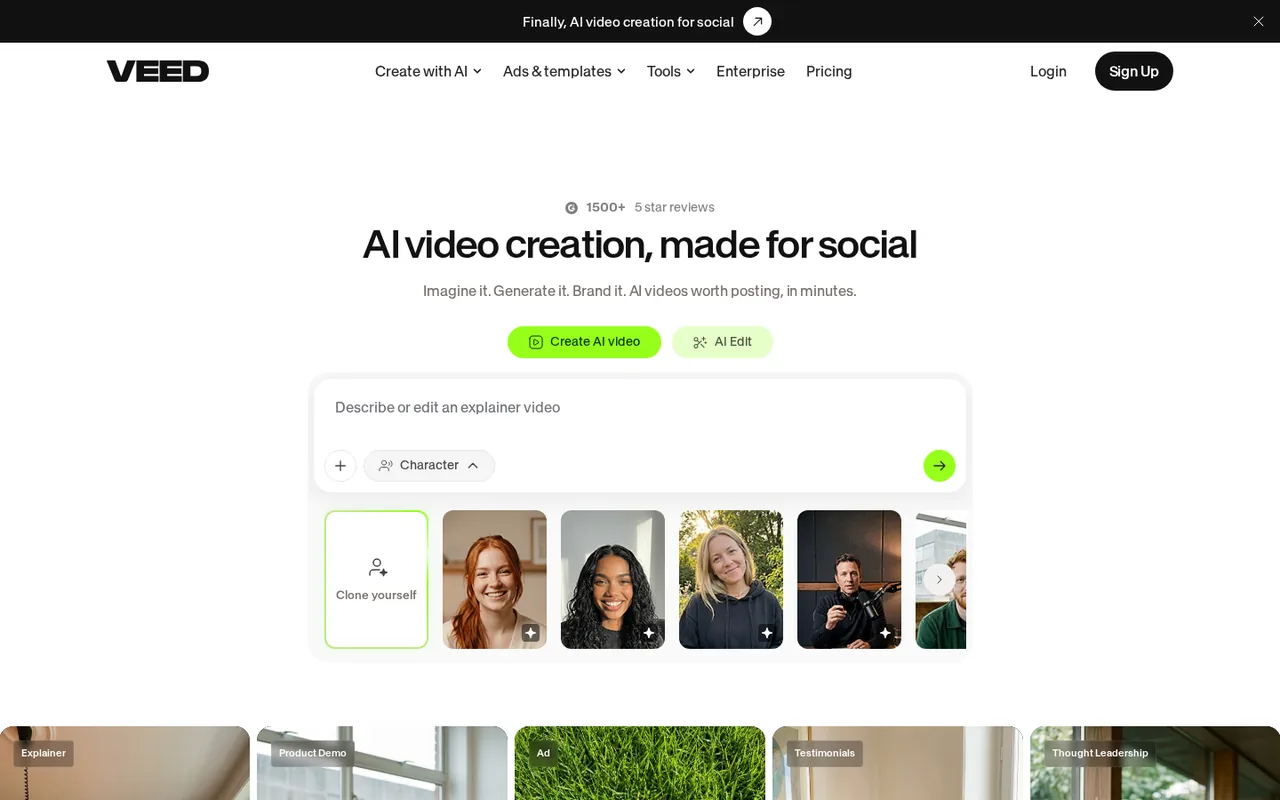
Only have the video? See the VEED profile for plans, limits and sources., See the HeyGen profile for plans, limits and sources. and See the Perso AI profile for plans, limits and sources. work from the video’s audio, and none of the three lists importing your SRT. VEED and Perso AI list subtitle downloads on paid plans.
Using ChatGPT or Claude? Paste the cues with a fixed output format, then count every cue and timestamp before you trust the result.
Which tools translate an SRT file, and which only make new subtitles?
The tools at a glance
In shortOnly BlipCut lists import of an existing SRT and translates it. VEED, HeyGen and Perso AI translate the video and export their own subtitles. DaVinci Resolve opens SRT files for checking, and chat assistants work on whatever text you paste.
| Tool | Starts from | What you get back | Free access | First paid plan |
|---|---|---|---|---|
 BlipCut BlipCut | Your SRT or VTT file, a video or a video link | Translated subtitles in 70+ languages, or a dubbed video in 140+ | 2 credits: the first minute only, with a BlipCut logo on exports | $16.99 per week (Weekly, 30 credits) |
 VEED VEED | A video in the browser editor | Auto subtitles as SRT, VTT or TXT on paid plans; translation to 50+ languages on Pro | 720p exports with a watermark; the subtitle allowance is not published | $12 per user per month, billed yearly as $147 (Creator) |
 HeyGen HeyGen | A finished video | A translated video in 175+ languages and dialects, with or without lip-sync | No video translation: it is listed on paid plans | USD 29 billed monthly (Creator, 600 credits) |
 Perso AI Perso AI | An uploaded video or a YouTube, TikTok or Google Drive link | A dubbed MP4 plus SRT subtitles, WAV stems and XLSX scripts on paid plans | One generation: a 1-minute, 720p video with a non-removable watermark | $6.99 per month (Starter, 7 dubbed minutes) |
 DaVinci Resolve DaVinci Resolve | Your video and a subtitle file on the timeline | Subtitle tracks exported as SRT, VTT or TTML; no translation is listed | The free version includes the Edit page | $295 purchase (Studio) |
 ChatGPT ChatGPT  Claude Claude | Text you paste or upload in a chat | Whatever format you ask for, as a draft to check | Free plans with limited uploads (ChatGPT) or up to five projects (Claude) | USD 20 per month (ChatGPT Plus; Claude Pro billed monthly) |
Plan names and amounts from each tool’s profile, which shows the date its plan terms were checked. VEED’s profile lists yearly billing only.
File route or video route: what happens to your cue map
In shortIf the timing in your SRT is already approved, translate the file. A tool that starts from the video makes a new set of cues, so the old numbering and timing are not its input.
| Route | Tools | Starts from | Your cue numbers and timecodes | Check before delivery |
|---|---|---|---|---|
| Translate the subtitle file | BlipCut | Your SRT or VTT file | The file is the input, and the transcript, translation and timestamps stay editable; whether the export keeps the same numbering is not covered in the sources checked | Cue count and timestamp strings against the source |
| Paste into a chat assistant | ChatGPT Claude | The text you paste | Only as safe as the output format you demand; .srt upload is not covered in the sources checked | Every cue present, no merged lines, no changed arrows or commas in timestamps |
| Translate the video | VEED HeyGen Perso AI | The video’s spoken audio | SRT import is not listed on these profiles, so the subtitles come from the tool’s own transcript, not from your file | Treat the new file as a replacement and recheck names, numbers and line timing |
| Check and retime | DaVinci Resolve | The translated file plus the video | Imported as a subtitle track, edited by hand and exported again as SRT, VTT or TTML | Playback speed on the real video |
Sources: BlipCut AI video translator, VEED add subtitles, HeyGen video translation, Perso AI pricing, DaVinci Resolve Edit page and subtitles.
How do you translate an SRT file without breaking the cue map?
Step 1: Mark what must survive translation
In shortKeep the cue numbers and times exactly as they are on the first pass. Change only the words.
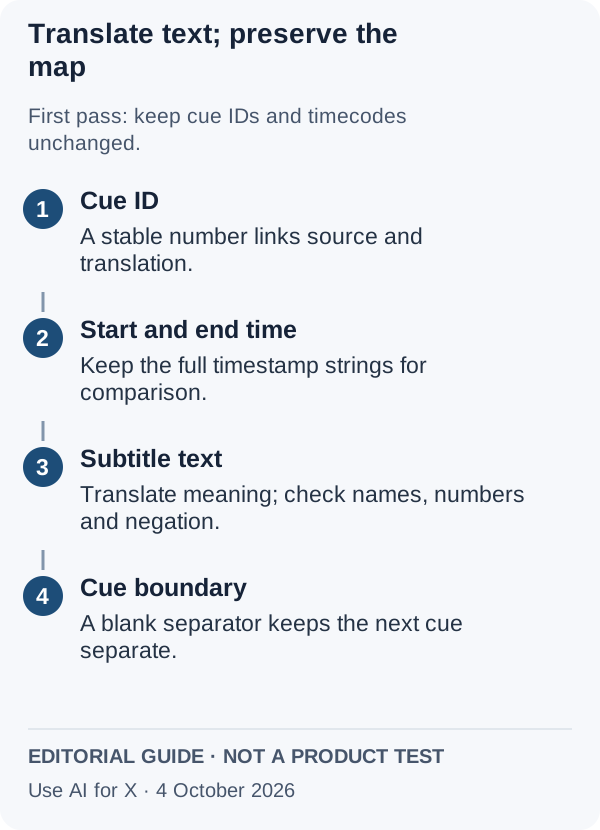
The Library of Congress description of SubRip lists the familiar sequence: a cue number, a start and end time, the subtitle text and a blank line before the next cue. An SRT file holds text and timing, not the video. Times are written as hours, minutes, seconds and milliseconds, with an arrow between start and end.
| Part of the cue | First-pass rule | Review separately |
|---|---|---|
| Cue number | Keep it, so each line can be traced back to the source | Any planned merge, split or renumbering |
| Start and end time | Keep the exact strings | Retiming against the video, as a later step |
| Subtitle text | Translate the meaning into the chosen locale | Negation, numbers, names and instructions |
| Line breaks | Let the reviewer adjust them | Readability and the receiving platform’s rules |
| Blank line | Keep one between cues | Joined cues and import errors |
If the project does need resegmenting, do it as a second, recorded stage with a source-to-target cue map. Otherwise the reviewer loses the simplest way to find the sentence that changed.
Sources: Library of Congress: SubRip format.
Step 2: Check the plan before you upload
In shortThe free tiers here show the workflow on a minute or less of video. Check the length cap, the subtitle download and the refund terms before paying.
| Check | BlipCut | VEED | HeyGen | Perso AI |
|---|---|---|---|---|
| Takes your SRT or VTT file | Yes, SRT or VTT import | Not covered in the sources checked | Not covered in the sources checked | Not covered in the sources checked |
| Longest source video | Not covered in the sources checked | Not covered in the sources checked | 30 minutes on Creator and Pro, 60 on Business | 1 minute on Free, 3 on Starter, 15 on Creator, 30 on Pro |
| What Free produces | The first minute only, with a BlipCut logo | 720p with a watermark | No video translation | One 1-minute 720p video, non-removable watermark |
| Subtitle file download | Subtitle files, kept for 30 days on paid plans; export format not covered in the sources checked | SRT, VTT or TXT on paid plans | SRT from the Studio export; for translated videos not covered in the sources checked | SRT on paid plans |
| Unused balance | Plan credits expire when the membership ends; Pay As You Go credits do not | Not covered in the sources checked | Monthly subscribers keep it one extra cycle; lost on cancelling | Subscription credits last one month |
| Refunds | Refused after more than 10 credits of video translation | Not covered in the sources checked | Generally non-refundable; case-by-case within 15 days for web purchases | Not covered in the sources checked |
Storage matters for the review loop: BlipCut keeps videos for 30 days on paid plans, and Perso AI’s terms delete content after more than a year without use. Download the source, the translation and any stems before that point.
Sources: BlipCut free version limits, BlipCut refund policy, VEED pricing, HeyGen video translation, Perso AI terms of use.
Step 3: Decide names, terms and the target locale
In shortWrite the decisions down before translating, so the reviewer checks against a list rather than memory.
To practise, download the ten-cue practice SRT and the blank translation review record. The fictional workshop contains a project name, a negative instruction, a number that is corrected later and the word “bank” used for a river bank.
- Choose one target language and locale, and note the receiving player or platform.
- List names that stay unchanged, such as the fictional Harbor Lantern.
- Mark “Do not connect the battery yet” as meaning-critical: a lost “not” reverses the action.
- Keep the correction from twelve labels to ten in the dialogue rather than smoothing it away.
Where the tool supports it, enter the decisions once. Perso AI lists a custom glossary from Starter up and lets you edit the transcript or translation before regenerating. BlipCut lists an editable transcript, translation and timestamps, and its translator page says editing costs nothing extra.
Sources: Perso AI pricing, BlipCut AI video translator.
Step 4: Translate, and keep three files
In shortSave the untouched source, the raw translation and the reviewed copy as separate files. The raw output is evidence of what the tool changed.
In BlipCut, a subtitles-only job uses 0.25 credits a minute, against 1 credit for a stock-voice dub and 2 with a cloned voice. Choose subtitles-only when the original audio stays.
With ChatGPT or Claude, paste the cues and ask for the same cue numbers and timestamps back, unchanged, with only the text translated and no introduction. ChatGPT’s upload limits depend on the plan; Claude projects keep uploaded files and instructions together. Whether either accepts a .srt upload is not covered in the sources checked, so treat the reply as an unchecked draft.
Sources: BlipCut plans and credits, ChatGPT: work with files, Claude projects.
Step 5: Check structure separately from meaning
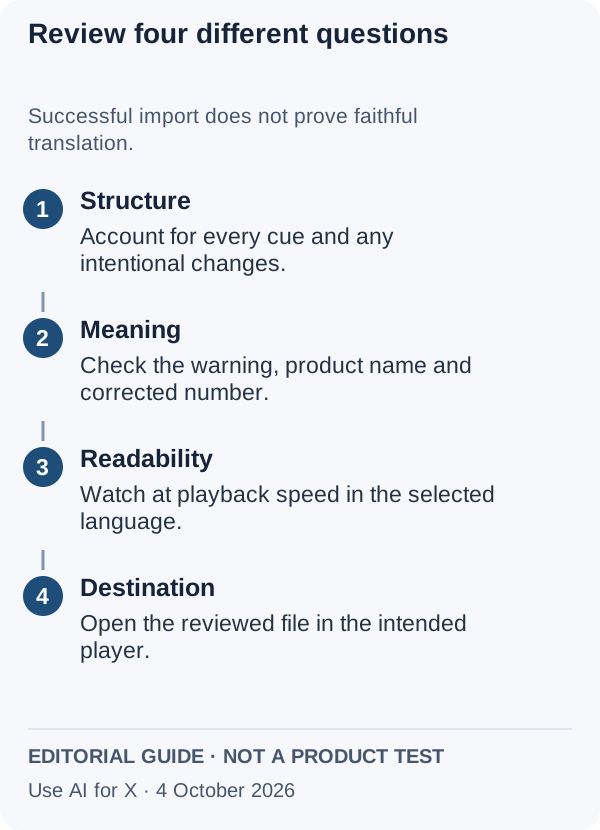
In shortA file that imports cleanly can still reverse a warning. Run the mechanical checks first, then read for meaning.
Then watch the authorized source with the translated cues. Check who performs each action, whether the negative survives, which number is current and whether the name changed. If you cannot judge the target language, use a qualified reviewer; a second machine translation is not proof.
Sources: Library of Congress: SubRip format.
Step 6: Watch it, then shorten or retime
In shortKeeping the timecodes does not guarantee that a longer translation fits. Fix wording first, timing second.
Read each subtitle at playback speed on the receiving device, against the client’s or platform’s own character and timing rules; this guide does not invent a universal maximum. Shorten with the language reviewer while keeping negation, names and safety details. If shortening would change the instruction, record a retiming request and the cue it affects.
DaVinci Resolve can take that file onto a subtitle track: the profile lists creating tracks by hand and importing or exporting SRT, VTT or TTML, and the free version includes the Edit page. Text-based editing, which automatic transcription feeds, is listed among the Studio additions at $295; checking and retiming a finished translation uses the subtitle track instead.
Sources: DaVinci Resolve Edit page and subtitles, DaVinci Resolve free and Studio.
Step 7: Deliver the package
In shortA small package with open questions visible is more useful than a file labelled “complete”.
- The unchanged source SRT and the reviewed target SRT, named with language and locale.
- The glossary and name decisions from Step 3.
- A change log; if timing changed, the cue map, and if it did not, the comparison that shows it.
- The reviewer and date, only if that review happened, and the player the file was opened in.
Accept the file when every source cue has an accounted-for destination, the meaning-critical lines were checked and the receiving player shows it correctly. If you still need source captions, start with the video caption workflow.
What does one video’s translation cost in each tool’s unit?
One 10-minute video into three languages
In shortThe same job priced in each tool’s own unit. Subtitles-only and dubbing are different jobs, so the route column matters as much as the number.
| Tool | Route | The arithmetic | Smallest plan that covers it |
|---|---|---|---|
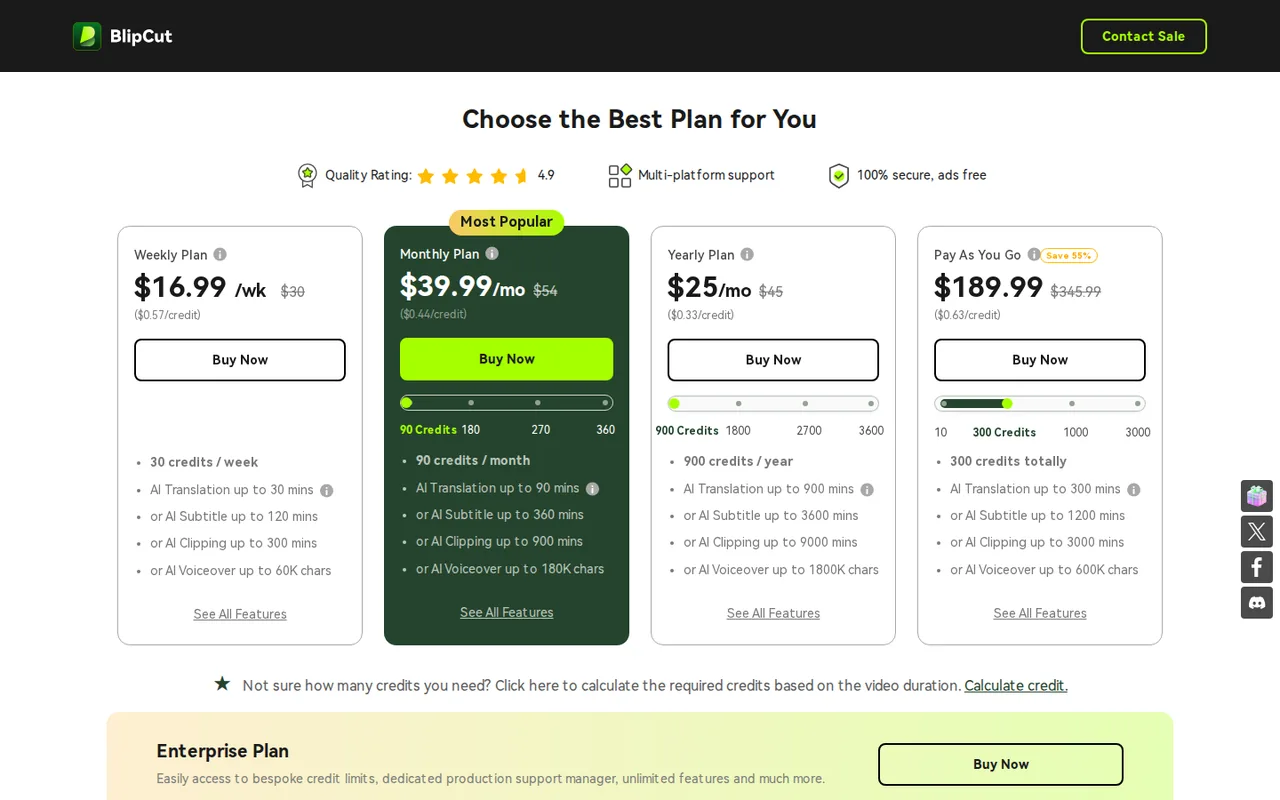
| BlipCut | Subtitles only | 10 × 0.25 = 2.5 credits a language, 7.5 for three, assuming each language is charged separately. A stock-voice dub instead: 10 × 1 × 3 = 30 credits | Weekly, $16.99 per week: 30 credits, enough for the subtitles or for exactly one round of stock-voice dubs |
| HeyGen | Video translation | 30 translated minutes: 30 × 4 = 120 credits with Audio Only, 180 in Speed mode (6 a minute) or 300 in Precision (10) | Creator, USD 29 billed monthly: 600 credits; sources up to 30 minutes |
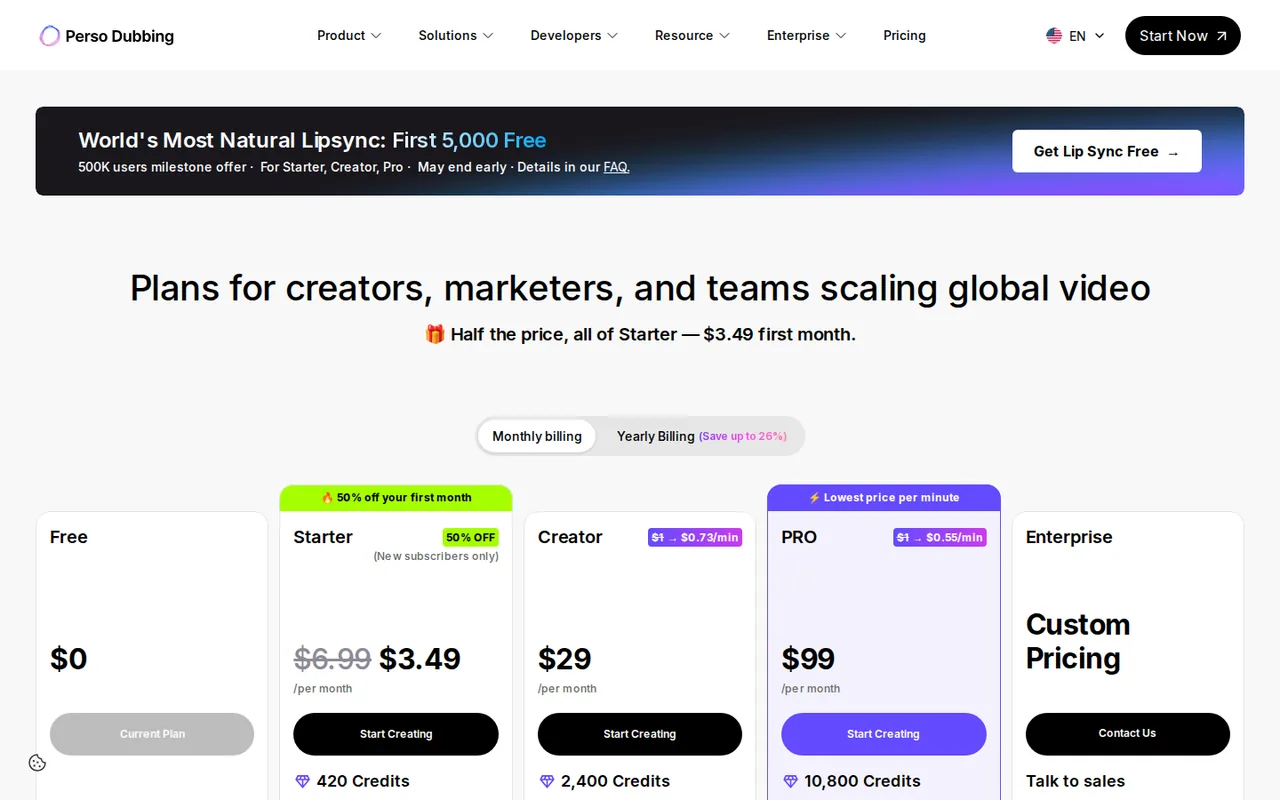
| Perso AI | Dubbing, SRT alongside | 30 dubbed minutes × 60 credits = 1,800 credits, assuming each language counts separately; Starter’s 3-minute cap rules out a 10-minute source | Creator, $29 per month: 2,400 credits and 15-minute videos; lip sync for all 30 minutes exceeds its 13, Pro lists 60 |
| VEED | Captions, then translation | Creator lists unlimited auto subtitles; credits per translated minute are not covered in the sources checked | Pro, $22 per user per month billed yearly as $265, which lists translation to 50+ languages |
| DaVinci Resolve | Check and retime only | No AI translation listed, so no usage unit | The free version |
| ChatGPT Claude | Pasted text | Usage limits are set per plan, not per minute of video; a per-file cost is not covered in the sources checked | Depends on how much text the plan’s limits allow |
Sources: BlipCut plans and credits, HeyGen credit usage, HeyGen video translation, Perso AI pricing, VEED pricing.
Larger BlipCut and Perso AI plans
In shortBoth meter subtitles and dubbing in credits, so a bigger plan mainly buys more minutes.
| Tool | Plan | Price | Included |
|---|---|---|---|
| BlipCut | Monthly | $39.99 per month | 90 credits: up to 90 minutes of stock-voice translation or 360 of subtitles |
| BlipCut | Yearly | $299.99 per year | 900 credits: up to 900 minutes of stock-voice translation or 3,600 of subtitles |
| BlipCut | Pay As You Go | $189.99 one-time | 300 credits that do not expire and do not auto-renew |
| Perso AI | Creator | $29 per month, or $252 billed yearly | 2,400 credits (40 dubbed minutes), 13 lip-sync minutes, 15-minute videos, 74 languages |
| Perso AI | Pro | $99 per month, or $876 billed yearly | 10,800 credits (180 dubbed minutes), 60 lip-sync minutes, 30-minute videos, 111 languages |
Sources: BlipCut plans and credits, Perso AI pricing.
Which formats, languages and limits does each tool list?
In shortThirteen capabilities marked from the five subtitle-tool profiles. A dash means the sources checked do not cover it, not that the tool lacks it.
| Capability | BlipCut | VEED | HeyGen | Perso AI | DaVinci Resolve |
|---|---|---|---|---|---|
| Getting the text in | |||||
| Imports an existing SRT | OfferedSRT or VTT | Not listednot covered in the sources checked | Not listednot covered in the sources checked | Not listednot covered in the sources checked | OfferedSRT, VTT or TTML |
| Starts from a video | Offeredupload or URL | Offeredbrowser editor | Offeredfinished videos | Offeredupload or link | Offeredtimeline |
| Creates captions or subtitles | Offeredsubtitle generation | Offeredauto subtitles | Partlycaption controls in AI Studio | Offeredspeech-to-text minutes | Offeredby hand or automatic transcription |
| Translation | |||||
| Subtitle translation without dubbing | Offered70+ languages | Partlytranslation on Pro; subtitle-only scope not stated | Not listednot covered in the sources checked | Not listednot covered in the sources checked | Not listednot covered in the sources checked |
| Dubbed audio | Offered140+ languages | OfferedAI dubbing | Offered175+ languages, paid plans | Offered12 to 111 languages by plan | Not listednot covered in the sources checked |
| Lip sync | Offered5 credits a minute | Not listednot covered in the sources checked | Offeredoptional | Partlyseparate monthly minutes | Not listednot covered in the sources checked |
| Edit the translation before export | Offeredtranscript, translation, timestamps | Not listednot covered in the sources checked | Partlyproofreading on Pro | Offeredscript editing | Offerededit tracks by hand |
| Glossary for names and terms | Not listednot covered in the sources checked | Not listednot covered in the sources checked | Not listednot covered in the sources checked | OfferedStarter up | Not listednot covered in the sources checked |
| Languages listed | Offered70+ for subtitles | Partly50+ on Pro | Offered175+ on paid plans | Partly74 on Creator, 111 on Pro | Not listedno translation listed |
| Getting the file out | |||||
| SRT download | Partlysubtitle files; format not covered in the sources checked | Partlypaid plans | PartlyStudio export | Partlypaid plans | Offeredexport |
| Other caption formats | Not listednot covered in the sources checked | OfferedVTT and TXT | Not listednot covered in the sources checked | Not listednot covered in the sources checked | OfferedVTT and TTML |
| Extra files for editing elsewhere | Not listednot covered in the sources checked | Not listednot covered in the sources checked | Partlyaudio; translated audio on Enterprise | OfferedWAV stems, XLSX scripts | Not listednot covered in the sources checked |
| Watermark-free output | Partlylogo on Free exports | Partlyfrom Creator | Partlyfrom Creator | Partlyfrom Starter | Not listednot covered in the sources checked |
offered partly or with limits not listed on the profile.
Cells come from each tool’s profile on this site, which cites the vendor pages and the date they were checked.
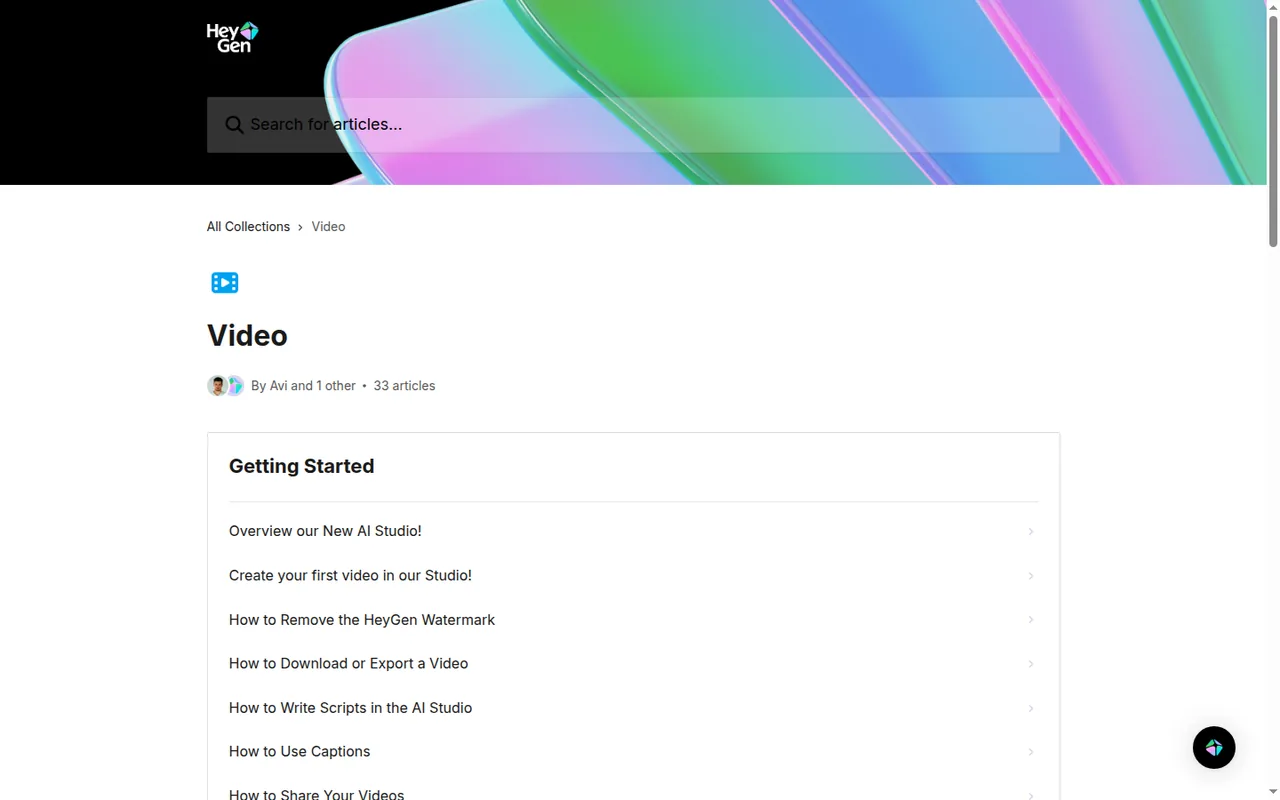
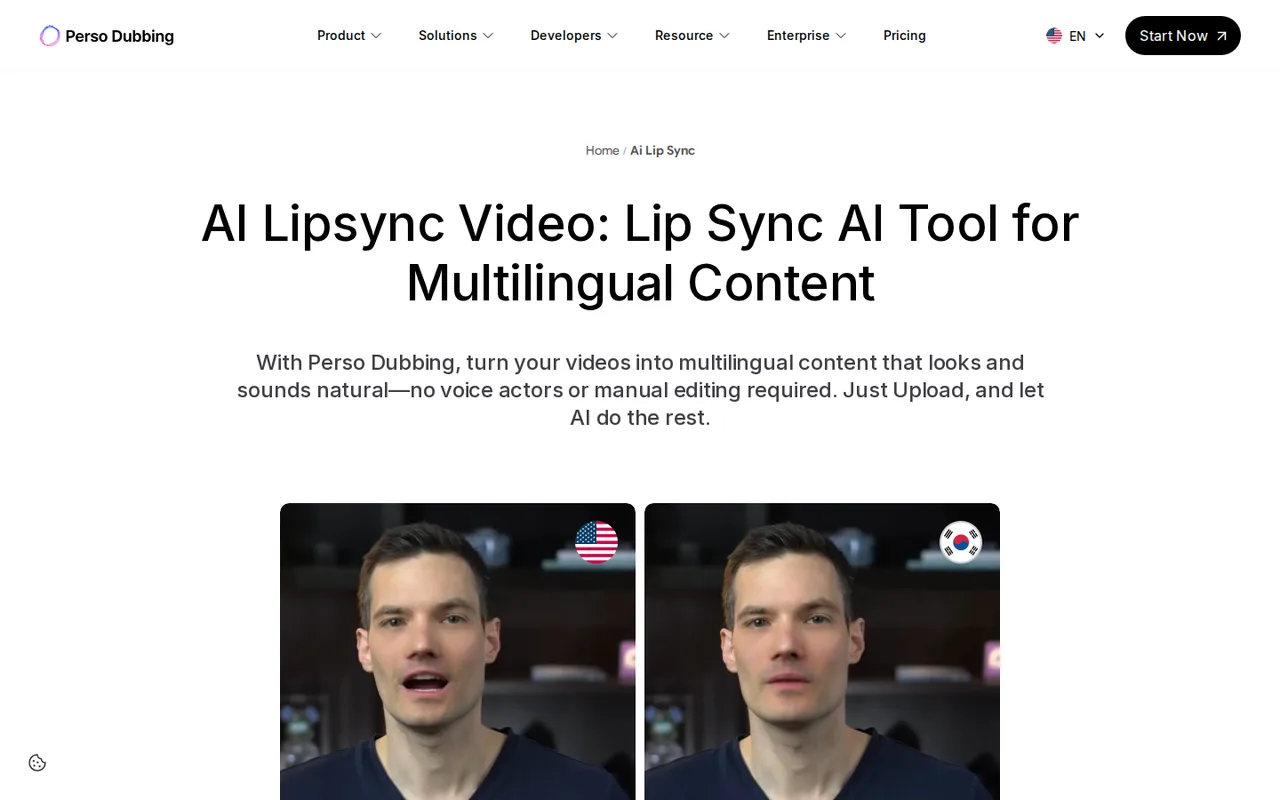
Sources: BlipCut AI video translator, VEED add subtitles, HeyGen download and export, Perso AI pricing, DaVinci Resolve Edit page and subtitles.
Questions, and what this guide does not judge
Common questions
Is there a free SRT translator available?
Only with tight limits among the tools covered here. BlipCut's free account gets 2 credits and translates just the first minute, with its logo on exports. Perso AI gives one watermarked generation of up to a minute, and VEED's free exports are 720p with a watermark. DaVinci Resolve's free version opens and exports SRT files but lists no translation.
How can I automatically translate subtitles?
Choose by what you have. With a subtitle file, a tool that imports SRT, such as BlipCut, translates the text and keeps the timestamps editable. With only a video, VEED, HeyGen or Perso AI translate the speech and produce new subtitles rather than a translation of yours. Either way, compare cue counts and timestamps before publishing.
How do I convert subtitles to SRT?
DaVinci Resolve imports SRT, VTT and TTML files onto a subtitle track and can export that track as SRT, so a VTT or TTML file can be brought in and saved again as SRT. Open the result next to the video afterwards, because a converted file still needs its timing and line breaks checked in the player that will show it.
How can I convert SRT subtitles to text?
An SRT file is already plain text: each cue holds a number, a start and end time and the subtitle lines, so deleting the numbers and timecodes leaves a readable script. If the captions were made in VEED, its paid plans also list TXT downloads alongside SRT and VTT. Keep the original SRT, since the text version loses the timing.
Can ChatGPT translate an SRT file?
You can paste the cues into ChatGPT or Claude and ask for a translation, but the sources checked for this guide do not say whether either accepts .srt uploads. Ask for the cue numbers and timestamps back unchanged, with only the text translated, then count the cues and compare every timestamp string with the original before you use the file.
What this guide does not judge
The SRT translator pages in the search results lead with accuracy, speed, ease of use and security. None of the vendor pages behind this guide document translation accuracy or speed in a way we can check, so no tool is ranked on them, and the same goes for lip-sync quality and batch translation of many files.
DeepL, Maestra, Caption-X, SubtitleWise, Translate Subtitles, Subtitle Edit, Aegisub and Google Translate appear in search results for this task. They are left out until each has a profile with checked plan terms. More editors sit in the video category.
Run the ten-cue practice file through one shortlisted route on the lowest plan that downloads a subtitle file, into one language you can review. Keep the raw output, then run the Step 5 checks and play the file over a test video in the receiving player.
How this guide was made
Plans, units, inputs and exports come from the BlipCut, VEED, HeyGen, Perso AI, DaVinci Resolve, ChatGPT and Claude profiles on this site, which cite the vendors’ pricing and help pages and carry their own check dates. The SRT structure comes from the Library of Congress format description. Sections follow the topics the top-ranking pages for this search cover, limited to what the vendors document. The practice file and diagrams are editorial material; no translation was run for this guide and no rating is given. See our editorial policy.