

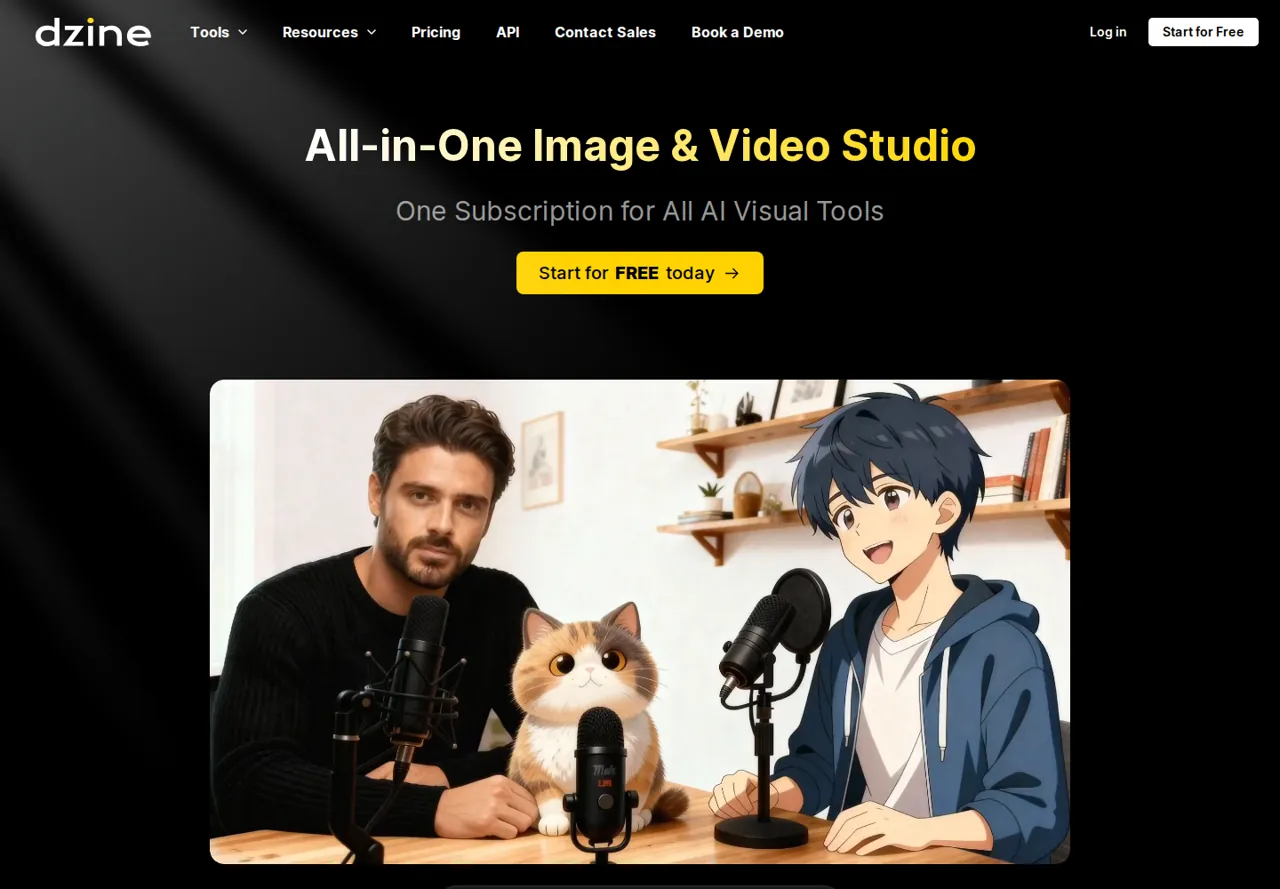
Dzine: 100 signup credits are for personal use only; commercial output starts at the paid Beginner plan, USD 8.99
Updated October 1, 2026 · By Elias Brandt · Documentation review, not tested hands-on
Pros
- Connected creative stages
- Multiple input routes
- Explicit rights distinction
Cons
- Free commercial use excluded
- Export conditions depend on the task
- Credit top-ups restricted
Bottom line
100 signup credits valid for 12 months for new free users; personal use only and feature restrictions apply.
Choose Dzine if you make talking-photo or image-edit clips from material you have the rights to and want one product for both steps.
Skip the Free plan for client work, since its signup credits cover personal projects only.
Best forVisual content creatorsSmall production teamsPersonal experimenters
Strengths, limits and who it suits, in full
Strengths
- Connected creative stages Image preparation and speech-driven video are available within the product family.
- Multiple input routes The lip-sync page describes both audio upload and typed script inputs.
- Explicit rights distinction The FAQ separates Free personal projects from paid commercial use.
Limits
- Free commercial use excluded A free signup allowance does not permit commercial output under the FAQ.
- Export conditions depend on the task Watermark and resolution need confirmation for the selected feature and access level.
- Credit top-ups restricted Free and Beginner users cannot buy extra credit packs in the current pricing terms.
Who it suits
- Visual content creators useful when a permitted source image needs a specific video treatment.
- Small production teams verify paid rights and export conditions before quoting a client deliverable.
- Personal experimenters begin with the Free feature set and keep the output within personal use.
How much does Dzine cost?
Prices confirmed · checked
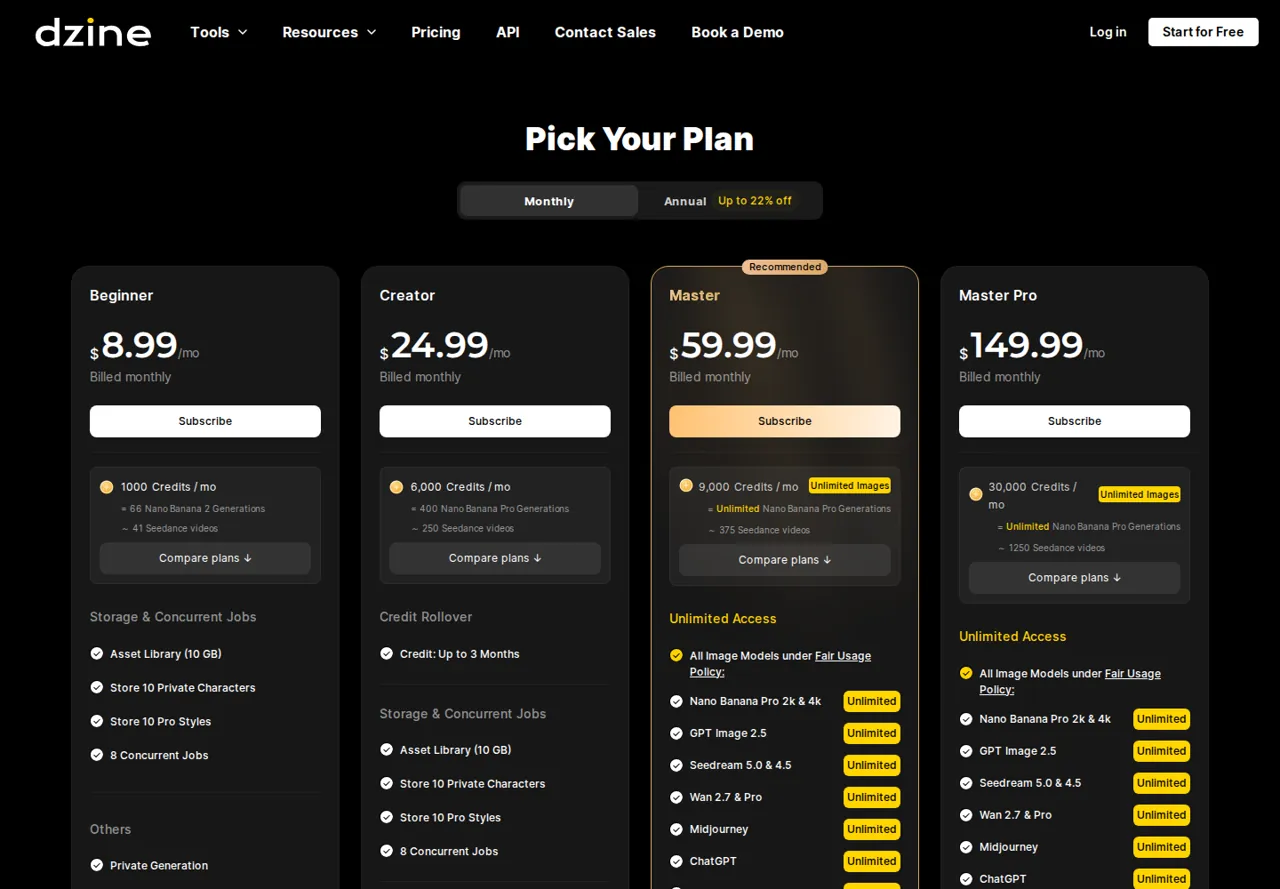
- $8.99Beginner
- $24.99Creator
- $59.99Master
- $149.99Master Pro
Regional prices: Monthly and annual amounts appear side by side on the pricing page; annual billing lowers the per-month figure by up to 22% but is charged as one yearly payment.
Check the chosen interval, renewal price, currency and tax before purchase. The older daily reset to 32 Free credits is discontinued. Paid-plan commercial rights remain subject to applicable law and rights to the supplied material; a plan allowance is not a guarantee that every model, output format or resolution is included.
| Plan | Price | What you get |
|---|---|---|
| Free | USD 0 sourceFrom dzine.ai/pricing, checked Oct 1, 2026 (opens in a new tab) | 100 signup credits valid for 12 months for new free users; personal use only and feature restrictions apply. |
| Beginner | USD 8.99 per month billed monthlyUSD 7 per month, USD 84 billed yearly sourceFrom dzine.ai/pricing, checked Oct 1, 2026 (opens in a new tab) | 1,000 credits per month; paid commercial-use terms apply. No credit top-ups. |
| Creator | USD 24.99 per month billed monthlyUSD 20 per month, USD 240 billed yearly sourceFrom dzine.ai/pricing, checked Oct 1, 2026 (opens in a new tab) | 6,000 credits per month; unused credits roll over for up to 3 months; top-up eligibility starts at this tier. |
| Master | USD 59.99 per month billed monthlyUSD 50 per month, USD 600 billed yearly sourceFrom dzine.ai/pricing, checked Oct 1, 2026 (opens in a new tab) | 9,000 credits per month; listed image models are unlimited under a fair usage policy; 3-month credit rollover. |
| Master Pro | USD 149.99 per month billed monthlyUSD 120 per month, USD 1,440 billed yearly sourceFrom dzine.ai/pricing, checked Oct 1, 2026 (opens in a new tab) | 30,000 credits per month; same unlimited image-model access as Master with larger storage and more concurrent jobs. |
Which plan fits?
Smallest plan whose monthly credits cover your number with 15% spare for regenerations. Arithmetic from the plan table above, not a usage test.
How far does it go?
- Budget accepted outputs, not only first attemptsPlanning example: reserve a first generation and one correction for each approved clip. If the selected task quotes C credits per attempt, two attempts require 2 × C credits before other work. Read C from the actual model, duration and settings; no number of completed lip-sync videos is promised from the 100-credit signup balance.
- Same clip length, very different credit costDzine's FAQ credit table charges 6 credits per 5-second clip for basic image or video lip sync, 60 for PixVerse Lipsync, 85 for Kling AI Avatar v2 Pro and 220 for Seedance 2.0. Beginner's 1,000 monthly credits therefore cover 166 basic clips (about 13.8 minutes) but only 4 Seedance 2.0 clips (about 20 seconds).
- Cost per minute of lip syncAt USD 8.99 for 1,000 credits, one minute of basic lip sync (72 credits) works out to about USD 0.65 and one minute of Seedance 2.0 (2,640 credits) to about USD 23.73. On Creator, USD 24.99 for 6,000 credits, the same minutes cost about USD 0.30 and USD 11.00.
Arithmetic from the published allowances above, not a usage test.
Taxes, currency and promotions can change the price you see at checkout.
Try Dzine free (opens in a new tab)
Key features
| Feature | What it does | Watch out |
|---|---|---|
| Image-to-image generation | Choose an editing or generation function for the source image. | The feature table distinguishes access by plan; credits alone do not unlock every editor. |
| Image editing tools with plan-specific access | — | |
| Image and video inputs for lip sync | — | |
| Audio upload or text for speech-driven video | — | |
| Feature-based credit charging | — | |
| Paid commercial-use conditions | — | |
| Talking photos | Combine a permitted portrait or video with audio or a script. | Confirm the chosen model, export settings and plan before treating the result as a deliverable. |
| Credit planning | The selected function determines the charge against an allocation. | Do not convert a generic video estimate into a lip-sync quota without matching its model and duration. |
Is your task image editing or speech-driven video?
Start with the intended final file. Removing an object from an image, generating a new scene and animating a portrait are different jobs even if they appear in the same creative application. Pick the relevant feature and write down the source material it needs. A subscription that looks attractive for still images may have different limits when the deliverable becomes a talking video.
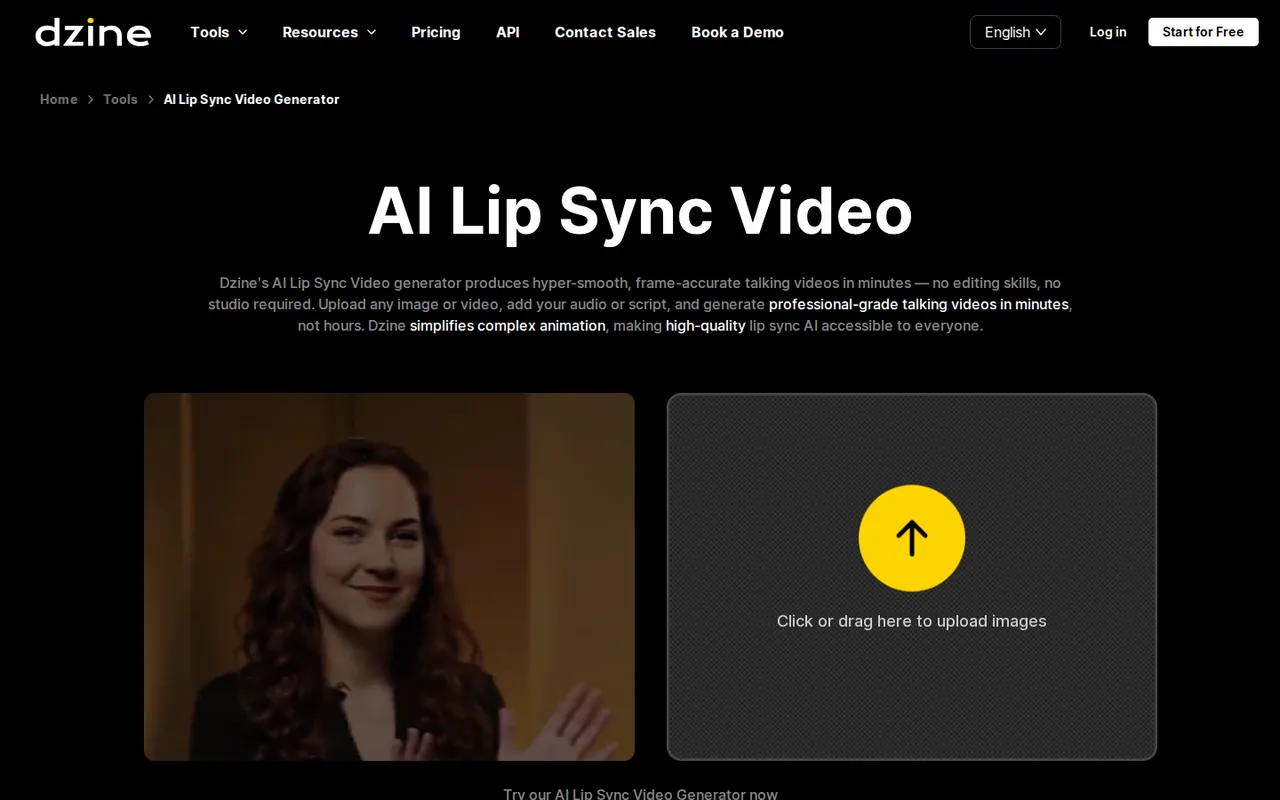
The lip-sync page describes using an image or video, then adding an audio file or text. For a controlled comparison, an existing permitted voice recording removes one variable: you can compare the same words and timing across attempts. Generating both the speech and the face animation at once makes it harder to tell whether a problem originated in the voice or the video stage.
What can the Free signup balance actually tell you?
The current pricing terms give new Free users one hundred signup credits valid for twelve months. They explicitly discontinue the previous daily reset to thirty-two credits. An older review describing a renewed daily allowance can therefore lead to the wrong plan. Inspect the current account balance and the selected feature instead of scheduling a recurring production task around that older model.
The FAQ has feature-specific eligibility and credit deductions. A balance measures capacity only within the functions the plan can access; it does not grant every editing operation or video model. Read the quote for the exact duration and settings before starting. If the required export is unavailable, record that as an access limit instead of treating a playable preview as the finished deliverable.
Can a client use the finished clip commercially?
The FAQ allows Free-tier output for personal projects and excludes commercial purposes. Paid plans have commercial-use terms subject to applicable law. That distinction matters even if a Free preview looks sufficient for the creative brief. Choose the appropriate access level before producing a client asset, and keep the plan and relevant terms with the delivery record.
Use a portrait and voice recording that you are entitled to process and publish. Paying for generation does not supply consent from a depicted person or rights in a borrowed recording. For a simple trial, use your own image and voice or another clearly permitted pair. Avoid an identifiable third party’s likeness when there is no permission for the intended talking-photo use.
Which export details should be decided before generation?
Write down the duration, aspect ratio, required resolution, expected audio and whether a visible watermark is acceptable. Then inspect those controls in the selected feature and plan. The public lip-sync workflow describes creating a talking video, but it does not map every Free export condition to every model. A download requirement needs a file that can actually be saved and reopened.
After generation, inspect the file outside the product as well as in its preview. Confirm that the speech reaches the intended end, the image stays recognizable and the mouth does not jump or continue moving during a pause. A single attractive frame cannot show timing or stability. Keep the initial recording beside the output when checking whether a sentence has been cut short.
How should retries and credit expiry affect your budget?
Beginner and Creator advertise different monthly allocations, and the price page shows each plan’s monthly and annual amount side by side. Compare the payment due now with the renewal arrangement rather than choosing the smallest visible monthly number. A short campaign may not justify an annual commitment, because the lower annual figure is charged as one yearly payment.
Top-up purchases begin at Creator, with Free and Beginner excluded. If the first attempt needs correction, a low remaining balance can therefore force a plan decision rather than a small extra-credit purchase. Reserve capacity for a second attempt and record the actual quote each time settings change. Rollover and expiry vary by credit category, so identify which balance is paying for the run.
How would you evaluate a twenty-second talking photo?
Proposed evaluation · not performed yet
Prepare one permitted portrait and your own twenty-second recording containing a short sentence, a pause and a second sentence. For a commercial brief, use an authorized paid plan with the required feature. For personal exploration, first confirm whether Free permits that exact task and export; stop if the necessary controls require an unplanned purchase.
- Record the feature, model, plan, aspect ratio, resolution and displayed credit quote.
- Upload the portrait and recording without adding unrelated music or changing the speaker.
- Generate once and inspect the beginning, the pause and the final sentence in motion.
- Download if allowed, reopen the file and record any visible watermark.
- Keep the inputs, output settings and actual credit difference before considering a correction.
Accept only a file that meets the agreed duration and export specification with an identifiable speaker and usable mouth timing. Reject a truncated recording, unstable face, inaccessible download or incompatible usage rights. No completed video, quality score or observed credit deduction is claimed for this exercise.
For presenter-oriented production, review HeyGen. For broader generated video work, see Runway. Match the source material and export specification before drawing a quality or cost conclusion.
Compare these options
Read the documented differences, then follow the links to each profile for its sources and plan details.

Is Dzine worth it?
Documentation review plus dated public user reports. Documentation review, not tested hands-on. Not scored.
Worth it if
- Choose Dzine if you make talking-photo or image-edit clips from material you have the rights to and want one product for both steps.
- Choose it if you need a plan where lip-sync cost is predictable, because the credit table prices each 5-second clip by model.
Probably not if
- Skip the Free plan for client work, since its signup credits cover personal projects only.
- Skip Beginner if you expect to buy extra credits when a clip needs retries, because top-ups start at Creator.
Dzine alternatives
Other video & editing tools checked with the same method. Pick by the job, not by a score.
Avatar-presented videos and lip-synced video translation

Developers and small teams who want a conversational video avatar for support, sales or tutoring and need to budget by minutes

Teams and creators who want short talking-avatar videos or an embedded avatar agent, and who accept metered minutes and a watermark on lower plans

TikTok-ready ad videos for accounts that already advertise on TikTok

Browser video editing with auto subtitles for social clips

Creators who want to plan scenes with an agent and render with several video models on one credit balance

YouTube keyword research and AI-assisted video planning

Short animated stories from a script or prompt
Used Dzine? Write the first review. Visitor opinions are moderated and kept separate from our source checks.
Frequently asked questions
Does a free-trial button establish free commercial delivery?
No. A marketing entry point can lead to a restricted preview or a plan choice. Dzine’s FAQ separately limits Free output to personal projects. Check the applicable paid access and the exact export controls for a commercial brief, even when the public tool page invites you to start without an upfront purchase.
Why use an uploaded recording in a lip-sync comparison?
A fixed recording lets you hold the spoken words, pace and pauses constant. If each product also generates a different voice performance, differences in the result become harder to interpret. Use a recording you have permission to process and preserve it unchanged beside the outputs you intend to compare.
Can unused signup credits be treated as monthly subscription credits?
The pricing terms distinguish signup rewards, subscription allocations and purchased top-ups. Those categories have different expiry and rollover conditions. Keep them separate in your planning record and inspect which balance is being deducted. A remaining signup reward does not demonstrate that the next billing cycle will add the same amount again.
Is the number of videos advertised on a plan a lip-sync guarantee?
A promotional equivalent may refer to a particular generation model and preset. Lip sync can use different inputs and charging rules. Look up the exact feature, duration and output settings before estimating a task count, then leave room for corrections rather than presenting an advertised equivalent as an observed production yield.
What should be in a handoff to another editor?
Provide the permitted source image, original recording, final exported video and a note of the selected settings. Include the plan and usage conditions relevant to the job, plus any unresolved watermark or resolution issue. This gives the next editor the material needed to inspect timing without relying on a screenshot of the preview.
Sources and method4 official sources · 10 details checked · Sep 27 – Oct 1, 2026
How we checked this profile
10 details on this page were checked against Dzine's own pages and help documentation (Sep 27 – Oct 1, 2026).
See the checks by section9 documented1 editorial assessment
| Section | Checks | Last checked | Sources |
|---|---|---|---|
| Plans and prices | 6 documented 1 editorial | dzine.ai/pricingdzine.ai/faq | |
| Article text | 1 documented | dzine.ai/faq | |
| Strengths and limits | 1 documented | dzine.ai/pricing | |
| Features | 1 documented | dzine.ai/lip-sync-ai-video |
Sources for this profile
- Plans and creditsdzine.ai
- Creative toolsdzine.ai
- Usage rights and credit tabledzine.ai
- Lip-sync workflowdzine.ai
Pricing supplies current credit allowances and the discontinued daily reset. The FAQ distinguishes personal and commercial use and lists feature eligibility. The lip-sync page demonstrates an input workflow; its marketing language does not confirm Free watermark-free export for a chosen model. No generated clip or measured credit use is reported here.
Sources checked Sep 27 – Oct 1, 2026. Found something out of date? See how we correct profiles.
