FramePack: free Apache-2.0 image-to-video, but it needs an NVIDIA RTX GPU and a 30 GB+ model download
Updated September 28, 2026 · By Elias Brandt · Documentation review, not tested hands-on
Pros
- No licence fee
- Constant workload per section
- Reproducible setup check
Cons
- NVIDIA RTX only
- Large download
- Slow on laptops
- Quiet repository
Bottom line
Repository code and Windows one-click package at no charge; your costs are an NVIDIA GPU, disk space and electricity.
You own an NVIDIA RTX 30, 40 or 50 series desktop and want image-to-video with no subscription, because the only costs are hardware, disk space and electricity.
You use a Mac, an AMD card or a GTX 10 or 20 series GPU, since the README does not list those platforms and a hosted generator is the realistic route.
Best forRTX desktop ownersResearchers and tinkerersPrivacy-minded creatorsMac and AMD users
Strengths, limits and who it suits, in full
Strengths
- No licence fee The code is Apache-2.0 and the Windows package is a direct GitHub release download.
- Constant workload per section Context packing keeps the generation workload independent of video length.
- Reproducible setup check The README supplies sample images, prompts and settings for a sanity check.
Limits
- NVIDIA RTX only The README lists RTX 30, 40 and 50 GPUs; GTX 10 and 20 series are untested and macOS is not listed.
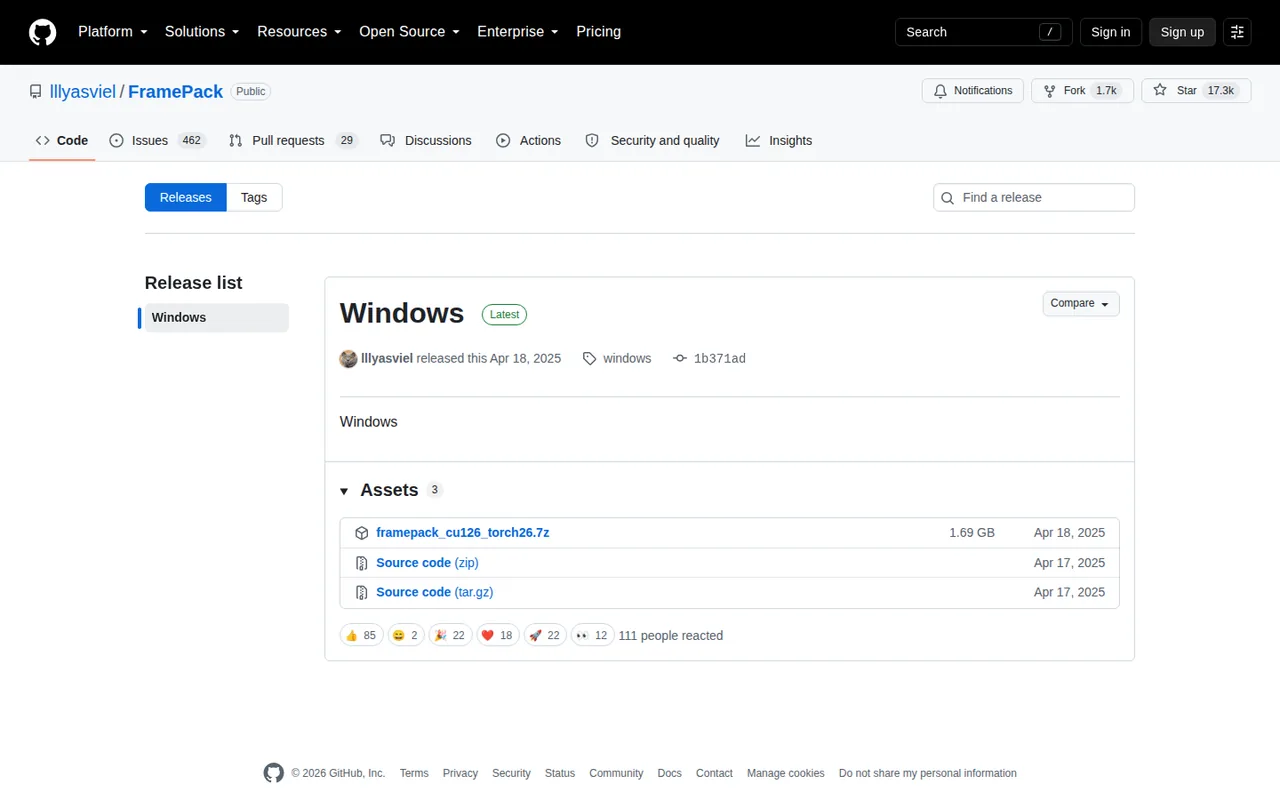
- Large download The Windows package is about 1.7 GB and first launch fetches more than 30 GB of models.
- Slow on laptops Laptop GPUs run about 4 to 8 times slower than the RTX 4090 figures.
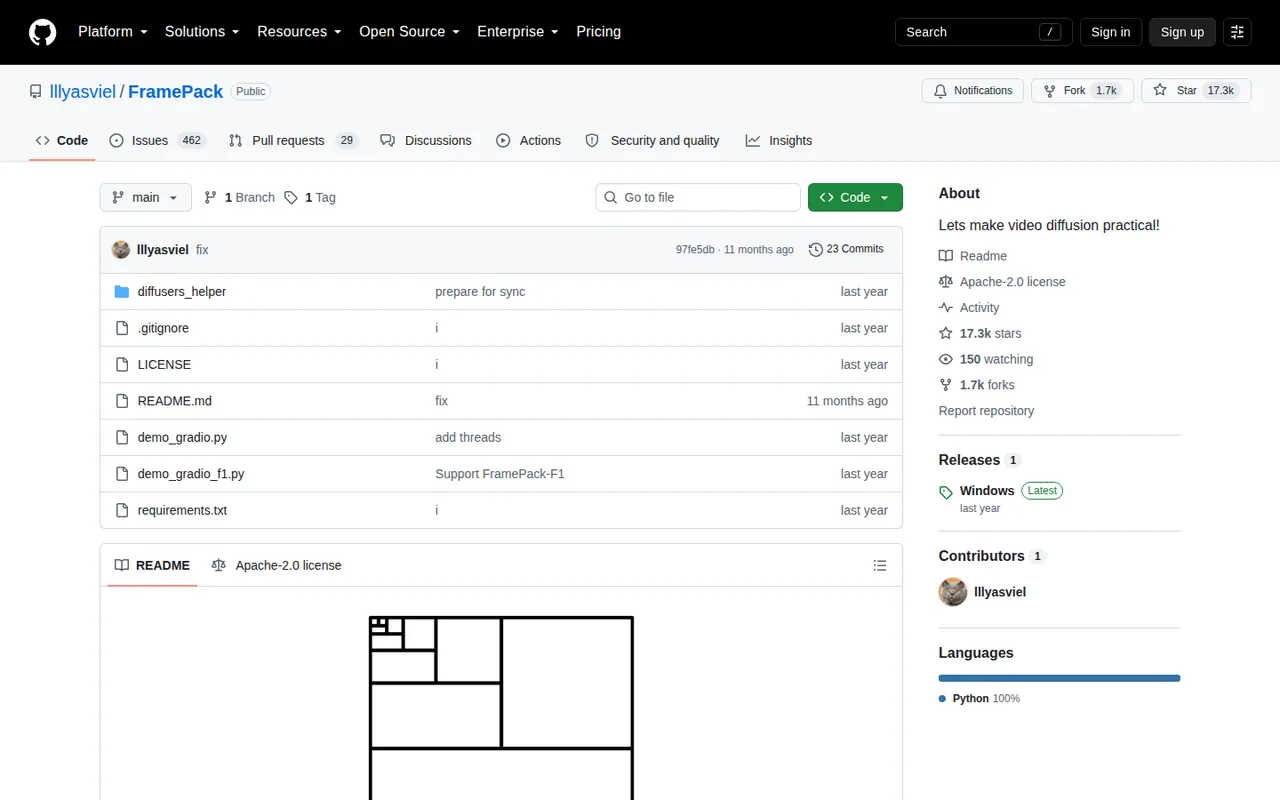
- Quiet repository The last commit dates from October 2025 and many issues remain open.
Who it suits
- RTX desktop owners a practical free route to image-to-video if the GPU meets the listed series and memory.
- Researchers and tinkerers the code, paper and sanity checks make results reproducible across machines.
- Privacy-minded creators generation runs on your own machine instead of an online service.
- Mac and AMD users the README does not list these platforms; a hosted generator is the realistic alternative.
How much does FramePack cost?
Prices confirmed · checked
Regional prices: There is no subscription, account or credit system.
Paid websites using the FramePack name are not official according to the README. The Apache-2.0 license covers the repository code; the model weights come from separate Hugging Face repositories whose metadata does not declare a license, so check the upstream model terms before commercial use.
| Plan | Price | What you get |
|---|---|---|
| Free (open source, Apache-2.0) | 0 sourceFrom github.com/lllyasviel/FramePack, checked Sep 28, 2026 (opens in a new tab) | Repository code and Windows one-click package at no charge; your costs are an NVIDIA GPU, disk space and electricity. |
How far does it go?
- Render time for a 5-second clip5 seconds x 30 fps = 150 frames. On the documented RTX 4090: 150 x 2.5 s = 375 s (about 6 minutes) unoptimized, or 150 x 1.5 s = 225 s (about 4 minutes) with TeaCache. At 4 to 8 times slower on a laptop GPU: roughly 15 to 50 minutes. A 60-second clip is 1,800 frames, or 75 minutes at 2.5 s per frame. Arithmetic from README figures, not a measurement.
Arithmetic from the published allowances above, not a usage test.
Taxes, currency and promotions can change the price you see at checkout.
Try FramePack free (opens in a new tab)
Key features
| Feature | What it does | Watch out |
|---|---|---|
| Image-to-video from one image and a text prompt | — | |
| Video length setting from 1 to 120 seconds (default 5) | — | |
| Section-by-section generation with live previews | — | |
| Runs the 13B model on GPUs with 6 GB of memory | — | |
| Local Gradio interface with --share, --port and --server options | — | |
| Optional TeaCache, sage-attention, xformers and flash-attn | — | |
| MP4 output at 30 fps | — | |
| Progressive generation | Builds the clip section by section and shows each finished section while the rest renders. | Early output may be only a second long; later sections extend it. |
| Low-memory mode | Offloads models so a 6 GB GPU can run the 13B model; high-memory mode starts above 60 GB free. | A larger preserved-memory value avoids out-of-memory errors but slows generation further. |
| Speed options | TeaCache and optional attention kernels reduce render time. | The README shows TeaCache can change results noticeably; use full diffusion for final output. |
Where is the official FramePack download?
The README states that the GitHub repository is the only official FramePack website and that the project runs no web services. It names framepack.ai, framepack.net, framepack.co, framepack.pro, framepack.cc and similar domains as spam and fake, and it tells readers not to pay money or download files from them. This page links only to the repository, its release and the paper.
On Windows, the README links a one-click 7z package (CUDA 12.6 and PyTorch 2.6) from the repository release, about 1.7 GB. Extract it, run update.bat, then run.bat. On Linux, install PyTorch for CUDA 12.6 and the requirements file in an independent Python 3.10 environment, then start the interface with demo_gradio.py.
Can your GPU run FramePack?
The documented requirement is an NVIDIA RTX 30, 40 or 50 series GPU that supports fp16 and bf16, on Linux or Windows, with at least 6 GB of GPU memory. The README says 6 GB is enough for a one-minute, 30 fps video with the 13B model and that laptop GPUs are acceptable. GTX 10 and 20 series cards are not tested.
The app switches to a high-memory mode only when more than 60 GB of GPU memory is free; otherwise it offloads models between system memory and the GPU. If you hit out-of-memory errors, raise the preserved-memory setting, which starts at 6 GB, and expect slower generation. The README does not list macOS or AMD GPUs.
- GPU: NVIDIA RTX 30, 40 or 50 series with fp16 and bf16 support.
- GPU memory: at least 6 GB.
- Operating system: Windows or Linux.
- Disk: about 1.7 GB package plus more than 30 GB of models.
How long will a clip take to render?
The author reports 2.5 seconds per frame unoptimized and 1.5 seconds per frame with TeaCache on an RTX 4090 desktop. Laptop GPUs such as a 3070 Ti or 3060 laptop run about four to eight times slower. The README links a troubleshooting thread for speeds far below these figures.
Because FramePack predicts the next section of frames, you see finished sections while the rest renders. The first minutes can be slower while the device warms up. A result that looks like a one-second clip early in the run is expected; wait for the remaining sections before judging length or motion.
What does a free download actually cost you?
There is no subscription or credit system, so the costs are local: a supported NVIDIA GPU, storage for about 1.7 GB of package files and more than 30 GB of models, and the electricity for long renders. The first launch downloads the models from Hugging Face automatically, so allow for bandwidth and time before the interface is usable.
The Apache-2.0 license covers the repository code. The weights come from separate Hugging Face repositories, including HunyuanVideo components and FramePack transformer weights, and their metadata does not state a license. If output is headed for commercial work, read the terms of the original model releases first. The –share option exposes the local interface through a public link, so use it deliberately.
Is FramePack still maintained?
The repository was created in April 2025. FramePack-F1 followed in May 2025, and June and July 2025 notes describe FramePack-P1 as the next version, with result pages on the project site but no separate download in the README. The latest commit, in October 2025, revised the paper title and citation.
With no code changes for roughly a year and hundreds of open issues, plan on community troubleshooting rather than provider support. Run update.bat after downloading the Windows package, because the README warns that skipping it can leave known bugs unfixed. The paper and project page document the method itself.
Does your installation pass the official sanity check?
Proposed evaluation · not performed yet
On a Windows or Linux machine with a supported RTX GPU, run the README image-to-5-seconds check. Download the sample image from the README, paste its dancing prompt, keep all default parameters and turn TeaCache off.
- Record the GPU model, GPU memory, driver and whether update.bat was run.
- Generate the 5-second clip and note the seconds per frame shown during sampling.
- Compare the result with the reference video in the README; small differences between devices are expected.
- Repeat with TeaCache on and note speed and visible changes.
- Keep both MP4 files and the settings used.
Accept a clip that looks broadly similar to the reference at a speed consistent with your GPU class. Reject crashes, out-of-memory errors at default settings or output unrelated to the prompt, and check the troubleshooting thread before changing settings. No speed or quality result is recorded here.
Without a supported NVIDIA GPU, hosted generators such as Runway or Dzine avoid local hardware but charge credits and use different models.
Is FramePack worth it?
Documentation review plus dated public user reports. Documentation review, not tested hands-on. Not scored.
Worth it if
- You own an NVIDIA RTX 30, 40 or 50 series desktop and want image-to-video with no subscription, because the only costs are hardware, disk space and electricity.
- You want generation to stay on your own machine, since the README describes no web service and runs the Gradio interface locally.
Probably not if
- You use a Mac, an AMD card or a GTX 10 or 20 series GPU, since the README does not list those platforms and a hosted generator is the realistic route.
- You need a vendor-supported tool for commercial work, because the model weights are downloaded separately with no declared license and the repository has been quiet since October 2025.
FramePack alternatives
Other video & editing tools checked with the same method. Pick by the job, not by a score.

Storyboarding and producing short AI videos from a script

Generated video and footage editing

Developers and small teams who want a conversational video avatar for support, sales or tutoring and need to budget by minutes

Short animated stories from a script or prompt

Creators planning short licensed clips

Animators, game developers and 3D creators who want rough-to-usable character motion from phone footage and will clean it up in their own 3D tool

Faceless vertical shorts generated from a one-line idea

Streamers turning Twitch or Kick VODs into vertical clips
Used FramePack? Write the first review. Visitor opinions are moderated and kept separate from our source checks.
Frequently asked questions
Is there an official FramePack web app or paid version?
No. The README says the project has no web services and that the GitHub repository is its only official site. Websites that sell FramePack credits or subscriptions, including framepack.ai and framepack.net, are called spam and fake there. Any browser-based FramePack service is therefore a third party using the name.
Does TeaCache change the final video?
It can. In the README comparison, the same image and prompt produced a noticeably worse result for about 30% of users once TeaCache was enabled, with other hardware giving different random results. The author recommends TeaCache for trying ideas and full diffusion for final output, and the same caution applies to sage-attention and quantization.
Why do results differ between two computers with the same settings?
Next-frame-section models are sensitive to small differences in noise and hardware, according to the README. Different devices usually produce slightly different clips that should still look broadly similar, and occasionally identical ones. Run the documented sanity check first so a hardware or driver problem is not mistaken for a prompt issue.
How should I write prompts for FramePack?
The README favours short, motion-focused prompts that describe the subject first, then the motion, such as a person dancing with clear movements. Larger motions like dancing, jumping or running are preferred over subtle ones. The author also shares a ChatGPT instruction that turns an uploaded image into one concise motion prompt.
Can I run FramePack on a server and open it remotely?
The Gradio interface supports the --server and --port options, and --share creates a public link through Gradio. That makes remote use possible but also exposes the interface to anyone holding the link. Prefer a private network address or an access-controlled tunnel if the machine holds images you have not published.
Sources and method7 official sources · 5 details checked · Sep 28, 2026
How we checked this profile
5 details on this page were checked against FramePack's own pages and help documentation (Sep 28, 2026).
See the checks by section5 documented
| Section | Checks | Last checked | Sources |
|---|---|---|---|
| Article text | 1 documented | github.com/FramePack | |
| Strengths and limits | 2 documented | github.com/FramePackgithub.com/releases | |
| Plans and prices | 2 documented | github.com/FramePackgithub.com/LICENSE |
Sources for this profile
- Official FramePack repository and READMEgithub.com
- Windows package releasegithub.com
- Apache-2.0 licensegithub.com
- Commit historygithub.com
All 7 sources
The README is the primary source for requirements, speed figures, installation and the warning about fake websites. The GitHub API and commit list give the last commit date; the release page gives the Windows package size. Model-weight licensing is not declared in the Hugging Face metadata checked. No web version or paid offer is official.
Sources checked Sep 28, 2026. Found something out of date? See how we correct profiles.