

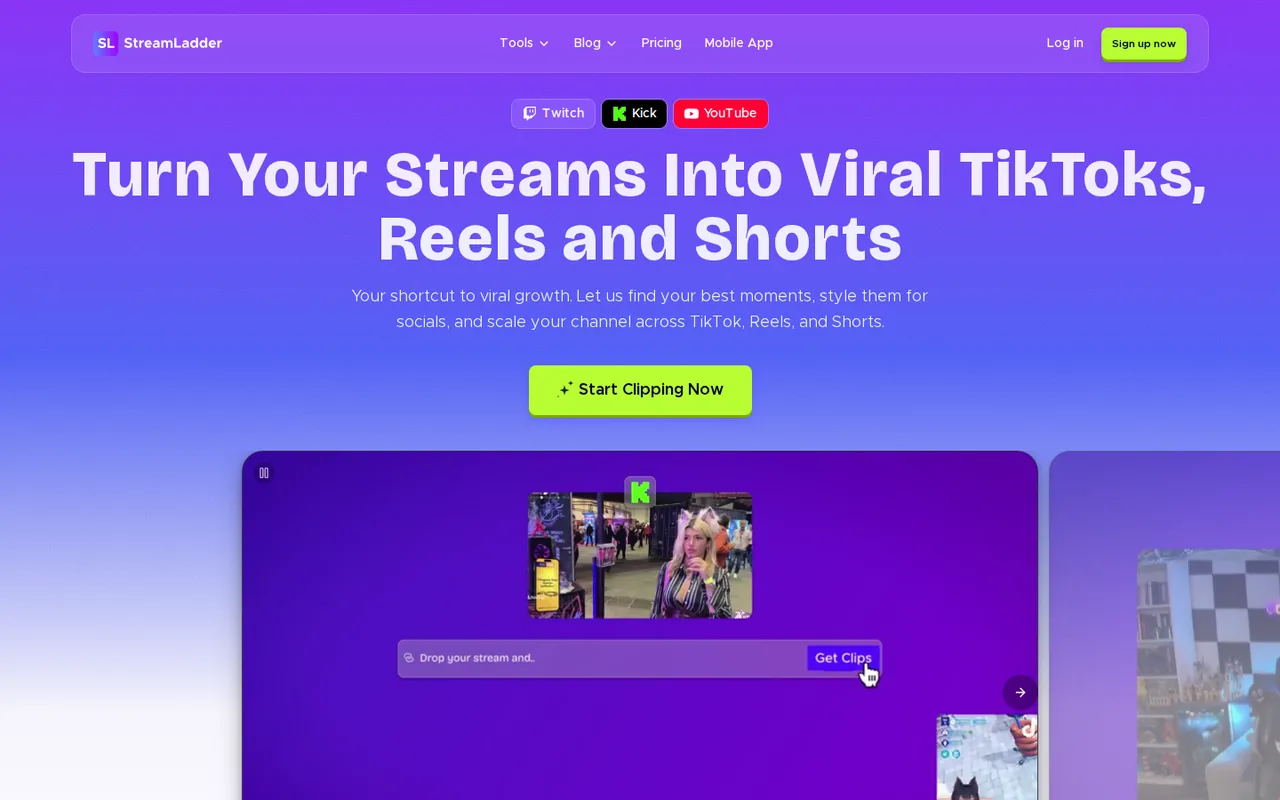
StreamLadder: free manual clip edits at 720p, but ClipGPT AI clipping needs Creator at €27 a month
Updated September 29, 2026 · By Elias Brandt · Documentation review, not tested hands-on
Pros
- Useful free editor
- Whole-VOD AI clipping
- Clear plan comparison
Cons
- AI clipping needs Creator
- Several Pro items are not live
- Non-refundable payments
Bottom line
Clip Editor import from Twitch, Kick, Trovo and YouTube, default layouts, 720p/30 fps export, 200 MB uploads, emote and schedule makers; no ClipGPT or Content Publisher.
You pick your own moments from Twitch or Kick clips and only need vertical reframing, because the Free plan covers import and default layouts at 720p without a watermark on basic edits.
Your streams live on YouTube, because ClipGPT does not accept YouTube VOD links and the stream file would have to be uploaded instead.
Best forTwitch and Kick streamers with long VODsStreamers who already cut their own clipsCreators posting to X as wellYouTube-first streamers
Strengths, limits and who it suits, in full
Strengths
- Useful free editor Free covers clip import, default layouts, emotes and schedule graphics without a watermark on basic edits.
- Whole-VOD AI clipping Creator scans an entire stream and returns up to 30 edited clips per stream.
- Clear plan comparison The upgrade page lists export quality, upload size and each feature by plan.
Limits
- AI clipping needs Creator ClipGPT is not in Free or Starter, so testing it needs the 7-day trial or a Creator plan.
- Several Pro items are not live Auto Pilot, editor invites and editor permissions are labelled Soon on the pricing page.
- Non-refundable payments The terms say fees are non-refundable, including unused parts of a billing period.
Who it suits
- Twitch and Kick streamers with long VODs Creator fits when finding moments in multi-hour streams costs more time than editing them.
- Streamers who already cut their own clips Free or Starter is enough when you only need reframing, captions and scheduling.
- Creators posting to X as well X posting sits on Pro only, so price Pro rather than Creator for that channel.
- YouTube-first streamers ClipGPT does not take YouTube VOD links; plan on downloading and uploading stream files.
How much does StreamLadder cost?
Prices confirmed · checked
Regional prices: Prices are what the upgrade page showed our Germany-based server on September 29, 2026, in euros; the page does not say whether VAT is included.
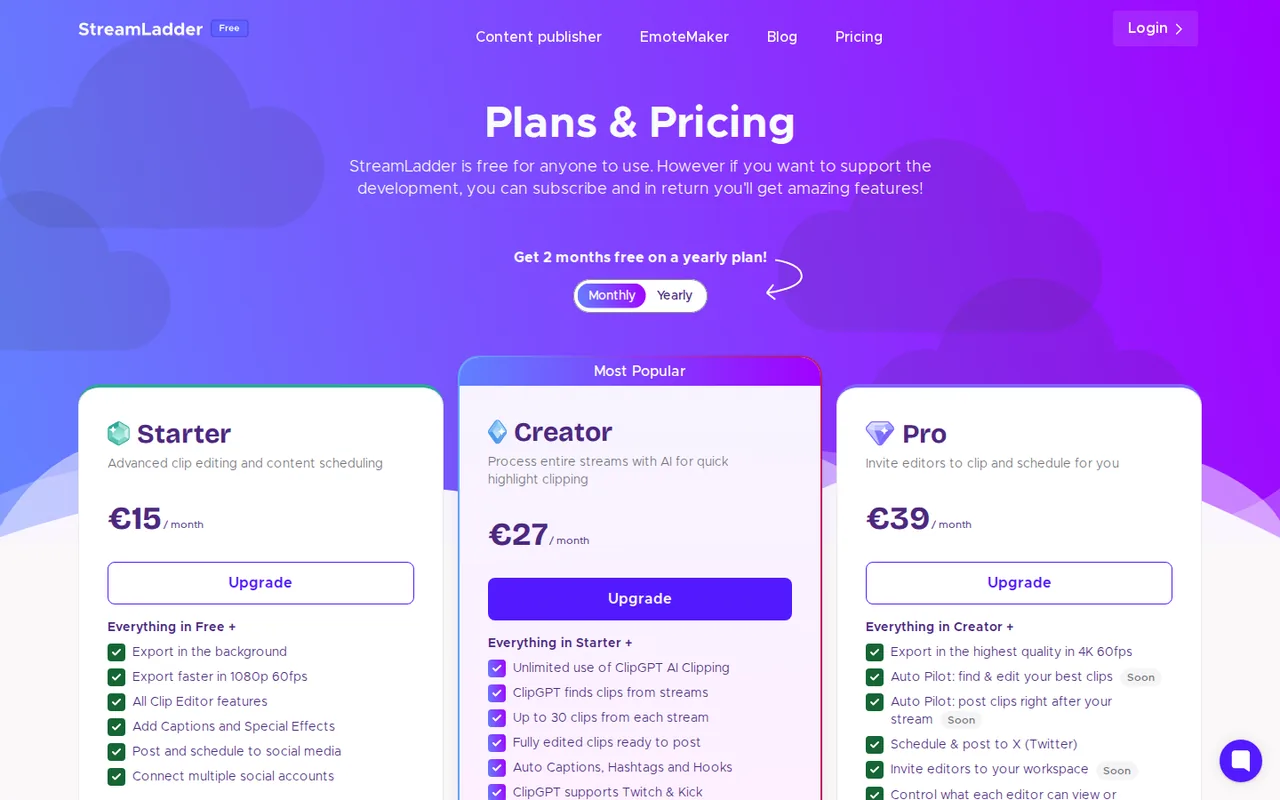
Yearly prices equal ten monthly payments, which the page calls 2 months free. New users get a 7-day free trial of paid features. Payments are handled by Paddle. Subscriptions renew automatically, and the terms say fees are non-refundable.
| Plan | Price | What you get |
|---|---|---|
| Free | €0 sourceFrom app.streamladder.com/upgrade, checked Sep 29, 2026 (opens in a new tab) | Clip Editor import from Twitch, Kick, Trovo and YouTube, default layouts, 720p/30 fps export, 200 MB uploads, emote and schedule makers; no ClipGPT or Content Publisher. |
| Starter | €15 per monthor €150 per year sourceFrom app.streamladder.com/upgrade, checked Sep 29, 2026 (opens in a new tab) | All Clip Editor features: captions, stickers, zoom and effects, text to speech, AI silence removal; 1080p/60 fps, 2 GB uploads; posting and scheduling to TikTok, YouTube and Instagram. |
| Creator | €27 per monthor €270 per year sourceFrom app.streamladder.com/upgrade, checked Sep 29, 2026 (opens in a new tab) | Everything in Starter plus unlimited ClipGPT: whole-VOD highlight detection for Twitch and Kick, up to 30 clips per stream, file uploads up to 10 GB. |
| Pro | €39 per monthor €390 per year sourceFrom app.streamladder.com/upgrade, checked Sep 29, 2026 (opens in a new tab) | Everything in Creator plus 4K/60 fps export and posting to X; Auto Pilot and editor workspaces are marked Soon. |
How far does it go?
- Creator for twelve monthsMonthly billing: 12 x €27 = €324. Yearly billing: €270. The yearly plan costs €54 less, which equals two monthly payments. Euro prices from the EU view, before any tax the checkout may add.
Arithmetic from the published allowances above, not a usage test.
Taxes, currency and promotions can change the price you see at checkout.
Try StreamLadder free (opens in a new tab)
Key features
| Feature | What it does | Watch out |
|---|---|---|
| Clip Editor that reframes horizontal stream clips to 9:16 | Imports Twitch, Kick, Trovo or YouTube clips, applies default layouts and exports vertical video; Starter adds captions, stickers, zoom, sound effects and AI silence removal. | Free exports stop at 720p and 30 fps with a 200 MB upload limit, and Starter-only features add a watermark. |
| ClipGPT AI highlight detection across whole Twitch or Kick VODs | Analyzes a full VOD, returns up to 30 edited vertical clips per stream with captions, hashtags and a virality score, and also cuts moments where you said "clip that" on stream. | Only Creator and Pro include it; VOD links must be Twitch or Kick, and subscriber-only Twitch archives block processing. |
| Virality score from 0 to 100 for each detected moment | — | |
| Facecam detection and automatic vertical cropping | — | |
| Auto captions, hashtags and hook titles | — | |
| Content Publisher for scheduling to TikTok, YouTube and Instagram | Posts and schedules finished clips to TikTok, YouTube and Instagram from one queue, with saved hashtags; Pro adds posting to X. | Platform caps still apply: TikTok allows around 15 app posts a day per account, and failed posts are not retried automatically. |
| Montage Maker, Emote Maker and Twitch schedule templates | — | |
| iOS and Android apps | — |
What can you clip on the Free plan, and when does a watermark appear?
The Free plan is a manual editor. It imports clips from Twitch, Kick, Trovo and YouTube, applies the default vertical layouts and exports at 720p and 30 fps, with uploads capped at 200 MB. The plan comparison marks captions, stickers, zoom, sound effects and custom layouts as Starter features.
The homepage FAQ says basic editing never adds a watermark on any plan. If you use Starter editor features while on Free, the export carries a watermark so you can try them first. Free has no Content Publisher, so clips are downloaded and posted by hand.
When do you need Creator for ClipGPT?
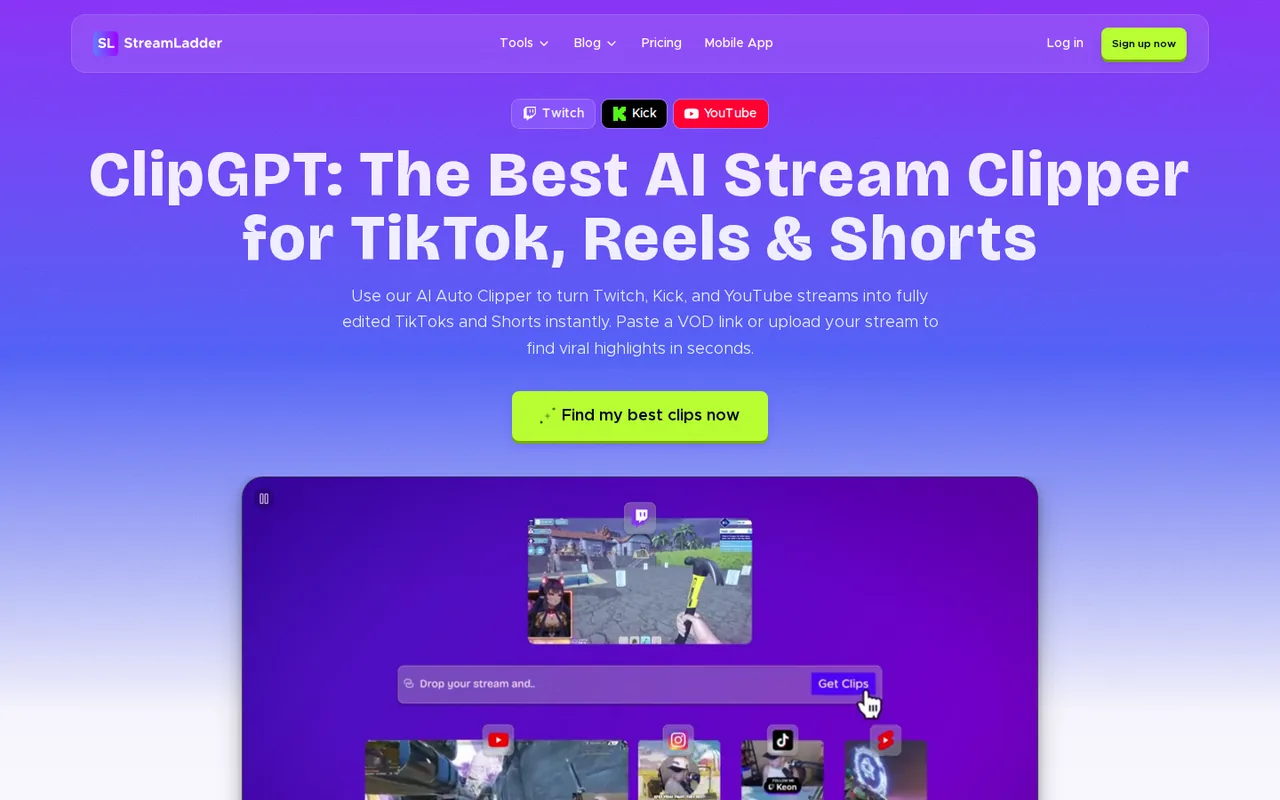
ClipGPT is the part that watches a whole stream for you. It analyzes a VOD, scores each detected moment from 0 to 100 for virality potential, and returns up to 30 clips per stream that are already cropped to 9:16 with captions and hashtags. Saying “clip that” or “clip this” on stream marks extra moments for the same run.
The plan table puts every ClipGPT row on Creator and Pro only; Free and Starter show none of them. Creator lists ClipGPT use as unlimited. The FAQ offers new users a 7-day free trial with ClipGPT included, which is the only way to try it without paying.
Which streams can ClipGPT read?
ClipGPT takes a pasted Twitch or Kick VOD link, or an uploaded file of up to 10 GB. The help article on imports states that ClipGPT supports only Twitch or Kick broadcasts and that YouTube VOD links are not supported, even though the homepage lists YouTube among ClipGPT sources. The ClipGPT page asks YouTube streamers to upload the stream file instead.
Two setup details stop a run before it starts:
- Subscriber-only Twitch archives must be switched off in the Twitch Creator Dashboard, or ClipGPT cannot access the VOD.
- The Clip Editor needs a clip URL, such as clips.twitch.tv or kick.com/clips, not a full broadcast link.
What limits apply when StreamLadder posts for you?
Starter and higher plans connect unlimited social accounts and schedule to TikTok, YouTube and Instagram; X posting appears only in the Pro column. Facebook is listed but labelled Coming soon. The platforms keep their own caps: TikTok allows around 15 posts per account in 24 hours through apps, with a separate limit of 6 upload requests a minute and 5 drafts awaiting approval.
On YouTube, uploads count against the channel daily cap and a daily API quota that refills at midnight Pacific Time. Failed posts are not resent automatically; you press Retry in the Content Publisher, or download the clip from Exports and upload it yourself, which skips the API quota.
Which plan fits which streamer?
Editorial assessment
Stay on Free if you pick your own moments and post by hand, and move to Starter at €15 a month when captions, 1080p exports or scheduling save you real time. Creator at €27 is worth pricing only when scrubbing long VODs is the bottleneck, because ClipGPT is its main addition.
Pro at €39 adds two things that work today: 4K/60 fps export and posting to X. Auto Pilot, editor invites and per-editor permissions carry a Soon label on the pricing page, so a team that needs shared editing should not buy Pro for those items yet. Yearly billing charges ten months for twelve.
What do the terms say about refunds and your footage?
Subscriptions renew automatically at the end of each period. You can cancel at any time and keep access until the billing period ends, but the terms say payments are non-refundable, with no credits for partial periods or unused service unless agreed in writing. The terms were last updated on May 21, 2021 and fall under Dutch law.
You keep ownership of uploaded content but grant StreamLadder a worldwide, non-exclusive, royalty-free, transferable and sub-licensable license to use it, which ends when you delete the content, except where it was used in commercial or sponsored material. Clip only streams you own or have permission to use, since the terms bar uses that infringe third-party rights. The privacy policy names StreamLadder B.V. as data controller and says user data is not shared with AI models or third parties for processing.
Can ClipGPT turn one long VOD into a week of usable clips?
Proposed evaluation · not performed yet
On the 7-day trial, process one of your own public Twitch VODs of about three hours that contains five moments you have already timestamped, plus two points where you said “clip that” on stream.
- Record the plan shown in the account, the VOD length and the time ClipGPT takes to return results.
- Check how many of the five known moments and both “clip that” markers appear among the returned clips.
- Open three clips and confirm the facecam framing, caption accuracy and cut points without manual edits.
- Schedule one clip each to TikTok and YouTube and confirm that YouTube files it as a Short.
- Cancel before the trial ends and note which exports remain downloadable.
Accept the run if at least four known moments and both markers are found and three clips need no reframing. Reject it if subscriber-only settings, missed markers or caption errors force manual rework on most clips. No clip count or quality result is reported until the run is actually done.
If you need AI video made from scripts or links rather than cut from streams, see Cliptalk; for editing a long recording by its transcript, see Descript. Other tools for the same job are gathered under AI tools for content repurposing.
Is StreamLadder worth it?
Documentation review plus dated public user reports. Documentation review, not tested hands-on. Not scored.
Worth it if
- You pick your own moments from Twitch or Kick clips and only need vertical reframing, because the Free plan covers import and default layouts at 720p without a watermark on basic edits.
- Scrubbing multi-hour Twitch or Kick streams is your bottleneck, since Creator at €27 a month adds whole-VOD ClipGPT with up to 30 clips per stream.
- You want scheduled posting to TikTok, YouTube and Instagram without a watermark on captioned clips, which starts at Starter at €15 a month.
Probably not if
- Your streams live on YouTube, because ClipGPT does not accept YouTube VOD links and the stream file would have to be uploaded instead.
- You need Auto Pilot or shared editor permissions from Pro, since the pricing page still labels them Soon.
- You want to try ClipGPT for free after the trial ends, as Free and Starter do not include it and the terms say payments are non-refundable.
StreamLadder alternatives
Other video & editing tools checked with the same method. Pick by the job, not by a score.

Developers and small teams who want a conversational video avatar for support, sales or tutoring and need to budget by minutes

Short animated stories from a script or prompt

Teachers, students and math YouTubers who want 3Blue1Brown-style explainer clips from a description, with an editable Manim code playground when they want control

Relighting or changing the background of short video clips

Avatar-presented videos and lip-synced video translation

Teams assembling short explainers

Short cinematic AI clips with audio

Creators who post faceless short-form video at volume and want a template, script, voiceover and render in one place
Used StreamLadder? Write the first review. Visitor opinions are moderated and kept separate from our source checks.
Frequently asked questions
Why did my clip post to YouTube as a regular video instead of a Short?
YouTube decides the format, not StreamLadder. The help center says a video counts as a Short when it is under 3 minutes and uses a 9:16 portrait aspect ratio. If a clip posted through the Content Publisher still lands as a long video, the article points you to YouTube support.
Which file settings avoid upload errors?
The help center recommends H.264 video with AAC audio in an MP4 container, no more than 60 fps and a bitrate of about 2 Mbps. MOV files are accepted but MP4 is preferred. Checking these recording settings in OBS or Streamlabs before a stream saves re-encoding the file later.
Can I make Twitch emotes and a stream schedule on the free plan?
Yes. The plan table marks Emote Maker exports for Twitch, 7TV and BTTV and the Twitch Schedule Maker, with five templates you can customise, as available on every plan including Free. Montage Maker, which combines several edited clips, starts at Starter, and turning a stream into a YouTube video starts at Creator.
Is there a StreamLadder mobile app?
Yes. The homepage FAQ says StreamLadder has apps in the iOS App Store and on Google Play, and the site describes the app as giving access to the whole toolkit on mobile. The euro prices here come from the web upgrade page, so check the price shown in the store before subscribing inside the app.
Which accounts can I sign in with, and who handles payment?
The privacy policy lists sign-in through Google, Twitch or TikTok, in which case StreamLadder may collect data already linked to that account. Payments go through Paddle, and StreamLadder says it does not store card details. Anyone under 13 is outside the service, according to the same policy.
Sources and method10 official sources · 8 details checked · Sep 29, 2026
How we checked this profile
8 details on this page were checked against StreamLadder's own pages and help documentation (Sep 29, 2026).
See the checks by section8 documented
| Section | Checks | Last checked | Sources |
|---|---|---|---|
| Plans and prices | 3 documented | app.streamladder.com/upgradestreamladder.com | |
| Article text | 1 documented | app.streamladder.com/upgrade | |
| Features | 1 documented | guides.streamladder.com/32-import-from-twitch-kick… | |
| Strengths and limits | 3 documented | streamladder.comapp.streamladder.com/upgradestreamladder.com/terms |
Sources for this profile
- Plans and plan comparison (EU view, EUR)app.streamladder.com
- Homepage and FAQstreamladder.com
- ClipGPT product page and FAQstreamladder.com
- Terms of Service (last updated May 21, 2021)streamladder.com
All 10 sources
- Privacy Policy (last updated April 29, 2024)streamladder.com
- About StreamLadderstreamladder.com
- Help: import from Twitch, Kick or YouTubeguides.streamladder.com
- Help: subscriber-only Twitch VODs and ClipGPTguides.streamladder.com
- Help: TikTok post limit reachedguides.streamladder.com
- Help: YouTube daily quota reachedguides.streamladder.com
Prices appeared in euros for our Germany-based server; the Free column displayed $0, and no US-dollar prices were captured. The homepage says ClipGPT works with Twitch, YouTube and Kick VODs, while the help article on imports says ClipGPT supports only Twitch or Kick broadcasts and not YouTube VOD links; the ClipGPT page resolves this by accepting YouTube streams as file uploads. Facebook scheduling, Auto Pilot and editor workspaces are labelled Coming soon and are not described as available. The terms were last updated May 21, 2021 and the privacy policy April 29, 2024. Creator counts and view totals on the site are not used.
Sources checked Sep 29, 2026. Found something out of date? See how we correct profiles.