

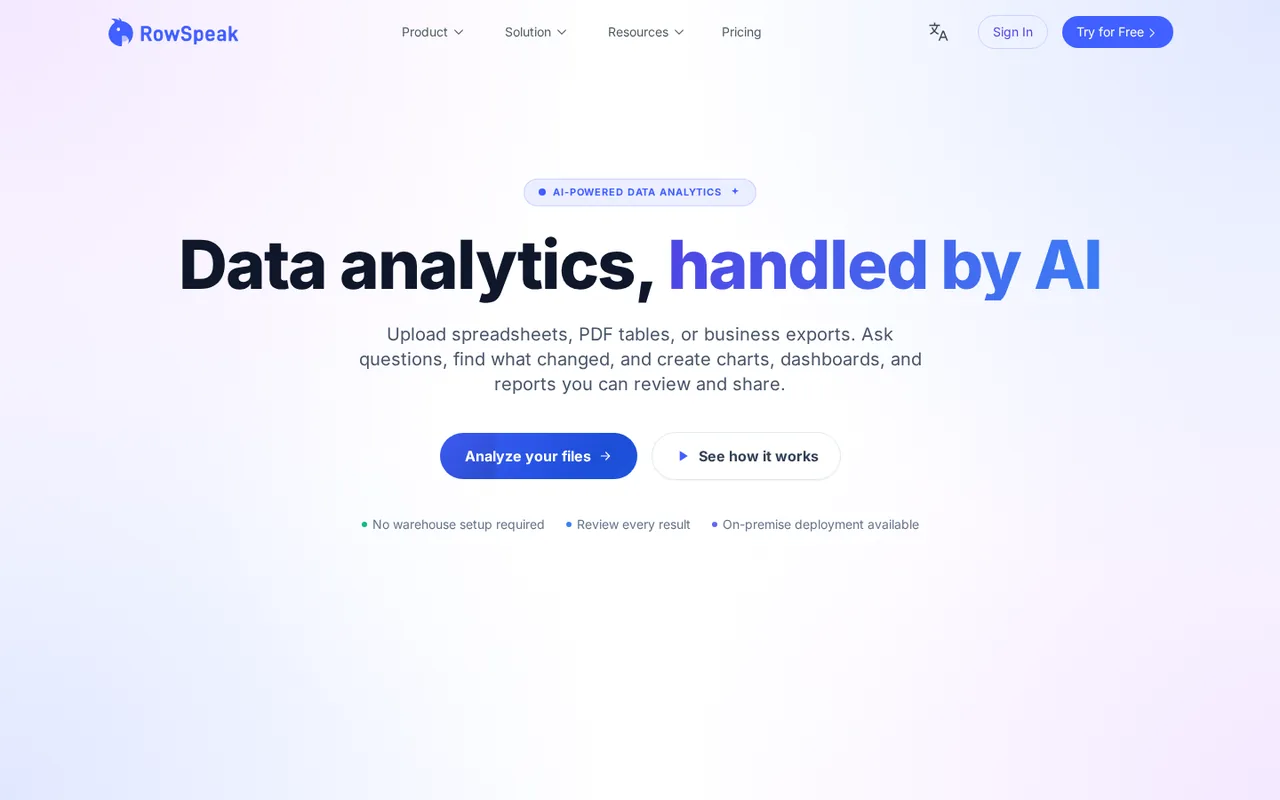
RowSpeak: 10 free conversations a month, with Excel downloads documented only from the $99 Essential plan
Updated September 27, 2026 · By Elias Brandt · Documentation review, not tested hands-on
Pros
- Existing-file workflow
- Reviewable tables
- Multiple input types
Cons
- Manual data handoff
- Free export uncertainty
- Retention wording differs
Bottom line
You review spreadsheet exports before sharing and can state the duplicate and refund rules up front, because the cleaning workflow depends on explicit instructions.
You need a live link to Google Sheets, Analytics or a database, because those connectors are described as coming soon.
Best forOperations analystsSpreadsheet ownersReport reviewersExisting Excelmatic users
Strengths, limits and who it suits, in full
Strengths
- Existing-file workflow An exported workbook can be the starting point.
- Reviewable tables Inspect rows before accepting a chart or report.
- Multiple input types PDF and image tables can enter the same analysis workflow.
Limits
- Manual data handoff Direct Sheets, Analytics and database connectors are described as coming soon.
- Free export uncertainty The Free pricing description does not explicitly assign workbook download rights.
- Retention wording differs Confirm archive requirements rather than relying on conflicting provider descriptions.
Who it suits
- Operations analysts Useful for reviewing a small recurring file export.
- Spreadsheet owners Suitable when duplicate keys and missing values have explicit rules.
- Report reviewers Keep exported data beside any generated dashboard.
- Existing Excelmatic users Continue through the renamed product with the existing account.
How much does RowSpeak cost?
Prices not confirmed · checked
Regional prices: The public page uses a dollar sign without a currency code, so the billing currency is unconfirmed.
Annual totals shown; confirm currency, taxes and current checkout terms. Accounts are for individual use. The page uses different units for free conversations and paid messages; do not equate them to completed reports. General export documentation does not settle Free download eligibility.
| Plan | Price | What you get |
|---|---|---|
| Free | Free sourceFrom rowspeak.ai/pricing, checked Sep 27, 2026 (opens in a new tab) | 10 AI conversations/month; 2 files/chat, up to 5 MB each; 20 image conversions and 3 dashboards. Downloads not explicitly assigned. |
| Essential annual | Listed $99 per yearcurrency unspecified, billed annually sourceFrom rowspeak.ai/pricing, checked Sep 27, 2026 (opens in a new tab) | 150 messages/month; 5 files/chat; 10 dashboards/month; Excel and chart downloads. |
| Professional annual | Listed $299 per yearcurrency unspecified, billed annually sourceFrom rowspeak.ai/pricing, checked Sep 27, 2026 (opens in a new tab) | Unlimited messages; 10 files/chat; 30 dashboards/month; Essential features included. |
| Premium annual | Listed $599 per yearcurrency unspecified, billed annually sourceFrom rowspeak.ai/pricing, checked Sep 27, 2026 (opens in a new tab) | 30 files/chat; 100 dashboards/month; Professional features included. |
How far does it go?
- Dashboard allowance exampleFour weekly dashboard generations plus one corrected generation use 5 of Essential's 10 monthly dashboard allowance, leaving 5; this excludes chat consumption and assumes each request counts once.
Arithmetic from the published allowances above, not a usage test.
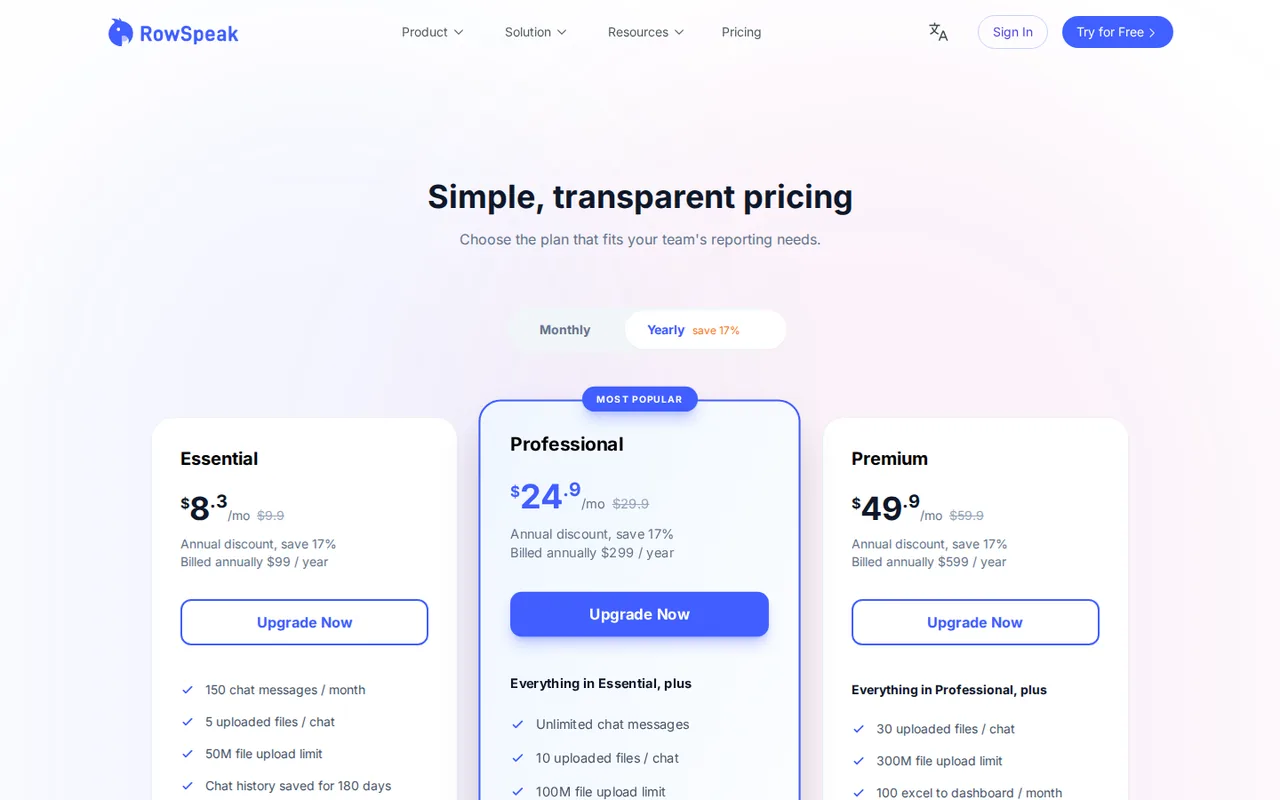
Taxes, currency and promotions can change the price you see at checkout.
Visit RowSpeak (opens in a new tab)
Key features
| Feature | What it does | Watch out |
|---|---|---|
| Spreadsheet and CSV uploads | — | |
| Table extraction from PDFs and images | — | |
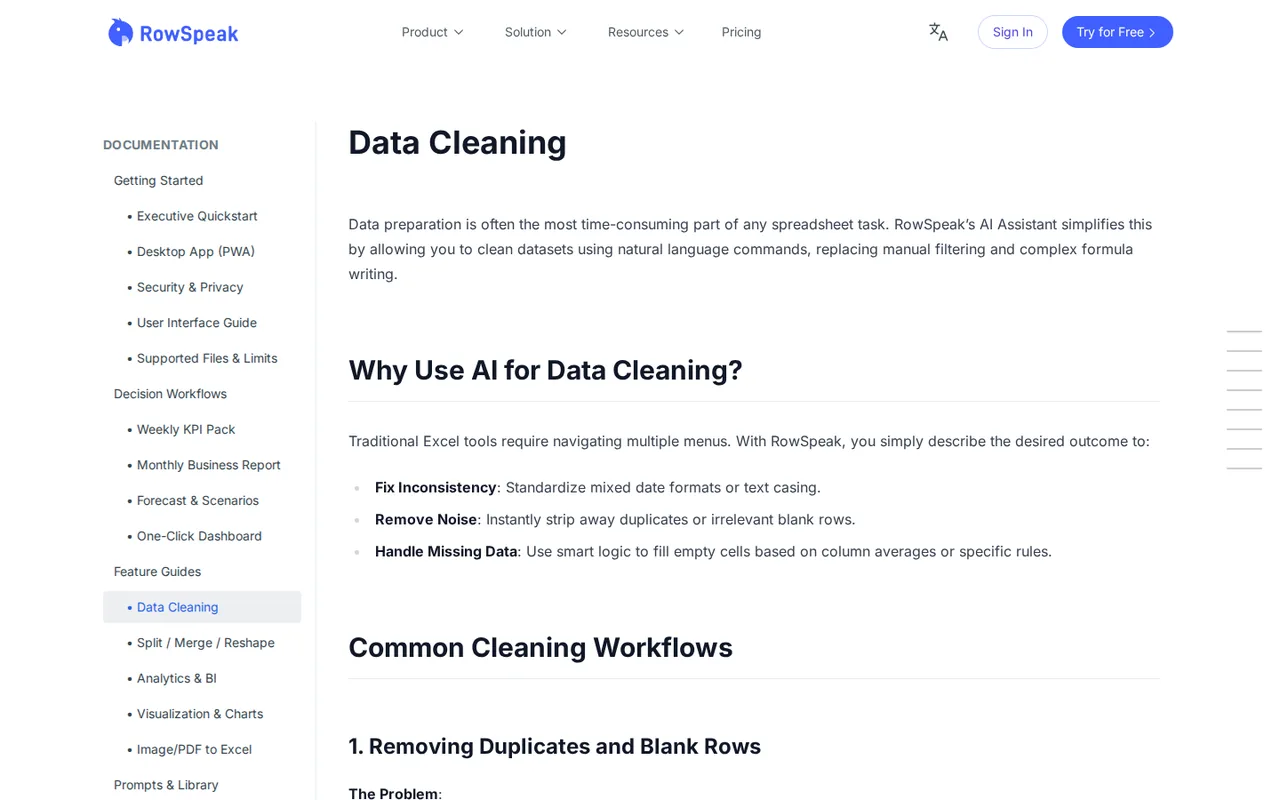
| Natural-language data cleaning | Applies instructions for duplicates, formatting and blanks. | Ambiguous rules can remove valid transactions or invent missing amounts. |
| File joins and reshaping | Matches tables using a common identifier. | Repeated lookup keys need a separate exception check. |
| Charts and dashboard generation | — | |
| Excel and chart downloads on paid plans | — | |
| Dashboard creation | Turns uploaded data into a visual summary. | A chart can conceal row-level errors; reconcile its source table. |
What happened to Excelmatic?
Excelmatic now uses the RowSpeak name. The provider says existing customers can continue with their original email and password, while the product expands its emphasis on analysis and reporting. Use the current dashboard linked from the official site when returning to an old workflow; do not create a second account simply because an older tutorial uses the previous name.
What should you prepare before uploading a workbook?
RowSpeak starts from an uploaded file: its assistant activates after the file has been processed. Keep an untouched local copy and write down what one row represents before asking for a summary. A workbook containing one row per order line needs a different duplicate rule from a workbook containing one row per order.
Supported inputs include Excel workbooks, CSV, PDF and images containing tables, with native XLSX output documented. Remove password protection from an authorized copy before upload, and prefer a readable source spreadsheet over a screenshot when both are available. File format support alone does not guarantee that macros, formulas or workbook layout will survive a round trip.
How do you prevent cleaning from deleting valid sales?
The cleaning guide supports instructions for duplicates, missing values and inconsistent formats. Make the duplicate key explicit, and ask to see which rows would be removed before accepting the change. Two purchases by the same customer are not duplicates merely because their names match; a missing amount should stay unresolved unless your rule provides a justified replacement.
- Define a unique record using the columns that identify a transaction.
- Keep missing amounts separate from real zero values.
- Specify how refunds affect totals before generating a chart.
- Keep a row-count and amount reconciliation beside the result.
After cleaning, inspect the table preview before requesting another transformation. Record the original row count, removed rows and remaining rows so that their relationship can be checked independently. If the assistant fills blanks or changes identifiers without permission, return to the untouched input and narrow the instruction rather than building a dashboard on the altered data.
What makes a merge worth reviewing separately?
The transformation guide describes joining files on a shared identifier and reshaping data for grouped reports. Before a join, check whether the lookup key occurs more than once in the reference file. An order joined to two matching reference rows can appear twice, producing a convincing chart with inflated totals.
Ask for unmatched keys and duplicate reference keys as separate outputs. Keep those exception tables alongside the merged workbook, and compare totals before and after the join. Choose an explicit rule for conflicts instead of asking the assistant to infer the correct customer or product from a similar name.
Which plan fits a file you need to take away?
Editorial assessment
Use Free for a small inspection; choose Essential when the documented Excel and chart downloads are required. Larger tiers raise file and dashboard allowances. Confirm checkout currency and billing period before buying; annual totals are listed separately from rounded monthly equivalents.
The general file guide describes XLSX export, but the Free pricing description does not explicitly assign download rights. Treat a free evaluation as an on-screen inspection unless your account confirms export access. A successful preview should not be counted as a delivered workbook, and a dashboard should not replace the underlying table needed for independent checking.
Can a recurring report connect directly to Google Sheets?
The homepage says direct Google Sheets, Google Analytics and database connectors are coming soon. Plan around uploaded exports for this workflow and check the date range of every replacement file. Reusing a question with fresh data is useful only when column names, refund treatment and reporting periods remain consistent.
What happens to uploaded business data?
The privacy policy permits necessary processing by contracted cloud and AI service providers and explains that international processing may occur. Its default excludes uploaded business content from training public or general models unless separately authorized. Start with a synthetic workbook when evaluating the service; a no-training statement is separate from permission to upload a customer list.
Retention wording differs across the provider pages: the security guide describes keeping files until deletion, while pricing specifies plan-based chat-history windows. Export records you need to retain and confirm the applicable retention terms before relying on the account as an archive. Deletion from active systems should also be distinguished from legal or billing records covered by the privacy policy.
A task to evaluate before choosing
Proposed evaluation · not performed yet
Use the synthetic five-row sales CSV prepared for this evaluation, containing one exact duplicate, a missing amount and a refund. Use Essential if an exported workbook is required; stop if the account cannot download XLSX. Ask for a duplicate audit first, then a net-sales table by region, while leaving the missing amount unresolved.
| Transaction ID | Region | Amount |
|---|---|---|
| A01 | North | 100 |
| A01 | North | 100 |
| A02 | South | 50 |
| A03 | South | blank |
| A04 | North | -20 |
- Confirm five input rows and preserve transaction IDs as text.
- Remove only the repeated A01 row; retain A02, A03 and A04.
- Keep A03 amount blank and list it in an exception table.
- Treat A04 as a negative sale; the known amounts total 130 after deduplication.
- Download the workbook, reopen it locally, and compare every retained row against the input.
Accept the result only when four records remain, the known-value total is 130, and the missing-value exception is visible. Fail the evaluation if the assistant invents the missing amount, removes the refund, loses leading identifier characters or supplies only a picture of a table. Keep the original, result and correction notes together so a second reviewer can reproduce the comparison.
For a conversation-first approach, see the Claude and ChatGPT profiles before choosing a dedicated file-analysis workspace. Apply the same row and total checks to any candidate. Our editorial policy explains the difference between provider documentation and a completed product evaluation.
Is RowSpeak worth it?
Documentation review plus dated public user reports. Documentation review, not tested hands-on. Not scored.
Worth it if
- You review spreadsheet exports before sharing and can state the duplicate and refund rules up front, because the cleaning workflow depends on explicit instructions.
- You need a small recurring file turned into tables and charts from uploaded Excel, CSV, PDF or image inputs, and you will check totals against the source.
Probably not if
- You need a live link to Google Sheets, Analytics or a database, because those connectors are described as coming soon.
- You must hand a workbook to colleagues from a free account or share one login, because Free download rights are not explicit and accounts are for individual use.
RowSpeak alternatives
Other data & spreadsheets tools checked with the same method. Pick by the job, not by a score.

Turning an Excel or CSV file into formulas, charts and a dashboard through an AI agent

Recurring reports and dashboards from spreadsheets and analytics data

Cash-flow and sales forecasts from accounting data

Asking questions of spreadsheets and databases in chat and exporting the charts

Competitor sales, pricing and assortment research for ecommerce brands

Spreadsheet analysis that mixes formulas with Python or SQL

Running the same AI prompt down a column of a Google Sheet

Building formula-linked models and charts from plain-language requests
Used RowSpeak? Write the first review. Visitor opinions are moderated and kept separate from our source checks.
Frequently asked questions
Can I share a paid account with a colleague?
The pricing FAQ says accounts are for individual use and recommends separate accounts for different people. If a colleague needs to review your work, first decide whether an exported workbook is enough. Do not assume that a plan described for reporting includes shared seats, organization administration or pooled usage.
Is the seven-day refund promise a free trial?
The terms describe a refund for a first purchase requested within seven days, provided the account has fewer than ten usage attempts. That is a purchase with conditions, rather than evidence of a no-payment trial. Read the current checkout and refund wording before relying on this route for an evaluation.
Will a scanned table preserve leading zeros?
Treat identifiers such as 0012 as text and check them after extraction. Image and PDF support tells you that a table can enter the workflow; it does not settle the correct data type for every column. Compare ambiguous characters with the original scan before merging the extracted table with another file.
What should I do with a dashboard that looks correct but totals incorrectly?
Return to the table behind the chart and reconcile the input rows first. Check duplicate keys, missing amounts, filters and refunds in that order. Do not repair the display by manually typing a preferred total: correct the underlying rule, regenerate the output and retain the exception list for the reviewer.
Can I use a forecast as an approved business decision?
Separate a generated scenario from an approved decision. Keep the historical period, assumptions and excluded rows with the output, then have the responsible person review them. The privacy policy specifically places responsibility for deciding whether AI results suit important financial, legal or operational decisions on the user.
Sources and method11 official sources · 8 details checked · Sep 27, 2026
How we checked this profile
8 details on this page were checked against RowSpeak's own pages and help documentation (Sep 27, 2026).
See the checks by section8 documented
| Section | Checks | Last checked | Sources |
|---|---|---|---|
| Article text | 3 documented | rowspeak.ai/excelmaticrowspeak.ai/getting-startedrowspeak.ai/privacypolicy | |
| Plans and prices | 1 documented | rowspeak.ai/pricing | |
| Other details | 2 documented | rowspeak.ai/pricingrowspeak.ai/security-privacy | |
| Features | 1 documented | rowspeak.ai/supported-files-limits-exp… | |
| Strengths and limits | 1 documented | rowspeak.ai |
Sources for this profile
All 11 sources
Provider documentation supports the listed capabilities. No account workflow was tested. Free download rights are not explicit in pricing, and retention wording differs between the security guide and plan descriptions. The evaluation uses synthetic records and known expected totals.
Sources checked Sep 27, 2026. Found something out of date? Our editorial policy explains how we correct profiles.