

trufflepig: AI-first spreadsheet with linked formulas, but the free plan's AI limit is not published
Updated September 29, 2026 · By Elias Brandt · Documentation review, not tested hands-on
Pros
- Formulas stay visible
- Works with existing files
- Named AI providers
Cons
- Free limit not quantified
- Not for regulated data
- Standalone app, not an add-in
Bottom line
Limited AI usage, with no number published; access to the most powerful model according to the plan card; AI-powered styling.
You want to draft a model from a plain-language request and approve each AI edit line by line, then check totals before sharing.
Your files fall under HIPAA or FISMA, because the terms say the service is not tailored to those rules.
Best forFinance and FP&A analystsOperations staff cleaning listsTeams needing SSOHealthcare or government contractors
Strengths, limits and who it suits, in full
Strengths
- Formulas stay visible The product emphasises linked, editable formulas and explainable steps rather than pasted values.
- Works with existing files Import and export cover Excel and Google Sheets, with formulas, formatting and sheet structure.
- Named AI providers The privacy notice names Anthropic, OpenAI and Google Cloud AI as the AI service providers.
Limits
- Free limit not quantified The Free card says limited AI usage without a number.
- Not for regulated data The terms exclude use for data subject to HIPAA or FISMA.
- Standalone app, not an add-in Work happens outside Excel and Google Sheets, so files move between tools.
Who it suits
- Finance and FP&A analysts fits quick models such as a monthly P&L or DCF draft that will be checked cell by cell.
- Operations staff cleaning lists useful for deduplicating and restructuring CRM or order exports before analysis.
- Teams needing SSO SSO, MFA and group access sit on Teams, so a company rollout should price that plan.
- Healthcare or government contractors not suitable for HIPAA or FISMA-covered data under the current terms.
How much does trufflepig cost?
Prices confirmed · checked
- $20Pro
- $200Super
Regional prices: Prices are in USD, and the terms say sales tax is added where required.
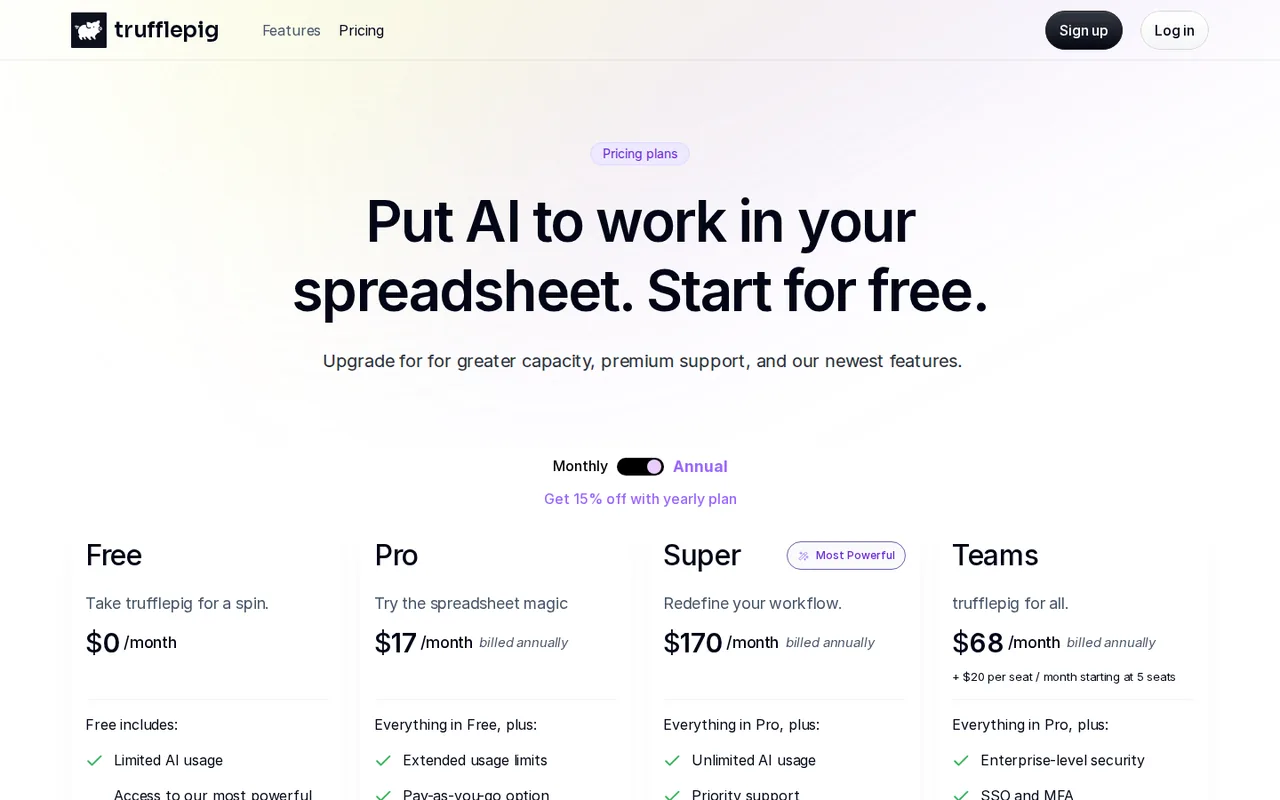
The pricing page opens on annual billing, labelled 15% off, and shows the monthly equivalent without the annual invoice total. The Teams card adds $20 per seat a month starting at 5 seats but does not explain how the seat charge combines with the base price. Subscriptions renew automatically until cancelled.
| Plan | Price | What you get |
|---|---|---|
| Free | $0 sourceFrom trufflepig.ai/pricing, checked Sep 29, 2026 (opens in a new tab) | Limited AI usage, with no number published; access to the most powerful model according to the plan card; AI-powered styling. |
| Pro | $20 per monthbilled monthly · or $17 per month, billed annually sourceFrom trufflepig.ai/pricing, checked Sep 29, 2026 (opens in a new tab) | Everything in Free plus extended usage limits and a pay-as-you-go option. |
| Super | $200 per monthbilled monthly · or $170 per month, billed annually sourceFrom trufflepig.ai/pricing, checked Sep 29, 2026 (opens in a new tab) | Everything in Pro plus unlimited AI usage, priority support and early access to new features. |
| Teams | $80 per monthbilled monthly · or $68 per month, billed annually, plus $20 per seat a month from 5 seats sourceFrom trufflepig.ai/pricing, checked Sep 29, 2026 (opens in a new tab) | Everything in Pro plus enterprise-level security, SSO and MFA, group-based access control, usage stats and shared resources; 7-day free trial. |
| Enterprise | Custom pricing | Dedicated support, integrations and an SLA, requested through a contact form. |
How far does it go?
- Annual versus monthly billingPro: $20 − $17 = $3 less per month on annual billing, or 3 ÷ 20 = 15%. Super: $200 − $170 = $30 less, also 15%. Teams: $80 − $68 = $12 less, 15%. The annual invoice total is not printed, so confirm it at checkout instead of multiplying the rounded monthly figure.
Arithmetic from the published allowances above, not a usage test.
Taxes, currency and promotions can change the price you see at checkout.
Try trufflepig free (opens in a new tab)
Key features
| Feature | What it does | Watch out |
|---|---|---|
| Plain-language requests turned into spreadsheet formulas | — | |
| Line-by-line review of AI changes before they apply | — | |
| Import and export with Excel and Google Sheets | — | |
| PDF and image tables turned into structured data | — | |
| In-sheet web search that pulls facts into cells | — | |
| Charts generated on command | — | |
| Default and Max models for different problem sizes | — | |
| Prompt to model | Writes the spreadsheet logic for a described model, such as a P&L, cohort table or quick DCF. | Every generated formula still needs a check against known totals before the workbook is shared. |
| Change review | Shows AI edits so you can accept or reject them line by line and ask for revisions. | Reviewing each line takes time on large models; skipping it defeats the purpose. |
| Multi-source import | Turns PDFs and images into structured data and supports XLSX, TSV and CSV files. | Extraction from scanned PDFs can misread figures, so compare row totals with the source. |
How much can you do on the free plan?
The Free card lists limited AI usage, access to the most powerful model and AI-powered styling, but it gives no number of requests, cells or tokens. You will only learn the ceiling by reaching it, so start with one real task rather than several small experiments.
The pricing FAQ adds a wrinkle. It says the Default model handles day-to-day cleaning, quick formulas and charts, while the Max model handles larger context and harder reasoning, and that paid plans add access to Max. Because the Free card also claims the most powerful model, check which model runs your requests before judging the free results.
Monthly or annual: what does each plan cost?
The pricing page opens on annual billing, so the first prices you see are monthly equivalents of a yearly commitment. Switching to monthly shows the higher rates that apply if you want to leave after a month.
- Pro: $20 a month, or $17 a month billed annually.
- Super: $200 a month, or $170 a month billed annually, with unlimited AI usage.
- Teams: $80 a month, or $68 a month billed annually, plus $20 per seat a month from 5 seats.
Can you move work between trufflepig, Excel and Google Sheets?
trufflepig is a standalone spreadsheet, not an add-in. The pricing FAQ says it imports and exports with Excel and Google Sheets and preserves formulas, formatting and sheet structure, and the homepage claims formula parity. Supported files are XLSX, TSV, CSV and PDF.
Formula parity is the claim to test before you commit. Functions that differ between Excel and Google Sheets, such as dynamic arrays, LAMBDA or QUERY, are the usual breaking points. Export one workbook, reopen it in the tool your colleagues use and confirm that key cells still calculate rather than showing static values or errors.
How do you check what the AI changed?
The homepage says AI edits can be accepted or rejected line by line, with further edits requested before anything is applied. Treat that review as the main control. Compare each new formula with a hand-calculated total on a few rows, and reject changes that replace formulas with typed numbers.
Web search pulls facts into the grid, and PDFs and images can be turned into tables. Both are useful and both can import errors. Keep the source URL or page reference next to any fetched figure, and check extracted totals against the original document before building on them.
Where does your spreadsheet data go?
The privacy notice says AI features are provided through third-party AI service providers, naming Anthropic, OpenAI and Google Cloud AI, and that your input, output and personal information are shared with them to run those features. It also lists Google Analytics for usage tracking. The pricing FAQ describes encryption in transit and at rest, role-based access and deletion on request.
The terms add two limits. The service is intended for users aged 18 or over, and it is not tailored to HIPAA, FISMA or similar regulations, so data covered by those rules must not be used. Anonymise customer or patient identifiers before importing a file.
Which plan fits one analyst or a team?
Editorial assessment
A single analyst who builds a few models a week should start on Free and move to monthly Pro only after hitting the unpublished limit, because Pro adds extended limits and a pay-as-you-go option rather than a stated quota. Super, at $200 a month, is only worth pricing if unlimited usage replaces pay-as-you-go spending you have already seen.
Teams is the plan for shared workspaces with SSO, MFA, group access and usage statistics, and it offers a 7-day free trial. Enterprise adds an SLA and integrations through the sales form.
Can the free plan turn a PDF income statement into a live model?
Proposed evaluation · not performed yet
Use a Free account and a fictional 12-month income statement saved as a PDF, with known totals for revenue, costs and operating profit. The task stays on Free and ends with an XLSX export.
- Record the plan, date and which model the requests run on.
- Import the PDF and ask for a table with one row per month.
- Ask for gross margin and operating margin columns built as formulas, plus a line chart of revenue.
- Review each proposed change line by line and accept only formula-based edits.
- Export to XLSX, open it in Excel and change one revenue figure to see whether the margins update.
Accept a workbook whose totals match the PDF and whose margins recalculate after the edit. Reject misread figures, pasted values in place of formulas or a chart that ignores the edit. Leave the observed result blank until the exercise is run.
For asking questions about an existing spreadsheet in plain language, compare Rowspeak. For general analysis of an uploaded file inside a chat, see ChatGPT or Claude.
Is trufflepig worth it?
Documentation review plus dated public user reports. Documentation review, not tested hands-on. Not scored.
Worth it if
- You want to draft a model from a plain-language request and approve each AI edit line by line, then check totals before sharing.
- You need to bring in PDF or image tables and move the result to Excel or Google Sheets by file export.
- You need SSO, MFA and group access, which the Teams plan lists, with a 7-day trial to try it first.
Probably not if
- Your files fall under HIPAA or FISMA, because the terms say the service is not tailored to those rules.
- You need a spreadsheet that runs inside Excel or Google Sheets, because this is a separate app and work moves by import and export.
- You need a known usage cap before you commit, because the free and Pro limits are not published as numbers.
trufflepig alternatives
Other data & spreadsheets tools checked with the same method. Pick by the job, not by a score.

Turning an Excel or CSV file into formulas, charts and a dashboard through an AI agent

Recurring reports and dashboards from spreadsheets and analytics data

Cash-flow and sales forecasts from accounting data

Asking questions of spreadsheets and databases in chat and exporting the charts

Competitor sales, pricing and assortment research for ecommerce brands

Spreadsheet analysis that mixes formulas with Python or SQL

People reviewing spreadsheet exports before sharing a report

Running the same AI prompt down a column of a Google Sheet
Used trufflepig? Write the first review. Visitor opinions are moderated and kept separate from our source checks.
Frequently asked questions
Is trufflepig a plug-in for Excel or Google Sheets?
No. The pricing FAQ describes it as a standalone spreadsheet application built from the ground up rather than an add-on. You open, save or copy work between it and your usual tool. That keeps performance under the provider's control, but it also means colleagues see only the files you export to them.
What does the Pro pay-as-you-go option cost?
The Pro card lists a pay-as-you-go option but the pricing page does not publish its rate or unit. Check the rate inside the app before relying on it for a busy month. If spending often exceeds the Pro limit, compare that total with Super, which lists unlimited AI usage.
Is trufflepig still in beta?
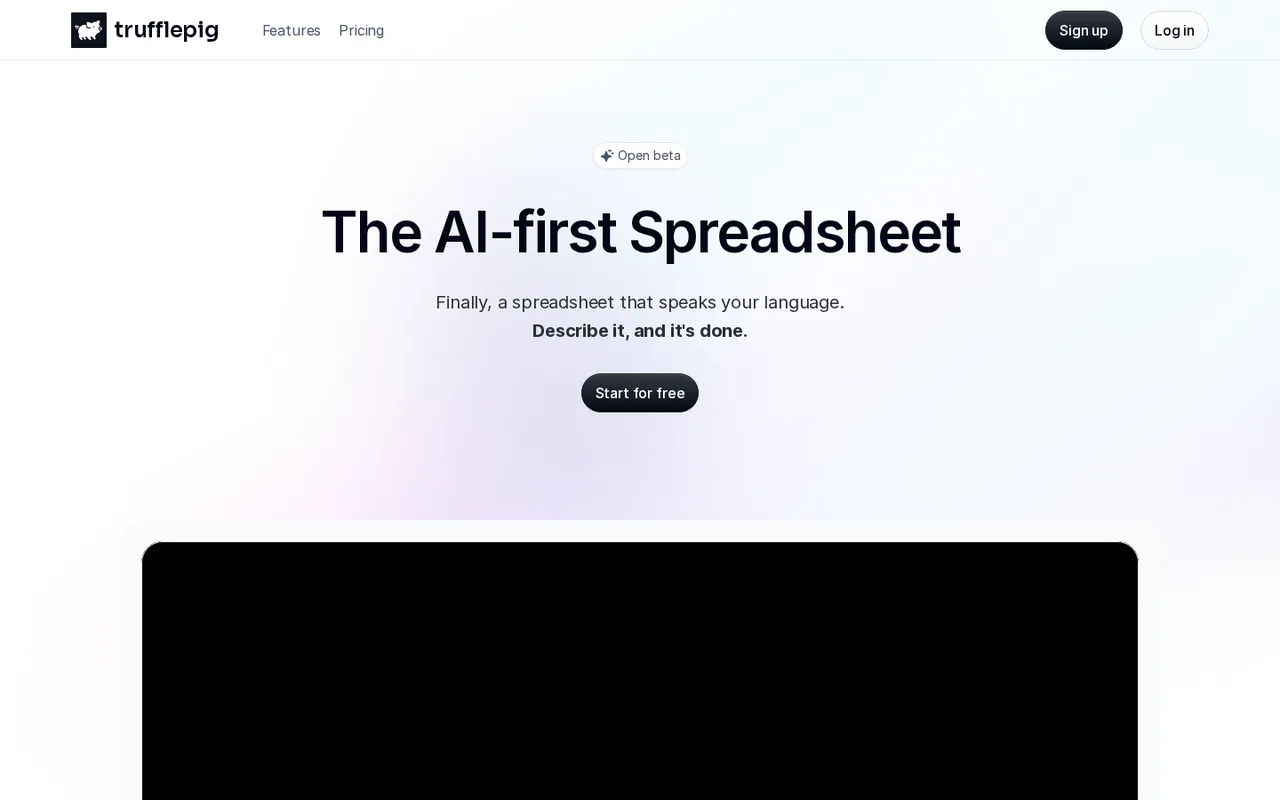
The homepage labels the product an open beta, and the terms and privacy notice were last updated on July 23, 2025. Features and limits can change during a beta, so keep exported XLSX copies of important models rather than treating the app as the only record of your work.
How do I cancel a paid subscription?
The terms say you can cancel at any time by logging into your account, and cancellation takes effect at the end of the current paid term. Subscriptions renew automatically until then. The terms do not describe partial refunds, so cancel before the renewal date and email support@trufflepig.ai with questions.
How can a larger company buy trufflepig?
Enterprise buyers use a contact form on the pricing page that promises dedicated support, integrations and an SLA. Teams, with SSO, MFA and group access, offers a 7-day free trial for smaller rollouts. General questions go to support@trufflepig.ai, and the terms also list a phone number for the San Francisco office.
Sources and method4 official sources · 6 details checked · Sep 29, 2026
How we checked this profile
6 details on this page were checked against trufflepig's own pages and help documentation (Sep 29, 2026).
See the checks by section6 documented
| Section | Checks | Last checked | Sources |
|---|---|---|---|
| Plans and prices | 4 documented | trufflepig.ai/pricingapp.termly.io/policy.html | |
| Strengths and limits | 2 documented | app.termly.io/policy.htmlapp.termly.io/policy.html |
Sources for this profile
- Plans and pricing FAQ (monthly and annual views)trufflepig.ai
- Product overviewtrufflepig.ai
- Terms of service (updated July 23, 2025)app.termly.io
- Privacy notice (updated July 23, 2025)app.termly.io
The pricing page renders its plans with JavaScript; monthly and annual views were captured in a headless browser. The Free card lists access to the most powerful model, while the pricing FAQ says paid plans add access to the Max model; the difference is not explained. The terms, updated July 23, 2025, name trufflepig Corporation, registered in California at 2261 Market St, San Francisco, with Delaware governing law. The homepage labels the product an open beta.
Sources checked Sep 29, 2026. Found something out of date? See how we correct profiles.