UniScribe: 120 free minutes a month, but 30-minute files and 3 a day; paid plans start at $10 a month
Updated September 29, 2026 · By Elias Brandt · Documentation review, not tested hands-on
Pros
- Real free allowance
- Several ways to pay
- Wide export set
Cons
- Free runs the basic model
- Conflicting refund wording
- Third parties process audio
Bottom line
120 minutes a month; files up to 30 minutes, one at a time; 3 files a day; basic model; 30-day media retention.
You transcribe a few short recordings a month: Free covers 120 minutes as long as each file stays under 30 minutes and you upload no more than 3 a day.
You need names attached to each speaker on the free plan: speaker identification is listed only on paid plans and one-time packs.
Best forStudents and researchersPodcasters and video creatorsOccasional project usersTeams automating transcription
Strengths, limits and who it suits, in full
Strengths
- Real free allowance 120 minutes a month with no credit card, enough for a few short recordings.
- Several ways to pay Monthly, annual and one-time packages suit steady or occasional use.
- Wide export set Transcripts leave as documents, subtitles or spreadsheets, or as a shared link.
Limits
- Free runs the basic model Paid plans list a premium transcription model; Free lists standard accuracy.
- Conflicting refund wording The pricing FAQ describes refunds, while the 2024 terms call all purchases non-refundable.
- Third parties process audio The privacy policy names OpenAI, Replicate, Microsoft Azure and Cloudflare among providers.
Who it suits
- Students and researchers lectures and interviews fit the free tier if each file stays under 30 minutes.
- Podcasters and video creators SRT and VTT exports plus YouTube links suit subtitle and show-note work on a paid plan.
- Occasional project users a one-time package avoids a subscription for a single batch of recordings.
- Teams automating transcription the API, webhooks and MCP server need a subscription, not a one-time pack.
How much does UniScribe cost?
Prices confirmed · checked
- $10Basic
- $20Standard
- $30Pro
Regional prices: Prices are in USD and exclude taxes, which the terms say may be added.
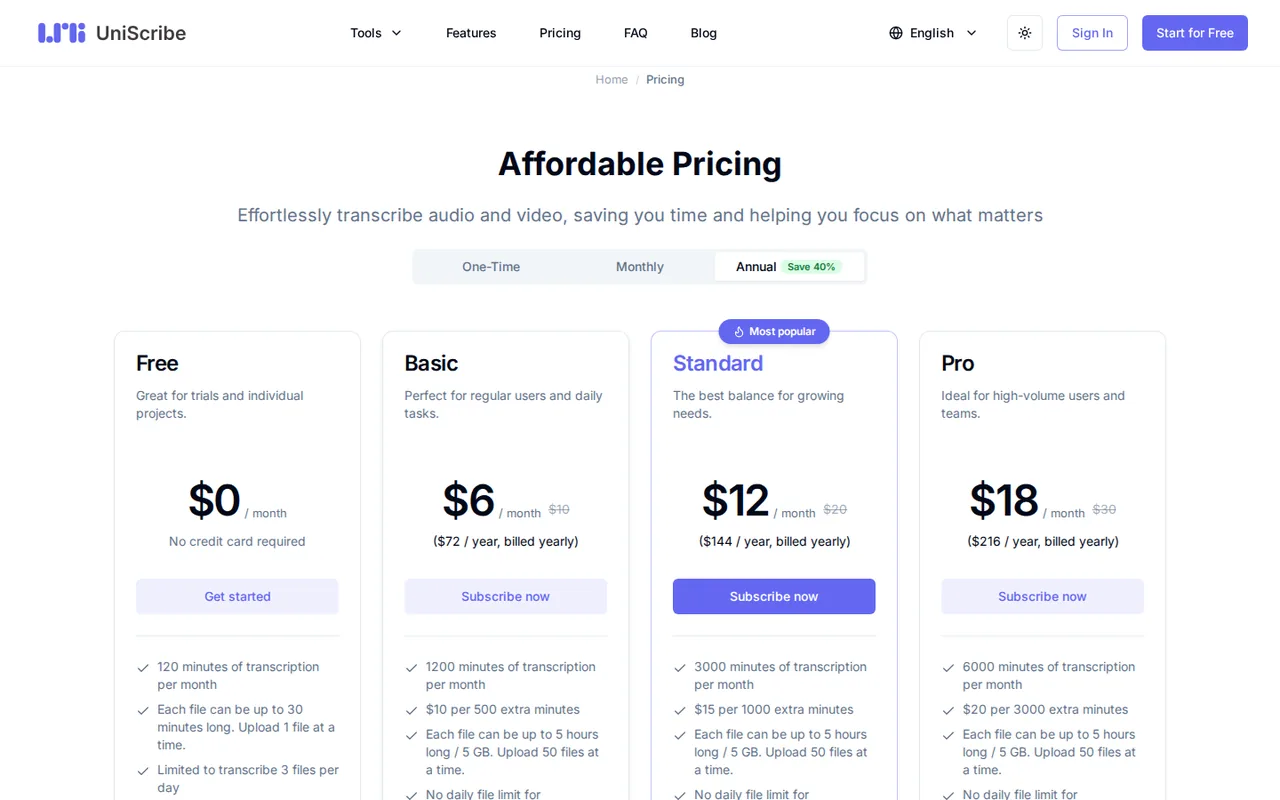
The annual tab is labelled Save 40%, matching $6 against $10 a month. Add-on minutes last 90 days and are sold only to subscription and lifetime-deal users. Cancelling keeps a subscription until the end of the billing period, then the account returns to Free.
| Plan | Price | What you get |
|---|---|---|
| Free | $0 sourceFrom uniscribe.co/pricing, checked Oct 9, 2026 (opens in a new tab) | 120 minutes a month; files up to 30 minutes, one at a time; 3 files a day; basic model; 30-day media retention. |
| Basic | $10 per monthbilled monthly · or $6 per month, $72 billed yearly sourceFrom uniscribe.co/pricing, checked Oct 9, 2026 (opens in a new tab) | 1,200 minutes a month; add-on $10 per 500 minutes; premium model; YouTube, speaker identification, API and MCP. |
| Standard | $20 per monthbilled monthly · or $12 per month, $144 billed yearly sourceFrom uniscribe.co/pricing, checked Oct 9, 2026 (opens in a new tab) | 3,000 minutes a month; add-on $15 per 1,000 minutes; same features as Basic. |
| Pro | $30 per monthbilled monthly · or $18 per month, $216 billed yearly sourceFrom uniscribe.co/pricing, checked Oct 9, 2026 (opens in a new tab) | 6,000 minutes a month; add-on $20 per 3,000 minutes; same features as Basic. |
| Lite | $12.9one-time payment sourceFrom uniscribe.co/pricing, checked Oct 9, 2026 (opens in a new tab) | 300 minutes valid for 90 days; premium model; API and assistant integration not listed. |
| Plus | $19.9one-time payment sourceFrom uniscribe.co/pricing, checked Oct 9, 2026 (opens in a new tab) | 600 minutes valid for 90 days. |
| Max | $49.9one-time payment sourceFrom uniscribe.co/pricing, checked Oct 9, 2026 (opens in a new tab) | 3,000 minutes valid for 180 days. |
How far does it go?
- Cost per transcription minute by planBasic monthly: $10 / 1,200 = about $0.0083 a minute. Lite: $12.9 / 300 = $0.043 a minute. Max: $49.9 / 3,000 = about $0.0166 a minute. Free: 120 minutes a month equals four full 30-minute files. This is arithmetic on list prices; unused subscription minutes do not carry over.
Arithmetic from the published allowances above, not a usage test.
Taxes, currency and promotions can change the price you see at checkout.
Try UniScribe free (opens in a new tab)
Key features
| Feature | What it does | Watch out |
|---|---|---|
| Transcription of 20+ audio and video formats in 63 languages | — | |
| YouTube link transcription on paid plans | — | |
| Exports to TXT, DOCX, PDF, SRT, VTT and CSV plus shareable links | — | |
| AI summaries, mind maps and key questions | — | |
| Speaker identification and custom vocabulary on paid plans | — | |
| AI translation of transcripts | — | |
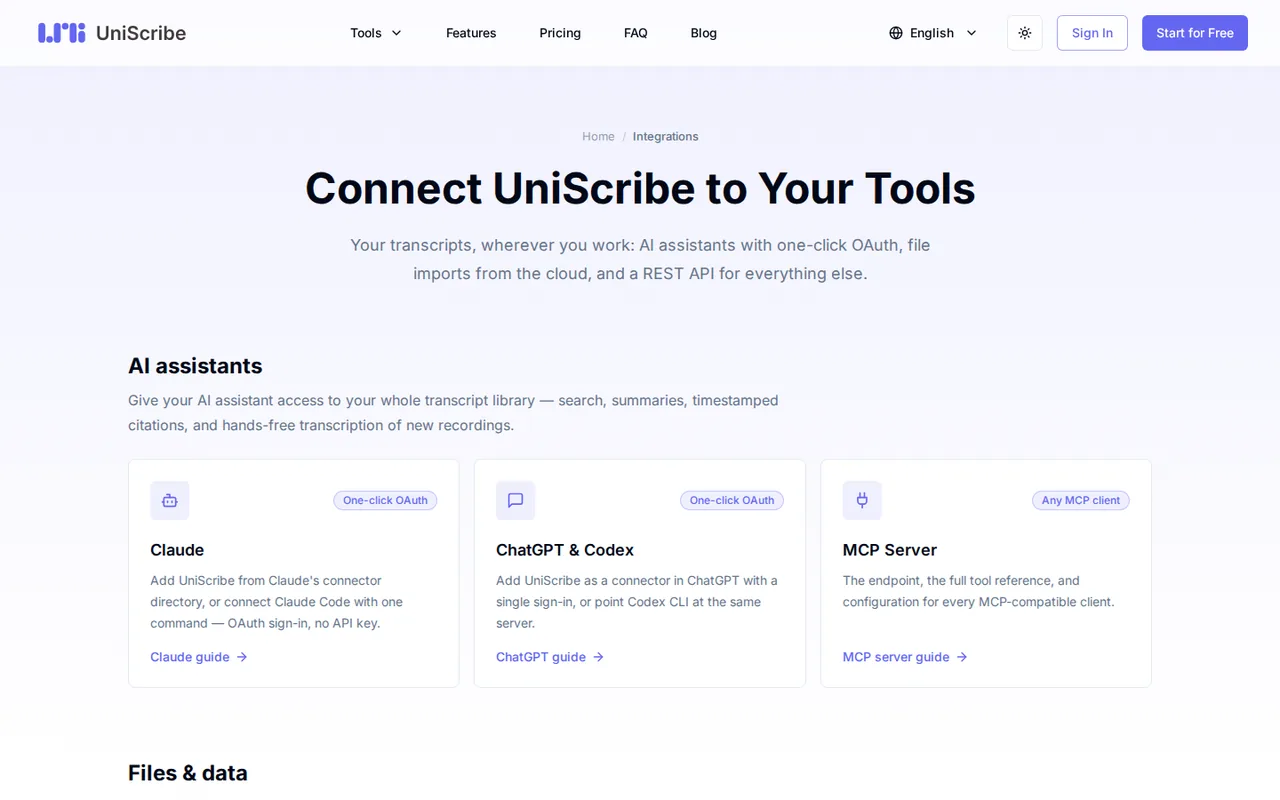
| REST API, webhooks and a read-only MCP server for Claude and ChatGPT | — | |
| Google Drive import | — | |
| Minute plans | Subscriptions reset minutes each cycle, while one-time packages last 90 or 180 days. | When several balances exist, minutes come from the one that expires first. |
| File limits | Paid plans accept files up to 5 hours or 5 GB and 50 uploads at a time. | Free allows one file of up to 30 minutes at a time and 3 files a day. |
| AI assistant access | Claude, ChatGPT or other MCP clients can search and cite your transcripts after an OAuth or API-key connection. | The API requires an active subscription or lifetime deal, not Free or a one-time package. |
What do the 120 free minutes a month actually cover?
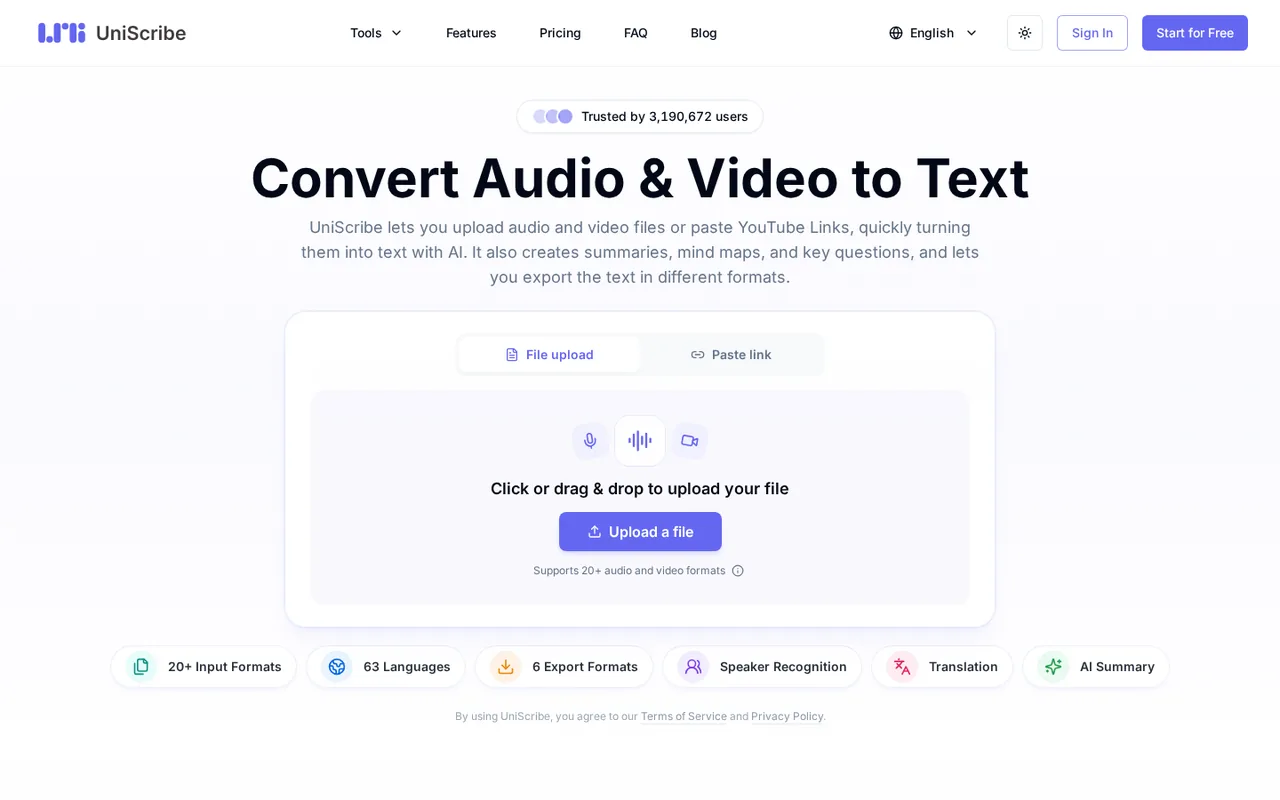
Free includes 120 minutes of transcription a month, but each file can be at most 30 minutes long, only one file uploads at a time and no more than 3 files can be transcribed per day. Free uses the basic transcription model, which the pricing page labels standard accuracy, and uploaded media is kept for 30 days.
The free plan card lists translation, all six export formats and limited AI insights. YouTube transcription, speaker identification, custom vocabulary and the API appear only on paid plans. A 90-minute lecture or a two-speaker interview that needs names attached to each line is therefore a paid-plan job.
Is a subscription or a one-time package cheaper for your volume?
Subscriptions reset their minutes each billing cycle, while one-time packages are a single payment for a fixed number of minutes: Lite and Plus last 90 days and Max lasts 180 days. Packages include the premium model, speaker identification and exports, but the package cards do not list API access or the Claude and ChatGPT integration.
If you hold several balances, minutes are deducted from whichever expires first, and an exhausted package falls back to any other plan or to Free. Editorial assessment: a package suits one batch of recordings within 90 days, while Basic is cheaper per minute for anyone who transcribes every month.
What happens when a subscription runs out of minutes?
Subscribers can buy add-on minutes from Settings, then Usage. The packs are fixed by plan: $10 for 500 minutes on Basic, $15 for 1,000 on Standard and $20 for 3,000 on Pro. Add-ons last 90 days, can be bought several times and are limited to subscription and lifetime-deal accounts.
Plan minutes reset at the start of each cycle and do not roll over. Upgrading from Free starts the paid billing cycle on the day of the upgrade and charges the card immediately, according to the terms. Choose the tier from your typical month, and use add-ons only for occasional peaks.
Can you get a refund, and what does cancelling do?
The pricing FAQ says a monthly subscription can be refunded for the current period if no transcription minutes were used, and an annual plan can be refunded pro rata for the remaining time, by emailing hi@uniscribe.co. The terms, last updated on October 9, 2024, state instead that all purchases are non-refundable.
Because the two pages disagree, keep the confirmation email and ask support before relying on a refund. Cancelling keeps the subscription active until the end of the billing period, after which the account moves to Free. Deleting the account ends access to all content immediately.
Who else processes your recordings, and how are they deleted?
The privacy policy lists Microsoft Azure in the United States and Cloudflare for hosting, and OpenAI and Replicate among the AI providers behind certain features. Staff review a specific transcript only with explicit permission, for example when you rate its quality. The security page says files are encrypted at rest with AES-256 and are not used for AI training without consent.
Recordings often contain other people, and the policy asks you to obtain their permission before uploading. Deletion wording varies by page: within 24 hours in the privacy policy and within 30 days on the security page. Export what you need, then delete the transcript and the source file.
How do the API and AI assistant connections work?
The REST API, still labelled beta, uploads files, starts transcriptions, returns transcripts and sends webhooks. It requires an active subscription or a lifetime deal; Free users and one-time package buyers cannot create API keys. The documentation allows files up to 5 GB and 10 hours, while plan cards state 5 hours.
A separate read-only MCP server lets Claude, ChatGPT or other MCP clients search and cite transcripts. Under the privacy policy, a connected app can read transcripts and create new transcriptions within the permissions you grant, but it cannot edit or delete content. Connections can be revoked in Settings, under Connected Apps.
Can the Free plan turn a 25-minute interview into usable subtitles?
Proposed evaluation · not performed yet
On a Free account, upload a 25-minute MP3 of an interview recorded with both speakers’ permission, including five technical terms and one passage with background noise. Free covers the file length and daily count, but it has no speaker identification, so speaker labels are out of scope.
- Note the remaining monthly minutes before uploading.
- Transcribe the file on the basic model in the recording language.
- Export SRT and TXT and open both outside UniScribe.
- Compare the five technical terms and the noisy passage with the recording.
- Record the minutes deducted and the time from upload to finished transcript.
Accept an SRT whose cues stay in sync across the whole file and a TXT with the five terms correct or easy to fix. Reject missing sections, subtitles that drift by more than a second or a deduction larger than the file length. Leave the observed result blank until the exercise is run.
To edit a recording by its transcript, compare Descript. For clean audio before transcription, see Adobe Podcast; for live meeting notes rather than uploaded files, see Krisp.
Is UniScribe worth it?
Documentation review plus dated public user reports. Documentation review, not tested hands-on. Not scored.
Worth it if
- You transcribe a few short recordings a month: Free covers 120 minutes as long as each file stays under 30 minutes and you upload no more than 3 a day.
- You have steady monthly volume: Basic at $10 a month includes 1,200 minutes and adds speaker identification and YouTube links.
- You have one batch of recordings: the $12.9 Lite pack covers 300 minutes without a subscription, for 90 days.
Probably not if
- You need names attached to each speaker on the free plan: speaker identification is listed only on paid plans and one-time packs.
- You plan to automate transcription through the API: it needs an active subscription, so one-time packs and Free cannot use it.
- You depend on a refund if the plan disappoints: the pricing FAQ and the terms disagree, so ask support before paying.
UniScribe alternatives
Other audio & voice tools checked with the same method. Pick by the job, not by a score.

Browser cleanup and text editing of speech

Turning instrumental recordings into editable sheet music or MIDI

Free local voice conversion and voice model training

Producers, editors and developers who need stems, dialogue or lyric timing from existing audio

Screening audio, video and images for deepfakes through an API

Transcribing and editing multi-track podcast and video recordings

Royalty-free background music for videos and ads

Personal read-aloud for study and work documents
Used UniScribe? Write the first review. Visitor opinions are moderated and kept separate from our source checks.
Frequently asked questions
Which file formats can I upload?
The pricing FAQ lists 3gp, aac, amr, awb, flac, m4a, mka, mkv, mov, mp2, mp3, mp4, mpg, oga, ogg, opus, ts, wav, weba, webm, wma and wmv. You can also paste an online video link instead of uploading a file. Convert any other format to MP3 or WAV before uploading to avoid a rejected file.
Is this the same thing as the Microsoft Uniscribe API?
No. Uniscribe is also the name of a legacy Windows text-rendering API documented by Microsoft for complex scripts. The transcription service covered here is UniScribe at uniscribe.co, operated by VanCode LLC. Searches for the name return both, so check the domain before signing up or downloading anything that claims the name.
When is a monthly subscription charged?
The terms say an upgrade from Free charges the card immediately and starts the billing cycle that day. After that, a monthly plan renews each month and an annual plan once a year on its anniversary date. Taxes are extra where they apply. Note the renewal date if you plan to cancel before the next charge.
Can I buy a one-time package while I still have another one?
Yes. The pricing FAQ says a new package can be bought at any time and coexists with the current one. The system spends the package that expires first, so older minutes are used before newer ones. You can also subscribe after buying a package; the same expiry-first rule decides which balance is charged.
Are the user counts on the homepage something I can rely on?
They are the provider’s own counters, such as total users and minutes transcribed, with no published method or audit. They say nothing about accuracy for your language, audio quality or speakers. Judge the service on a sample file of your own within the free allowance before paying for a plan.
Sources and method7 official sources · 7 details checked · Sep 29, 2026
How we checked this profile
7 details on this page were checked against UniScribe's own pages and help documentation (Sep 29, 2026).
See the checks by section7 documented
| Section | Checks | Last checked | Sources |
|---|---|---|---|
| Article text | 1 documented | uniscribe.co/pricing | |
| Plans and prices | 2 documented | uniscribe.co/pricing | |
| Strengths and limits | 2 documented | uniscribe.co/terms-of-serviceuniscribe.co/privacy-policy | |
| Features | 1 documented | uniscribe.co/docs | |
| Other details | 1 documented | uniscribe.co/terms-of-service |
Sources for this profile
- Plans, one-time packages and pricing FAQuniscribe.co
- Product overviewuniscribe.co
- Terms of service (updated October 9, 2024)uniscribe.co
- Privacy policy (effective August 31, 2026)uniscribe.co
All 7 sources
The terms and privacy policy name VanCode LLC but no country; the privacy policy says data is stored in the United States. The pricing FAQ offers refunds for unused monthly periods and prorated annual refunds, while the terms updated October 9, 2024 call all purchases non-refundable. Deletion is described as within 24 hours (privacy) and within 30 days (security page). The API allows 10-hour files; plan cards say 5 hours.
Sources checked Sep 29, 2026. Found something out of date? See how we correct profiles.