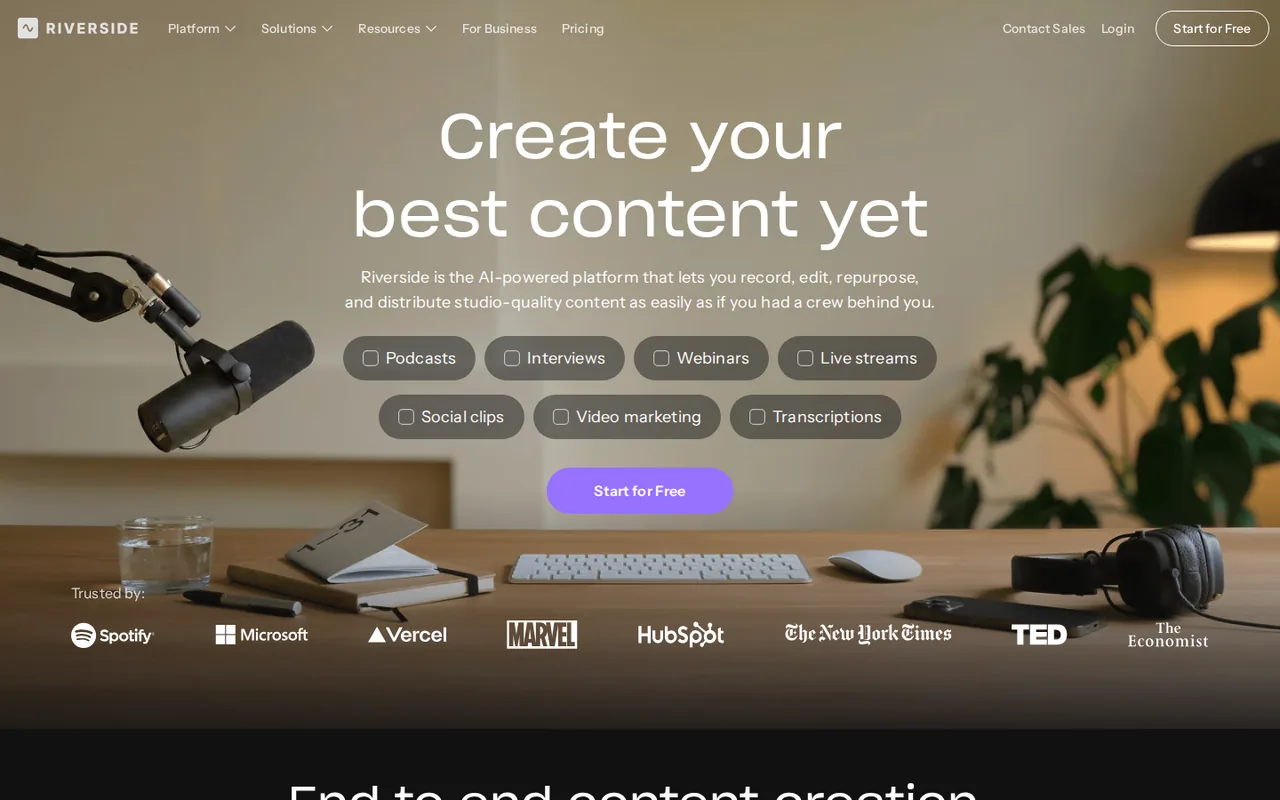
Riverside: transcriber is free without signup, but editing needs a 14-day card trial, then Pro from $29 a month
Updated September 29, 2026 · By Elias Brandt · Documentation review, not tested hands-on
Pros
- Transcriber needs no account
- Speaker labels from separate tracks
- Transcript drives the edit
Cons
- No free plan
- Content may train Riverside models
- Capped separate track downloads
Bottom line
Upload MP3, WAV, MP4 or MOV and download TXT or SRT; multi-speaker files are attributed to a single speaker.
Choose it if you record remote interviews with each guest on a separate track, because that is what gives you speaker-labeled transcripts.
Skip it if you expect a free plan, because Riverside lists only a 14-day trial that needs a card and converts to paid on day 15.
Best forPodcasters needing a quick transcriptRemote interview showsMarketers repurposing webinarsTeams recording sensitive conversations
Strengths, limits and who it suits, in full
Strengths
- Transcriber needs no account Files can be uploaded and downloaded as TXT or SRT without signing up.
- Speaker labels from separate tracks Each participant recorded on a separate track is labeled in the transcript.
- Transcript drives the edit Text edits, captions and clips all work from the same transcript.
Limits
- No free plan The official trial guide says the free plan was replaced by a 14-day trial that needs a card.
- Content may train Riverside models The terms allow training on inputs and outputs; opting out is limited to Business agreements.
- Capped separate track downloads Pro allows 15 hours of separate track downloads a month.
Who it suits
- Podcasters needing a quick transcript the free tool suits a one-off TXT or SRT from a finished file when speaker labels do not matter.
- Remote interview shows recording each guest on a separate track gives labeled transcripts that the free tool cannot produce.
- Marketers repurposing webinars the Webinar plan combines registration, recording and transcript-based clips in one account.
- Teams recording sensitive conversations training on content applies unless a Business agreement opts out, so get participant consent first.
How much does Riverside cost?
Prices confirmed · checked
- $29Pro
- $39Grow
- $99Webinar
Regional prices: Prices are in USD from the pricing FAQ and the official trial guide.
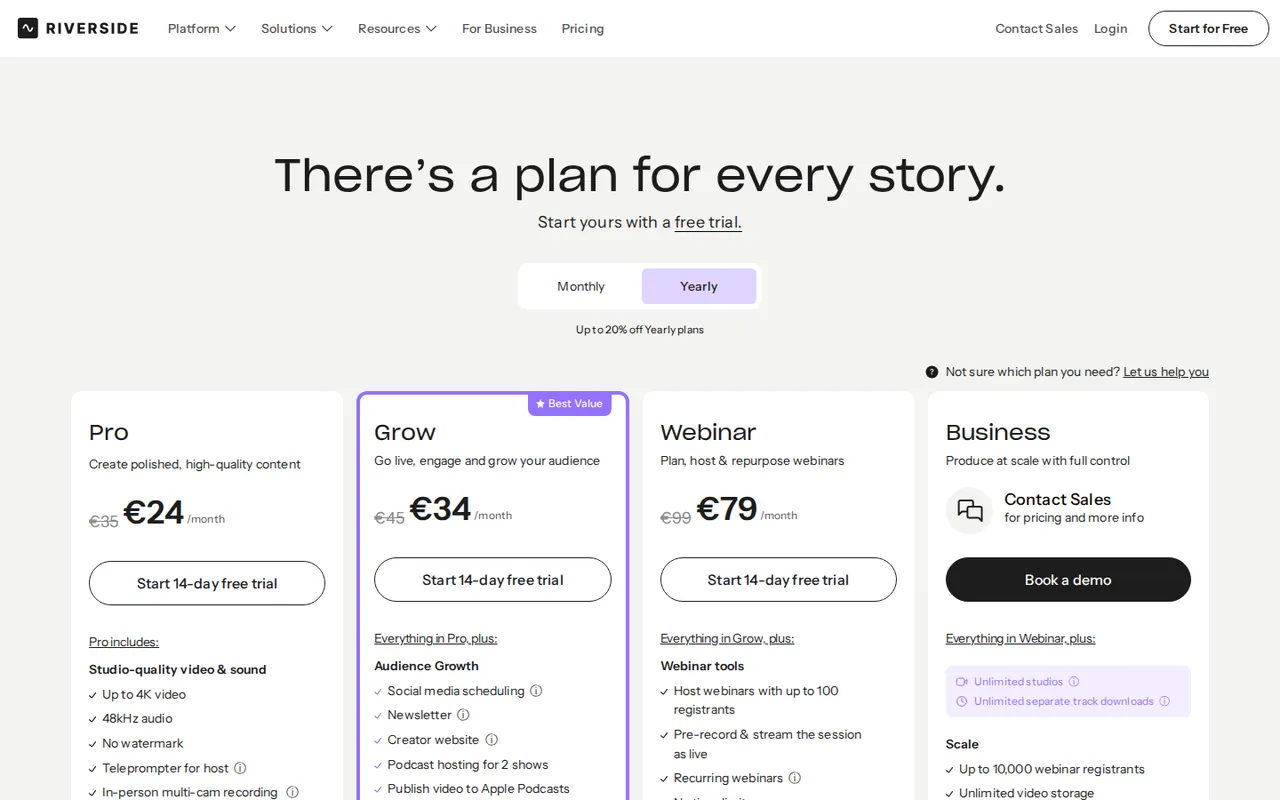
Annual figures are monthly equivalents on a 12-month cycle; the live page does not print the annual invoice, so no total is given. Our capture from Germany showed euro prices, such as €35 or €24 a month for Pro, which are not converted. Monthly Pro and Grow can be refunded in full within 24 hours of purchase and yearly plans within 14 days, on request; AI credits are non-refundable, and app store purchases are final.
| Plan | Price | What you get |
|---|---|---|
| Transcription tool | $0no account needed sourceFrom riverside.com/pricing, checked Sep 29, 2026 (opens in a new tab) | Upload MP3, WAV, MP4 or MOV and download TXT or SRT; multi-speaker files are attributed to a single speaker. |
| Free trial | $0 for 14 dayscard required sourceFrom riverside.com/pricing, checked Sep 29, 2026 (opens in a new tab) | Full features of Pro, Grow or Webinar; converts to the paid plan on day 15 unless cancelled. |
| Pro | $29 per monthbilled monthly · or $24 per month, billed annually sourceFrom riverside.com/pricing, checked Sep 29, 2026 (opens in a new tab) | Unlimited recording and transcriptions; up to 4K video; 1 studio; 15 hours of separate track downloads a month; starts with 2,000 AI credits. |
| Grow | $39 per monthbilled monthly · or $34 per month, billed annually sourceFrom riverside.com/pricing, checked Sep 29, 2026 (opens in a new tab) | Everything in Pro; live streaming and multistreaming; 2 studios; 20 hours of separate track downloads a month. |
| Webinar | $99 per monthbilled monthly · or $79 per month, billed annually sourceFrom riverside.com/pricing, checked Sep 29, 2026 (opens in a new tab) | Everything in Grow; webinars with up to 100 registrants; 3 studios; 25 hours of separate track downloads a month. |
| Business | Custom quote | Unlimited studios and separate track downloads; SSO, API access and collaborative editing; no trial. |
How far does it go?
- Twelve months on monthly billingPro: 12 × $29 = $348. Grow: 12 × $39 = $468. Webinar: 12 × $99 = $1,188. Compare these with the annual invoice shown at checkout, because the pricing page gives only the $24, $34 and $79 monthly equivalents for annual billing. Taxes are not included.
Arithmetic from the published allowances above, not a usage test.
Taxes, currency and promotions can change the price you see at checkout.
Try Riverside free (opens in a new tab)
Key features
| Feature | What it does | Watch out |
|---|---|---|
| Free no-signup transcription of MP3, WAV, MP4 and MOV files | Transcribes an uploaded audio or video file in a chosen language and returns TXT or SRT without an account. | A file with several speakers comes back attributed to one speaker, so it does not replace a labeled transcript. |
| Remote recording of up to 10 people with local 4K video and 48 kHz audio | — | |
| Transcripts with speaker labels from separate tracks | — | |
| Text-based video editing and animated captions | Deleting words in the transcript cuts the matching audio and video, and Correct everywhere fixes a repeated error in one step. | The editor is not free; it needs the trial or a paid plan. |
| AI Co-Creator for chat-based edits, clips and show notes | — | |
| Magic Clips for short social highlights | — | |
| Podcast hosting, live streaming and webinars on higher tiers | — | |
| Speaker detection | Labels speakers from the separate track each participant records in a Riverside session. | A shared microphone or an uploaded mixed track is not split by speaker. |
Is the transcription tool really free, and what does it return?
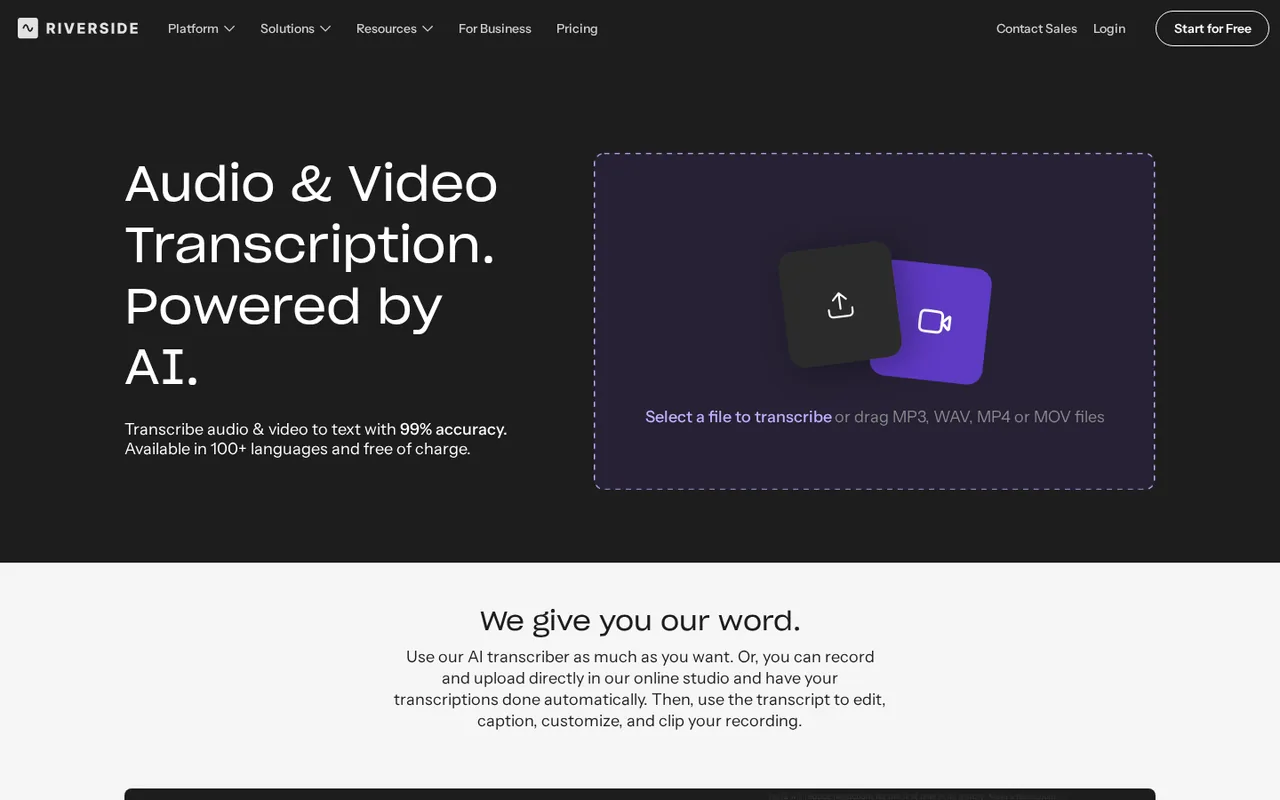
The transcription page accepts MP3, WAV, MP4 and MOV files without an account. You pick the language and content type, let the AI run, and download the result as a plain TXT file or a timestamped SRT subtitle file. Riverside says the tool can be used as much as you want, and it describes accuracy of up to 99% across more than 100 languages; those figures are the provider claims, not a measured result.
The limit that matters is speakers. The page FAQ says that when you upload multi-speaker audio or video, all the text is assigned to one speaker. That makes the free tool fine for captions or a searchable text of a solo recording, but an interview transcript with named speakers needs recordings made inside Riverside on separate tracks.
Why does Riverside no longer have a free plan?
The official trial guide, updated September 10, 2026, states that Riverside no longer offers a free plan and replaced it with a 14-day free trial of Pro, Grow or Webinar. The help center adds that a credit card is needed to start, and the card is charged automatically on day 15 unless the trial is cancelled in Settings under Plan and Billing.
Many reviews still describe a free account with 2 hours of multi-track recording and a watermark. That block remains hidden in the pricing page code, and the help article on free accounts now asks for a sign-in. Plan around the trial: cancelling keeps existing recordings in the account, but further editing needs a paid plan.
How do transcripts work inside a paid plan?
Recordings made in the Riverside studio are transcribed automatically after the session ends, usually within minutes depending on length. Speaker detection relies on separate audio tracks: each participant recorded on their own track gets a label, while several people on one microphone, or an uploaded mixed file, are not separated.
Set the recording language in the studio settings before the session. In the editor, the transcript is synced with the timeline, so deleting words cuts the video, Correct everywhere fixes a repeated misspelling, and captions are generated from the same text. Transcripts download from the Tracks section as a text file or as subtitles.
Which plan fits a podcast or webinar workflow?
All paid plans include unlimited recording and transcription; they differ in studios, separate track download hours and live features. Editorial assessment: a single show recorded remotely fits Pro, while Grow is worth it only for live streaming or a second show, and Webinar only when registration, polls and lead capture are needed.
- Pro: $29 a month, or $24 a month billed annually; 1 studio; 15 hours of separate track downloads a month; 2,000 starting AI credits.
- Grow: $39, or $34 annually; 2 studios; 20 hours; full HD live streaming and multistreaming.
- Webinar: $99, or $79 annually; 3 studios; 25 hours; webinars with up to 100 registrants.
- Business: custom quote; unlimited studios and downloads, SSO, API access and collaborative editing.
What do refunds, downgrades and price changes allow?
The refund policy allows a full refund, on request, for a new monthly Pro or Grow subscription cancelled within 24 hours of purchase, or a yearly one cancelled within 14 days. AI credit purchases are not refunded or carried forward, and subscriptions bought through Apple or Google follow the store policy, which the terms describe as final sale.
A downgrade keeps the current benefits until the billing period ends, and the help center recommends downloading separate tracks and exported timelines before then. The terms require 30 days of notice before a price change, with a prorated refund of prepaid fees if you cancel before the new price applies.
Who can use your recordings and transcripts?
The terms let Riverside use inputs and outputs of its AI tools to train, fine-tune and improve its own models, while third-party AI providers may not train on them. The privacy policy counts transcripts and content derived from recordings as Content Data that can be used for training, except for Business customers who opt out under a written agreement.
The same policy makes the account holder responsible for giving notice to and obtaining consent from everyone whose voice or image is recorded. Features that build an AI voice or face from your samples, such as AI Twin, process that data only with your consent and keep it only as long as the feature requires. The terms also warn that AI output may not be unique.
Can the free tool produce usable SRT captions for a short interview?
Proposed evaluation · not performed yet
Without an account, upload a 3-minute MP4 of a two-person English conversation that you recorded with both speakers’ consent. Prepare a list of 10 names and technical terms that are spoken in the clip.
- Select English and the matching content type, then start the transcription.
- Download both the TXT and the SRT files.
- Load the SRT into a video player and check caption timing at the start, middle and end.
- Count how many of the 10 listed terms are spelled correctly.
- Note whether the TXT file separates the two speakers.
Accept captions that stay in sync and a term list with no more than two errors. Expect a single speaker label, as the FAQ states, and reject missing sections or captions that drift out of sync. No accuracy figure is reported until the exercise is run.
To edit a recording by its transcript without Riverside recording, compare Descript. For live noise removal and bot-free meeting notes, see Krisp, and for cleaning a finished voice track, Adobe Podcast.
Is Riverside worth it?
Documentation review plus dated public user reports. Documentation review, not tested hands-on. Not scored.
Worth it if
- Choose it if you record remote interviews with each guest on a separate track, because that is what gives you speaker-labeled transcripts.
- Choose it if you only need a one-off TXT or SRT from a finished single-speaker file, since the transcriber needs no account.
Probably not if
- Skip it if you expect a free plan, because Riverside lists only a 14-day trial that needs a card and converts to paid on day 15.
- Skip it for sensitive conversations unless every participant has consented, because the terms allow training on inputs and outputs outside Business agreements.
Riverside alternatives
Other audio & voice tools checked with the same method. Pick by the job, not by a score.

Browser cleanup and text editing of speech

Turning instrumental recordings into editable sheet music or MIDI

Free local voice conversion and voice model training

Producers, editors and developers who need stems, dialogue or lyric timing from existing audio

Automatic post production for spoken audio

Karaoke tracks and stems from songs you have the right to use

Narration and voice work

Quick AI masters for independent releases and demos
Used Riverside? Write the first review. Visitor opinions are moderated and kept separate from our source checks.
Frequently asked questions
Does the free trial add a watermark to exports?
No. The official trial guide says the 14-day trial gives the full paid plan, so exports carry no Riverside watermark, and up to 10 people can be recorded in one session. Articles that mention a watermarked free plan describe an offer that Riverside no longer lists on its pricing page.
What happens if I use up my separate track download hours?
Recording stays unlimited, but once the monthly cap of 15, 20 or 25 hours is reached, new separate tracks cannot be downloaded until the next billing cycle or an upgrade. Content already in the account remains accessible, and editing inside the Riverside editor is not limited by that cap.
Which features use AI credits?
The pricing FAQ says AI credits power features such as AI Translation, AI B-roll and Animated Clips. Pro starts with 2,000 credits and Business with 12,000, and more can be bought. Magic Clips, Magic Audio and the AI Co-Creator do not use credits. Unused purchased credits are not refunded or carried forward.
Can I subscribe through the iPhone or Android app?
Yes, but the terms say subscriptions bought through the Apple App Store or Google Play are final sales that Riverside will not refund, and the store policy applies instead. Uninstalling the app does not cancel the subscription, so cancel it in the store settings on the device before the next renewal.
Can I add a second editor without moving to Business?
On Pro, Grow and Webinar, an additional editor seat is available as an add-on. Business is the only plan with collaborative editing and custom roles built in, so teams that need several people editing the same project at once are directed to Business and a sales quote.
Sources and method9 official sources · 8 details checked · Sep 29, 2026
How we checked this profile
8 details on this page were checked against Riverside's own pages and help documentation (Sep 29, 2026).
See the checks by section8 documented
| Section | Checks | Last checked | Sources |
|---|---|---|---|
| Plans and prices | 4 documented | riverside.com/transcriptionriverside.com/pricingsupport.riverside.com/22576984609949-Can-I-try-R…support.riverside.com/7633971223325-Refund-and-C… | |
| Other details | 1 documented | riverside.com/transcription | |
| Article text | 1 documented | riverside.com/is-riverside-free | |
| Strengths and limits | 2 documented | riverside.com/terms-conditionsriverside.com/pricing |
Sources for this profile
- Plans and pricing FAQriverside.com
- Riverside product overviewriverside.com
- Free AI transcription tool and FAQriverside.com
- Is Riverside free? Trial guide (updated September 10, 2026)riverside.com
All 9 sources
The live pricing page and the official trial guide, updated September 10, 2026, show no free plan. The page HTML still contains a hidden Free plan block with 2 hours of multi-track recording and a watermark, and the help article on free accounts now requires sign-in, so those details are treated as retired. Accuracy of up to 99% and support for 100+ languages are provider claims, not measured here. The transcription page says transcription is included in all pro and business plans, while its FAQ gives paid plans from $24 a month. The terms name RiversideFM, Inc.
Sources checked Sep 29, 2026. Found something out of date? See how we correct profiles.