

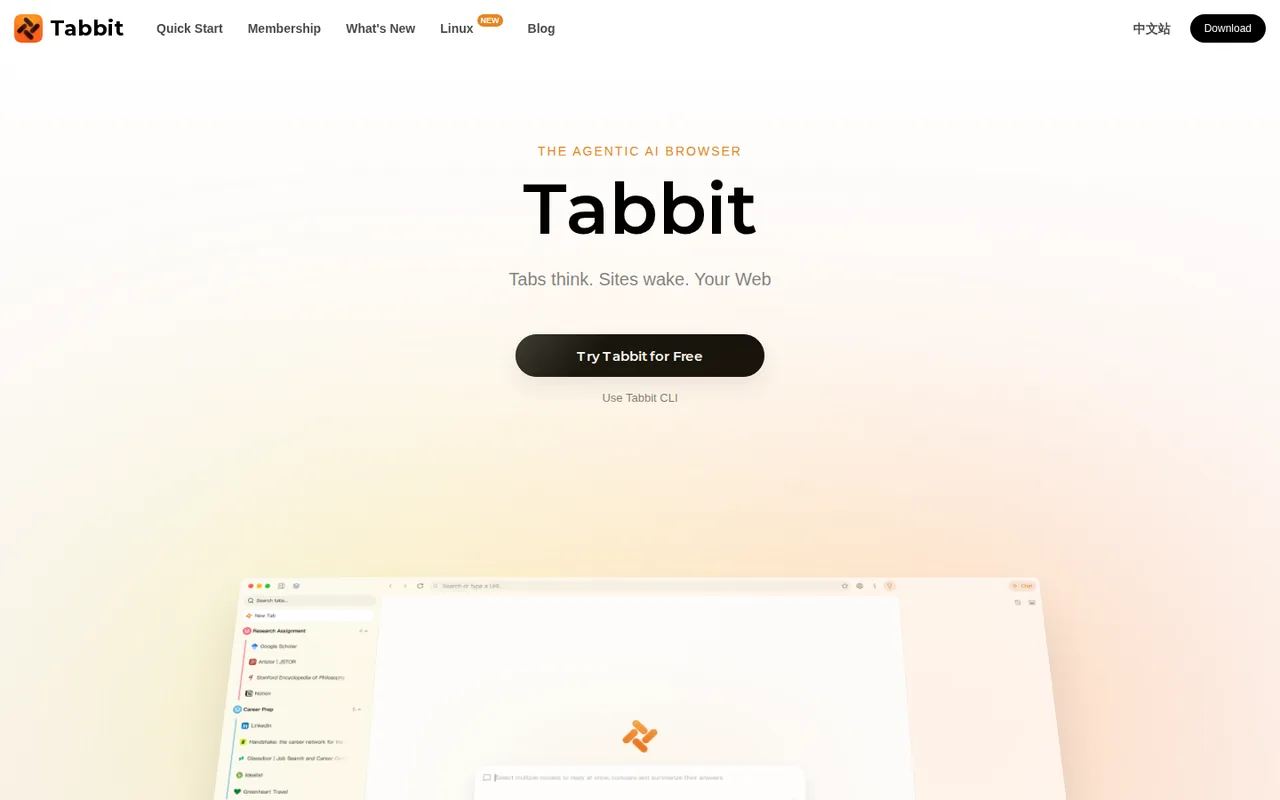
Tabbit: free Standard needs default-browser status, and top models and 10 scheduled tasks need Pro at US$30 per month
Updated September 29, 2026 · By Elias Brandt · Documentation review, not tested hands-on
Pros
- Free tiers with real features
- Model choice shown per chat
- Frequent releases
Cons
- Standard needs default-browser status
- Usage is relative, not numeric
- Legal texts hosted off-site
Bottom line
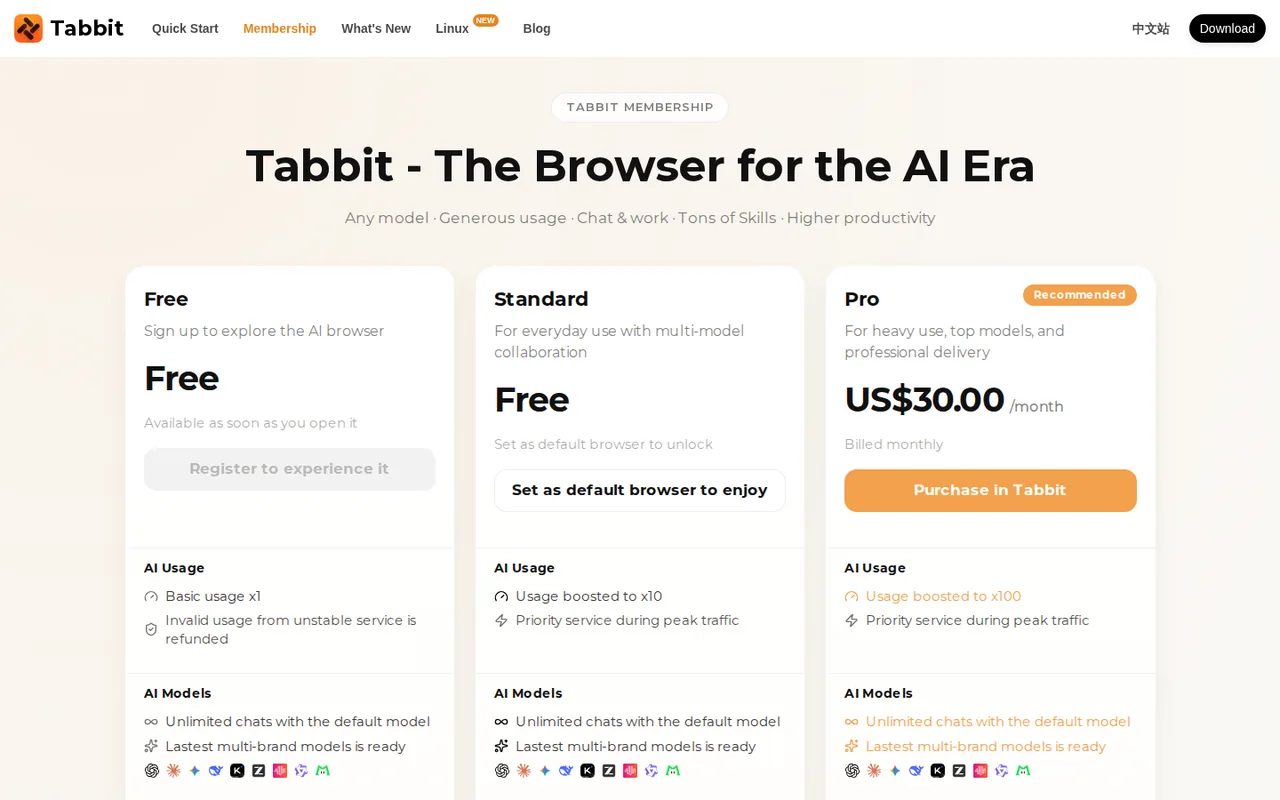
Available after registration; base usage (x1), which the FAQ says resets weekly; unlimited default-model chats for a limited time; document, image, research and web tasks; no scheduled tasks.
You want to try an AI browser with an agent and scheduled tasks at no cost, and you are willing to make it your default browser to unlock the Standard plan.
You use Linux or a phone, because the pages list only macOS and Windows and treat other platforms as roadmap items.
Best forResearchers juggling many tabsPeople automating routine web checksDevelopers using coding agentsLinux users
Strengths, limits and who it suits, in full
Strengths
- Free tiers with real features Default-model chats, agent tasks and Skills are available without paying.
- Model choice shown per chat The FAQ says the model name appears at the top of each chat, identifying the provider.
- Frequent releases Release notes list version 1.15 on September 20, 2026, with a Chromium 152 engine.
Limits
- Standard needs default-browser status The free Standard tier unlocks only when Tabbit is set as the default browser.
- Usage is relative, not numeric Plans are rated x1, x10 and x100 without a published base unit.
- Legal texts hosted off-site Terms and privacy pages load their text from page.meituan.net.
Who it suits
- Researchers juggling many tabs fits reading across tabs and PDFs with a sidebar that can use them as context.
- People automating routine web checks one scheduled task on Standard suits a weekly check; more need Pro.
- Developers using coding agents the CLI suits agent workflows, but give it only accounts you are comfortable letting an agent use.
- Linux users not yet supported; Linux is a wishlist sign-up on the site.
How much does Tabbit cost?
Prices confirmed · checked
Regional prices: Pro is priced in US dollars and billed monthly through Stripe; no yearly option is listed.
The membership page says usage lost to service errors is not deducted. The terms and membership page do not describe money refunds, cancellation or what happens to Standard if Tabbit stops being the default browser.
| Plan | Price | What you get |
|---|---|---|
| Free | $0 sourceFrom tabbit.ai/membership, checked Sep 29, 2026 (opens in a new tab) | Available after registration; base usage (x1), which the FAQ says resets weekly; unlimited default-model chats for a limited time; document, image, research and web tasks; no scheduled tasks. |
| Standard | $0requires setting Tabbit as the default browser sourceFrom tabbit.ai/membership, checked Sep 29, 2026 (opens in a new tab) | Usage x10; priority service at peak times; multi-model replies; everyday agent use; 1 scheduled task; task artifacts kept 30 days. |
| Pro | US$30 per monthbilled monthly sourceFrom tabbit.ai/membership, checked Sep 29, 2026 (opens in a new tab) | Usage x100; GPT-5.6-Sol, Claude-Opus-4.8 and Gemini-3.1-Pro; full agent capabilities; 10 scheduled tasks; adjustable thinking depth and larger context; task artifacts kept permanently; priority email and ticket support. |
How far does it go?
- Relative usage levelsThe plan table rates usage as x1, x10 and x100, so Standard is 10 ÷ 1 = 10 times Free and Pro is 100 ÷ 10 = 10 times Standard. Tabbit does not publish the size of the x1 unit, so no message or task count can be derived; record your own consumption over one week before paying.
Arithmetic from the published allowances above, not a usage test.
Taxes, currency and promotions can change the price you see at checkout.
Try Tabbit free (opens in a new tab)
Key features
| Feature | What it does | Watch out |
|---|---|---|
| Chat sidebar with tabs, files and favorites as context | — | |
| Agent mode that opens pages, clicks and fills forms | Carries out multi-step web tasks such as research, shopping comparisons or form filling while showing each step. | The terms require your confirmation for logins, important information and payments, and confirmed actions may be irreversible. |
| Reusable Skills and saved agent workflows | — | |
| Scheduled tasks on Standard and Pro | Runs a saved task on a schedule. | Free allows none, Standard one and Pro ten; the pages do not say whether tasks run while the browser is closed. |
| Tabbit CLI for coding agents such as Codex and Claude Code | Lets agents such as Codex and Claude Code drive Tabbit through a /tabbit Skill. | It reuses the sites you are signed in to, so the calling agent acts with your logged-in sessions. |
| Deep research, PDF, slide, spreadsheet and document tasks | — | |
| Smart tab grouping, vertical tabs and translation | — |
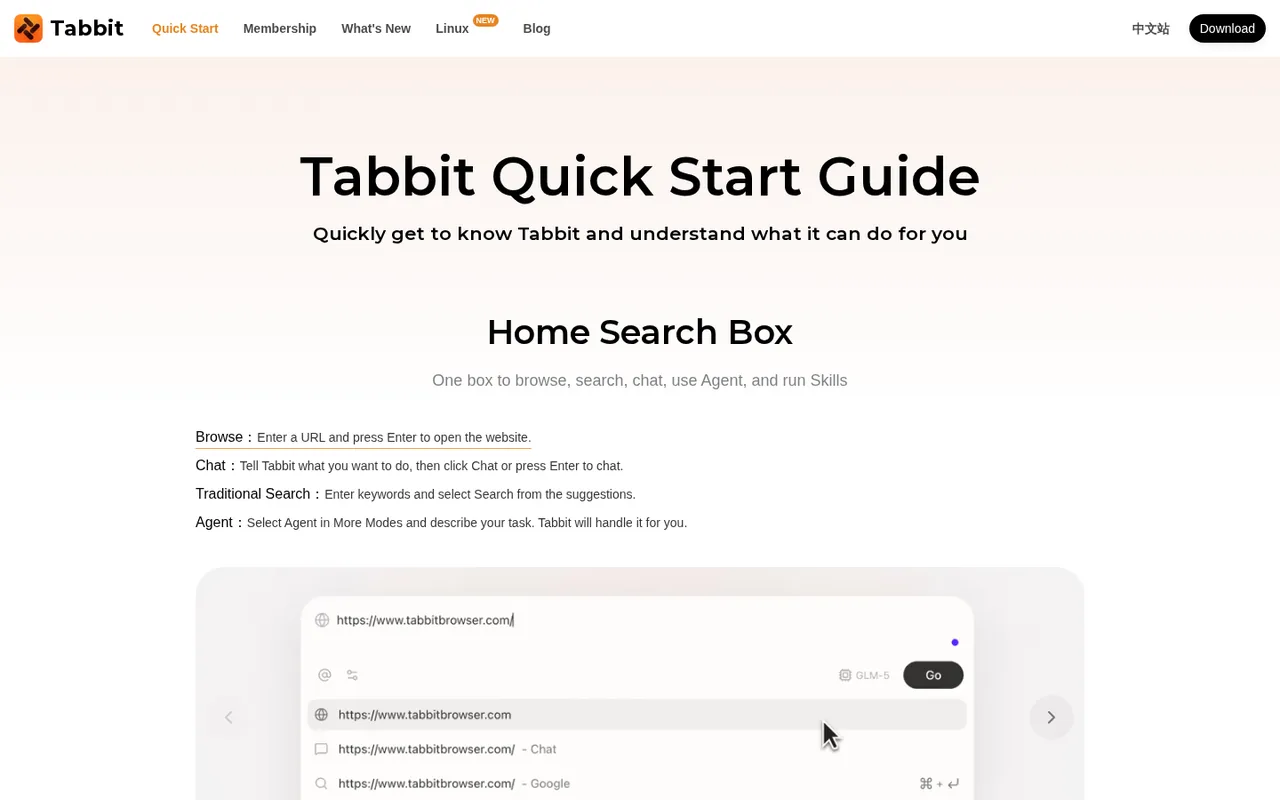
What does the free Standard plan ask in return?
Standard costs nothing, but the membership page says it unlocks only when Tabbit is set as your default browser. In return it raises usage from x1 to x10, adds multi-model replies and everyday agent use, and allows one scheduled task. Links from email and chat apps will then open in Tabbit, so decide whether you want that before switching.
Without the default setting you stay on Free, which the homepage FAQ calls a weekly allowance that resets every week. Default-model chats are marked unlimited on Free for a limited time only. The pages do not say what happens to Standard if you later make another browser the default.
What does Pro add for US$30 a month?
Pro is the only plan with the top models, which the membership page names as GPT-5.6-Sol, Claude-Opus-4.8 and Gemini-3.1-Pro. It raises usage to x100, unlocks full agent capabilities and 10 scheduled tasks, and adds adjustable thinking depth, a larger context window and longer outputs.
Pro also keeps task artifacts permanently, compared with 30 days on Standard, which matters if reports or generated files are saved only inside Tabbit. Billing is monthly through Stripe, with no yearly option shown. Pay for one month and compare your usage against the x10 Standard limit before keeping it.
What must you confirm when the agent acts for you?
The terms authorise the agent to open pages, click and fill forms on your behalf, including on sites where you are logged in. They require your extra confirmation before it logs into accounts or enters passwords, confirms important information, completes payments or takes other steps with a material impact on your rights.
Once you confirm, the terms say the action may not be reversible, and you carry the consequences. They also ask you to watch each step in real time and stop the agent when it misunderstands. Use agent mode on sites where a wrong click is cheap before trusting it with orders or account settings.
Where do prompts and browsing data go?
The FAQ says your prompt goes only to the model provider you choose, routed to servers in Singapore or your region, and that Tabbit does not relay, log or mirror conversations. History, bookmarks and chats are encrypted on the device, and sync sends them to cloud providers in Singapore or your region. The privacy policy states that your data is not used to create, train or fine-tune AI models.
The terms are broader on one point. They grant Tabbit a transferable, sublicensable licence to use content you upload for product optimisation, and allow content you publish publicly to be used for algorithm model optimisation. Keep private material out of shared or published pages.
Can Skills and scheduled tasks replace an automation tool?
Skills are saved, reusable prompts or scripts, and a finished agent task can be saved as a Skill. Scheduled tasks rerun work on a timetable: none on Free, one on Standard and ten on Pro. That suits personal routines such as a weekly reading digest or a price check across a few pages.
For team workflows with triggers from other apps, audit logs and many runs a day, a dedicated automation platform remains the clearer fit. The pages do not state whether scheduled tasks run when the browser is closed, so test that before relying on a timetable.
Which systems does Tabbit run on, and how do coding agents use it?
Downloads cover macOS 12 or later on Apple Silicon and Intel, and Windows 10 or later; the Linux menu item is a wishlist sign-up. Version 1.15, released September 20, 2026, moved the engine to Chromium 152, and history, bookmarks and extensions can be imported from Chrome, Edge or Safari.
The Tabbit CLI, documented on September 18, 2026, installs a /tabbit Skill for agents such as Codex, Claude Code and WorkBuddy. The agent then browses with your existing signed-in sessions. Sign in only to the accounts the task needs before starting it.
Can the free Standard plan run a weekly price check?
Proposed evaluation · not performed yet
Set Tabbit as the default browser to unlock Standard, then create its single scheduled task. Use three public product pages you choose, with no login, cart or payment step.
- Record the plan shown in settings, the app version and the date.
- Ask the agent to open the three pages and return a table of product name, price and URL.
- Save the finished task as a Skill and schedule it weekly.
- Compare the table with the prices shown on the pages at the same time.
- Check after a week whether the task ran and where its artifact was stored.
Accept a table whose prices and links match the pages and a scheduled run that completes without a login or purchase prompt. Reject invented prices, missing sources or any attempt to add items to a cart. Leave the observed result blank until the exercise is run.
For browser automation that runs as an extension in your existing browser, compare Bardeen. For scheduled workflows across many apps, see Zapier or Lindy.
Is Tabbit worth it?
Documentation review plus dated public user reports. Documentation review, not tested hands-on. Not scored.
Worth it if
- You want to try an AI browser with an agent and scheduled tasks at no cost, and you are willing to make it your default browser to unlock the Standard plan.
- You read across many tabs and PDFs and want a chat sidebar that can use them as context, on macOS or Windows.
- You run coding agents such as Codex or Claude Code and want them to drive a browser through the CLI, using accounts you are comfortable sharing with an agent.
Probably not if
- You use Linux or a phone, because the pages list only macOS and Windows and treat other platforms as roadmap items.
- You need a published number of messages or tasks per plan, because usage is rated only as x1, x10 and x100 with no stated base unit.
- You want a different browser as your default, because the free Standard tier is tied to Tabbit holding that setting.
Tabbit alternatives
Other automation tools checked with the same method. Pick by the job, not by a score.

Agent tasks that need an inspectable file handoff

Teams drafting work from shared context

Visual automation for app workflows

Self-hostable workflow and AI-agent automation

Meeting owners who verify commitments

Inbox triage and draft replies for busy professionals

Adults with ADHD who want a talk-to-it daily planning and check-in companion on their phone

Delegating multi-step research and file tasks to an AI agent
Used Tabbit? Write the first review. Visitor opinions are moderated and kept separate from our source checks.
Frequently asked questions
Are tabbit.com and other Tabbit sites the same product?
tabbit.ai links to tabbit.com as its Chinese-language site, and the CLI guide offers separate mainland China and international downloads. Searches also return other domains and a Chrome extension named Tabbit whose link to the provider is not confirmed on tabbit.ai. Download the browser from tabbit.ai to be sure of the source.
Will Tabbit delete an account I stop using?
The terms say accounts that stay inactive for more than six consecutive months after registration or the last login may be revoked, provided no active or unexpired service is attached. If you keep saved Skills, favorites or task artifacts there, sign in occasionally or export what you need before leaving it idle.
How do I report a crash or get help?
The FAQ says to open Help, choose Send a Crash Report, or email support@tabbit.ai, and states that crash reports are anonymous unless you add a note. Free and Standard get email support, while Pro adds priority email and ticket support. The terms give support@tabbitbrowser.com for questions about the agreement.
Can teenagers use Tabbit?
The privacy policy says children under 13 may not use the service. The terms ask users under 18, or under the age of majority where they live, to read the agreement with a parent or guardian and obtain their consent first. Families should also review which accounts the agent can reach from a shared computer.
How does Tabbit update itself?
The FAQ says Tabbit updates in the background like Chrome and shows a small notification when a new version is ready, so you restart when convenient. Release notes on tabbit.ai list the changes in each version, which helps when an agent or CLI workflow behaves differently after an update.
Sources and method6 official sources · 6 details checked · Sep 29, 2026
How we checked this profile
6 details on this page were checked against Tabbit's own pages and help documentation (Sep 29, 2026).
See the checks by section6 documented
| Section | Checks | Last checked | Sources |
|---|---|---|---|
| Article text | 1 documented | tabbit.ai/membership | |
| Plans and prices | 2 documented | tabbit.ai/membership | |
| Features | 1 documented | page.meituan.net/index.html | |
| Platforms and integrations | 1 documented | tabbit.ai | |
| Strengths and limits | 1 documented | page.meituan.net/index.html |
Sources for this profile
- Membership planstabbit.ai
- Product overview and FAQtabbit.ai
- Terms of service (tabbit.ai/terms, text hosted at page.meituan.net, effective March 7, 2026)page.meituan.net
- Privacy policy (tabbit.ai/privacy, text hosted at page.meituan.net)page.meituan.net
The tabbit.ai terms and privacy pages load their text from page.meituan.net; both URLs are recorded. The terms were last updated March 1, 2026, effective March 7, 2026, and name LUMINALAB PTE. LTD. under Singapore law. The homepage FAQ says Linux and mobile are on the roadmap, while the membership table lists iOS, Android and HarmonyOS under multi-device sync; the Linux menu item leads to a wishlist. Model names were read from the membership page and FAQ on September 29, 2026.
Sources checked Sep 29, 2026. Found something out of date? See how we correct profiles.